Contact

What are you interested in?

Web Design, SEO, GEO & Google Ads2026Live

Client: Swiss Group Constructions GmbH

Swiss Group Constructions.

Web design, SEO, GEO and Google Ads for a construction, civil engineering and cleaning company in Wetzikon. 40 services in two divisions, a construction glossary with 136 terms, an excavation calculator in the footer of every page and an inquiry form that asks for the division first.

  • Website
  • SEO
  • GEO
  • Google Ads
Scope
Website · SEO · GEO · Google Ads
Year
2026
Services & technology
  • Web Design
  • Next.js
  • GSAP + Lenis
  • Construction glossary
  • SEO
  • GEO / AI SEO
  • Resend
  • Google Ads

Case study

What Swiss Group Constructions GmbH needed and what we built

The challenge

From excavation, sewers, road and concrete work to construction, final and window cleaning, Swiss Group Constructions covers 40 services, all with one contact person. This breadth is the company's advantage, but on a website it quickly becomes a muddle. Clients, architects and property managers each look for one specific service or technical term, and a cleaning inquiry must not end up in the site manager's inbox.
Our solution

We built an editorially designed site in Swiss red, with word-by-word headlines, mask reveals and horizontally scrolling service cards. The divisions construction & civil engineering (22 services) and cleaning (18 services) are clearly separated, and each service has its own page. Content is stored as one file per service; a build script checks cross-references and meta lengths and generates pages, sitemap, schema and llms.txt from it. The construction glossary explains 136 terms in seven categories, each on its own page, and filters the overview live by search field and category chips. In the footer of every page, an excavation calculator turns length, width and depth into volume, truck loads and excavator days. The inquiry form asks first "What is it about?" with tappable division chips. The header, fullscreen menu and phone button of this website are now the standard we use in new websites.

Architecture

How it fits together

The building blocks behind Swiss Group Constructions GmbH and how data flows between them.

UserFrontendAdminServer / APIExternal service
Connections: Content (one file per service/term) → Build script (checks, bundling); Build script (checks, bundling) → Website (Next.js, static) (40 services, 136 terms); Build script (checks, bundling) → Sitemap, schema, llms.txt; Client, architect, property manager → In-browser excavation calculator (Length × width × depth); Client, architect, property manager → Inquiry endpoint (Division, project, location); Inquiry endpoint → Resend (with fallback sender) (Notification + confirmation); Resend (with fallback sender) → Responsible division (Division on top)

Site structure

How the website is structured

swissgroupconstructions.ch5 sections · 2 subpages
  • Homepage
  • 40Services
    • 22Construction & civil engineering
    • 18Cleaning
  • 136Construction glossary
  • 1About us
  • 1Contact
Simplified view of the site structure. Page counts from a live check (sitemap) on 12 October 2026.

Flow

Who does what, step by step

  • Customer
  • Business
  1. Customer

    Search for a service or term

    The client searches for something like excavation pit or final cleaning and lands on the service or glossary page.

  2. Customer

    Estimate the excavation

    In the excavation calculator he enters the dimensions and sees volume, truck loads and excavator days.

  3. Customer

    Choose the division and inquire

    In the form he first taps the division, describes the project and receives a confirmation email.

  4. Business

    Route correctly

    The inquiry arrives with the division at the top. The team replies directly to the customer and arranges a site visit.

Step by step

How it works in practice

Real screenshots along the flow.

How a prospect gets to an inquiry

From the homepage via menu, service, glossary and excavation calculator to the form that asks for the division first. Captured up to just before submitting.

Views with customer data show sample data or are redacted.

  1. 01Step 1 / 7
    Swiss Group Constructions – Step 1: Homepage

    Homepage

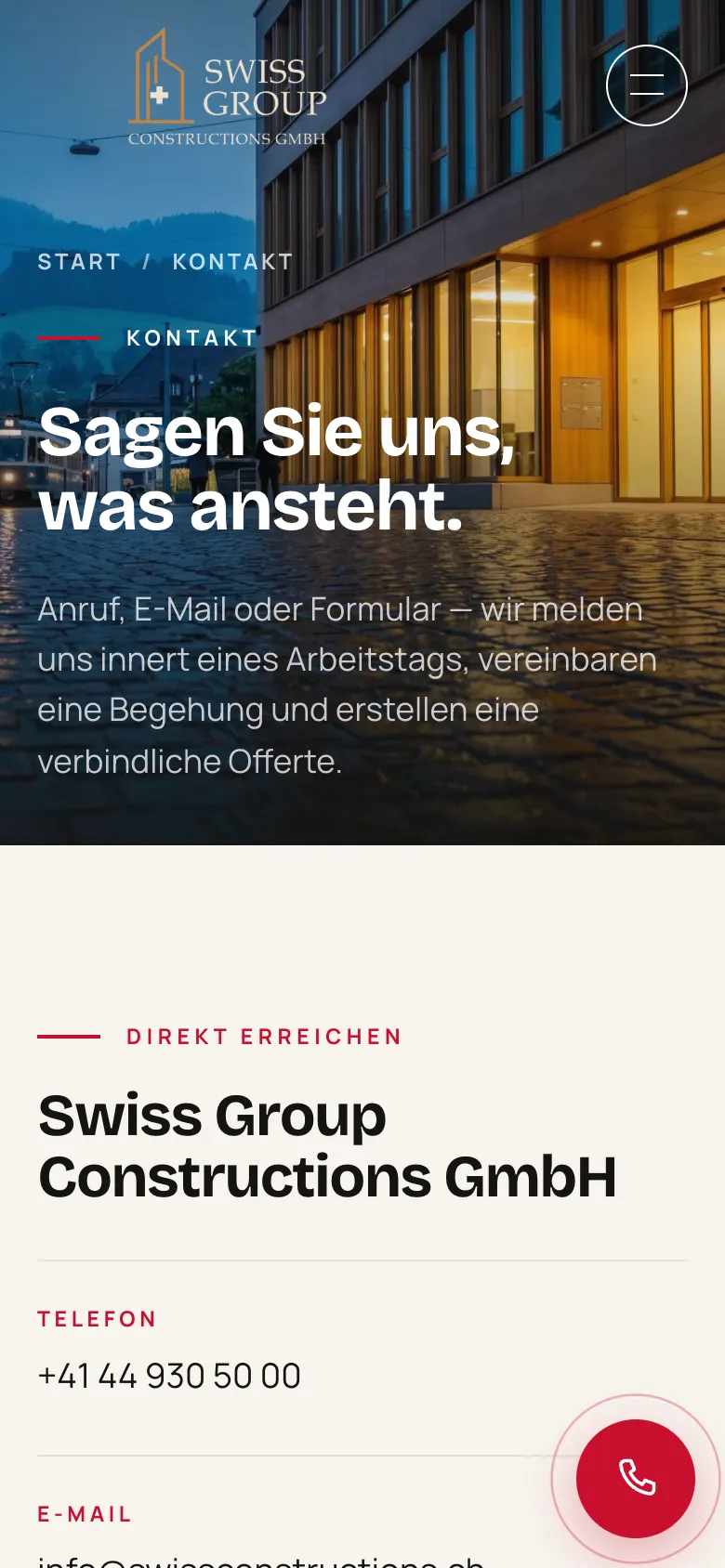
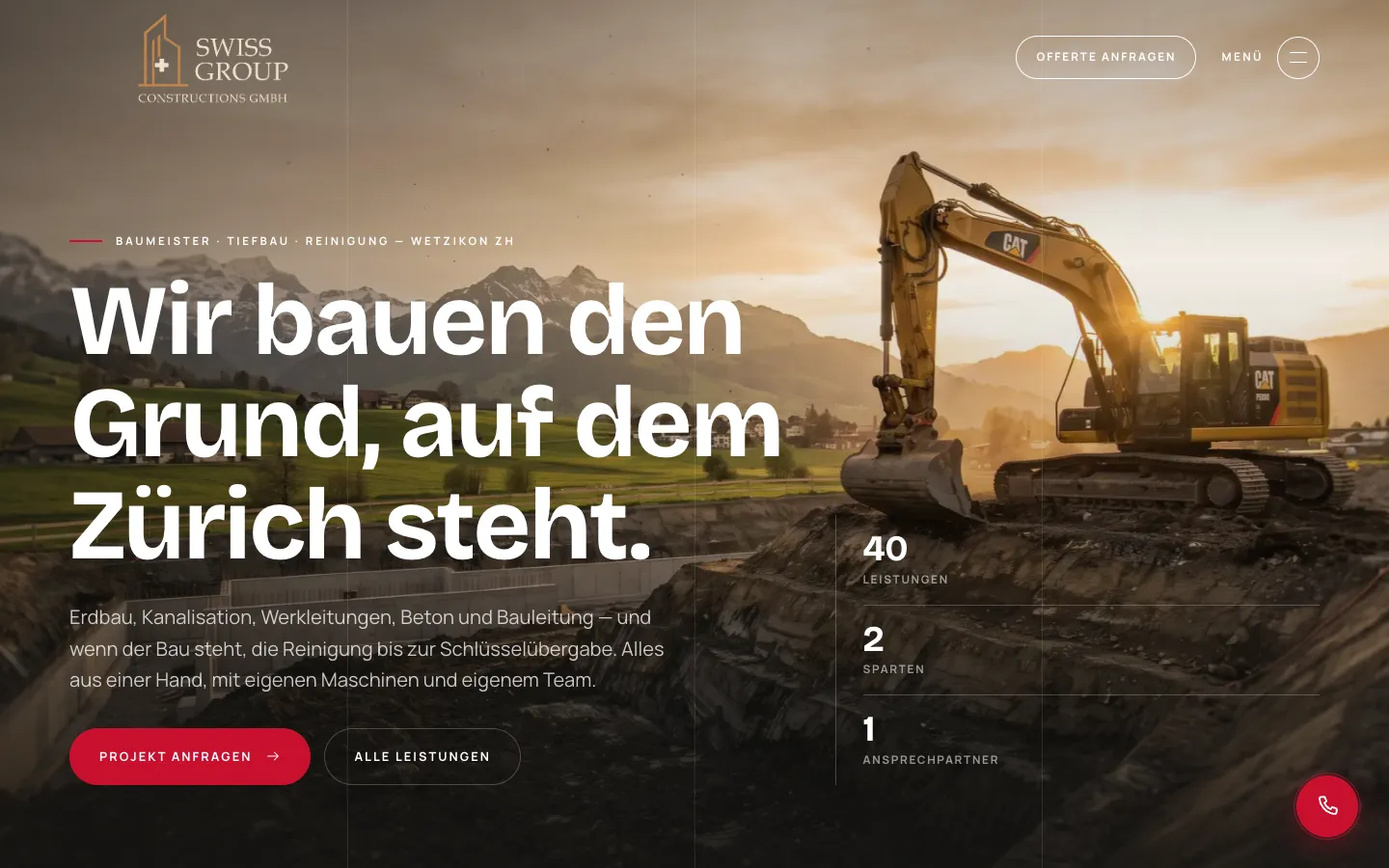
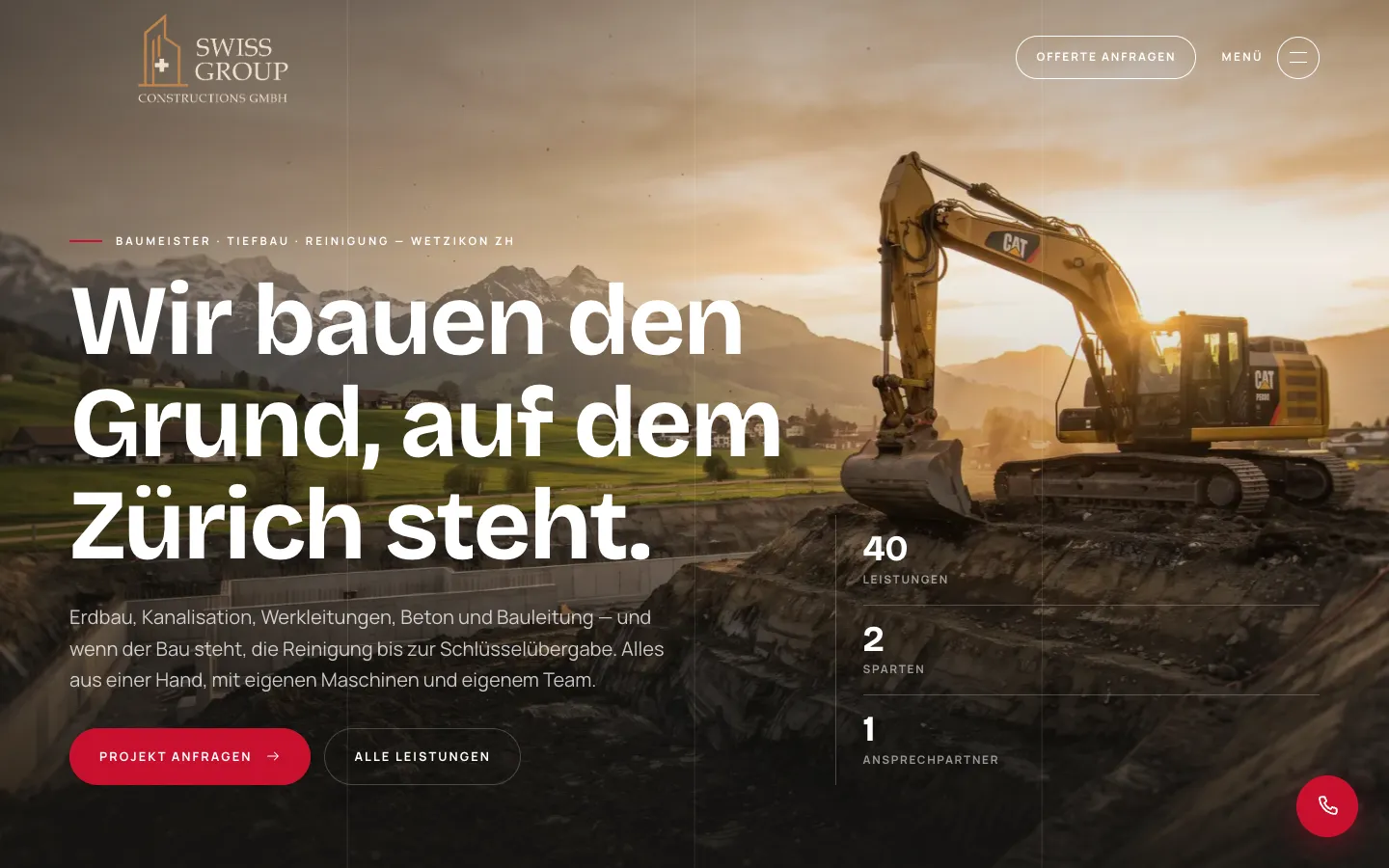
    Fullscreen hero with the core message, "Request a project" and the key facts 40 services, 2 divisions, 1 contact. The red phone button stays at the bottom right.

  2. 02Step 2 / 7
    Swiss Group Constructions – Step 2: Fullscreen menu

    Fullscreen menu

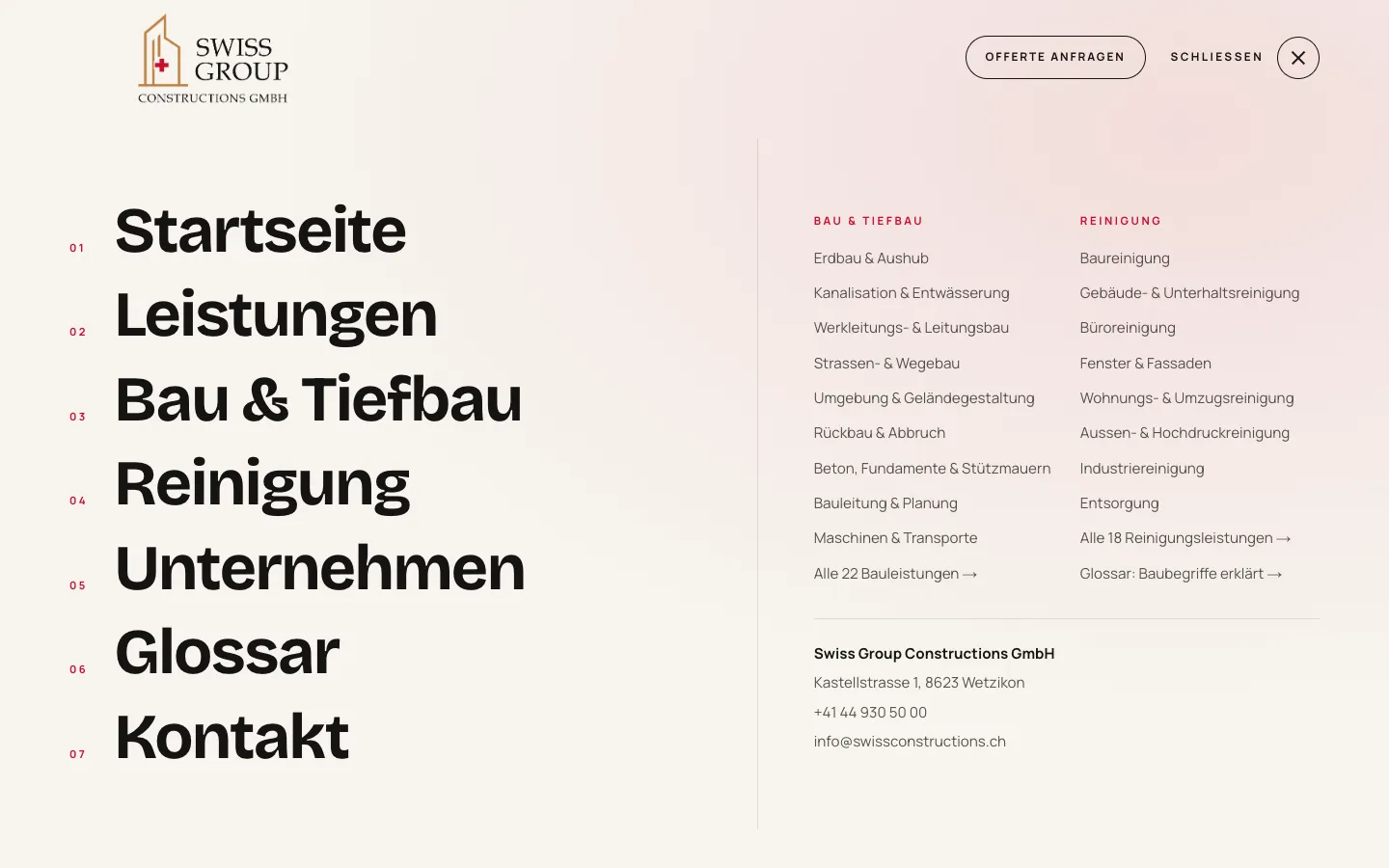
    Numbered main items on the left, all services of both divisions and the contact block on the right. Every service is two clicks away from any page.

  3. 03Step 3 / 7
    Swiss Group Constructions – Step 3: Excavation service page

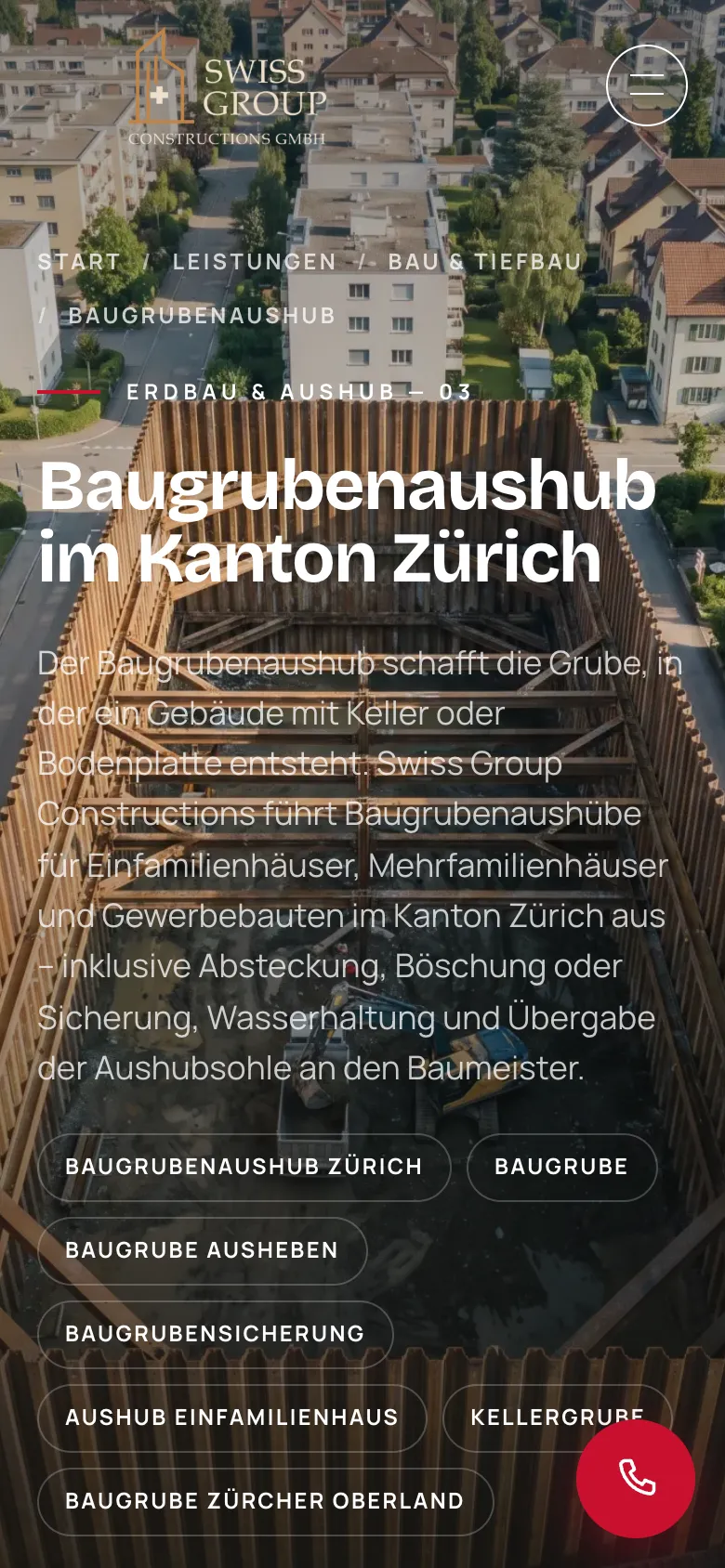
    Excavation service page

    One of 40 service pages with its own introduction and topic chips for related search terms.

  4. 04Step 4 / 7
    Swiss Group Constructions – Step 4: Construction glossary

    Construction glossary

    136 technical terms with a search field and category chips. Each term has its own page and links to the matching service.

  5. 05Step 5 / 7
    Swiss Group Constructions – Step 5: Excavation calculator

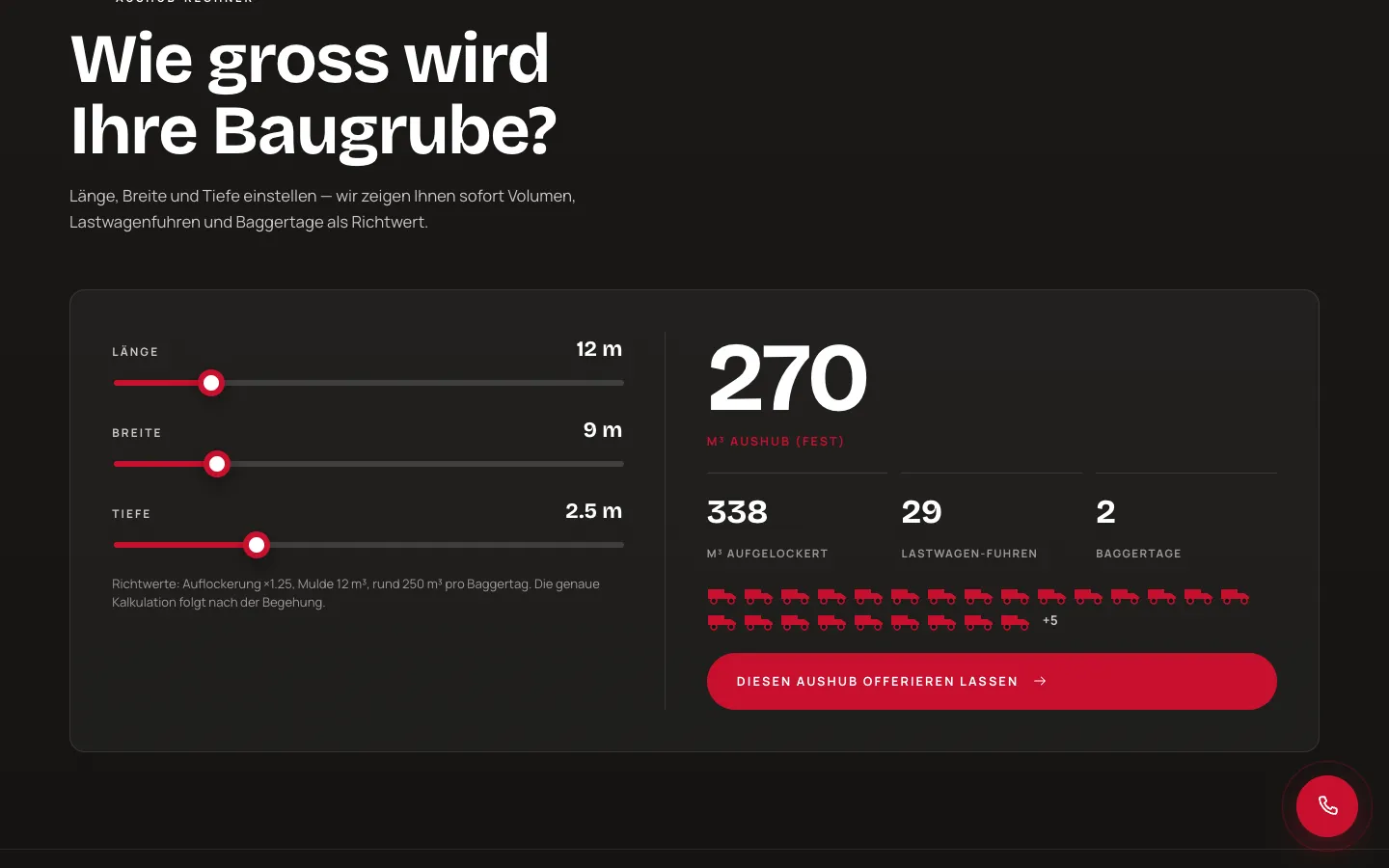
    Excavation calculator

    Set length, width and depth and the volume, truck loads and excavator days appear instantly as a guide. "Get a quote for this excavation" leads to the inquiry.

  6. 06Step 6 / 7
    Swiss Group Constructions – Step 6: Contact: division first

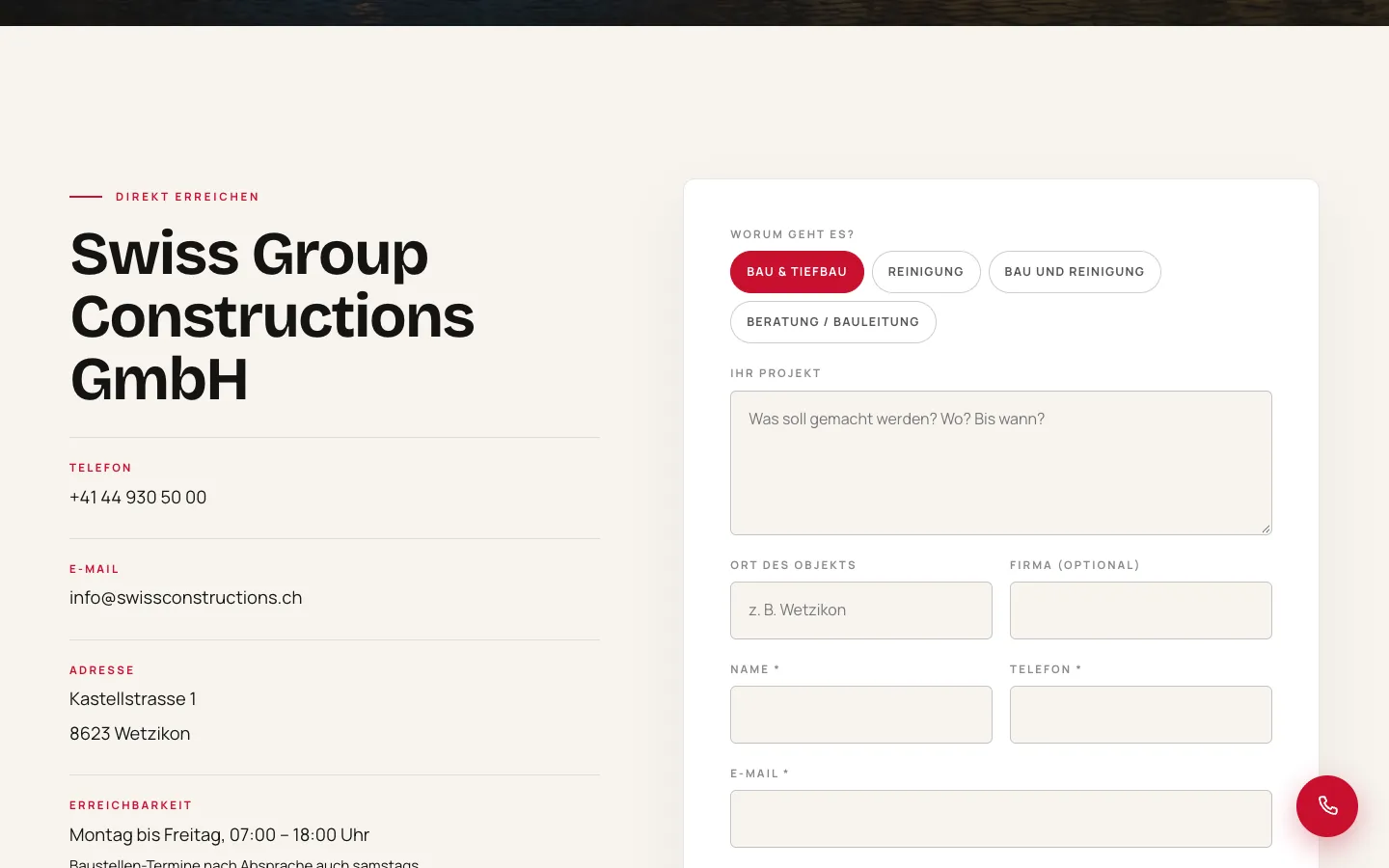
    Contact: division first

    The form asks with chips what it is about: construction, cleaning, both or consulting. That way the inquiry reaches the right team.

  7. 07Step 7 / 7Sample data
    Swiss Group Constructions – Step 7: Form on a phone

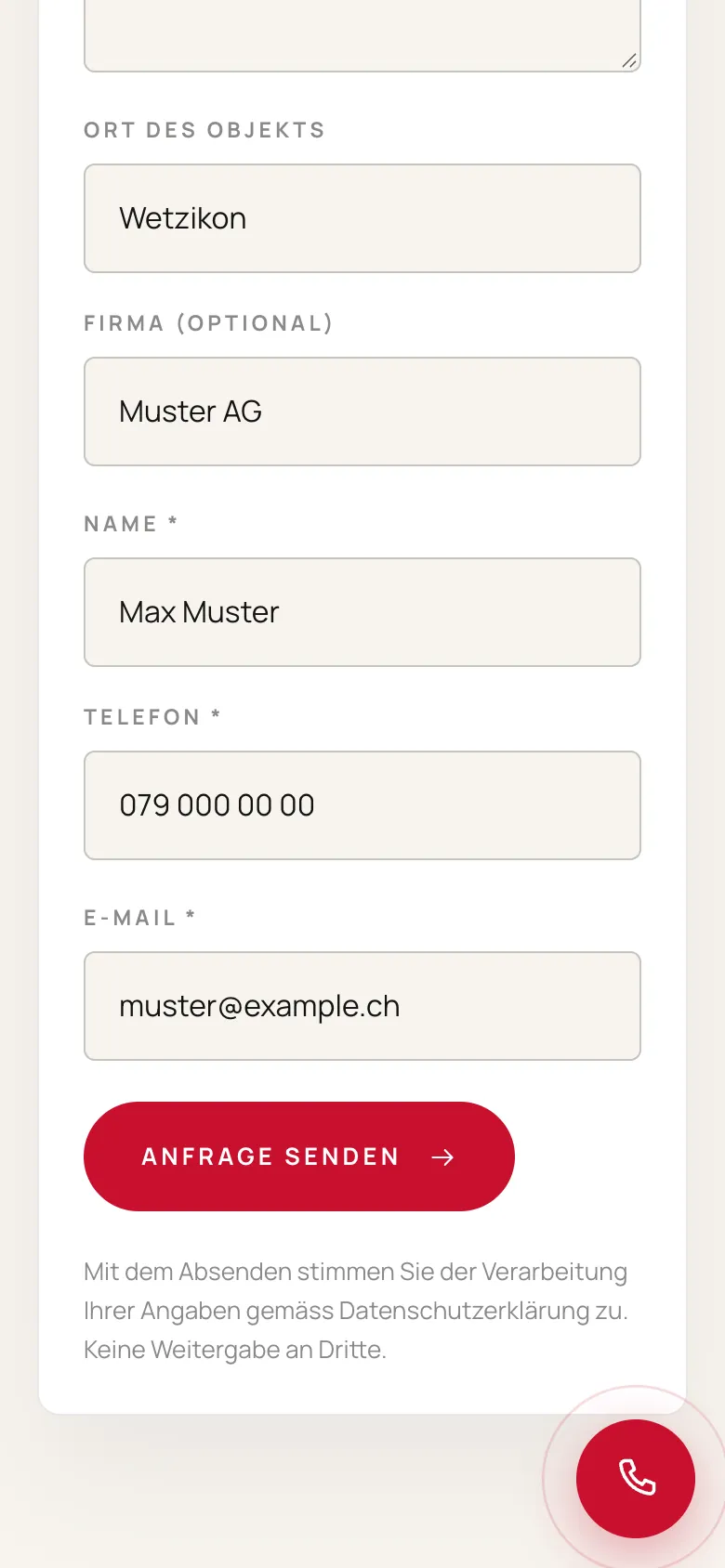
    Form on a phone

    Location of the property, company, name, phone and email, shown with sample data and not submitted.

Swipe sideways for the next step.

Features

What the solution does

  • 40 services in 2 divisions

    Construction & civil engineering with 22 services, cleaning with 18, each on its own page below its division. Division hubs with group anchors lead quickly to the right job.

  • Content as files, pages generated

    A new service or term is one file. The build script checks slugs, cross-references and meta lengths and generates page, sitemap, schema and llms.txt.

  • Construction glossary with live filter

    136 terms in 7 categories, each with a practical example and a link to the matching service. Search tolerates umlauts and knows synonyms; all terms remain crawlable in the HTML.

  • Excavation calculator

    Length, width and depth give solid and loosened volume, truck loads and excavator days, with a button to request a quote for this excavation. It calculates in the browser.

  • Inquiry: division first

    Chips for construction, cleaning, both or consulting, then project and location. The server validates input and rate-limits requests per hour; the customer receives a confirmation.

  • Header and menu standard

    Smart header, fullscreen curtain menu with numbered items, sliding mobile menu and a round phone button. Now the template for new DLM websites.

  • Motion design

    Smooth scrolling, word-by-word headlines, mask reveals, counters from real data and horizontally scrolling service cards.

  • SEO and GEO layer

    Structured data, a share image per page, robots allowing AI crawlers, and automatically generated llms.txt, ai.txt and webmcp.json.

Mobile

On the smartphone

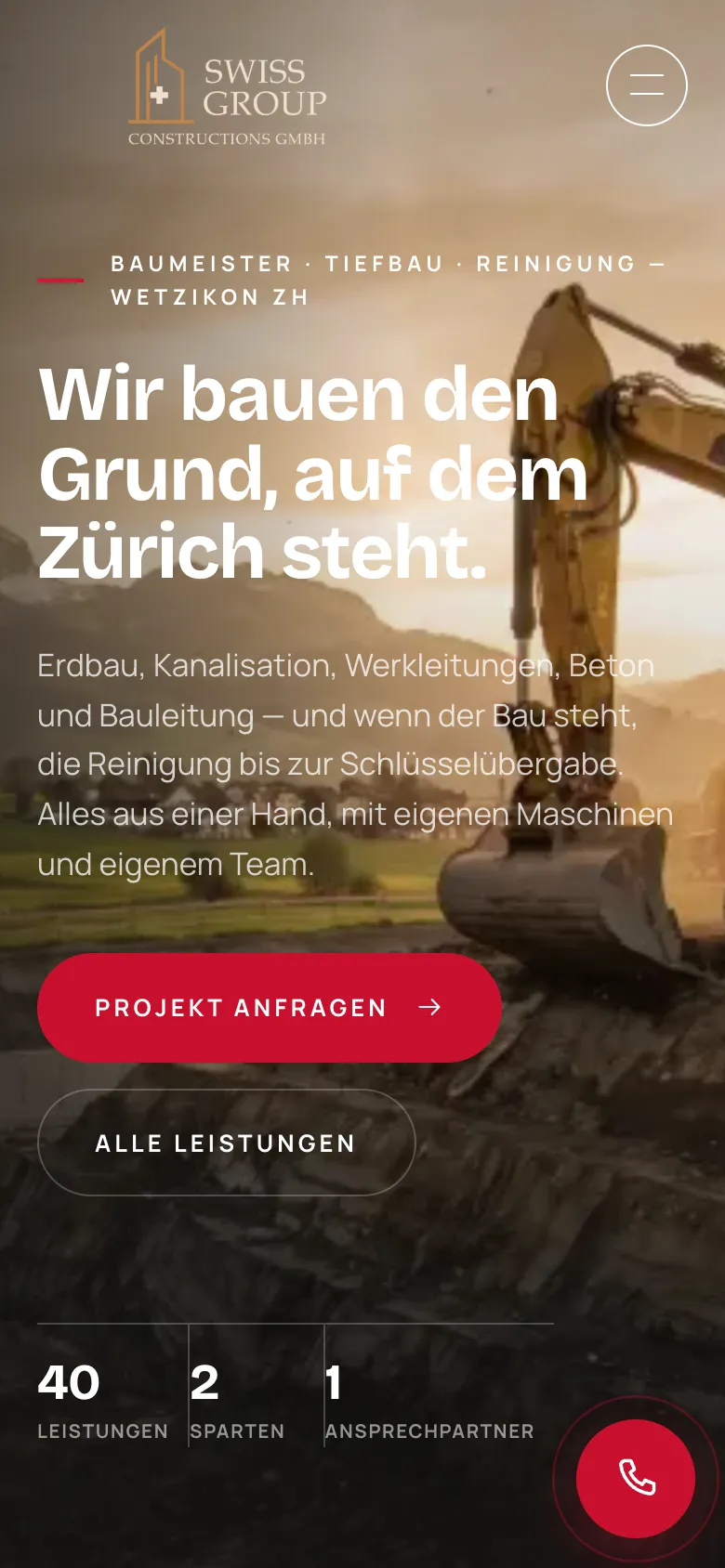
  • Swiss Group Constructions – Homepage on mobile
    Homepage on mobile
  • Swiss Group Constructions – Contact and inquiry on a phone
    Contact and inquiry on a phone
  • Swiss Group Constructions – Excavation service page on a phone
    Excavation service page on a phone

Swipe sideways for more views.

Screens

What it looks like

  • Homepage "We build the ground Zurich stands on."
  • Construction & civil engineering division with 22 services
  • Construction glossary with search field and category chips

FAQ

Frequently asked questions

How do you structure a website with 40 services?

With a clear hierarchy: divisions first, services below, each with its own page. The menu shows the divisions as columns and the contact form asks for the division first. At Swiss Group each service is a separate file from which page, sitemap and schema are generated automatically.

Why a glossary on a construction website?

Clients often search for terms such as excavation pit, utility line construction or deep cleaning before they look for a company. The glossary answers these questions on 136 dedicated pages and links each one to the matching service. Language models like to use such clear definitions as a source.

What does the excavation calculator calculate?

From length, width and depth it calculates the solid and loosened volume, the number of truck loads and a guide value for excavator days. The guide values come from the company. It calculates in the browser and transmits no data.

Solutions

Solutions from this project

Work

Similar projects

Your project

A project like this for your business?

Websites from CHF 3,000 to CHF 25,000, web apps from CHF 10,000. We deliver a website within 2 weeks once all materials are in.