Contact

What are you interested in?

Website, Planners, Price Calculator & Admin2026Live

Client: Bodin Bau GmbH

Bodin Bau.

Website and web software for an interior finishing and renovation company in Cham ZG. Customers upload a photo of their current bathroom or kitchen and see their own room redesigned, with a running cost range. On top come a price calculator for eight trades, a quote wizard and a protected admin area in which the company handles every inquiry with floor plan, price lines and source.

  • Website
  • Web app
  • SEO
  • GEO
  • Google Ads
Scope
Website · Web app · SEO · GEO · Google Ads
Year
2026
Services & technology
  • Next.js
  • PostgreSQL
  • AI image model
  • Object storage (S3)
  • Resend
  • Local SEO
  • GEO / llms.txt
  • Google Ads

Case study

What Bodin Bau GmbH needed and what we built

The challenge

Bodin Bau carries out plastering, drywall, painting, tiling, flooring and facade work as well as bathroom renovations itself, from Cham across Zug, Zurich, Schwyz, Lucerne and Aargau. Anyone renovating a bathroom or kitchen has two questions before calling: what will it look like in my room, and what cost range am I in? A contact form answers neither. At the same time, inquiries used to arrive without dimensions, scope or material, and the company had to ask for every basic detail by phone.
Our solution

The core is the bathroom planner: the customer uploads a photo of her bathroom, taps room size and fixtures and adjusts the floor plan in real centimetres, even with one finger on a phone. She then chooses tiles, grout, laying pattern, flooring and fittings while the CHF range updates. At the end an AI image model shows her own room, with window, door and perspective kept, but with the new bathroom. Image generation keeps running as a server job even if the window is closed; anyone who leaves an email address receives the link. A six-step kitchen planner works on the same principle. For all other work, a three-step price calculator gives a guide range without any contact details, and a four-step quote wizard takes the binding inquiry. In the admin area, with sign-in by email code, the company sees every inquiry with floor plan, price lines, source and history, plus abandoned configurations as a work list and a dashboard with in-house audience measurement without third parties.

Architecture

How it fits together

The building blocks behind Bodin Bau GmbH and how data flows between them.

UserFrontendAdminServer / APIDatabaseExternal service
Connections: Customer (phone/desktop) → Bathroom and kitchen planner (Photo + choices); Customer (phone/desktop) → Price calculator + quote wizard (Trade, quantity, contact); Bathroom and kitchen planner → Next.js server (render jobs, inquiries) (Render job); Next.js server (render jobs, inquiries) → AI image model (Prompt + photo); Next.js server (render jobs, inquiries) → Private object storage (Photo + visualisation); Price calculator + quote wizard → Next.js server (render jobs, inquiries) (Inquiry); Next.js server (render jobs, inquiries) → PostgreSQL (Configuration, inquiry, history); Next.js server (render jobs, inquiries) → Resend (email) (Inquiry + result link); Bodin Bau admin → PostgreSQL (Status, amount, note)

Site structure

How the website is structured

bodin-bau.swiss9 sections · 6 subpages
  • Homepage
  • 11Services
    • 286Service × town
  • 3Planners and calculator
    • 1Bathroom planner
    • 1Kitchen planner
    • 1Price calculator
  • 1Quote
    • 11Entry per trade
  • 26Locations
    • 5Cantons
  • 10Cost guides
  • 41Glossary
  • 14References
  • 5Company, contact, legal
Simplified view of the site structure. Page counts from a live check (sitemap) on 12 October 2026.

Flow

Who does what, step by step

  • Customer
  • Business
  • System
  1. Customer

    Upload a photo

    The customer starts the bathroom planner and uploads a photo of her current bathroom. Without a photo a generic bathroom is generated.

  2. Customer

    Choose room and fittings

    Size, fixtures and floor plan, then style, tiles, grout, flooring and fittings. The cost range updates as she goes.

  3. System

    Generate the visualisation

    The server generates the image as a job. If it takes longer, the customer leaves her email and receives the link to the result page.

  4. Customer

    Send a non-binding inquiry

    With name and email the inquiry is sent to the company together with choices, range, photo and visualisation.

  5. Business

    Handle the inquiry in the cockpit

    Bodin Bau signs in with an email code, opens the inquiry with floor plan and price lines and calls back.

  6. Business

    Maintain status and history

    After the call the company sets status, amount or reason for loss. Every change stays traceable in the history.

Step by step

How it works in practice

Real screenshots along the flow.

Bathroom planner: from photo to cost range

A customer's path through the bathroom planner, captured on the live site. The final image generation is not shown: it triggers a paid AI job.

  1. 01Step 1 / 6
    Bodin Bau – Step 1: Entry: "See your new bathroom"

    Entry: "See your new bathroom"

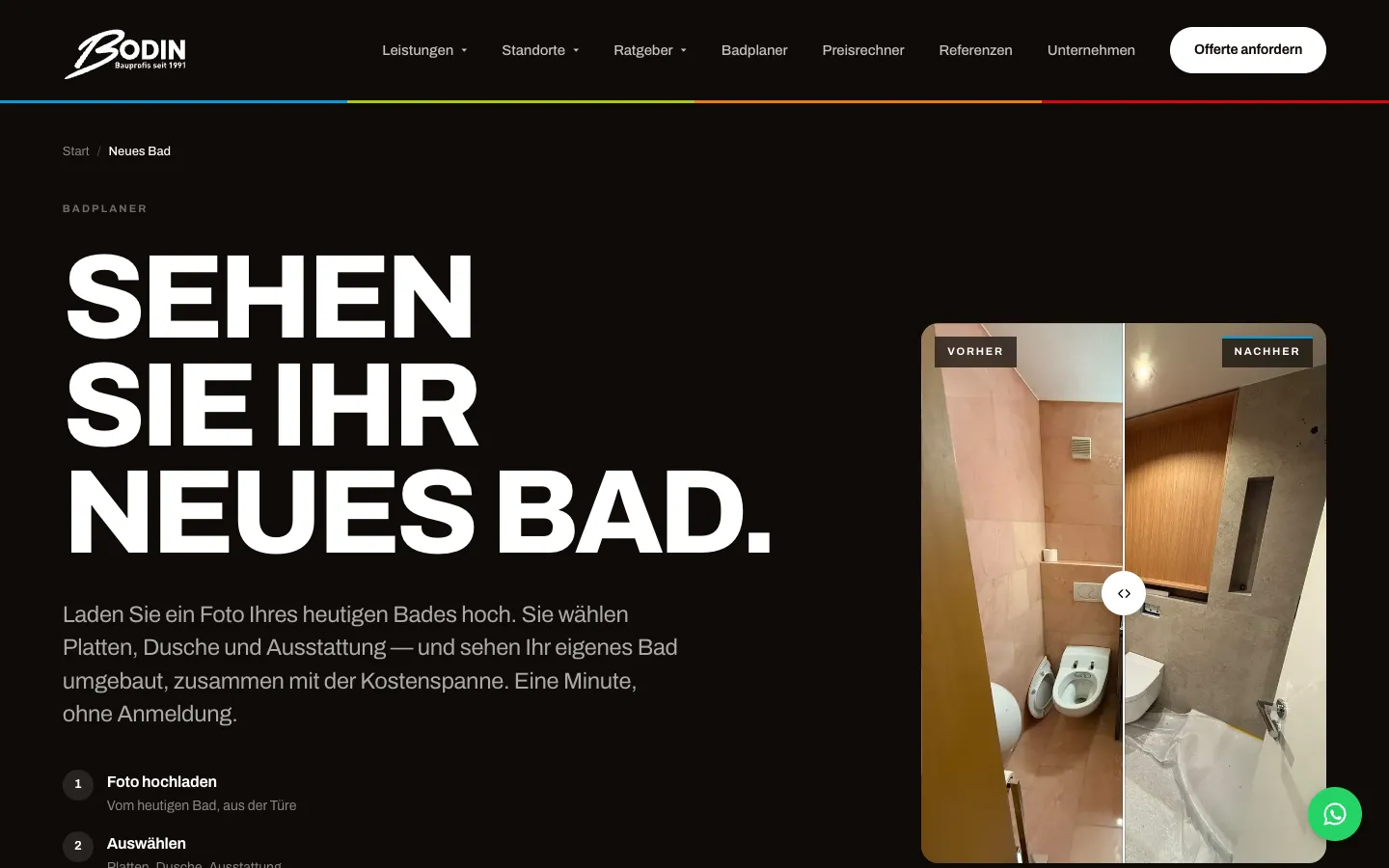
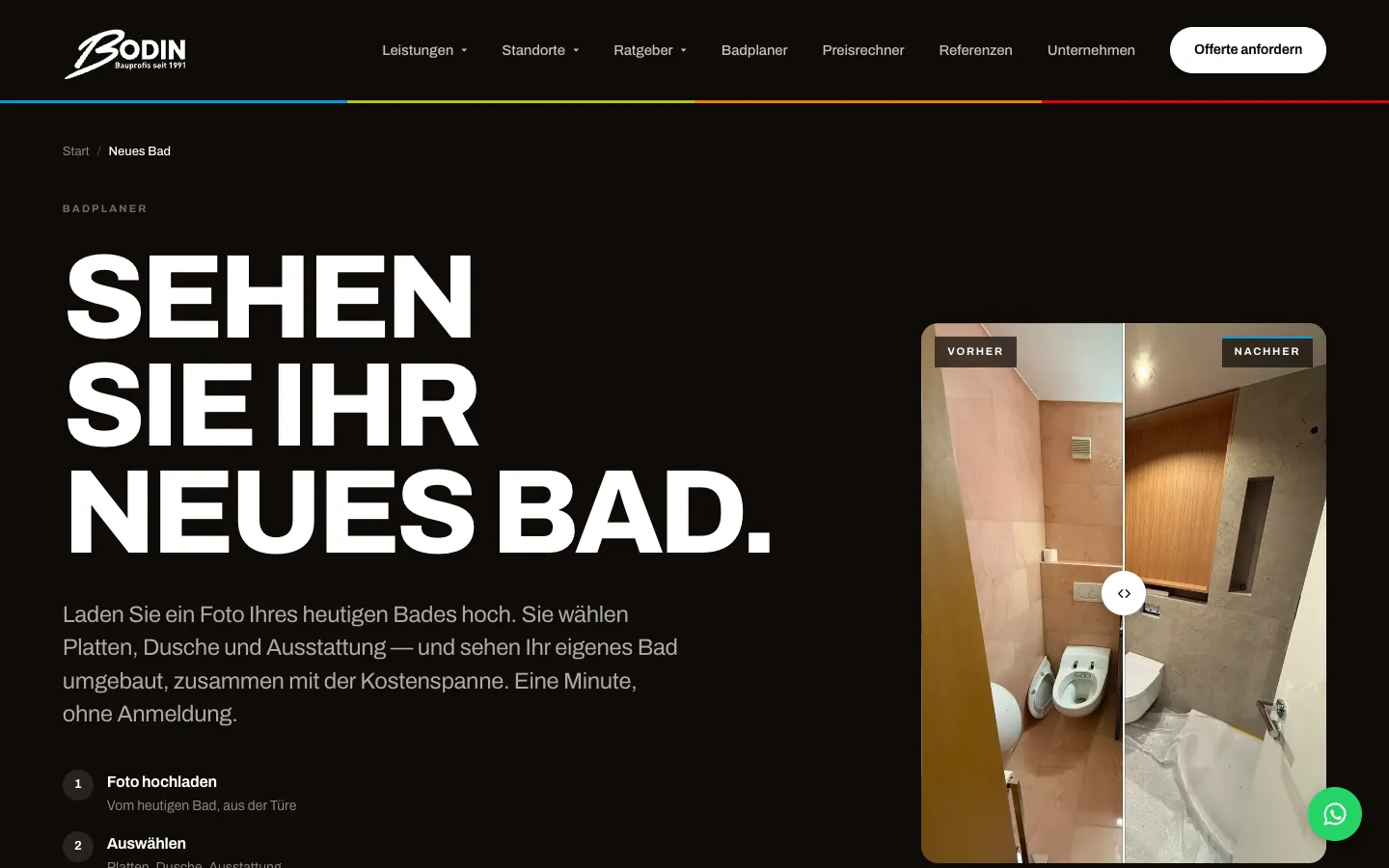
    The landing page shows the outcome with a before/after slider and explains the process in three points. The customer knows what to expect before she starts.

  2. 02Step 2 / 6
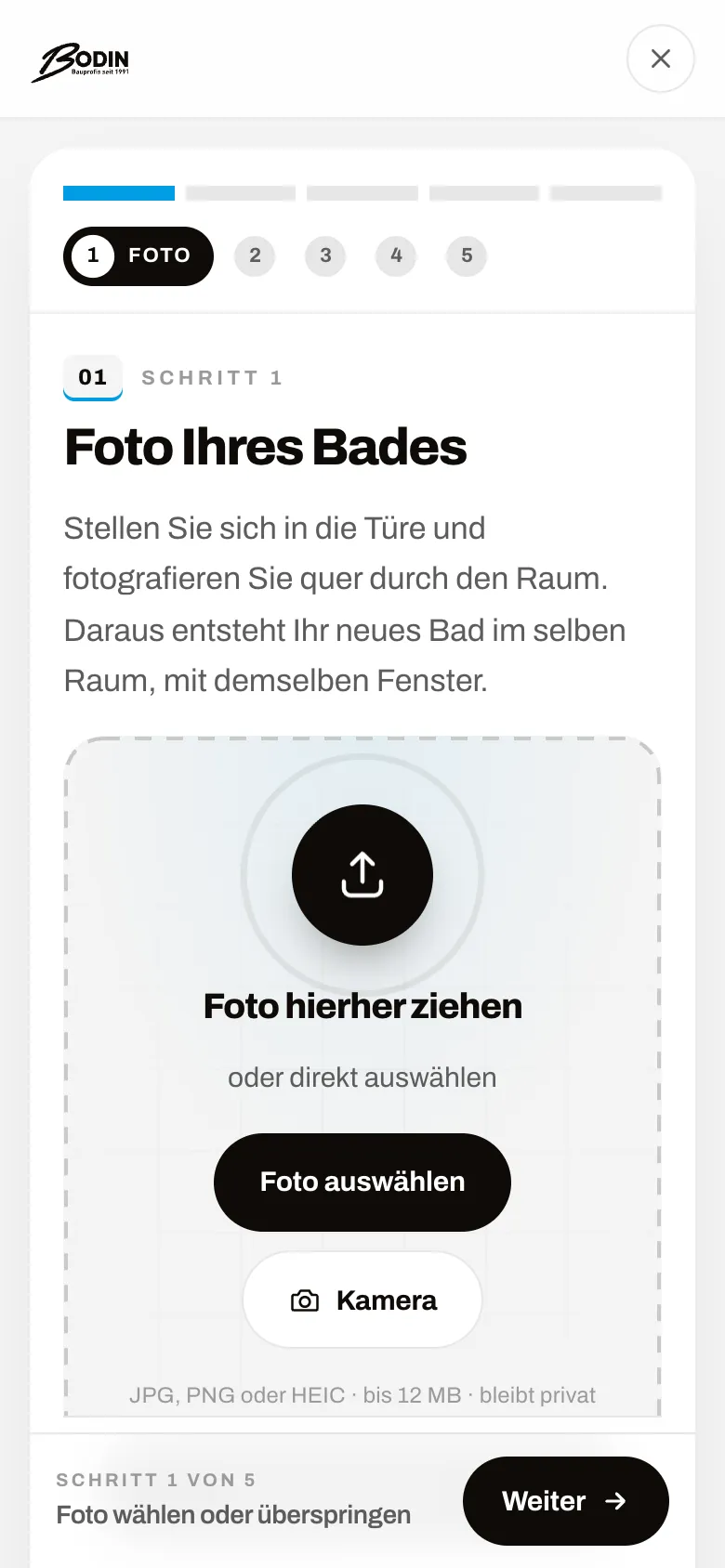
    Bodin Bau – Step 2: Step 1: photo of the bathroom

    Step 1: photo of the bathroom

    On a phone, "Camera" opens the camera directly; alternatively she uploads a photo or skips the step. The note "stays private" answers the most common concern up front.

  3. 03Step 3 / 6
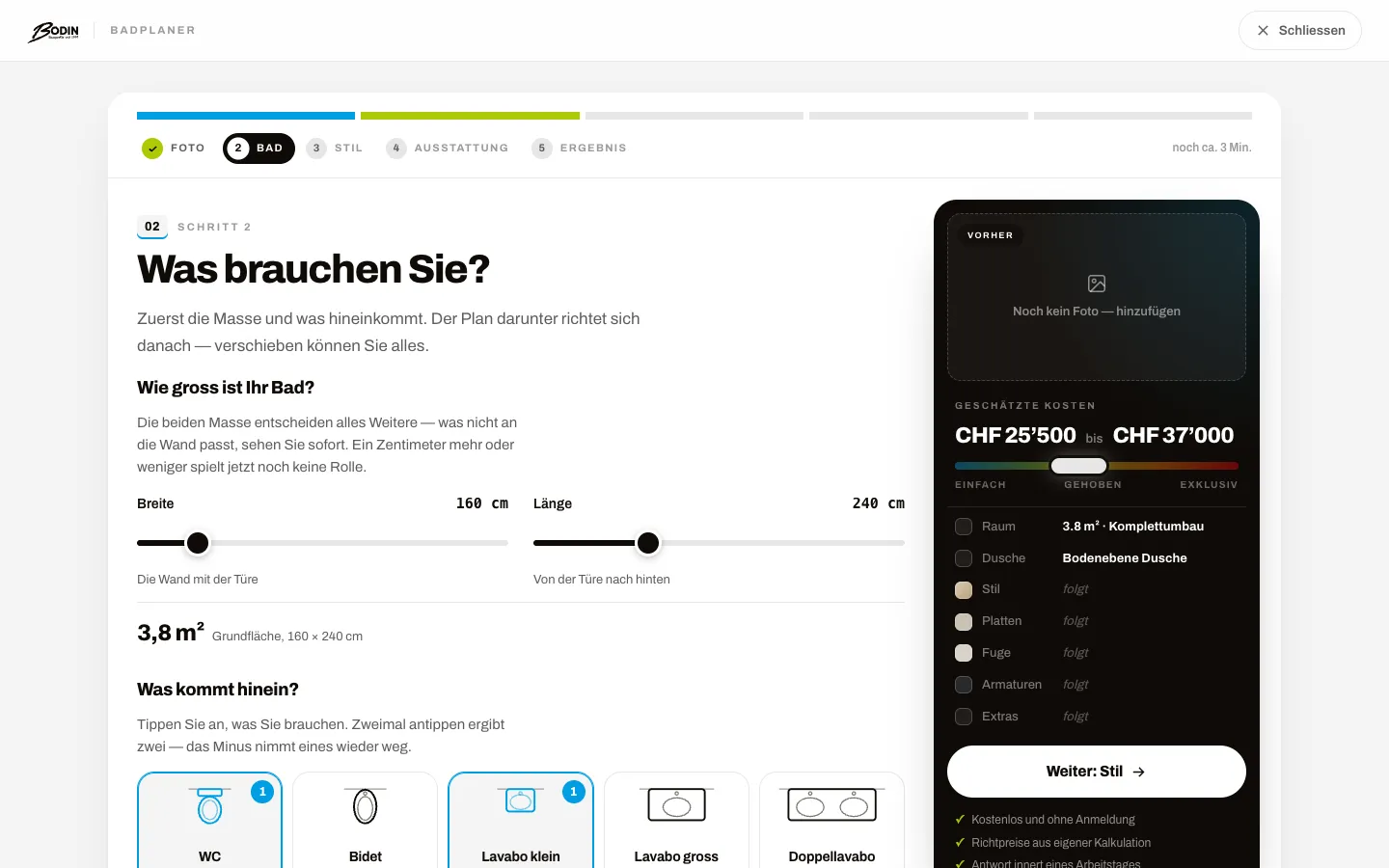
    Bodin Bau – Step 3: Step 2: dimensions and fixtures

    Step 2: dimensions and fixtures

    Width and length with sliders, then tap WC, basin or shower. From here the cost range on the right updates with every choice.

  4. 04Step 4 / 6
    Bodin Bau – Step 4: Floor plan in real centimetres

    Floor plan in real centimetres

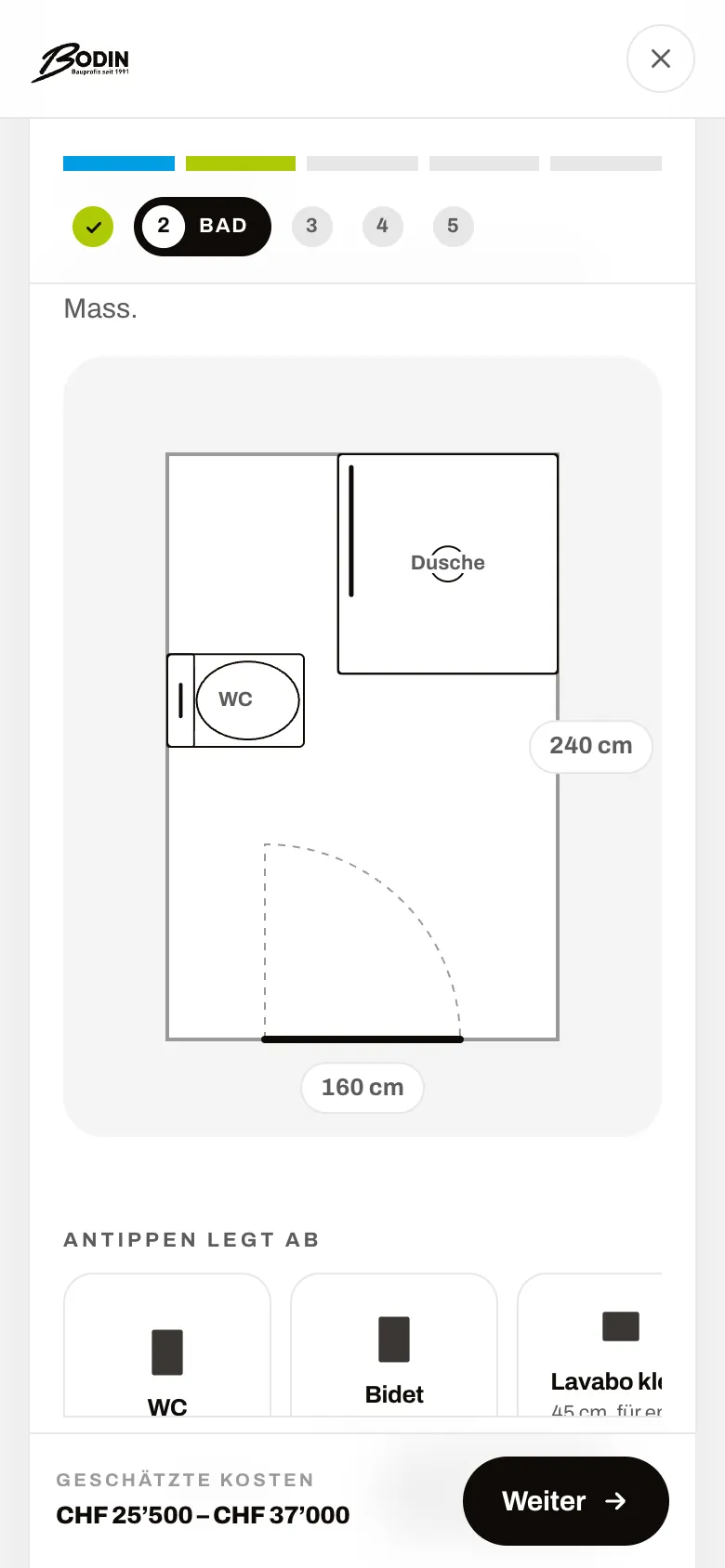
    The inputs instantly produce a floor plan with door and fixtures. Walls and fixtures can be moved with a finger; the plan feeds both cost and image.

  5. 05Step 5 / 6
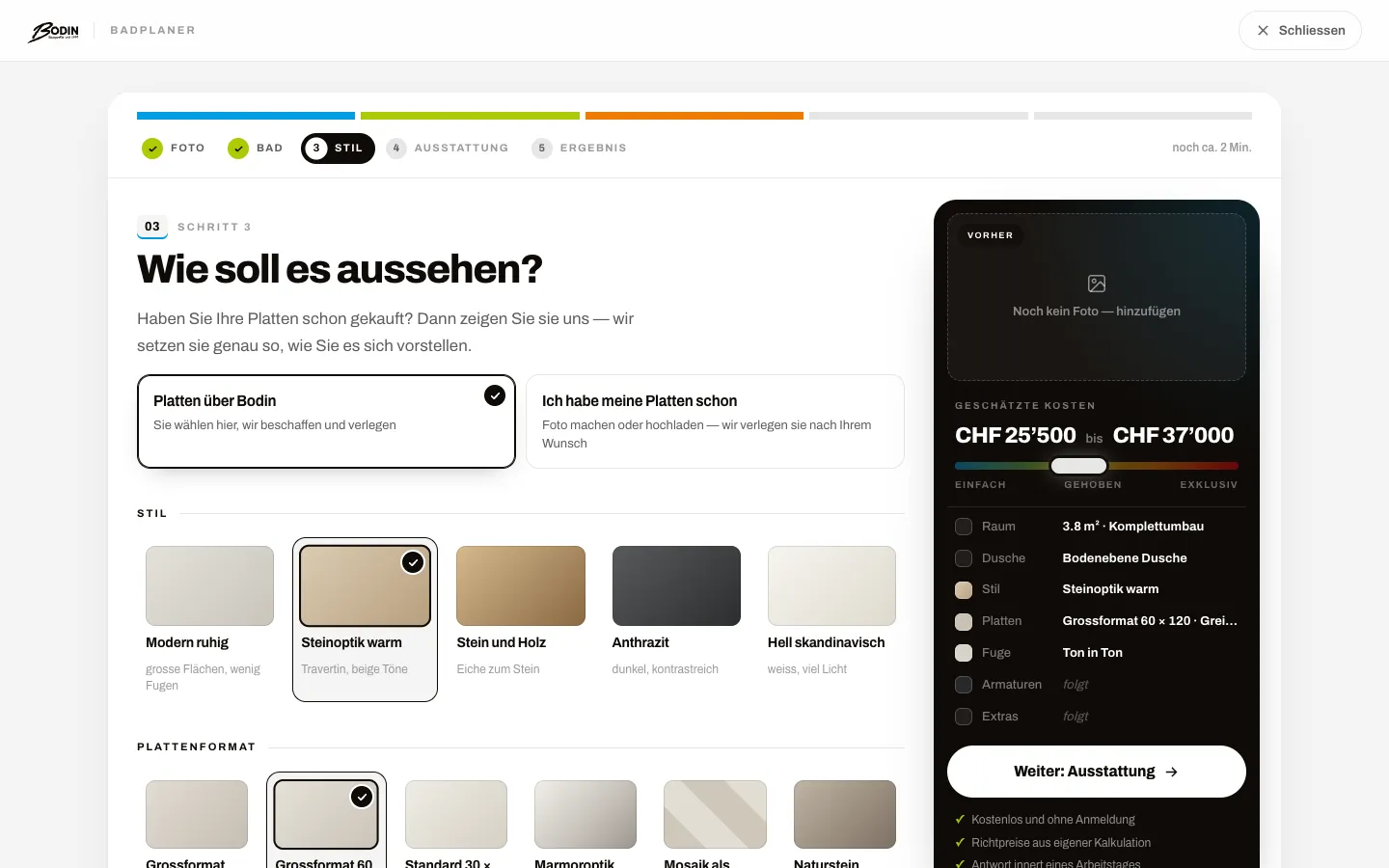
    Bodin Bau – Step 5: Step 3: style, tiles and grout

    Step 3: style, tiles and grout

    Style, tile format, colour, laying pattern and grout as image tiles instead of dropdowns. Anyone with their own tiles picks the second option at the top.

  6. 06Step 6 / 6
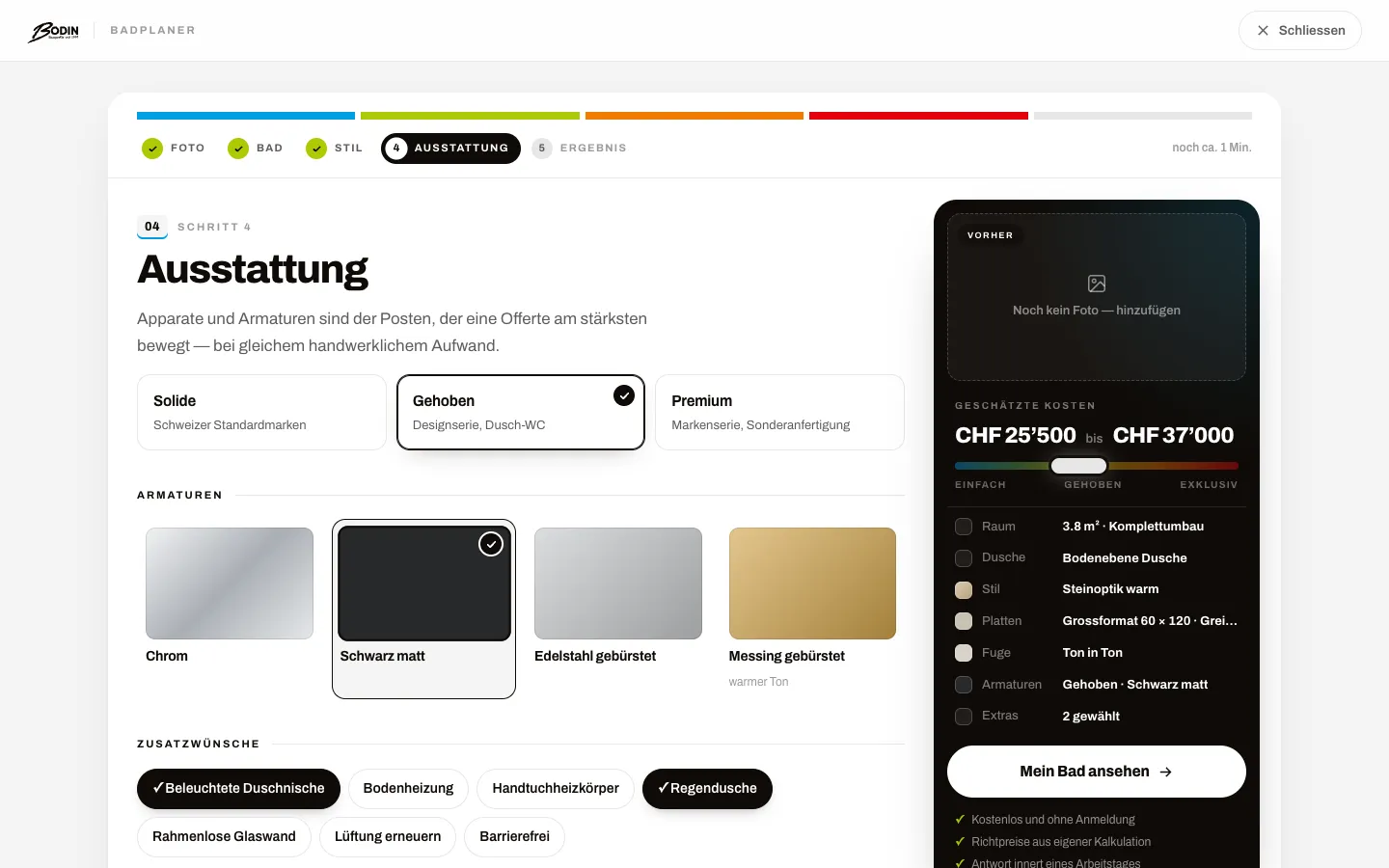
    Bodin Bau – Step 6: Step 4: fittings and extras

    Step 4: fittings and extras

    Fitting line, tap finish and extras such as a rain shower as chips. The summary on the right lists every choice; "View my bathroom" then starts the visualisation.

Swipe sideways for the next step.

Price calculator and quote wizard

For all other trades: first the guide price without contact details, then the binding inquiry. Captured up to just before submitting.

Views with customer data show sample data or are redacted.

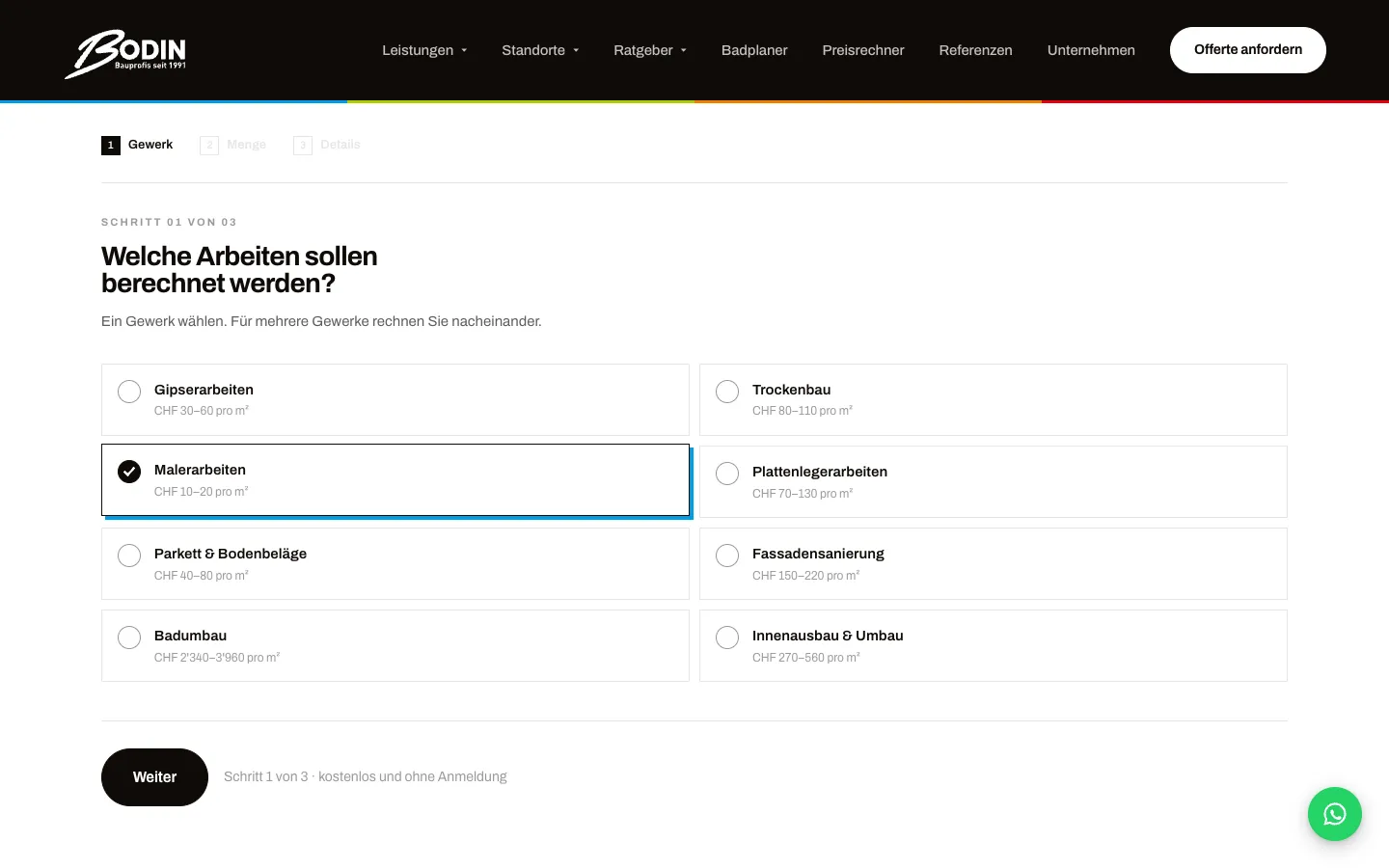
  1. 01Step 1 / 7
    Bodin Bau – Step 1: Calculator step 1: choose a trade

    Calculator step 1: choose a trade

    Eight trades with the price per m² right on the card. The note "free and without sign-up" sits next to the button.

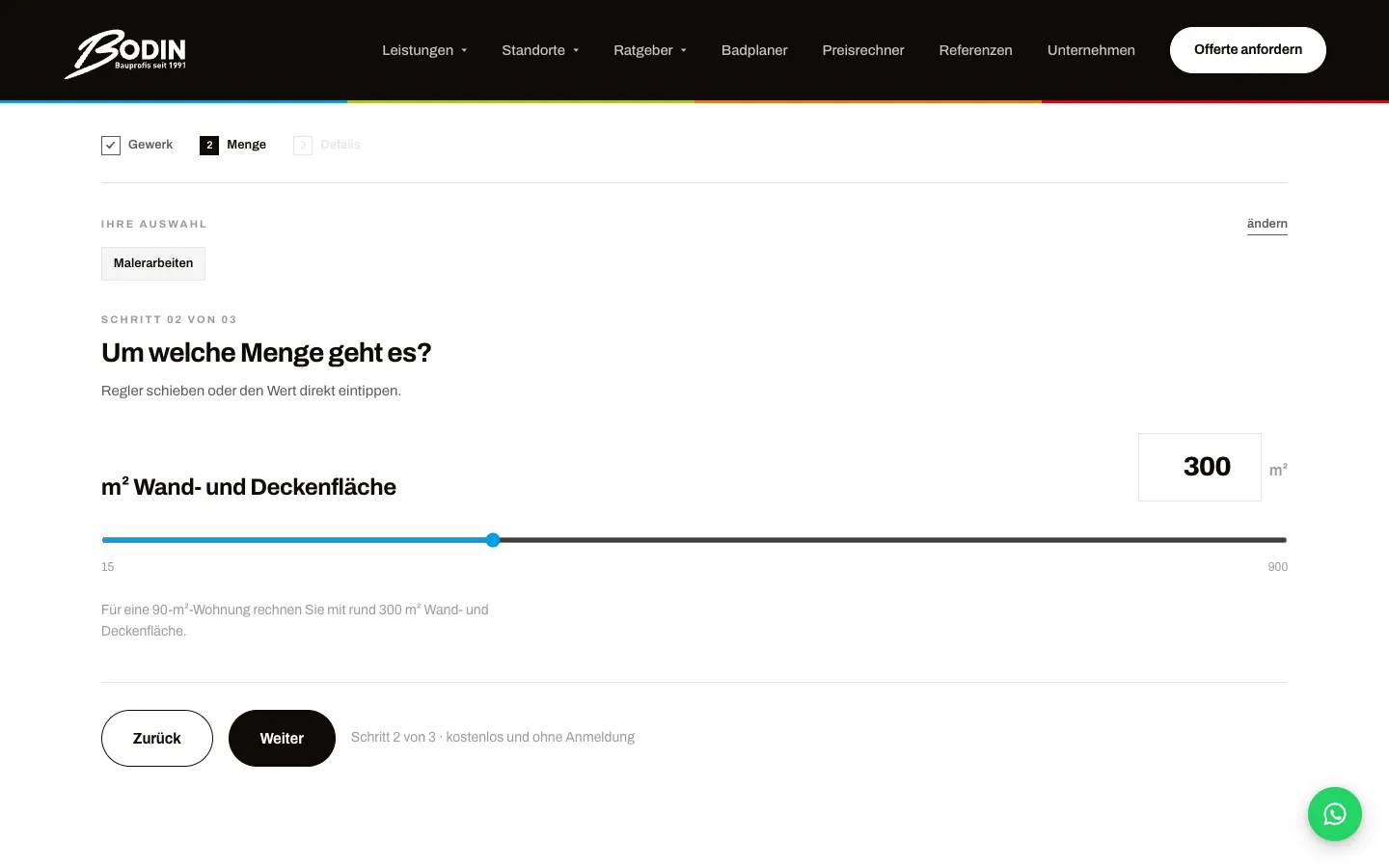
  2. 02Step 2 / 7
    Bodin Bau – Step 2: Calculator step 2: quantity

    Calculator step 2: quantity

    The area can be set with a slider or typed in. An example below the slider helps with estimating.

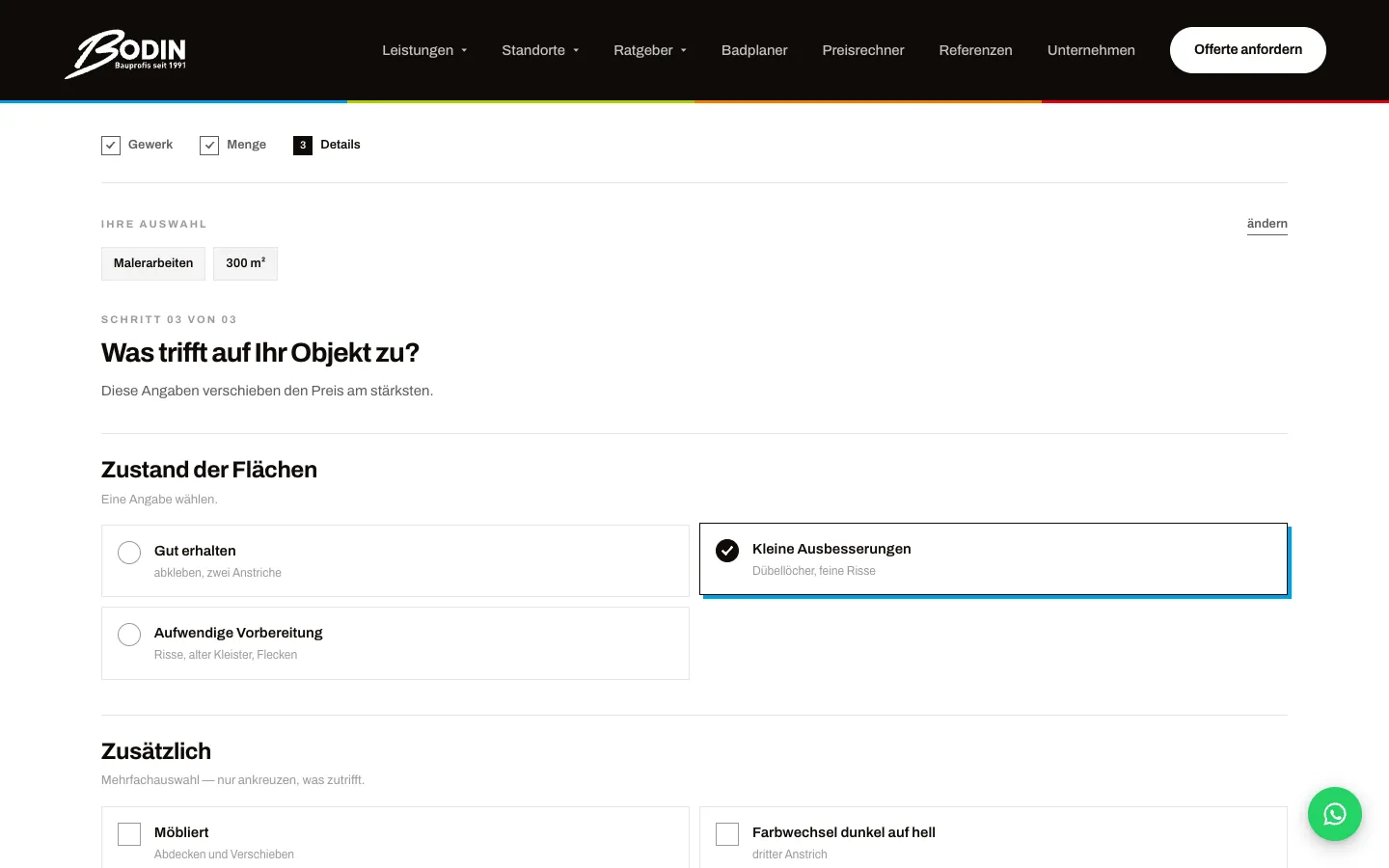
  3. 03Step 3 / 7
    Bodin Bau – Step 3: Calculator step 3: condition and extras

    Calculator step 3: condition and extras

    Condition of the surfaces and extra effort such as furniture or a colour change. These details move the range the most.

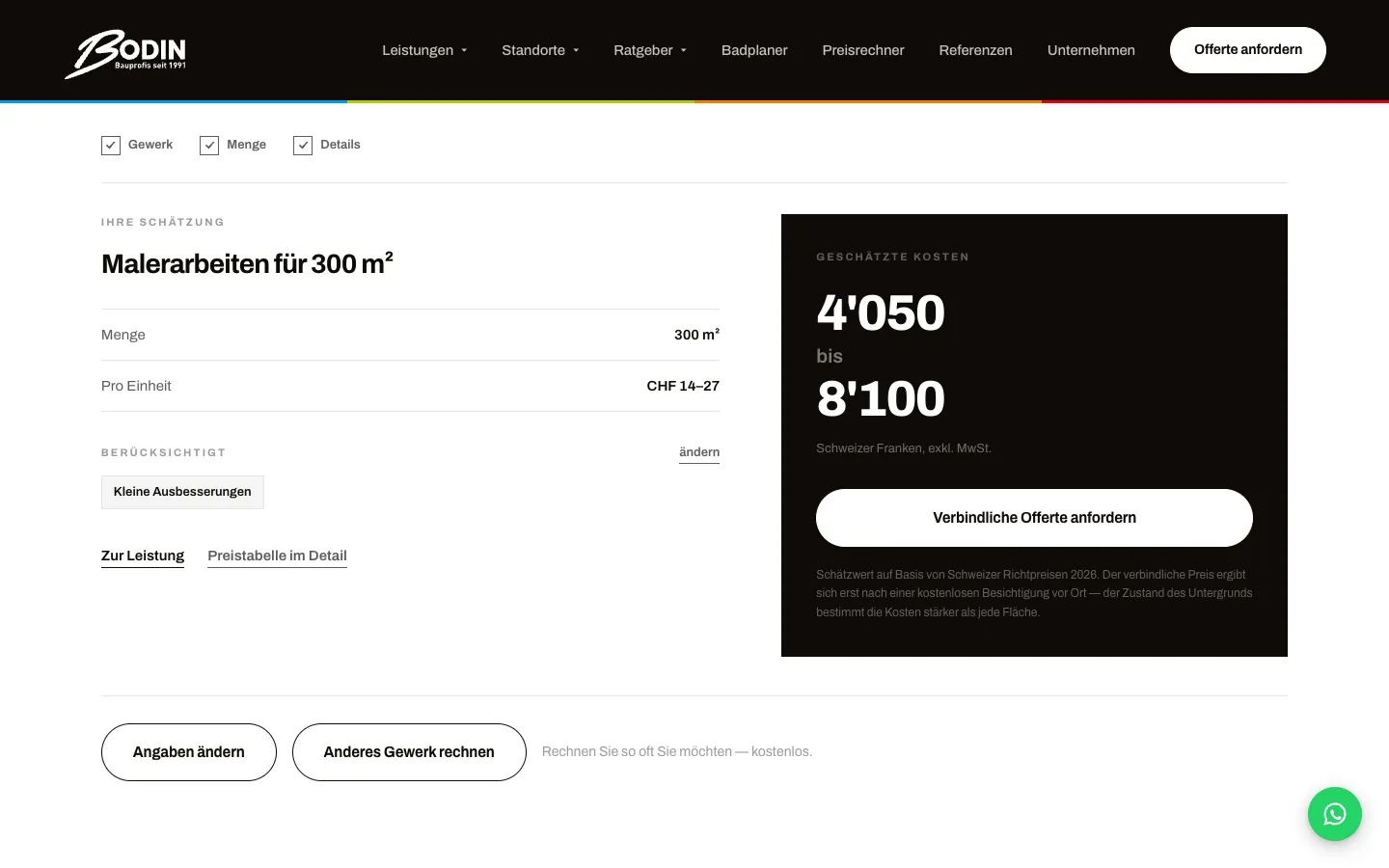
  4. 04Step 4 / 7
    Bodin Bau – Step 4: Guide range without contact details

    Guide range without contact details

    The range appears instantly, with quantity, unit price and basis of calculation. From here "Request a binding quote" leads into the wizard.

  5. 05Step 5 / 7
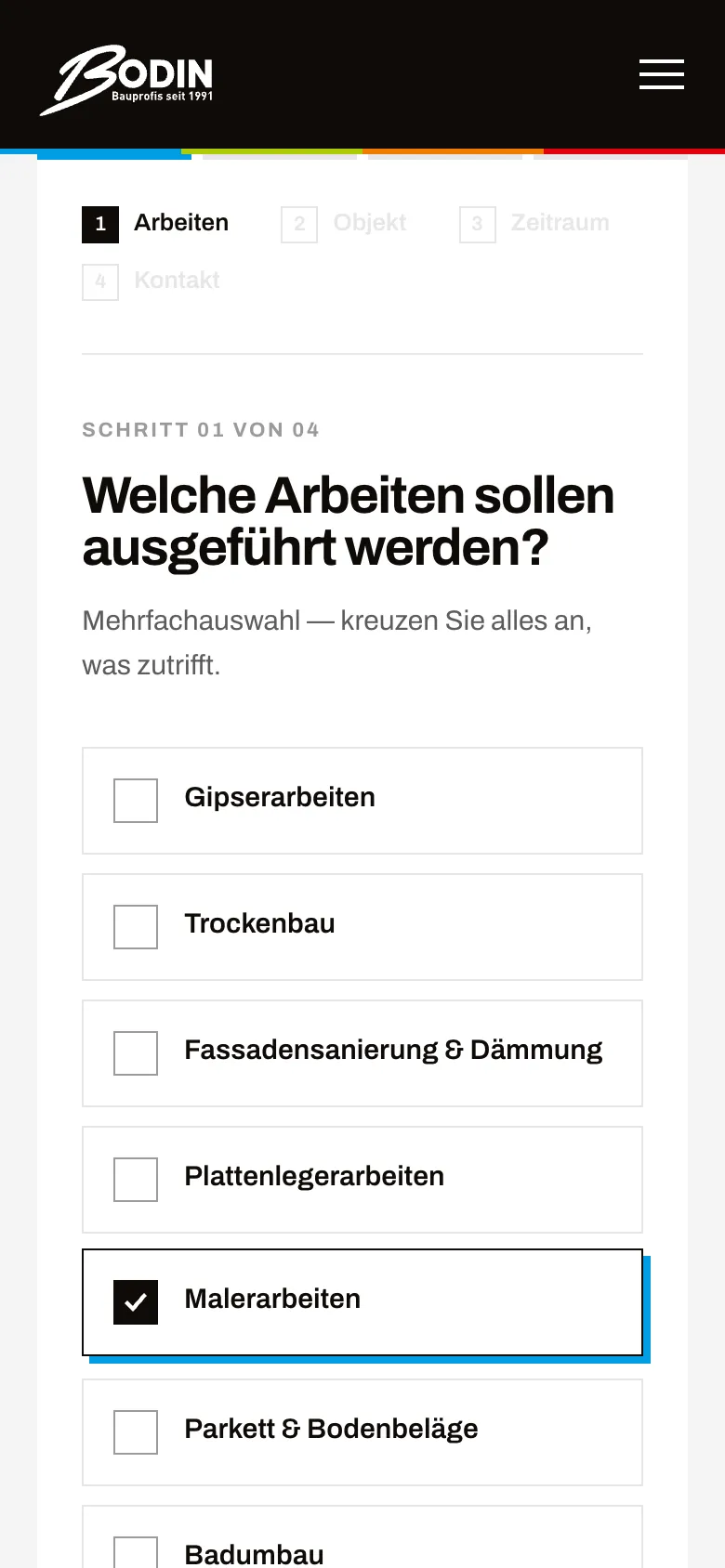
    Bodin Bau – Step 5: Quote step 1: work

    Quote step 1: work

    Multiple choice of trades. Coming from a trade page, the matching trade is already ticked.

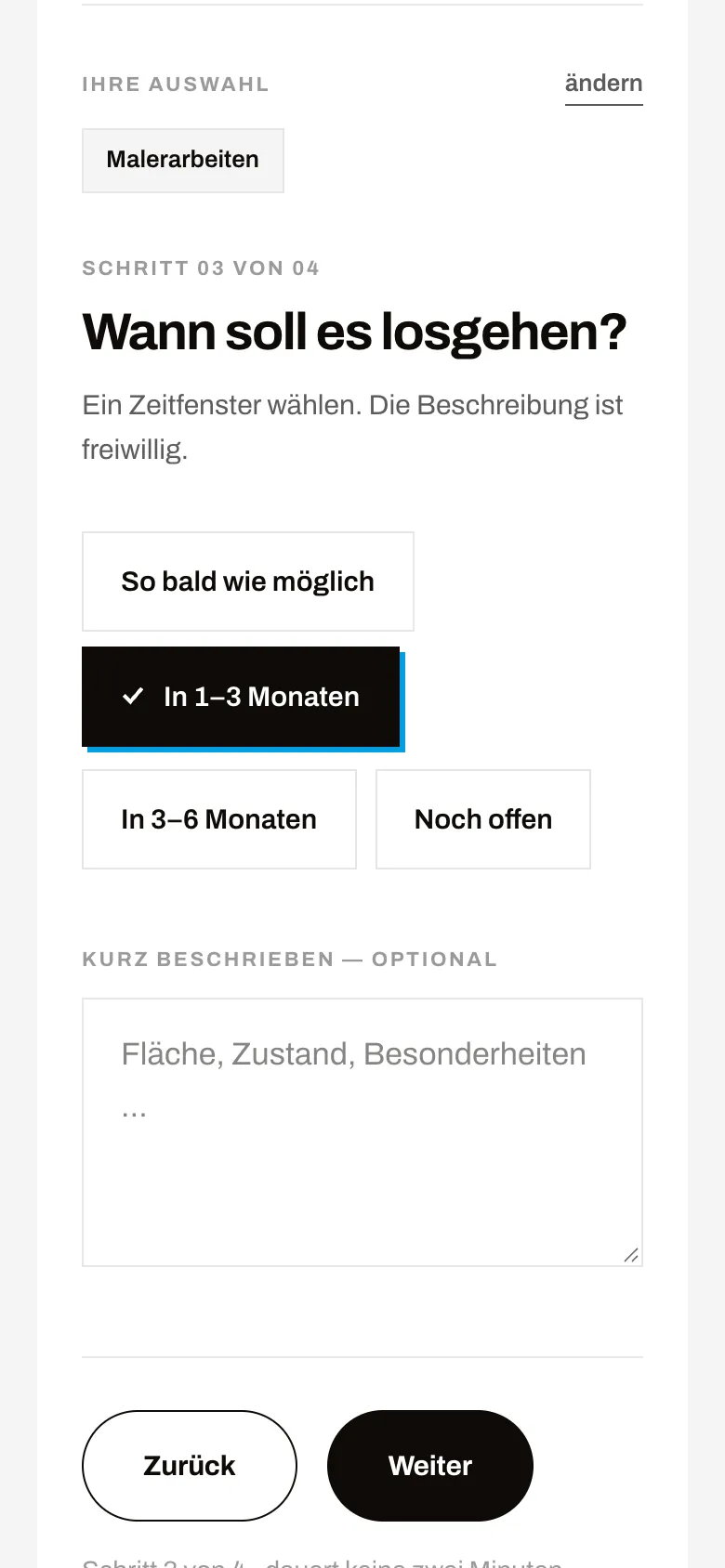
  6. 06Step 6 / 7
    Bodin Bau – Step 6: Quote step 3: timeframe

    Quote step 3: timeframe

    Property and location are captured; now comes the timeframe as chips and an optional description. The previous choices stay visible and editable at the top.

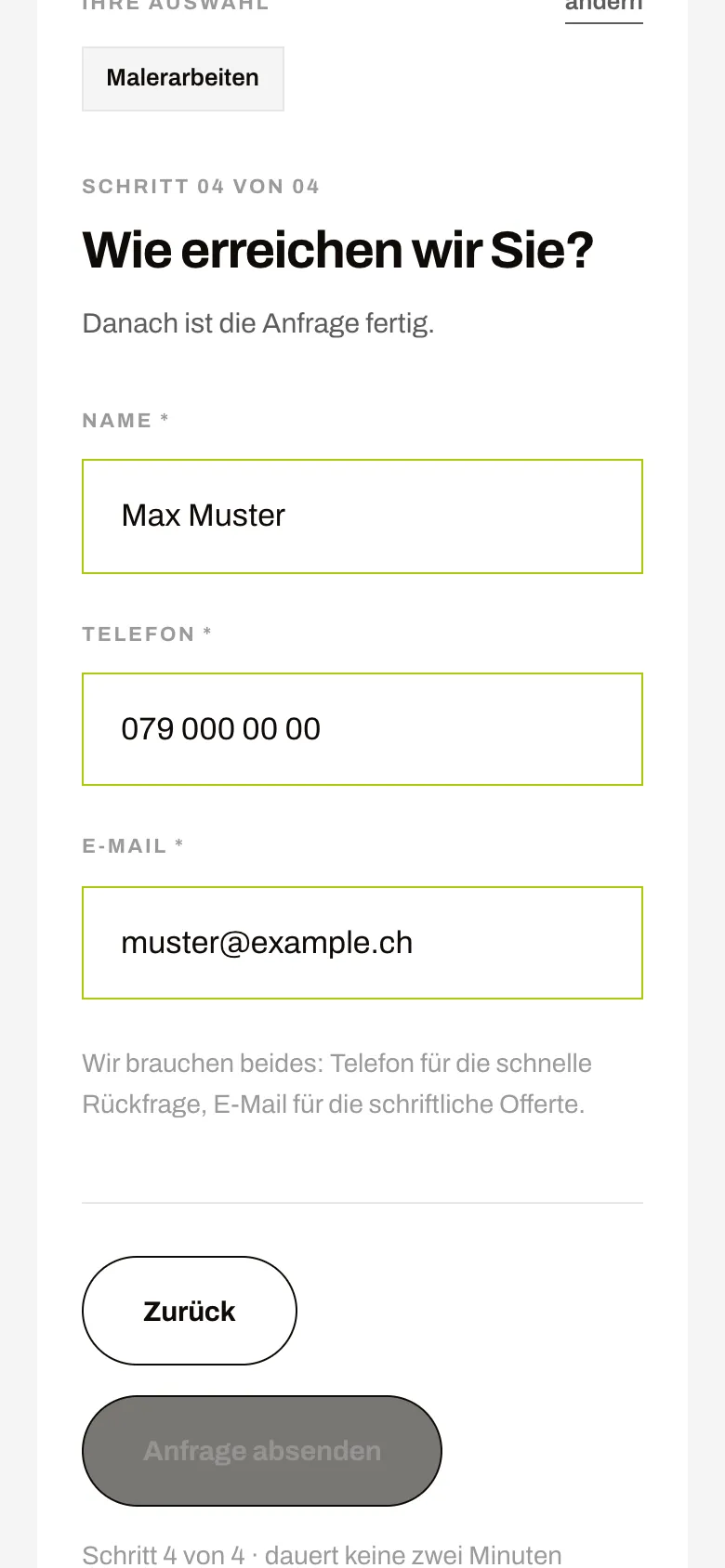
  7. 07Step 7 / 7Sample data
    Bodin Bau – Step 7: Quote step 4: contact

    Quote step 4: contact

    Only three fields: name, phone, email, shown here with sample data. The line below explains why both are needed.

Swipe sideways for the next step.

Features

What the solution does

  • Bathroom planner with photo visualisation

    Five steps: photo, bathroom, style, fittings, result. The outcome is the customer's own room redesigned, with a CHF range that can be expanded line by line.

  • Tap-to-draw floor plan

    Ask first, then draw: choose room size and fixtures and the plan appears. Drag walls and move WC, basin or shower in real centimetres. The plan feeds both cost and image.

  • Kitchen planner

    Six steps from photo and running metres through fronts, worktop and appliance class to the visualisation, with a running price range and regional factor.

  • Bring your own tiles

    Customers who already bought their tiles upload photos and describe how they should be laid. The images reach the company attached to the inquiry.

  • Price calculator for 8 trades

    Choose the trade, set the quantity, add details: the guide range appears without name or phone number. Small quantities take the minimum order into account.

  • 4-step quote wizard

    Work, property and location, timeframe, contact. Eleven trade pages pre-fill the wizard and the inquiry's source is passed along. Company and requester each receive an email.

  • Inquiry cockpit

    Inquiries with a filter bar, status editable in the row, detail view with floor plan, price lines, source and images. Every change to status, amount or note is logged in the history.

  • Dashboard and in-house analytics

    Visitors, the funnel from visit to inquiry and the most popular planner choices, each against the previous period. Measured without third parties and without a banner.

  • Password-free sign-in

    Six-digit code by email, stored only as a hash. After five failed attempts access is locked for 30 minutes.

  • Trade × town pages

    Eleven service pages, pages per service and town, location and canton pages, cost guides, a glossary and references with a before/after slider.

Mobile

On the smartphone

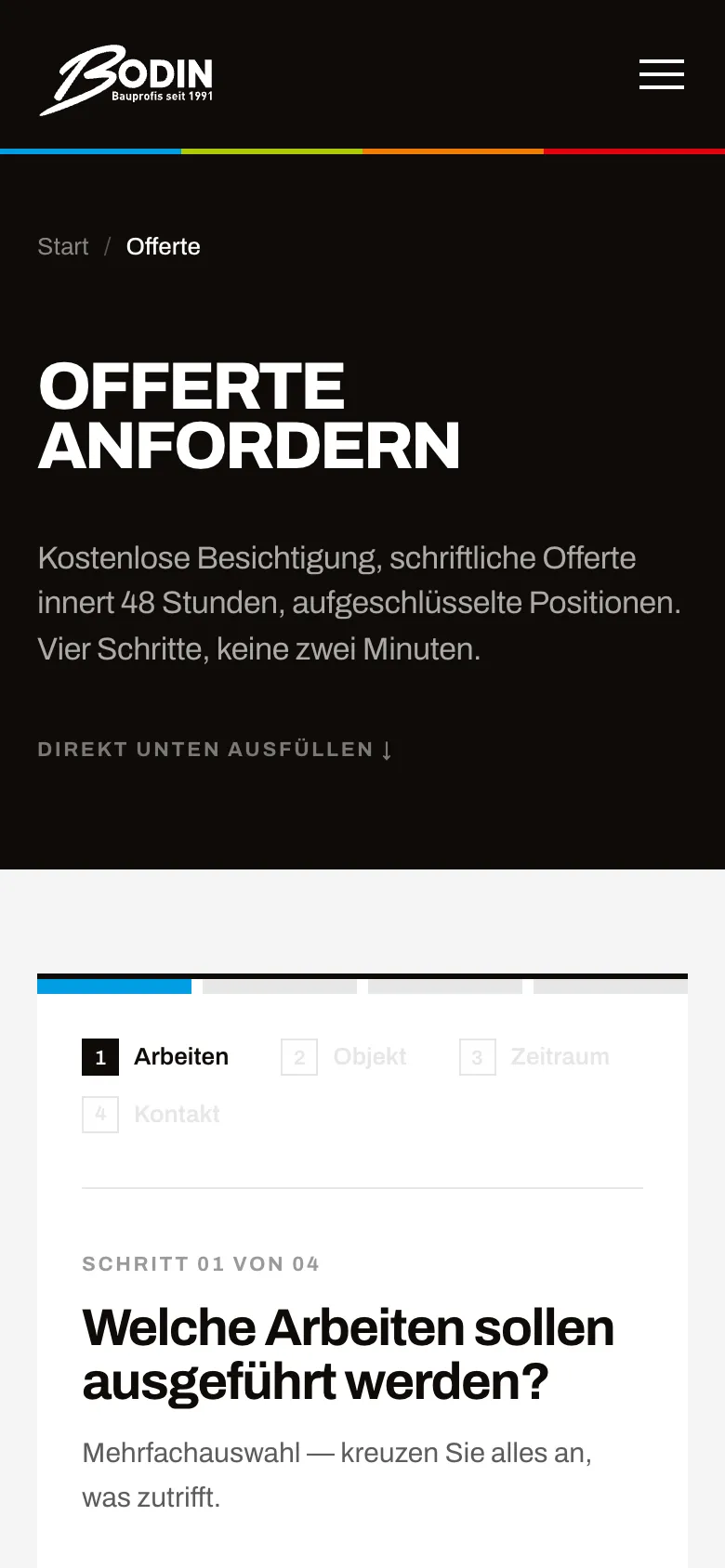
  • Bodin Bau – Quote wizard on a phone, step 1 of 4
    Quote wizard on a phone, step 1 of 4
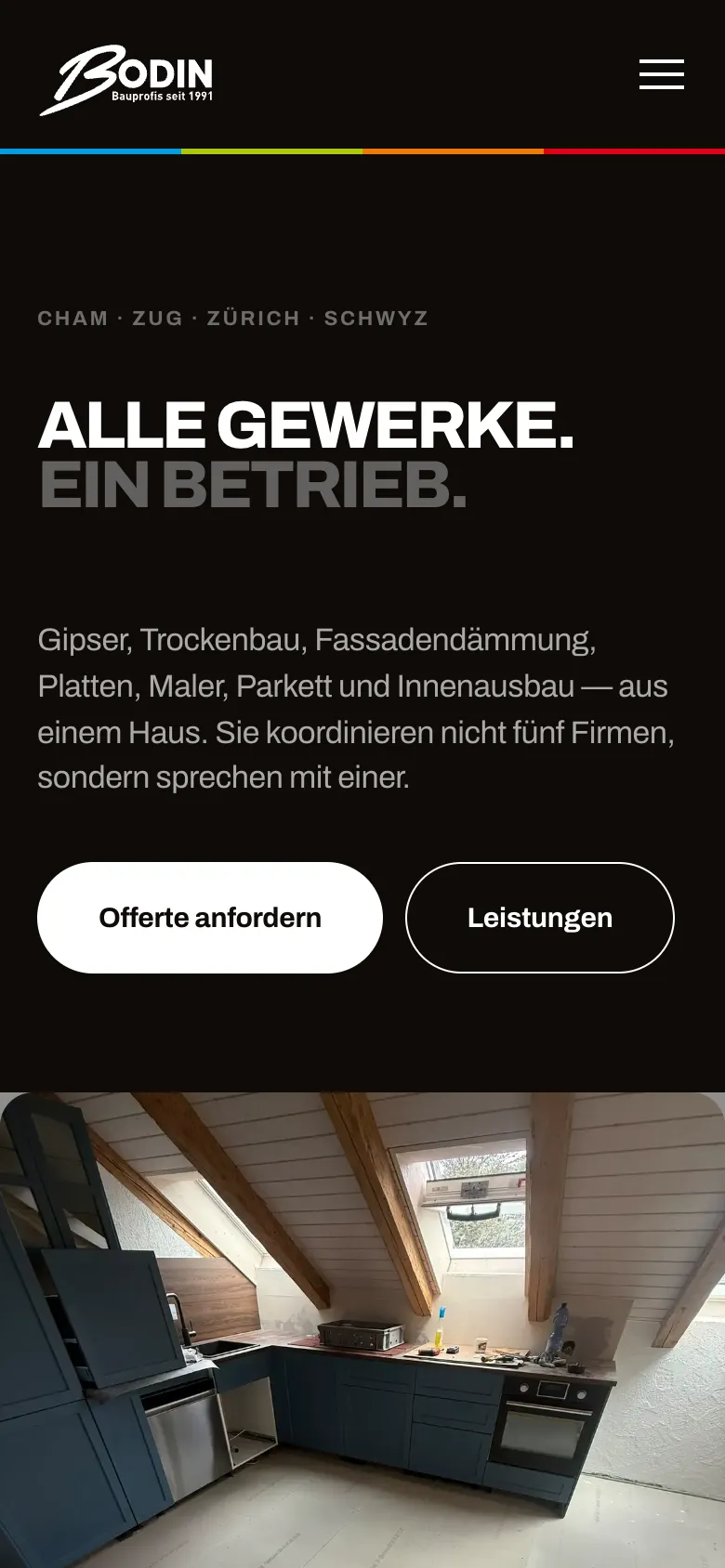
  • Bodin Bau – Homepage on mobile
    Homepage on mobile
  • Bodin Bau – Bathroom planner: floor plan on a phone
    Bathroom planner: floor plan on a phone

Swipe sideways for more views.

Screens

What it looks like

  • Entry to the bathroom planner with before/after slider
  • Homepage "All trades. One company."
  • Bathroom planner: floor plan in real centimetres, tap to place fixtures
  • Bathroom planner: choose style, tiles and grout
  • Price calculator: choose a trade, guide price without contact details

FAQ

Frequently asked questions

How does the Bodin Bau bathroom planner work?

The customer uploads a photo of her current bathroom, enters room size and fixtures and adjusts the floor plan. She then chooses tiles, grout, laying pattern, flooring and fittings while the cost range updates. At the end an AI image model shows her own room with the new bathroom. The visualisation is a visual aid, not a construction plan.

Why does the price calculator show the result without contact details?

Clients first want to know whether their project fits the budget. At Bodin Bau the guide range appears immediately. Anyone who then wants a binding quote switches to the quote wizard and provides their details there voluntarily.

What does the company see of an inquiry?

In the protected admin area Bodin Bau sees contact, chosen configuration, floor plan, price lines, the inquiry's landing page and, for planner inquiries, photo and visualisation. Status, amount, note and reason for loss are recorded directly and saved in the history.

Who can see the uploaded photos?

Photos and visualisations are stored in private object storage. The only way out is a protected path in the admin area that requires sign-in.

Solutions

Solutions from this project

Work

Similar projects

Your project

A project like this for your business?

Websites from CHF 3,000 to CHF 25,000, web apps from CHF 10,000. We deliver a website within 2 weeks once all materials are in.