Contact

What are you interested in?

Website, Web App & iOS App2026LiveApp in testing

Client: Karo Kanaltechnik GmbH

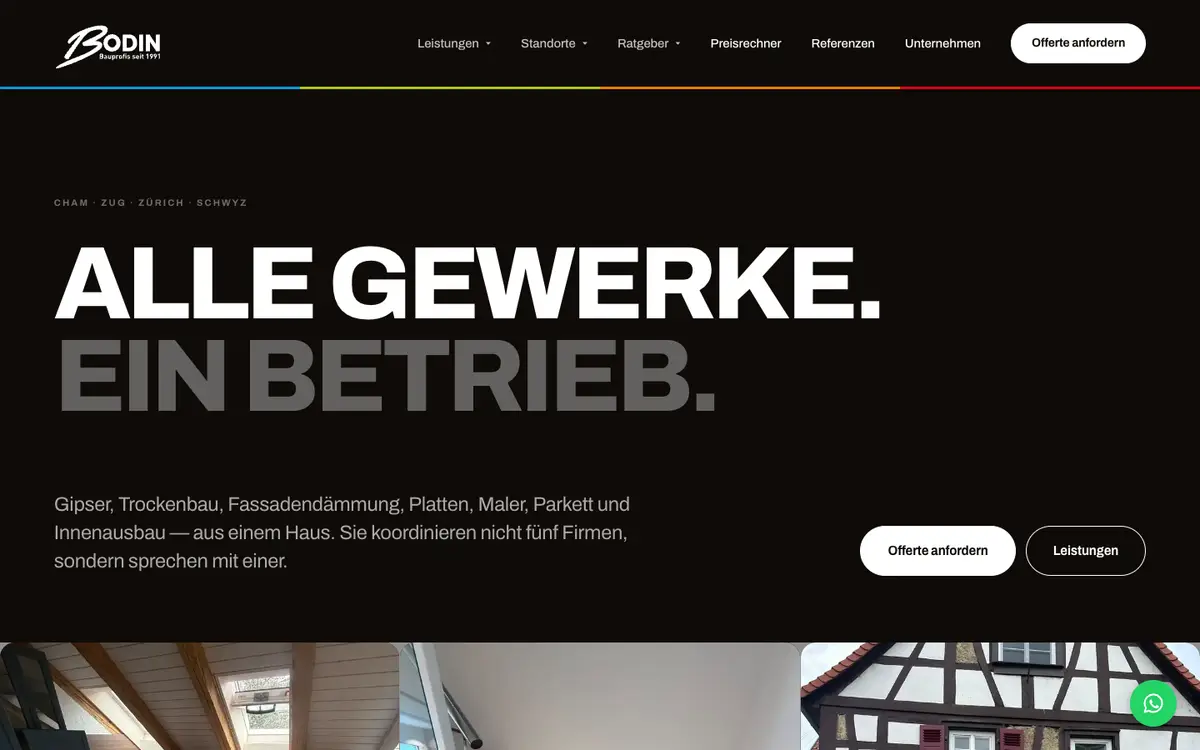
Karo Kanaltechnik.

Website, business software and iOS app for a drain cleaning company from Frauenfeld. The website brings in inquiries with a price calculator and location pages in ten cantons of German-speaking Switzerland. The web app runs the office from quote to QR invoice, and the iOS app for iPhone and iPad puts the job report in the technician's hands; it is built and in testing.

  • Website
  • Web app
  • iOS app
  • Software
  • SEO
  • GEO
Scope
Website · Web app · iOS app · Software · SEO · GEO
Year
2026
Services & technology
  • Website Development
  • Price Calculator
  • Business Software
  • iOS App (iPhone & iPad)
  • Client Portal
  • QR Invoice
  • Local SEO
  • GEO / AI SEO

Case study

What Karo Kanaltechnik GmbH needed and what we built

The challenge

Karo Kanaltechnik cleans, inspects and renovates drains and pipes, from Frauenfeld across ten cantons of German-speaking Switzerland, from Thurgau, Zurich and St. Gallen to Lucerne, with a 24/7 emergency service. The company wanted to solve two problems at once. First, property owners and managers ask about the price before they call. Second, the path from inquiry to paid invoice ran through several tools: quote here, schedule there, job report on paper, invoice in the accounting software. Every break cost time, and a technician down in a drain rarely has signal.
Our solution

The website leads to a guide price with a price calculator: choose the property type, enter drains and pipes with quantities, and a price range with estimated effort appears. The visitor then picks a channel: WhatsApp with a ready-made message, a callback or a preferred date. The inquiry lands as a lead in the company's own business software. There the office works from one data set: clients with their properties, quotes from the product catalogue that the client can accept online via a link, scheduling and dispatch with a map, job reports reviewed by the office, invoices with a Swiss QR payment slip and three-stage dunning. Clients get a portal with jobs, documents and invoices per property. Technicians get an iOS app for iPhone and iPad with a six-step report assistant, photos, full-screen signature and offline mode; it is built and in testing. Existing addresses, quotes and invoices were imported once from bexio.

Architecture

How it fits together

The building blocks behind Karo Kanaltechnik GmbH and how data flows between them.

UserDeviceFrontendAdminServer / APIDatabaseExternal service
Connections: Visitor → Website & price calculator (Property, pipes); Website & price calculator → WhatsApp link (Message with guide price); Website & price calculator → API server (Inquiry as lead); API server → PostgreSQL; Office web app → API server (Quote, dispatch, review); iOS app (testing) → API server (Time, photos, report (sent when online)); API server → Client portal (Jobs, documents, invoices per property); API server → Document storage (Files up to 2 GB); API server → Outbox (email) (Quote, invoice with QR (testing))

Site structure

How the website is structured

karokanal.ch10 sections · 6 subpages
  • 14Services
  • 120Pipe cleaning per town
  • 120Location pages
  • 10Cantons
  • 4Target groups
    • Property management
    • Trade & hospitality
    • Municipalities
    • Insurance claims
  • 71Glossary
  • 36Knowledge
  • 2Price calculator and costs
    • Price calculator
    • Drain cleaning costs
  • 2Company and careers
  • 1English home page
Simplified view of the site structure. Page counts from a live check (sitemap) on 12 October 2026.

Flow

Who does what, step by step

  • Customer
  • Business
  • System
  1. Customer

    Calculate a guide price

    The client finds Karo via a location or service page and instantly gets a price range in the calculator.

  2. Customer

    Choose a channel

    WhatsApp with a ready-made message, callback or preferred date. The inquiry lands as a lead in the office.

  3. Business

    Send a quote

    The office builds the quote from the catalogue, and the client accepts it online via a link.

  4. Business

    Dispatch the job

    The job goes into scheduling and appears in the technician's «My day» view.

  5. Business

    On-site report

    The technician records services, photos and signature in the report assistant, even without signal.

  6. Business

    Review and invoice

    The office approves the report, and the invoice with QR payment slip is created from it.

  7. System

    Payment and dunning

    Open invoices appear in the cockpit, and reminders follow in three stages.

Step by step

How it works in practice

Real screenshots along the flow.

From price to inquiry

The price calculator on karokanal.ch, captured step by step on 12 October 2026. Filled in with sample values; nothing was submitted.

Views with customer data show sample data or are redacted.

  1. 01Step 1 / 6
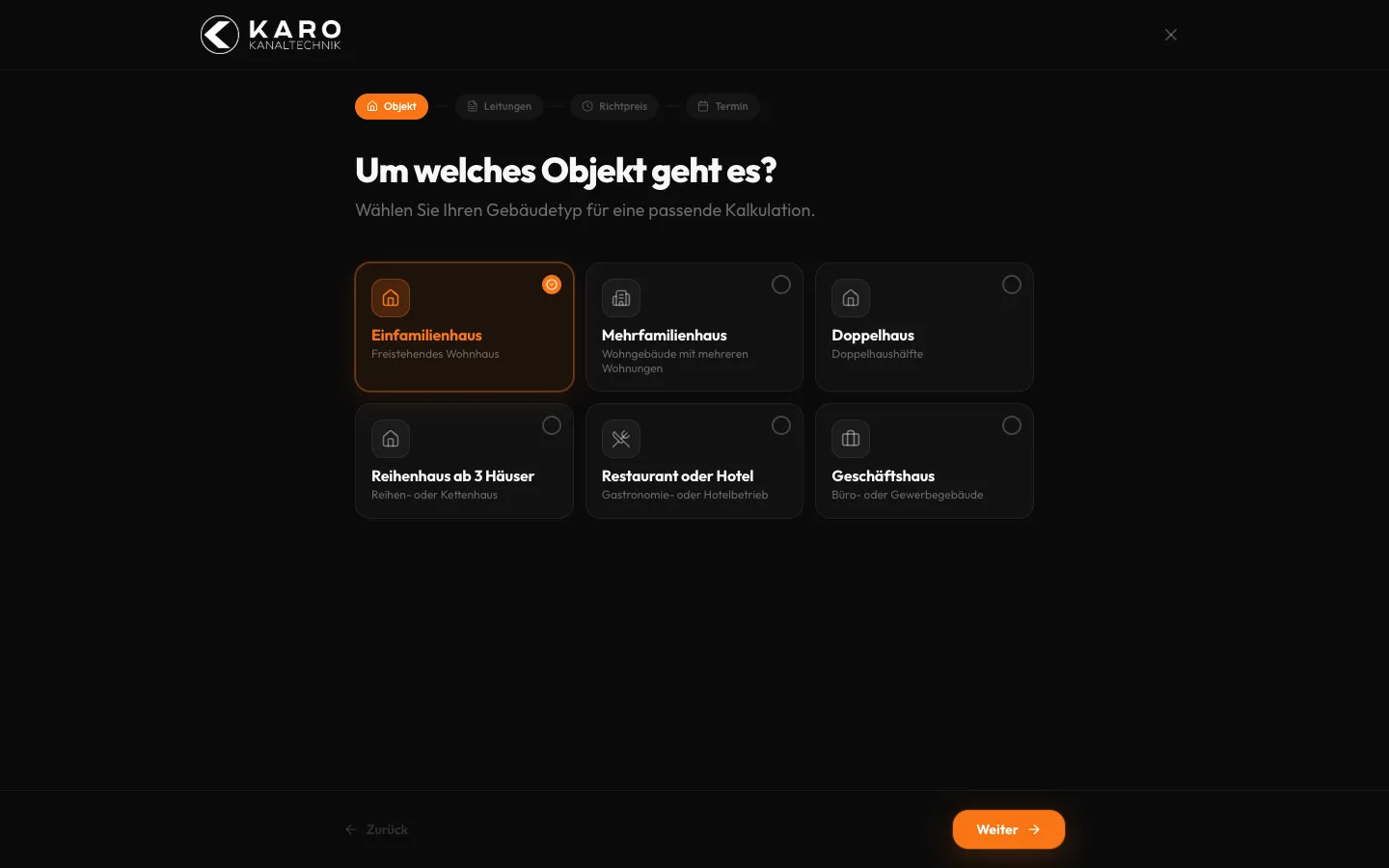
    Karo Kanaltechnik – Step 1: Choose the property

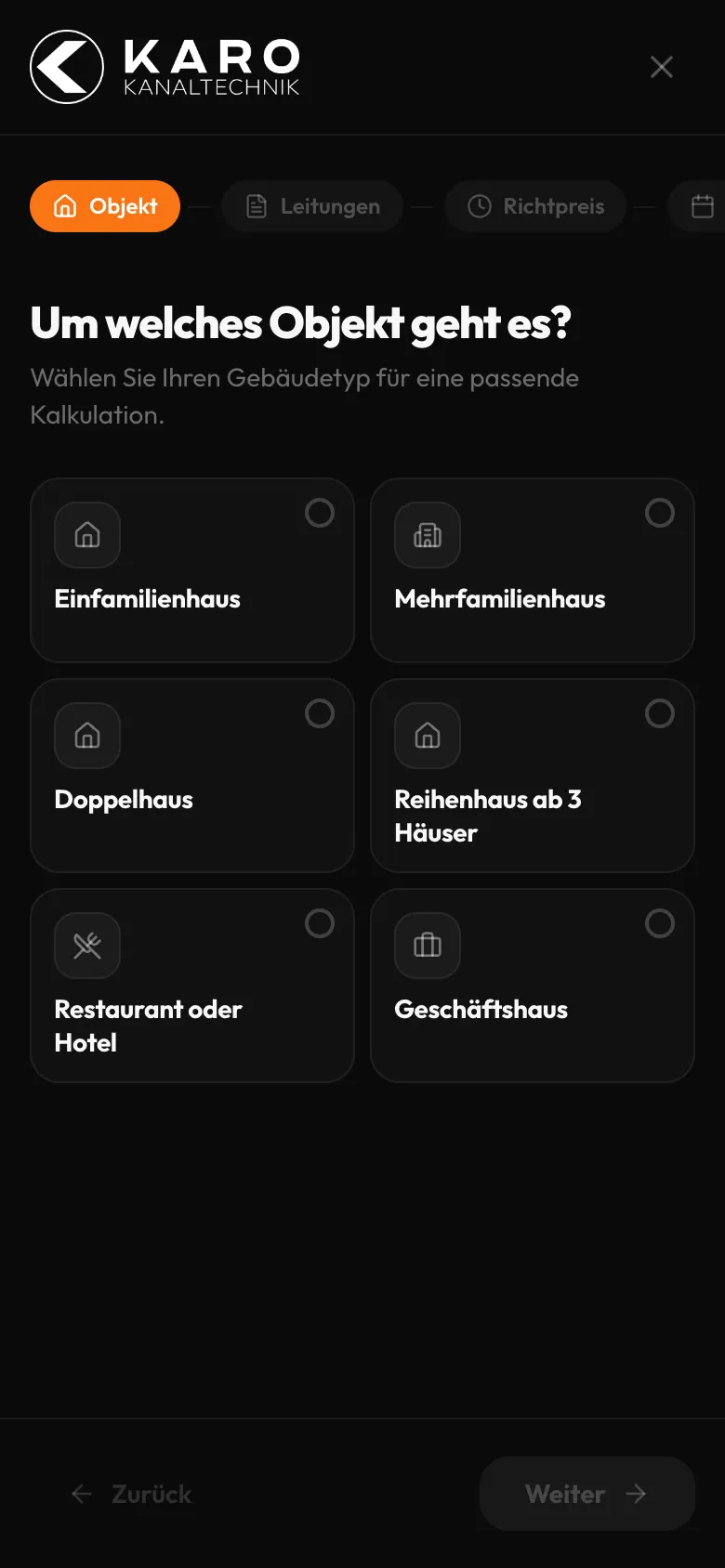
    Choose the property

    Six property types as large cards, from detached house to commercial building. One click is enough for the calculation to match the building.

  2. 02Step 2 / 6
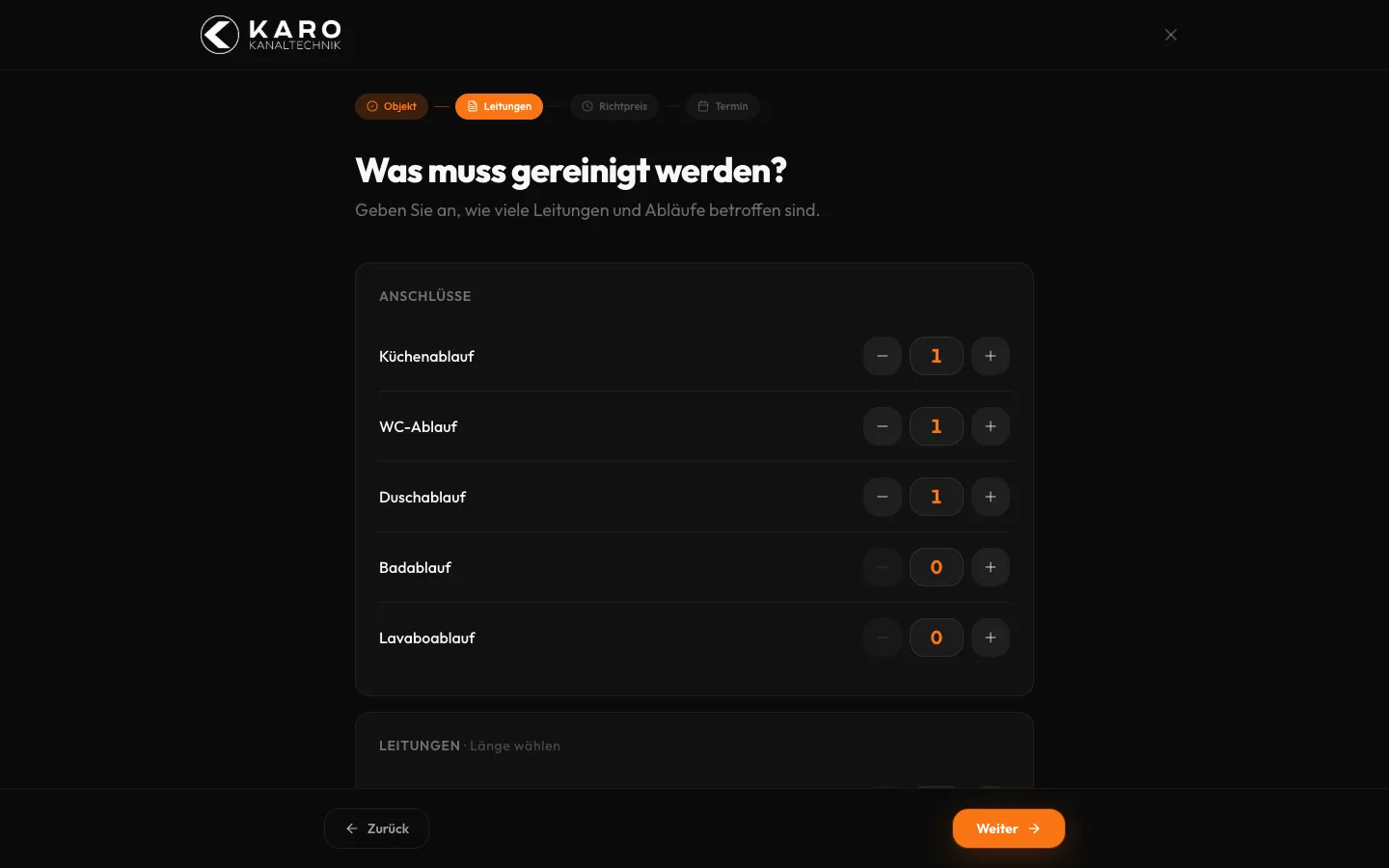
    Karo Kanaltechnik – Step 2: Count drains and pipes

    Count drains and pipes

    Each drain has its own counter with plus and minus. The effort is built from what customers know themselves, without guessing technical terms.

  3. 03Step 3 / 6
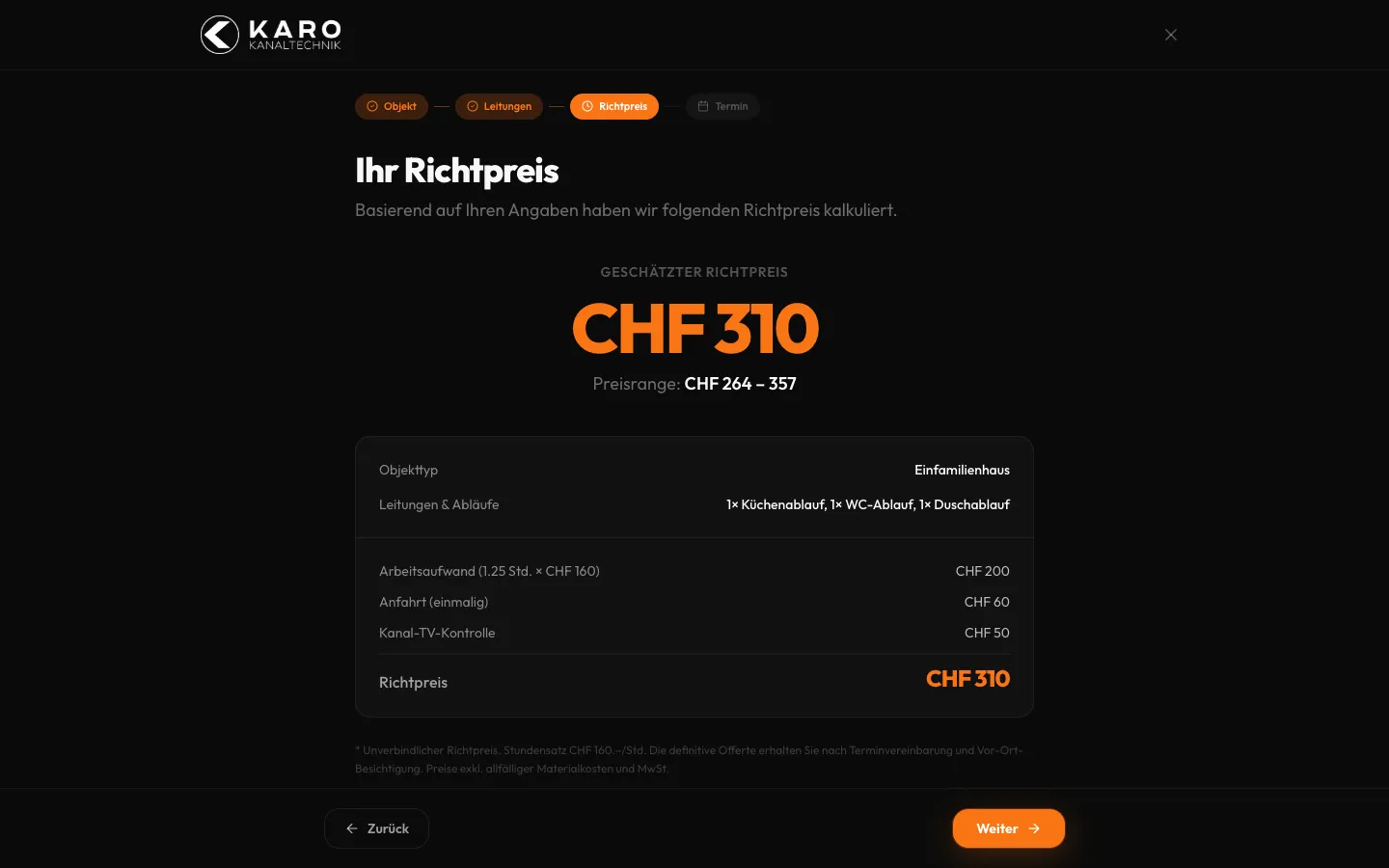
    Karo Kanaltechnik – Step 3: Guide price with breakdown

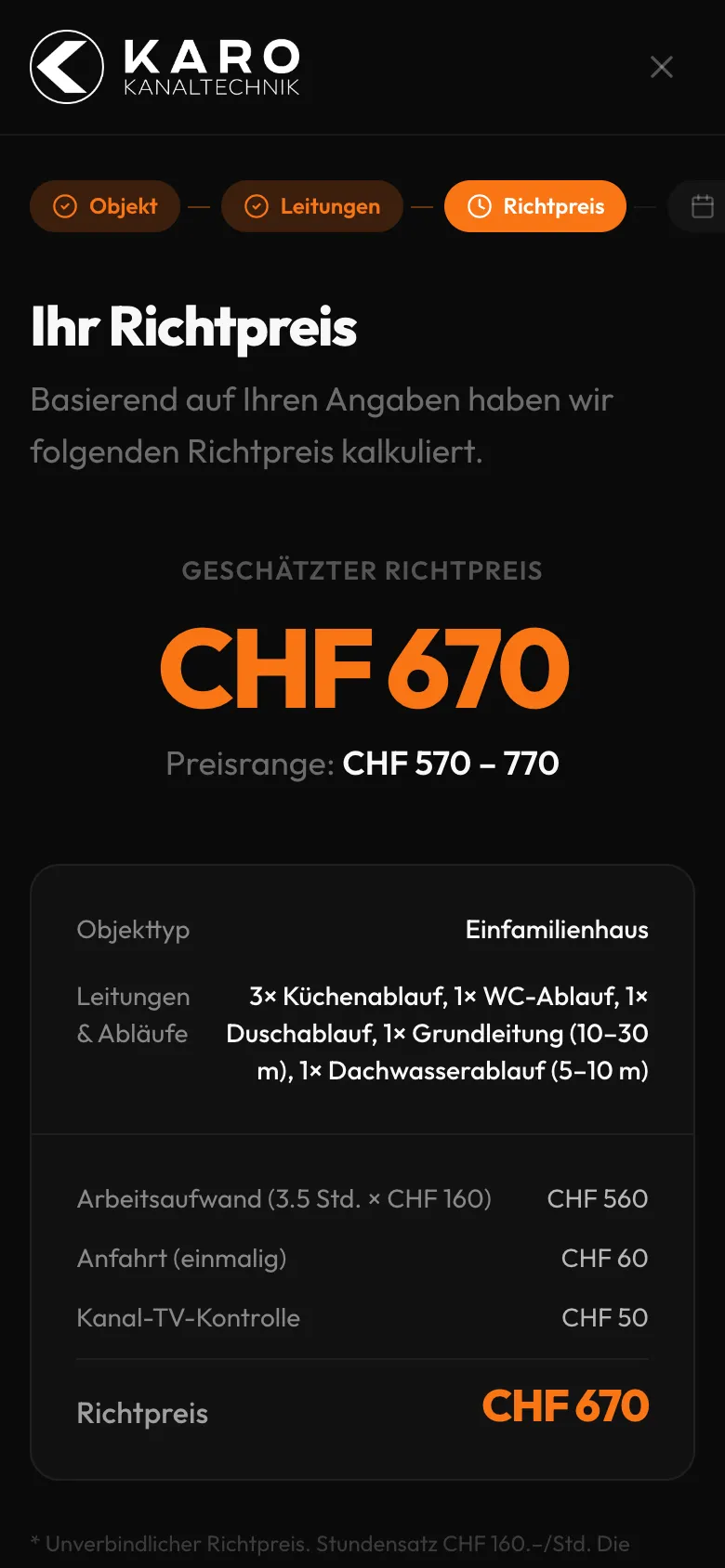
    Guide price with breakdown

    The guide price appears instantly, with a range and a breakdown into labour, travel and drain camera inspection. The hourly rate is shown openly.

  4. 04Step 4 / 6
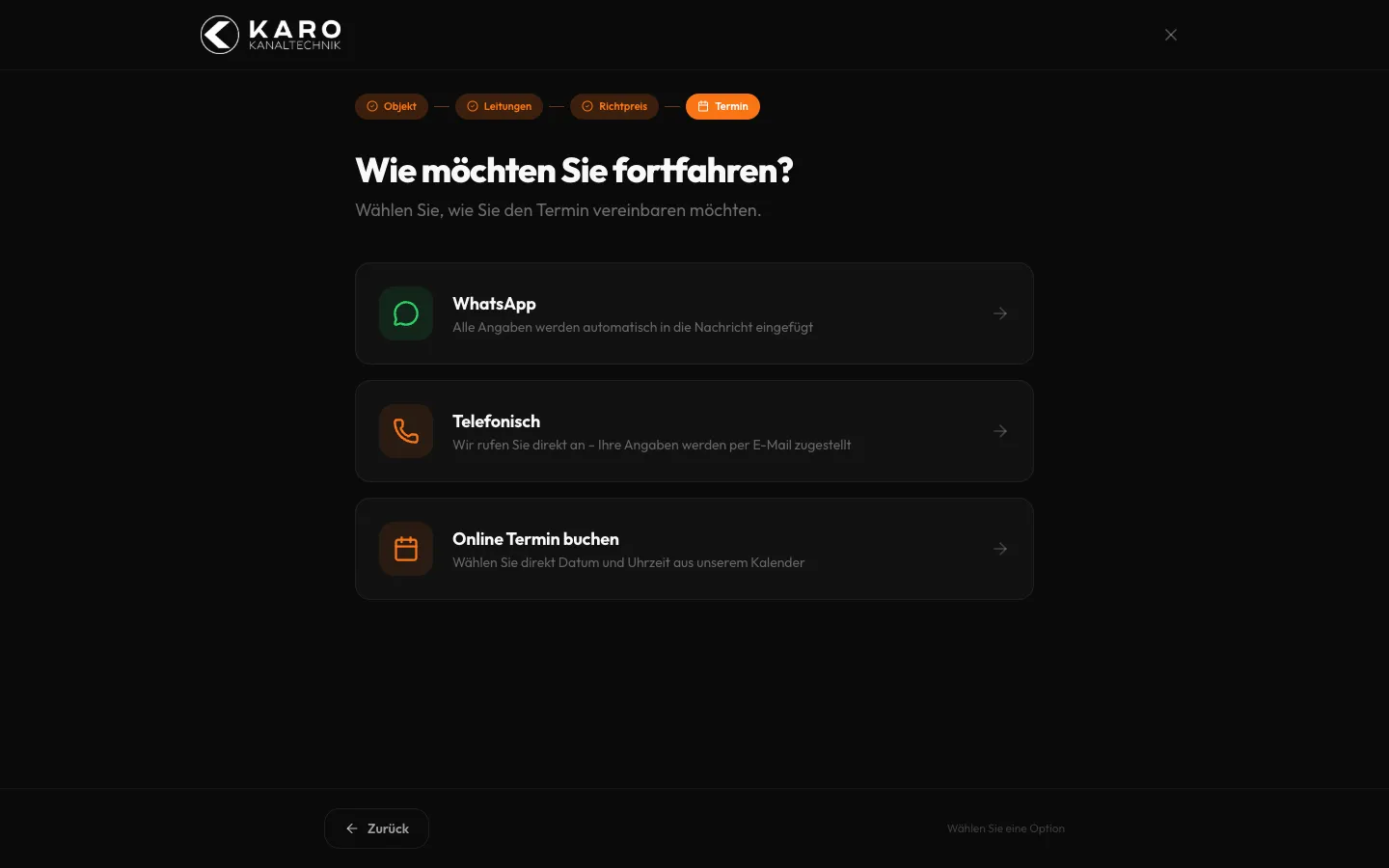
    Karo Kanaltechnik – Step 4: Choose how to continue

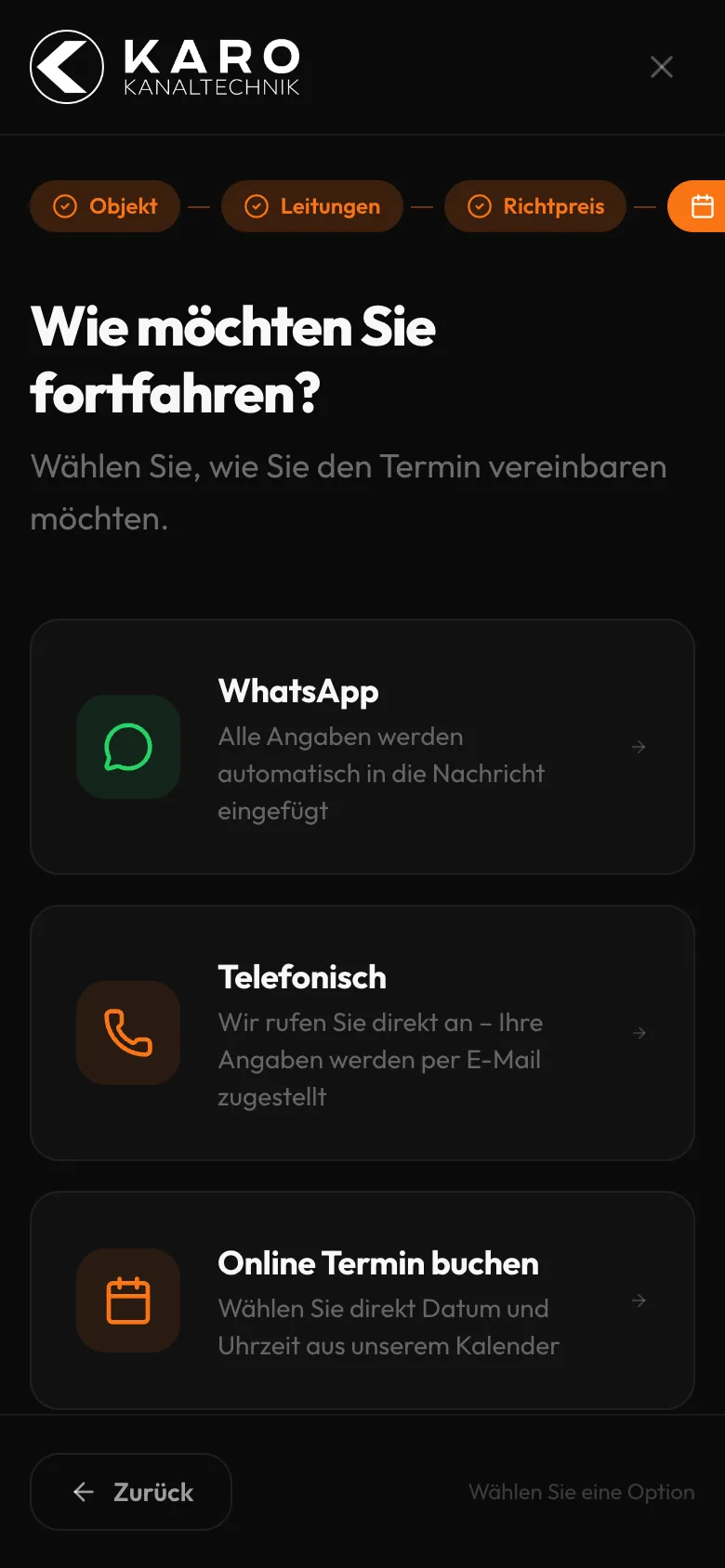
    Choose how to continue

    WhatsApp with a pre-written message, a callback or an online appointment. Customers decide how to continue.

  5. 05Step 5 / 6
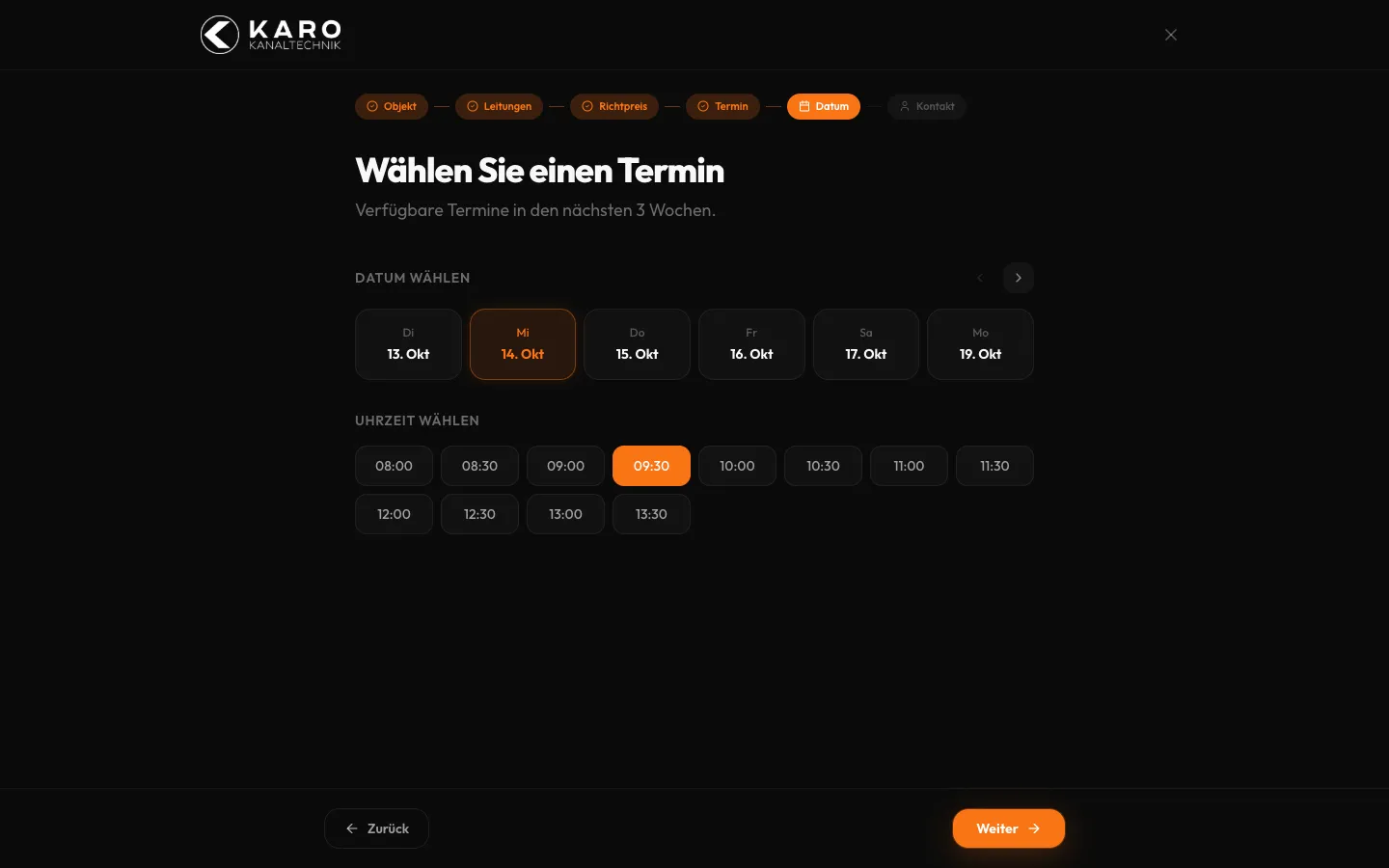
    Karo Kanaltechnik – Step 5: Date and time

    Date and time

    Available days of the coming weeks as tiles, times in half-hour steps. No native date fields; everything works with a single tap.

  6. 06Step 6 / 6Sample data
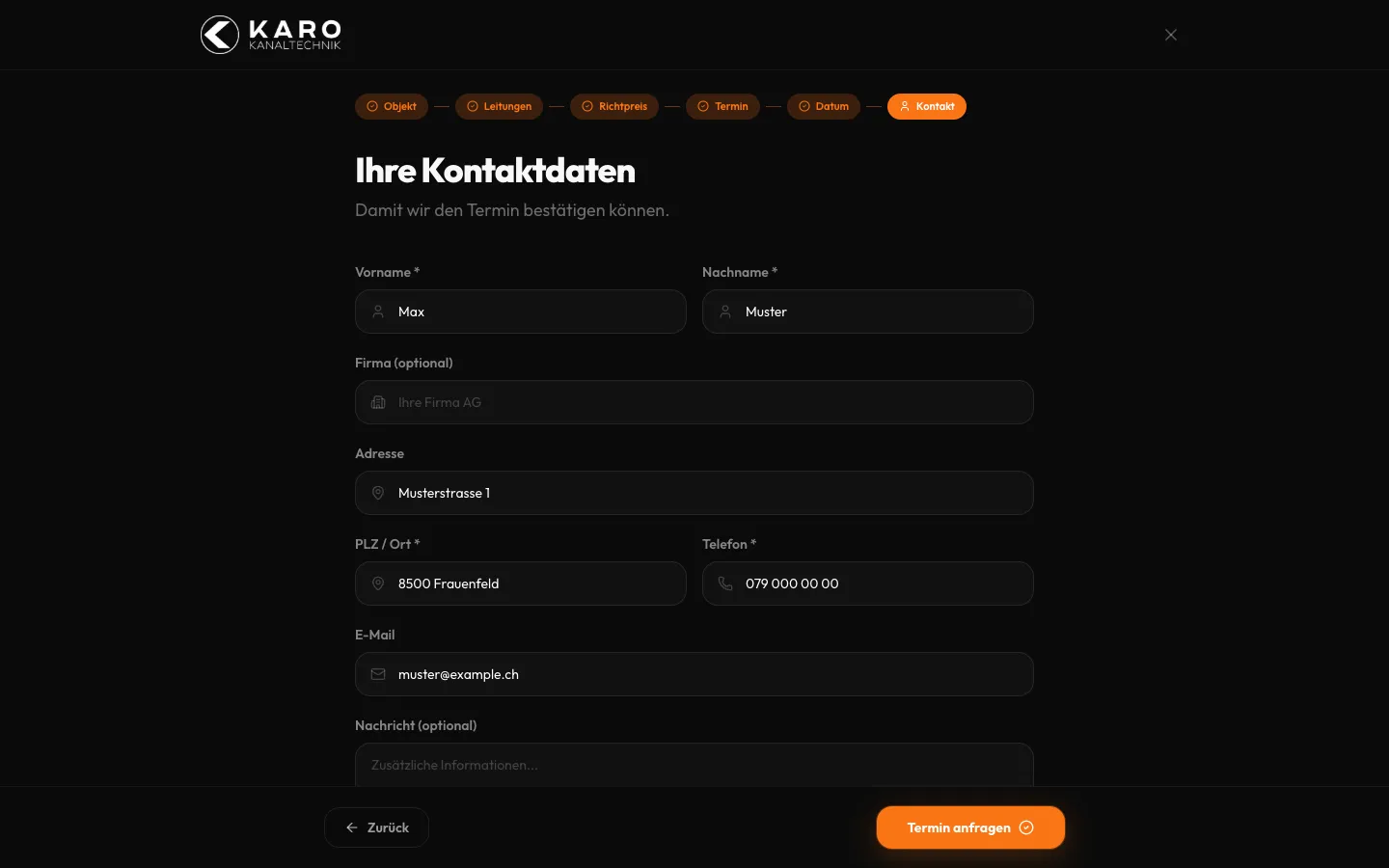
    Karo Kanaltechnik – Step 6: Contact details, just before sending

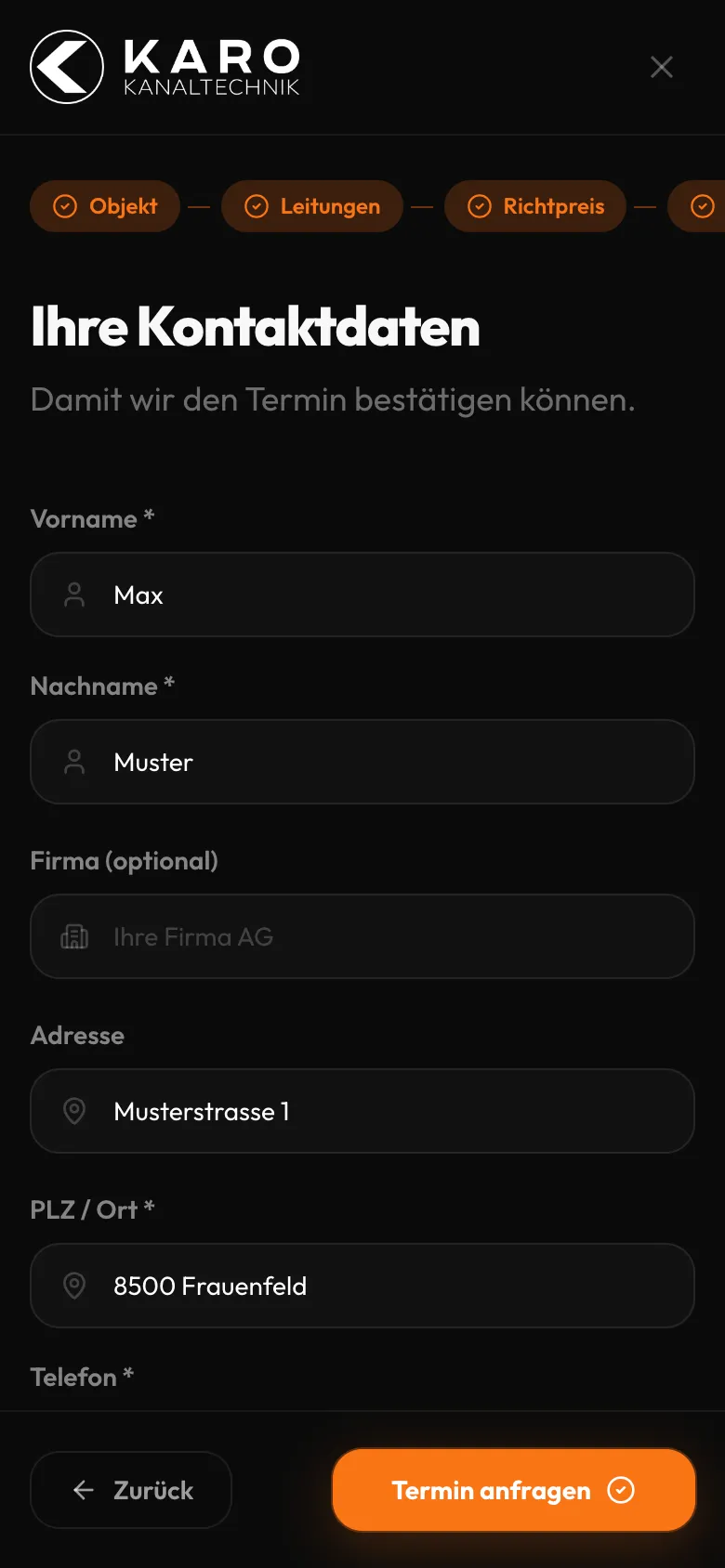
    Contact details, just before sending

    Only the necessary fields, filled with sample values. Clicking «Request appointment» creates a lead in the office; for this capture nothing was sent.

Swipe sideways for the next step.

From job to invoice

The business software behind the login. Client names, amounts, job descriptions and staff are redacted. Sending quotes, approving reports, sending invoices and the client portal are built and in testing; technicians record the report in the iOS app (also in testing, not shown here).

Views with customer data show sample data or are redacted.

  1. 01Step 1 / 8Sample data
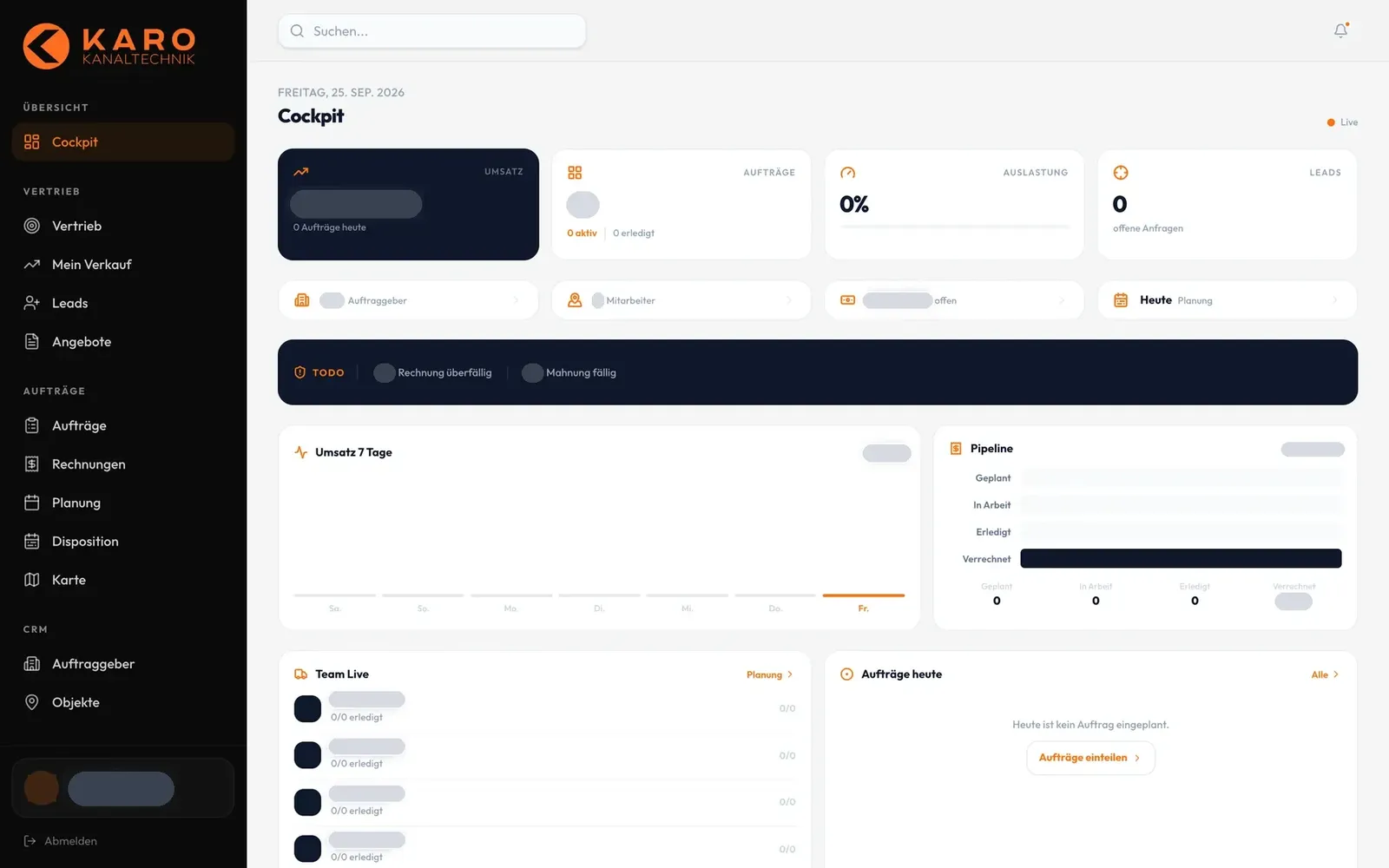
    Karo Kanaltechnik – Step 1: Cockpit in the morning

    Cockpit in the morning

    The office starts with revenue, jobs, utilisation, open leads and to-dos such as overdue invoices and due reminders.

  2. 02Step 2 / 8Sample data
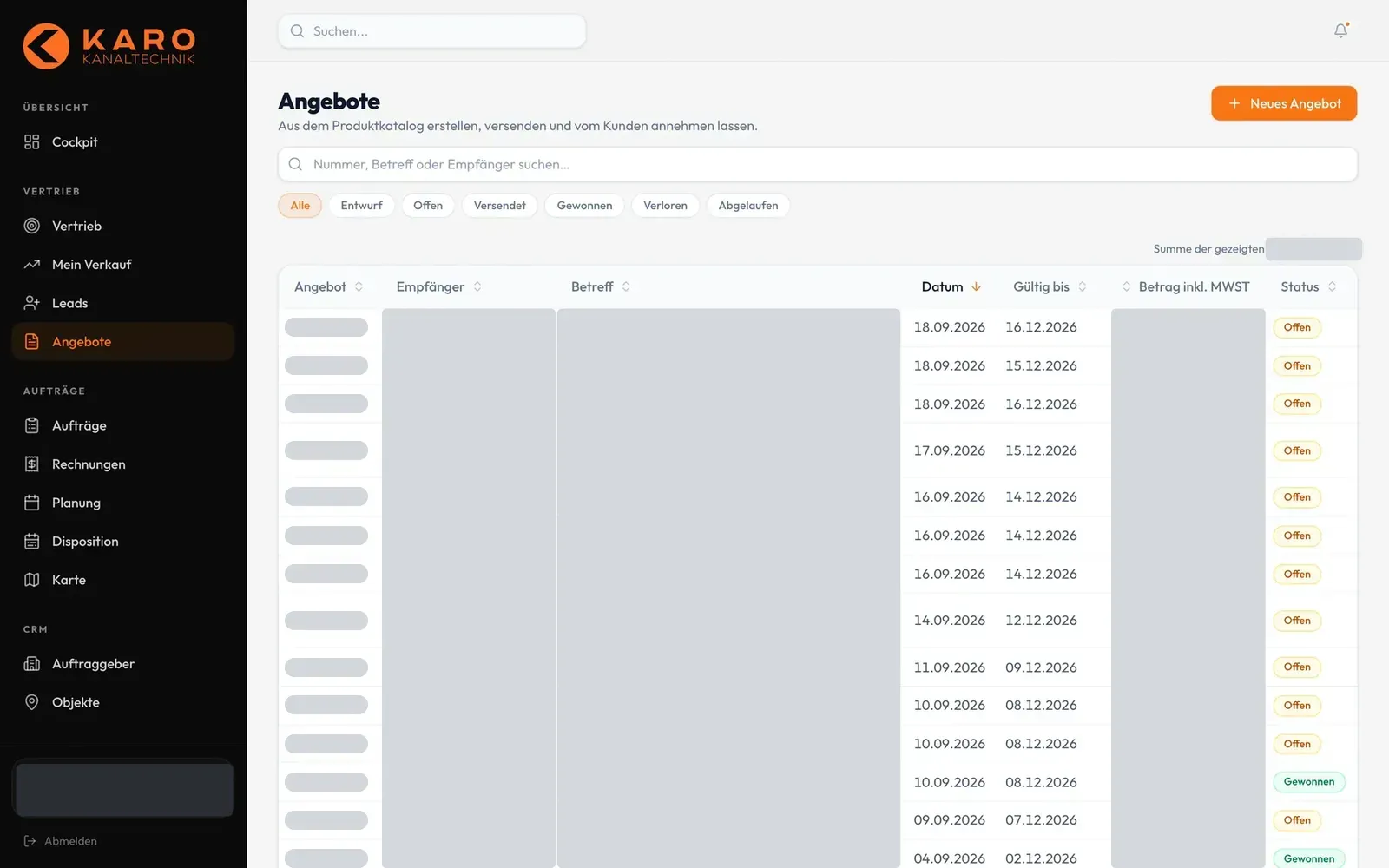
    Karo Kanaltechnik – Step 2: Quotes at a glance

    Quotes at a glance

    All quotes with number, date, validity and status, filtered with chips from draft to won. They are built from the product catalogue.

  3. 03Step 3 / 8Sample data
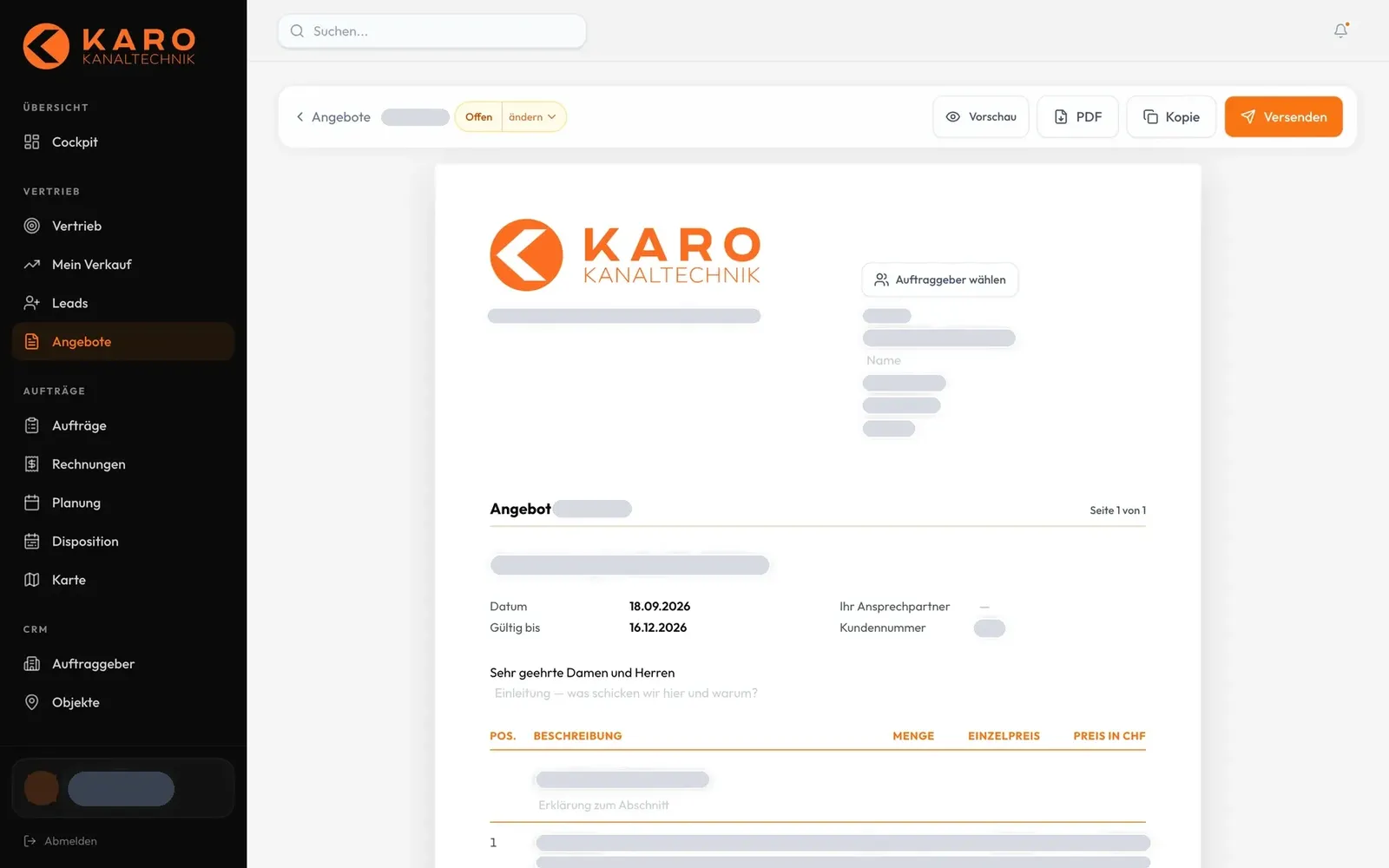
    Karo Kanaltechnik – Step 3: Edit a quote

    Edit a quote

    The quote is edited directly in the layout of the final PDF: pick the client, add items, then preview, PDF or send.

  4. 04Step 4 / 8Sample data
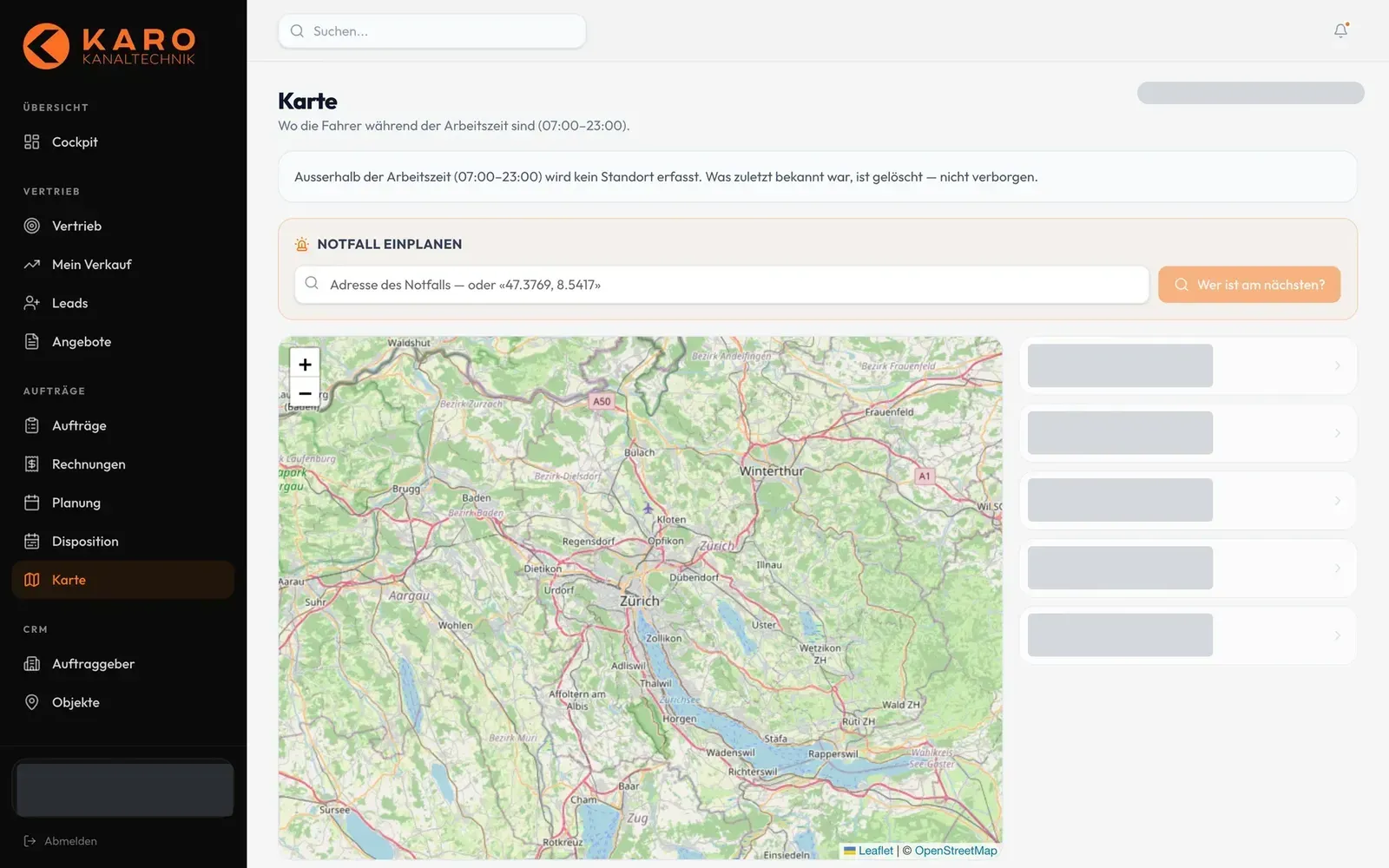
    Karo Kanaltechnik – Step 4: Plan an emergency

    Plan an emergency

    Enter an address and «Who is closest?» calculates the straight-line distance to the technicians. Locations only appear with consent, only during working hours and without a trail.

  5. 05Step 5 / 8Sample data
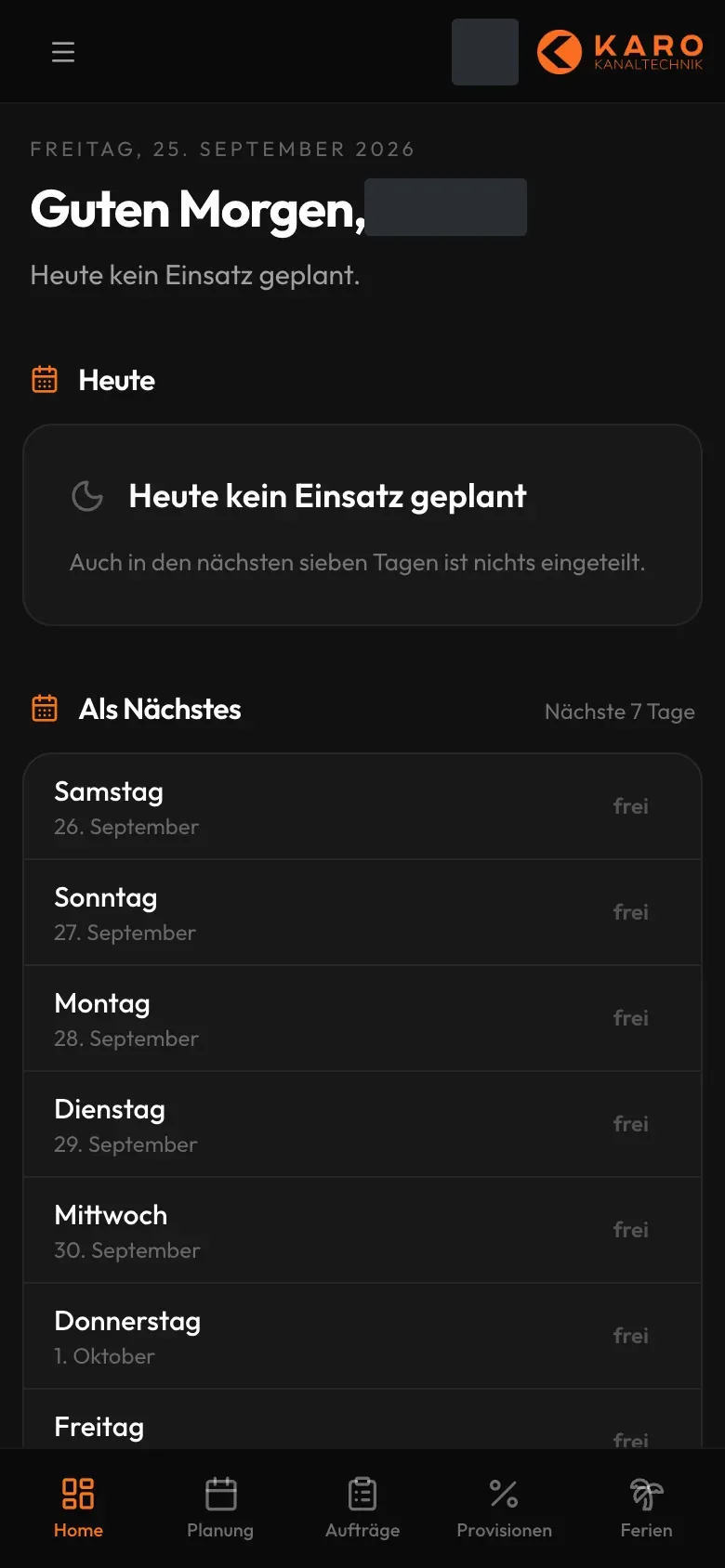
    Karo Kanaltechnik – Step 5: The technician's day

    The technician's day

    In the technician area everyone sees their jobs for today and the next seven days, in the phone's browser.

  6. 06Step 6 / 8Sample data
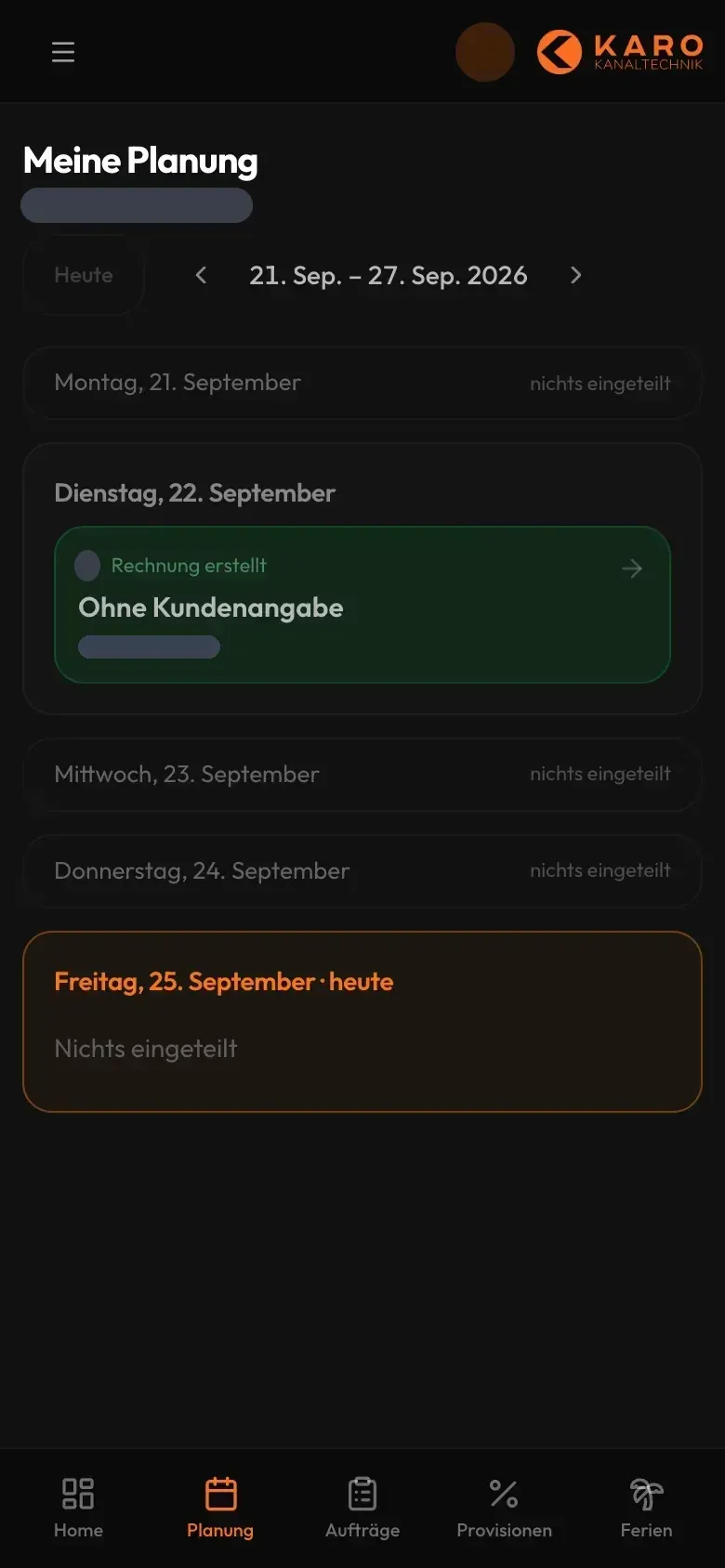
    Karo Kanaltechnik – Step 6: Weekly schedule

    Weekly schedule

    «My schedule» shows the week with all assigned jobs and their stage, for example «invoice created».

  7. 07Step 7 / 8Sample data
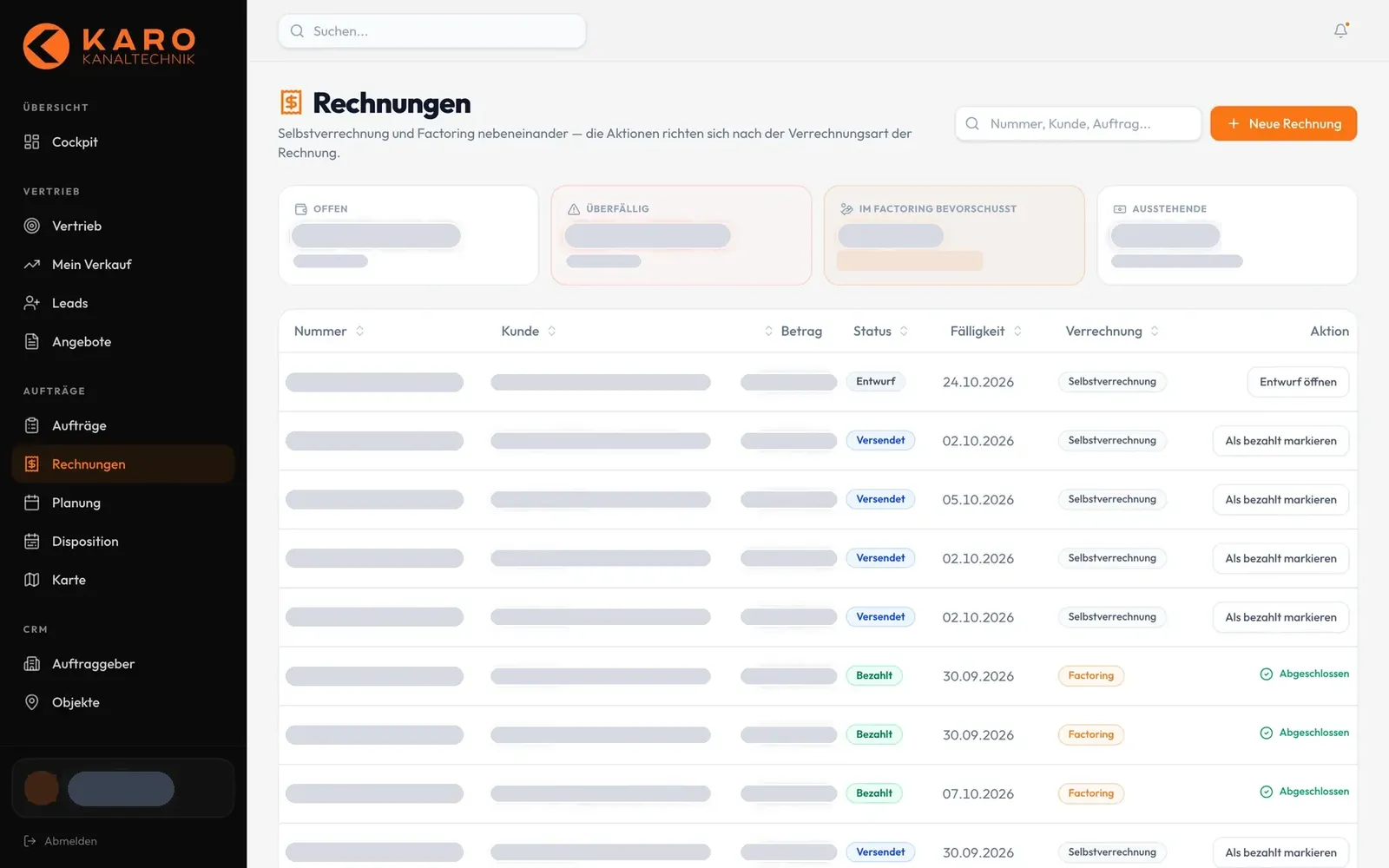
    Karo Kanaltechnik – Step 7: Invoices and payments

    Invoices and payments

    Self-billing and factoring side by side, with due dates and «mark as paid». The PDF carries the Swiss QR payment slip.

  8. 08Step 8 / 8Sample data
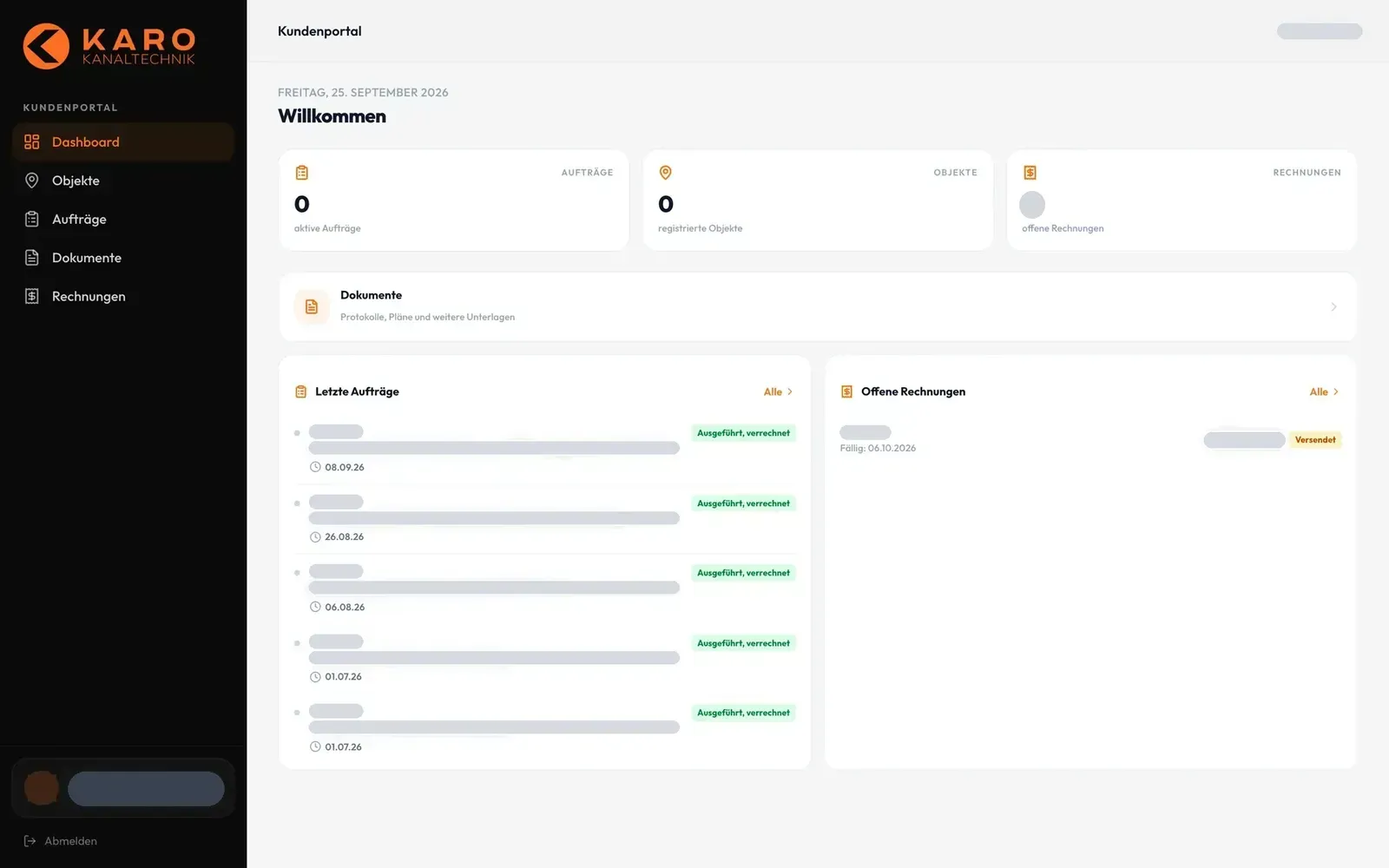
    Karo Kanaltechnik – Step 8: Client portal

    Client portal

    Clients see their jobs, properties, open invoices and documents per property. Client access follows with the go-live.

Swipe sideways for the next step.

Features

What the solution does

  • Price calculator with guide price

    Choose the property type, drains and pipes and instantly see a price range with estimated effort. Then continue via WhatsApp with a pre-written message, as a callback or with a preferred date.

  • Location pages in ten cantons

    Pages per service, town, canton and target group such as property managers. Plus a glossary with a page per technical term, a knowledge section and an llms.txt for AI search engines.

  • Office cockpit

    Leads, jobs, open amounts, due reminders and the pipeline by job stage at a glance. Every figure in the statistics opens the matching list with one click.

  • In testing

    Quotes with online acceptance

    Quotes with items from the product catalogue, as PDF. The client accepts via a secret link without login, and the job is created directly.

  • Scheduling and dispatch

    Jobs with several appointments, scheduling for technicians and a map that only shows technicians who agreed, only during working hours and without a movement trail.

  • In testing

    Job report with office review

    The technician creates the report with services, photos and signature. The office approves or rejects it, and the invoice is built from the report lines.

  • In testing

    QR invoice and dunning

    Invoices with a Swiss QR payment slip following SIX guidelines, generated as PDF. A payment reminder, first and second dunning notice follow in three stages, each with the QR amount of the open balance.

  • In testing

    Client portal per property

    Clients see their properties, jobs, approved reports, documents and invoices. Permissions apply per client and per property, and large files such as drain camera videos go out via transfer links up to 2 GB.

  • In testing

    iOS app for iPhone and iPad

    One app for office, technician and client. The report assistant reaches completion in six steps, even without signal: changes are stored and sent later. On iPad with a sidebar and dispatch grid.

  • In testing

    App lock with Face ID

    The iOS app locks after launch and whenever it goes to the background. It unlocks with Face ID, or with the device passcode as a fallback. The lock screen shows no jobs, clients or addresses.

  • Cookie-free visitor statistics

    Own tracking without cookies and without IP addresses, with a bot filter. In the back office a funnel shows how many visitors start the price calculator and get to contact.

Mobile

On the smartphone

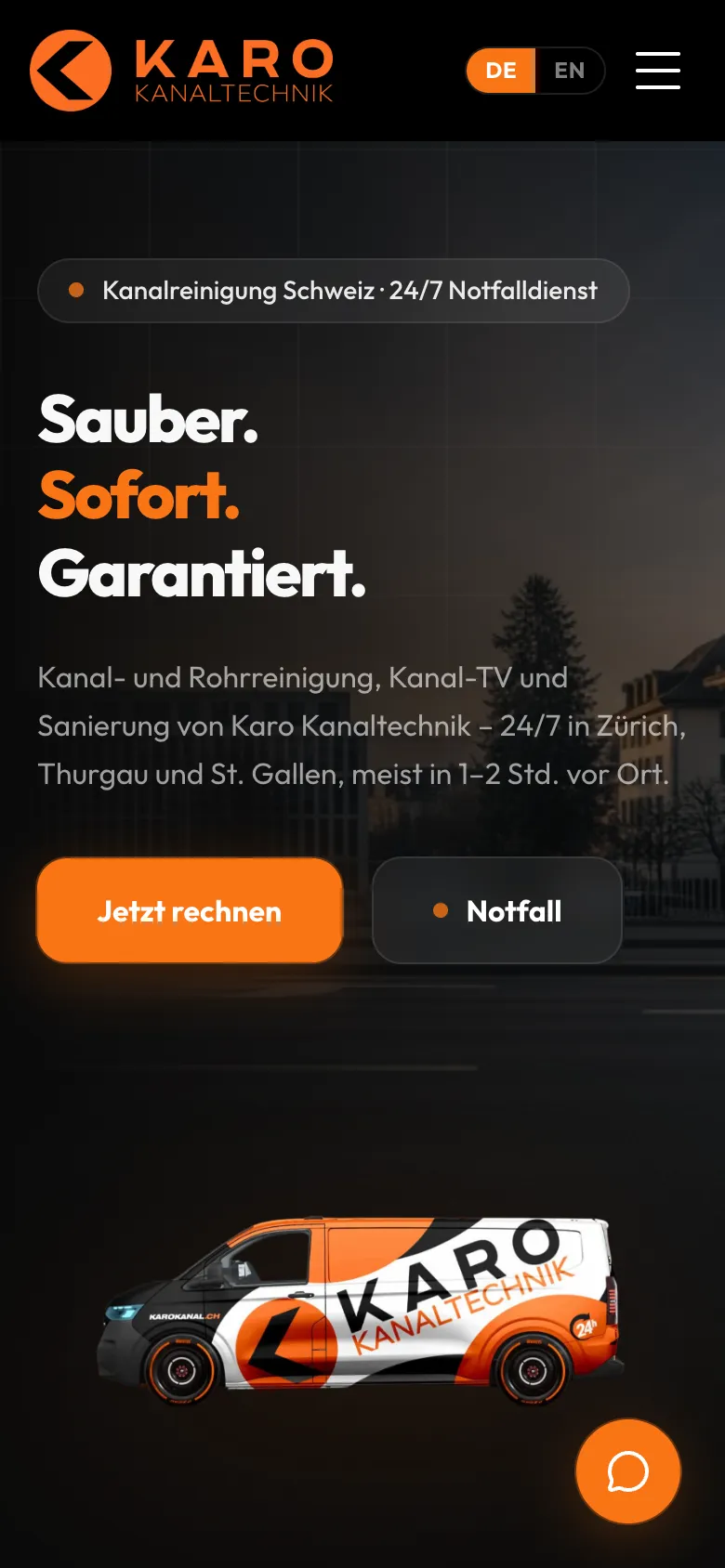
  • Karo Kanaltechnik – Home page on mobile
    Home page on mobile
  • Karo Kanaltechnik – Price calculator, step 1: which property is it?
    Price calculator, step 1: which property is it?
  • Karo Kanaltechnik – Guide price broken down into labour, travel and drain camera inspection
    Guide price broken down into labour, travel and drain camera inspection
  • Karo Kanaltechnik – Price calculator: continue via WhatsApp, callback or online appointment
    Price calculator: continue via WhatsApp, callback or online appointment
  • Karo Kanaltechnik – Contact details with sample values, appointment and guide price summarised (nothing submitted)
    Sample data
    Contact details with sample values, appointment and guide price summarised (nothing submitted)

Swipe sideways for more views.

Screens

What it looks like

  • karokanal.ch home page with direct entry to the price calculator
  • Price calculator, «guide price» step: range and effort from the selected pipes
  • Cost page with open guide prices and a short answer for search engines

FAQ

Frequently asked questions

Why custom software instead of a standard solution for trades?

At Karo, quote, dispatch, job report, invoice and client portal are directly linked. The software maps exactly this chain in one data set: an accepted quote becomes a job, and an approved report becomes an invoice with a QR payment slip. There is no double entry in spreadsheets, and inquiries from the website's price calculator land directly as leads in the same system.

Does the technician app work without signal?

Yes, it is built for that. Every change a technician makes is stored on the device first, including the full report with photos and signatures. As soon as there is signal again, the app sends everything automatically and shows how many changes are still pending. The iOS app for iPhone and iPad is built and in testing; it is not yet in the App Store.

What is a QR invoice?

The QR invoice is the Swiss standard payment slip. A QR code contains amount, recipient and reference, so customers can scan and pay with their banking app. Karo's software generates this payment slip following the SIX guidelines and links open invoices to a three-stage dunning process.

What does a client see in the client portal?

Their properties, ongoing jobs, job reports approved by the office, documents per property and invoices. Permissions can be set per client and per property, for example only reports or only invoices. Large files such as drain camera videos are collected via a password-protected link.

Solutions

Solutions from this project

Work

Similar projects

Your project

A project like this for your business?

Websites from CHF 3,000 to CHF 25,000, web apps from CHF 10,000. We deliver a website within 2 weeks once all materials are in.