Contact

What are you interested in?

Website, SEO, GEO & Google Ads2026Live

DS Cleanservice.

New website for an owner-run cleaning and caretaking company from Zurich, in business since 2014: eight service pages from a single data source, a four-step quote request with tappable chips, photos of the space via WhatsApp, plus local SEO, GEO for AI assistants and Google Ads.

  • Website
  • SEO
  • GEO
  • Google Ads
Scope
Website · SEO · GEO · Google Ads
Year
2026
Services & technology
  • Next.js
  • Website Development
  • Local SEO
  • GEO / AI visibility
  • Google Ads
  • Chip-based quote request
  • Resend

Case study

What DS Cleanservice needed and what we built

The challenge

Since 2014, DS Cleanservice has cleaned and looked after offices, practices, apartment buildings and commercial properties around Zurich. The range goes from office and maintenance cleaning through caretaking and garden care to facade, construction and special cleaning. People looking for a cleaning company search for a specific service and want to know quickly what it covers and how to get a quote. A single «services» page does not answer that, and a blank contact form leaves the company with enquiries where property type and frequency still have to be clarified by phone.

Our solution

We rebuilt the website with Next.js. Each of the eight services has its own page with scope, a three-step process (site visit, quote, start), FAQ and service schema; all pages are generated from a single data source. The quote request asks in four steps for service, property type and frequency via chips, and only then for contact details. The server checks spam protection and a rate limit, delivers the request by email and sends the customer a confirmation. Anyone in a hurry sends photos of the space via WhatsApp. On top come real photos of the team and jobs, local SEO with LocalBusiness schema, llms.txt and ai.txt for AI assistants, and Google Ads.

Approach

How we went about it

  1. 01

    Sept. 2026

    Website & service pages

    New Next.js website, first with five service pages, shortly after three more: facade, construction and special cleaning.

  2. 02

    Sept. 2026

    Real photos & enquiry path

    Own photos of the team, management and jobs instead of stock images. Chip-based quote request with email delivery, plus photos via WhatsApp.

  3. 03

    Sept. 2026

    Local SEO, GEO & Google Ads

    LocalBusiness and service schema, llms.txt and ai.txt for AI assistants, plus Google Ads campaigns.

Architecture

How it fits together

The building blocks behind DS Cleanservice and how data flows between them.

UserFrontendAdminServer / APIDatabaseExternal service
Connections: Service data → Website (Next.js) (Service pages, schema); Google & AI assistants → Website (Next.js) (Search, llms.txt); Prospect → Website (Next.js) (Chips: service, property, frequency); Website (Next.js) → Enquiry route (Request); Enquiry route → Email (Resend) (Spam check, rate limit); Email (Resend) → Company inbox (Request email); Email (Resend) → Prospect (Confirmation); Prospect → WhatsApp (Photos of the space)

Site structure

How the website is structured

ds-cleanservice.ch5 sections · 11 subpages
  • Homepage
  • 8Services
    • Office cleaning
    • Maintenance cleaning
    • Caretaking
    • Window cleaning
    • Garden care
    • Facade cleaning
    • Construction cleaning
    • Special cleaning
  • About us
  • Contact & quote request
  • 3Legal
    • Legal notice
    • Privacy
    • Terms
Simplified view of the site structure. Page counts from a live check (sitemap) on 12 October 2026.

Flow

Who does what, step by step

  • Customer
  • Business
  • System
  1. Customer

    Search

    Searches for office cleaning in Zurich, for example, and lands directly on the matching service page.

  2. Customer

    Check the service

    Reads the scope, process (site visit, quote, start) and FAQ for the service.

  3. Customer

    Request via chips

    Picks service, property type and frequency via chips, enters contact details and submits, or sends photos via WhatsApp.

  4. System

    Delivery

    The request goes to the company by email and the customer receives a confirmation.

  5. Business

    Site visit and quote

    The company gets in touch, arranges a site visit if needed and sends the quote.

Step by step

How it works in practice

Real screenshots along the flow.

Quote request step by step

From the homepage to just before sending. The request consists of four numbered sections on one page. The details in the images are sample data; nothing was sent.

Views with customer data show sample data or are redacted.

  1. 01Step 1 / 5
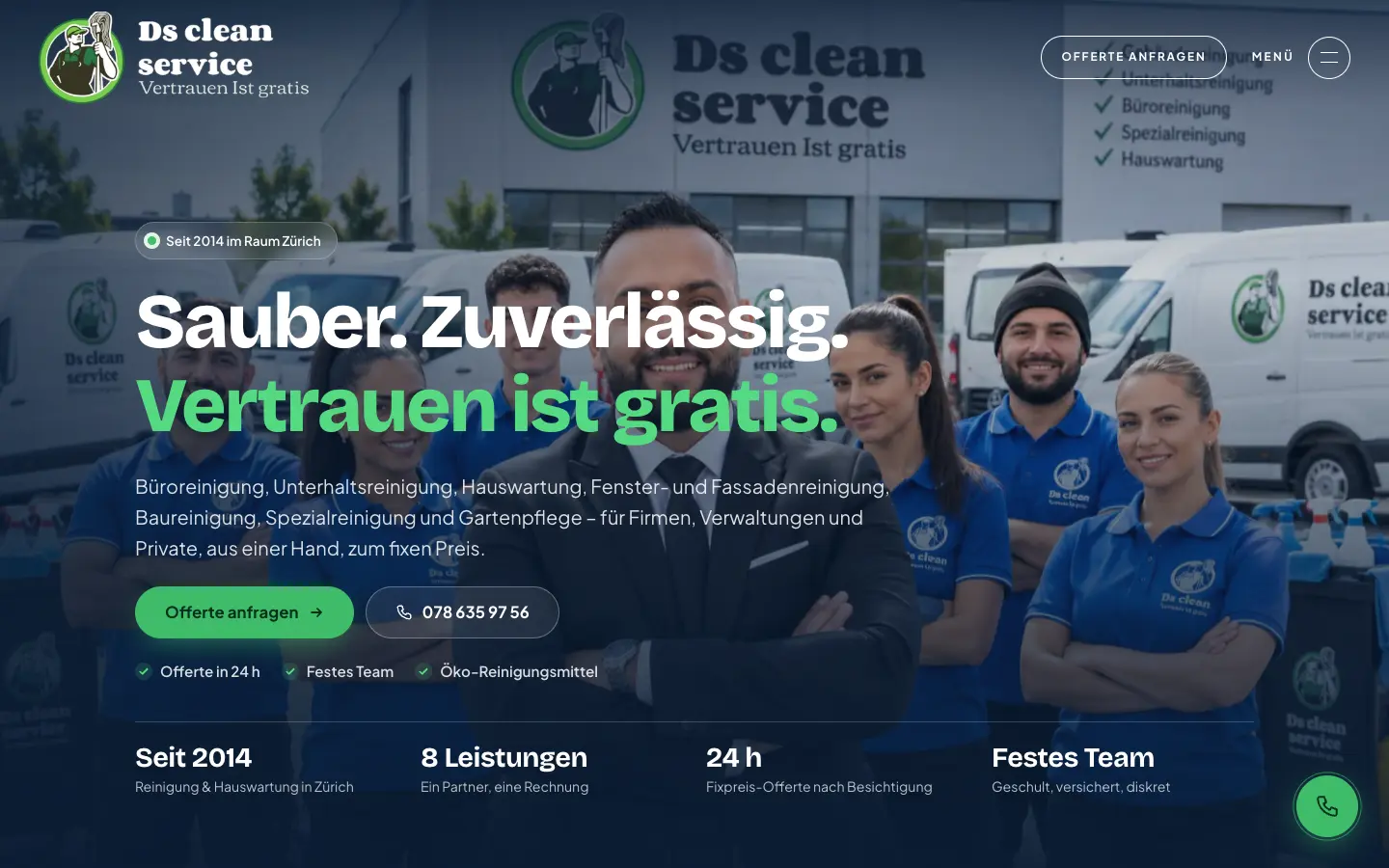
    DS Cleanservice – Step 1: Homepage

    Homepage

    Team photo, the eight services in one sentence and two ways in: «Request a quote» or call directly. The round phone button stays in the bottom right corner on every page.

  2. 02Step 2 / 5
    DS Cleanservice – Step 2: Office cleaning service page

    Office cleaning service page

    Each service has its own page with scope, process and FAQ. Anyone searching for office cleaning in Zurich lands right here rather than on a catch-all page.

  3. 03Step 3 / 5Sample data
    DS Cleanservice – Step 3: 1 · Choose the service

    1 · Choose the service

    The services appear as tappable chips, and several can be selected. Phone, WhatsApp and email stay visible on the left for anyone who prefers direct contact.

  4. 04Step 4 / 5Sample data
    DS Cleanservice – Step 4: 2 and 3 · Property and frequency

    2 and 3 · Property and frequency

    Property type and frequency are chips as well. Every request therefore arrives with the details the company needs for a quote.

  5. 05Step 5 / 5Sample data
    DS Cleanservice – Step 5: 4 · Contact details, before sending

    4 · Contact details, before sending

    Name, location, phone and email come last. The walkthrough stops before «Send request»: once sent, the request would go to the company by email and the customer would receive a confirmation.

Swipe sideways for the next step.

Features

What the solution does

  • Eight service pages from one data source

    Office, maintenance, window, facade, construction and special cleaning, caretaking and garden care each have their own page with benefits, scope, process and FAQ. Content lives centrally in one file and the pages are pre-rendered from it.

  • Four-step quote request

    Services as multi-select, property type (office/practice, apartment building, commercial, private) and frequency from one-off to monthly as tappable chips, then contact details. No dropdowns, no blank text field to start with.

  • Email delivery with confirmation

    The server route checks a honeypot and a rate limit (five requests per 15 minutes), sends the request to the company inbox (replies go straight to the customer) and a confirmation to the sender.

  • Photos of the space via WhatsApp

    On the contact page and in the process section, a WhatsApp link leads straight to the company. Customers send photos of the space and get an estimate faster. There is deliberately no file upload in the form.

  • Local SEO and GEO setup

    LocalBusiness schema with opening hours and service area, service and offer schema per service, FAQ schema, llms.txt with a company profile, ai.txt, humans.txt, webmcp.json and security.txt.

  • Navigation with phone button

    A header that is transparent over the hero and turns solid on scroll, a full-screen menu with numbered items and a services panel, plus a round phone button in the bottom right corner on every page.

  • Real photos instead of stock

    The team, management and jobs are shown in the company's own photos, and each service has its own image.

  • Google Ads

    Campaigns for the services around Zurich as part of the engagement, alongside SEO and GEO. We do not publish figures on clicks or costs.

Mobile

On the smartphone

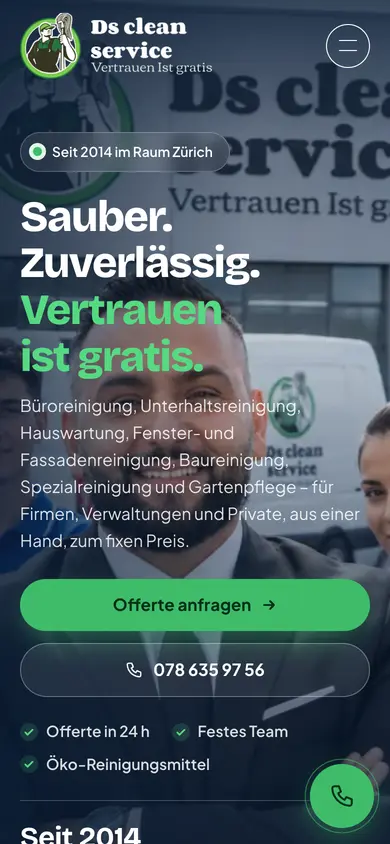
  • DS Cleanservice – Homepage on mobile with phone button
    Homepage on mobile with phone button
  • DS Cleanservice – Window cleaning service page on mobile
    Window cleaning service page on mobile
  • DS Cleanservice – Full-screen menu on mobile with contact block and «Request a quote»
    Full-screen menu on mobile with contact block and «Request a quote»
  • DS Cleanservice – Quote request on mobile: services as chips
    Quote request on mobile: services as chips

Swipe sideways for more views.

Screens

What it looks like

  • Homepage with team photo and the eight services
  • Services overview: cleaning, caretaking and garden
  • Office cleaning service page
  • Quote request: services as chips, with phone and WhatsApp alongside

FAQ

Frequently asked questions

What does a cleaning company need on its website?

A page per service with scope, process and FAQ, and an enquiry path without detours. For DS Cleanservice that means eight service pages from a single data source and a quote request that includes service, property type and frequency.

Why does the form use chips instead of a text field?

Because the company needs to know which service, which property and how often before it can quote. Chips capture this in a few taps, so every request arrives complete.

Can customers send photos of the space?

Yes, via WhatsApp. The contact page links straight to the company's WhatsApp chat. There is deliberately no file upload in the form.

Why GEO for a local business?

Because more and more people ask ChatGPT or Perplexity for a cleaning company. With llms.txt, ai.txt and clean schema, an AI assistant can reproduce services, service area and contact details correctly.

Solutions

Solutions from this project

Work

Similar projects

Your project

A project like this for your business?

Websites from CHF 3,000 to CHF 25,000, web apps from CHF 10,000. We deliver a website within 2 weeks once all materials are in.