Website, SEO and GEO for a tax adviser in Winterthur. Since the relaunch on 23 September 2026 it has a three-step appointment request, online submission with document upload and a custom back end with lead board, CRM and statistics. Measured in Google Search Console: +633% clicks, 10.8 times the search impressions and 196 times the impressions in Google's AI features, without paid advertising.
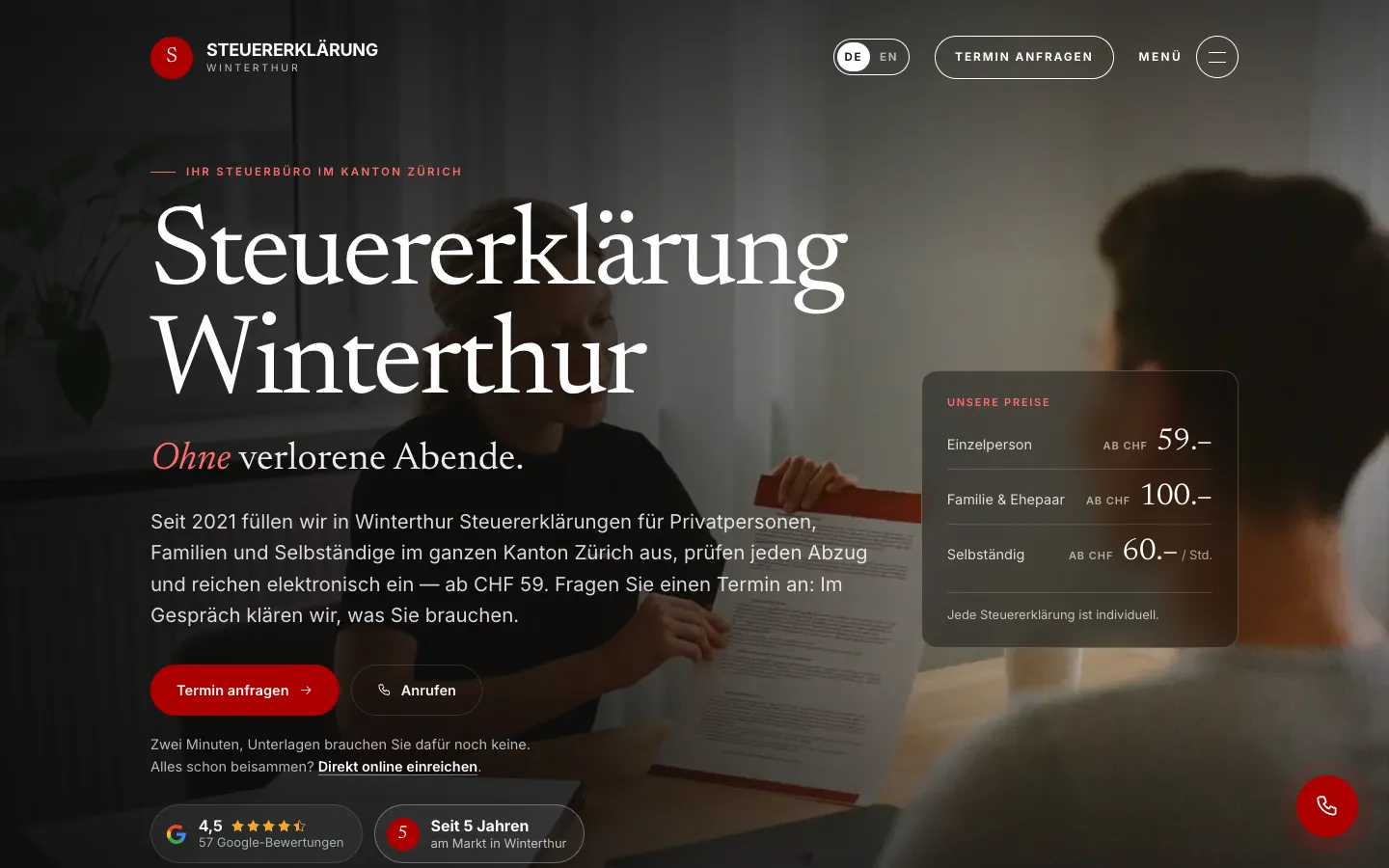
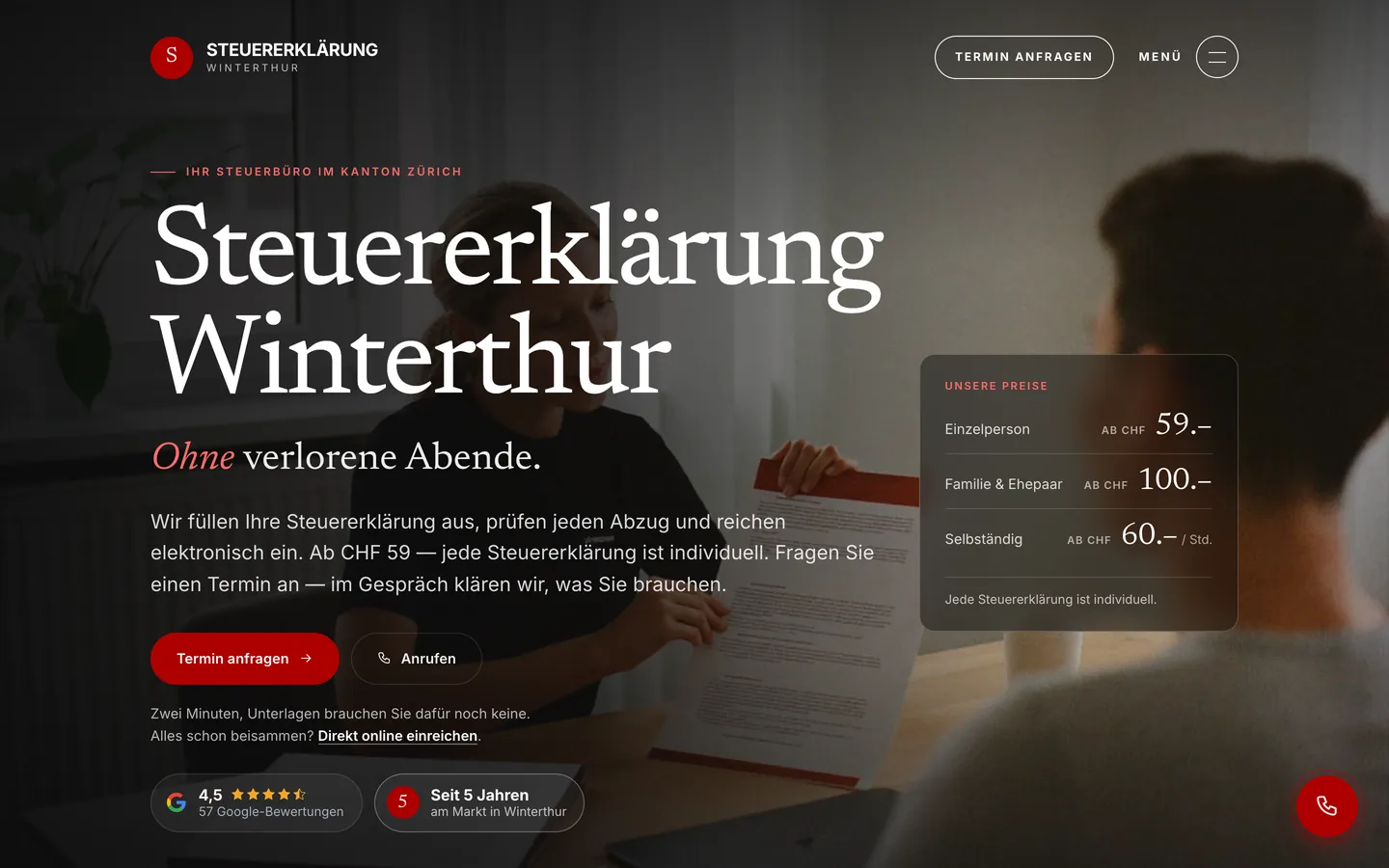
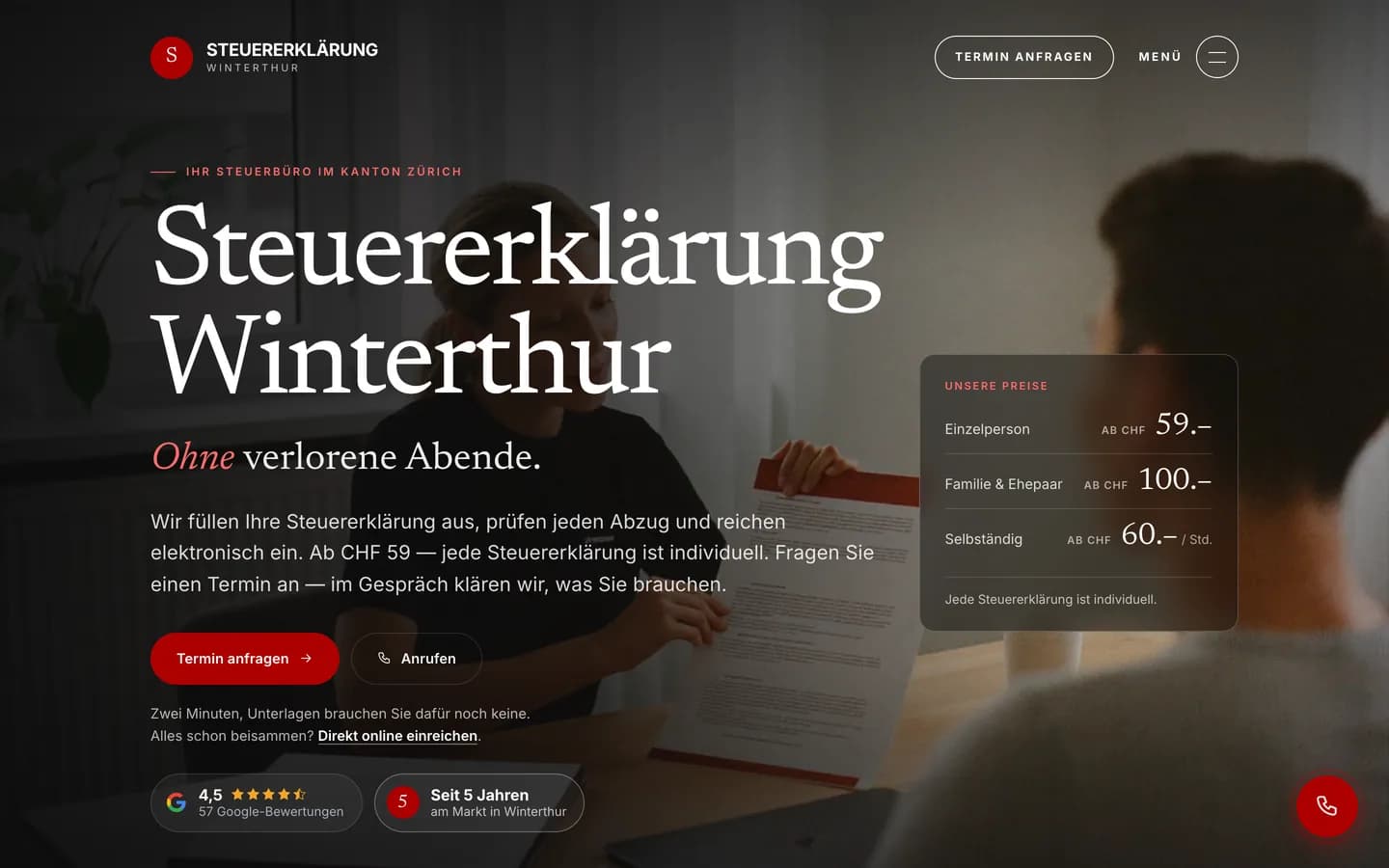
The redesign went live on 23 September 2026. The website has a new look with calm typography, a dark opening section and the starting prices right on the homepage. The new website has a page for each tax situation, a pricing page, a process page with a document checklist and a glossary. Appointments are requested in three steps, without uploading documents first.
Dedicated pages for individuals, families, self-employed, homeowners, retirees and objections & deadlines
Transparent starting prices on the homepage and pricing page
Three-step appointment request: topic, date, time
Online submission with document upload, no appointment needed
Four-step process with a document checklist
Tax glossary with a page for each term
Custom back end: visitors, page views, enquiries, call clicks, conversion and lead pipeline at a glance
Before and after
Drag the handle or move it with the arrow keys.
BeforeAfter
Before: screenshot of the previous website from 27 March 2026. After: screenshot of the live website from 23 September 2026.
2026Redesign
New design, a page for each tax situation, prices, process, glossary, a three-step appointment request, online submission and a custom back end. In the 13 days after: +633% clicks, +981% impressions, 196× in Google's AI features (Google Search Console).
2024Website, lead form & SEO
First website with an online lead form, initially supported by Google Ads, with the SEO strategy built in parallel.
Reference from Winterthur · SEO and GEO only, no paid ads
Steuererklärung Winterthur: 10.8 times the search impressions within two weeks of the relaunch
On 23 September 2026 we relaunched steuererklaerungwinterthur.ch for a tax adviser in Winterthur: new design, a page for every tax situation, a glossary with a page per term, a three-step appointment request and its own back end for visitors, enquiries and calls. Within the first 13 days, clicks from Google rose by 633% and impressions by 981% compared with the 13 days before. In Google’s AI features the site now appears 196 times as often.
+633 %
clicks from Google
7.3× · →
+981 %
impressions in Google Search
10.8× · →
196×
impressions in Google AI features
→
< 1 week
until the first enquiries and calls
measured in the site’s own back end · enquiries
Impressions in Google SearchImpressions in Google AI featuresNo axis values: absolute figures redacted.
Average Google position, last 3 months
«steuererklärung ausfüllen lassen winterthur»1.7
«steuerberater winterthur»1.9
«steuererklärung winterthur»2.8
Source: Google Search Console (search performance and generative AI features), export of 11 Oct 2026. Comparison: 11–23 Sep 2026 against 24 Sep–6 Oct 2026. Enquiries and calls from the website’s own back end. No paid advertising in this period (client statement). Absolute figures redacted at the client’s request. A single case, not a guarantee for other websites.
The original engagement · 2024
What Steuererklärung Winterthur needed and what we built
The challenge
A tax adviser's business peaks in the season up to the end-of-March deadline, and that is exactly when people search for «tax return Winterthur» or «tax adviser Winterthur». The previous website barely answered the questions behind those searches: what does it cost in my situation, which documents do I need, do I have to come in? Enquiries came in by form and phone, could not be tracked, and nobody knew which page or source had brought them.
Our solution
We rebuilt the website with Next.js in German and English. Six service pages each cover one tax situation, from individuals to objections and deadlines, with starting prices on the homepage and pricing page. On top come a process page with a document checklist, a glossary with 35 term pages, 16 location pages and three guides. Clients choose between a three-step appointment request and a five-step online submission with document upload. Every enquiry lands as a lead in a custom back end: a kanban board from «new» to «won», contacts with history and revenue, and a built-in visitor statistic with conversion compared to the previous period. llms.txt, llms-full.txt, ai.txt and webmcp.json make the content readable for AI assistants.
Architecture
How it fits together
The building blocks behind Steuererklärung Winterthur and how data flows between them.
UserFrontendAdminServer / APIDatabaseExternal service
Connections: Google & AI features → Website DE/EN (Next.js) (Service, location, glossary pages); Tax client → Website DE/EN (Next.js) (Appointment or submission); Website DE/EN (Next.js) → Appointment, submission & tracking API (Request, documents, events); Appointment, submission & tracking API → PostgreSQL: leads, documents, contacts, stats (Lead + contact); Appointment, submission & tracking API → Email (Resend) (Confirmation + admin email); Email (Resend) → Tax client; Back end: board, CRM, dashboard → PostgreSQL: leads, documents, contacts, stats (Status, notes, revenue); Email (Resend) → Back end: board, CRM, dashboard (Login code)
Simplified view of the site structure. Page counts from a live check (sitemap) on 12 October 2026.
Flow
Who does what, step by step
Customer
Business
System
Customer
Business
System
01
Find
The client finds the site via Google or an AI answer, for example for «tax return Winterthur».
02
Situation and price
Sees the starting prices and picks their situation: individual, family, self-employed, homeowner or retiree.
03
Appointment or submission
Requests an appointment in three steps or submits documents online in five steps.
04
Lead and email
The request lands automatically in the «new» column, is matched to a contact, and client and adviser receive an email.
05
Work the lead
The adviser sees the source and documents, calls or writes via a WhatsApp link and moves the card to «appointment» or «in progress».
06
Close and measure
«Won» with a value records the revenue on the contact; the dashboard compares visitors, enquiries and conversion with the previous period.
01
Customer
Find
The client finds the site via Google or an AI answer, for example for «tax return Winterthur».
02
Customer
Situation and price
Sees the starting prices and picks their situation: individual, family, self-employed, homeowner or retiree.
03
Customer
Appointment or submission
Requests an appointment in three steps or submits documents online in five steps.
04
System
Lead and email
The request lands automatically in the «new» column, is matched to a contact, and client and adviser receive an email.
05
Business
Work the lead
The adviser sees the source and documents, calls or writes via a WhatsApp link and moves the card to «appointment» or «in progress».
06
Business
Close and measure
«Won» with a value records the revenue on the contact; the dashboard compares visitors, enquiries and conversion with the previous period.
Step by step
How it works in practice
Real screenshots along the flow.
Appointment request
Homepage, service page and the three-step appointment request, up to just before sending. Sample data; nothing was sent.
Views with customer data show sample data or are redacted.
Step 01 / 06
steuererklaerungwinterthur.ch
01 · HomepageArrow keys change the step
All steps
01Step 1 / 6
steuererklaerungwinterthur.ch
Homepage
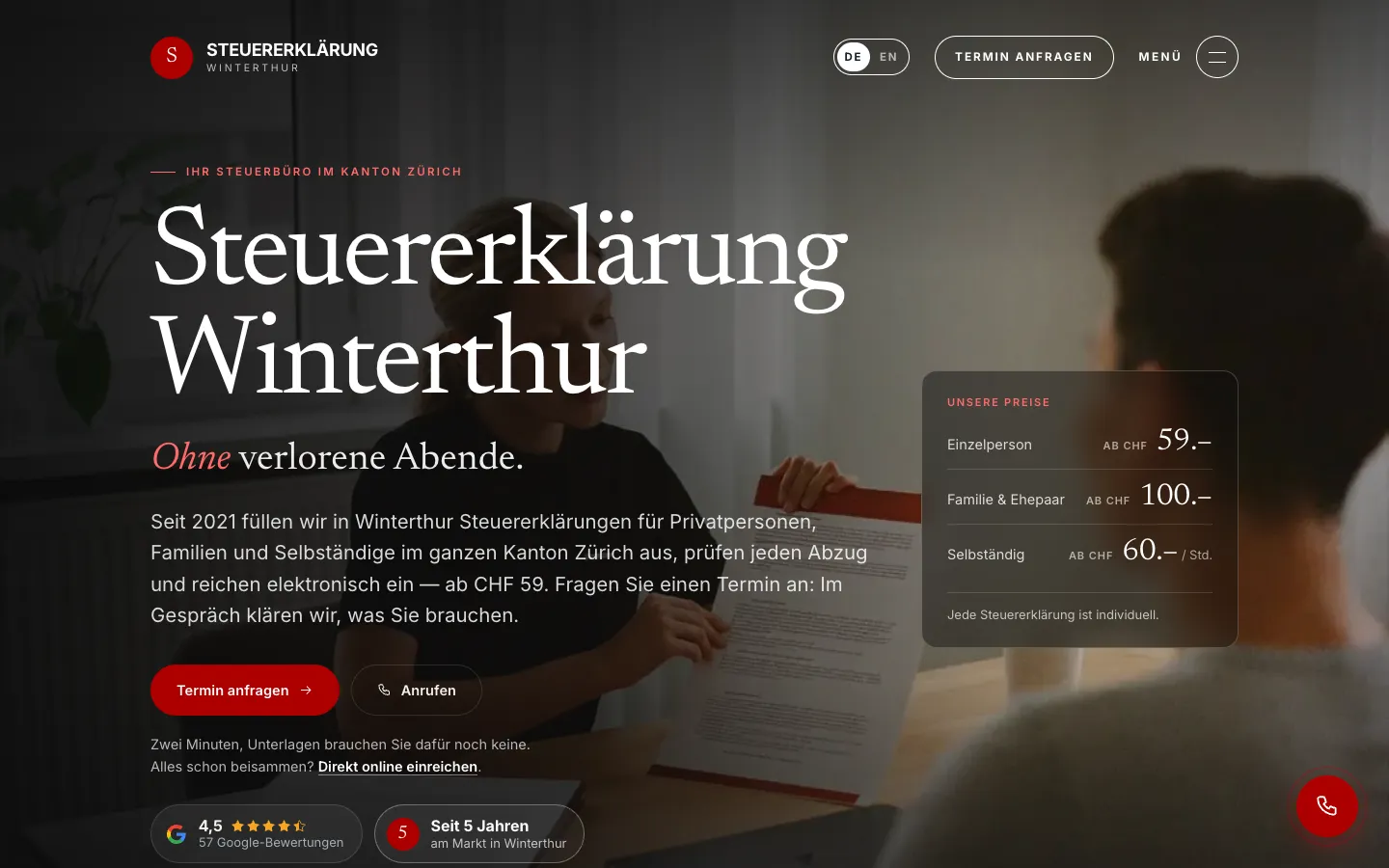
Starting prices right in the first screen, next to «Request an appointment» and «Call». Anyone who already has the documents can submit online straight away.
02Step 2 / 6
steuererklaerungwinterthur.ch
Families service page
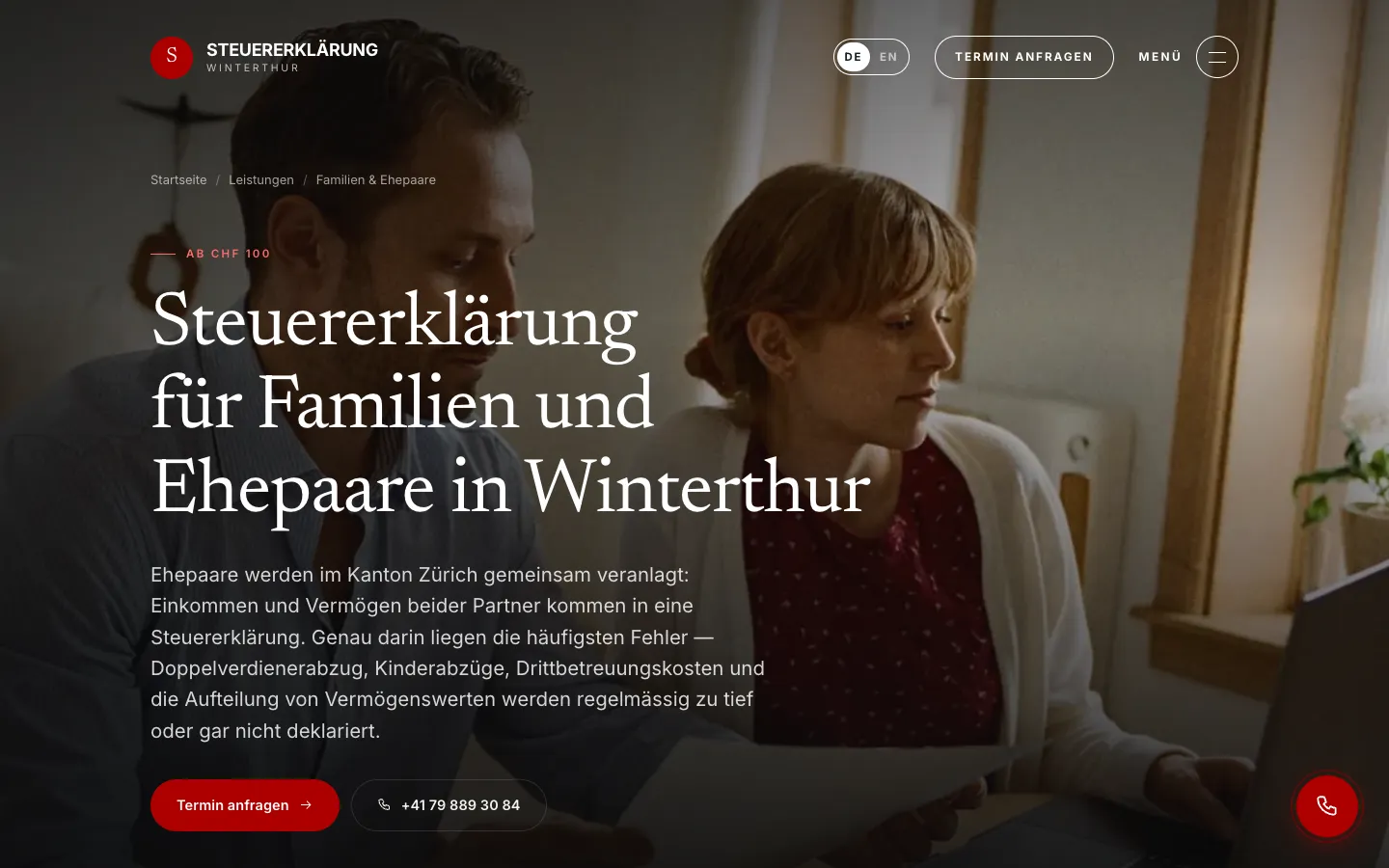
Each tax situation has its own page with a starting price and the most common mistakes. «Request an appointment» leads into the wizard.
03Step 3 / 6Sample data
steuererklaerungwinterthur.ch
Step 1 · Topic
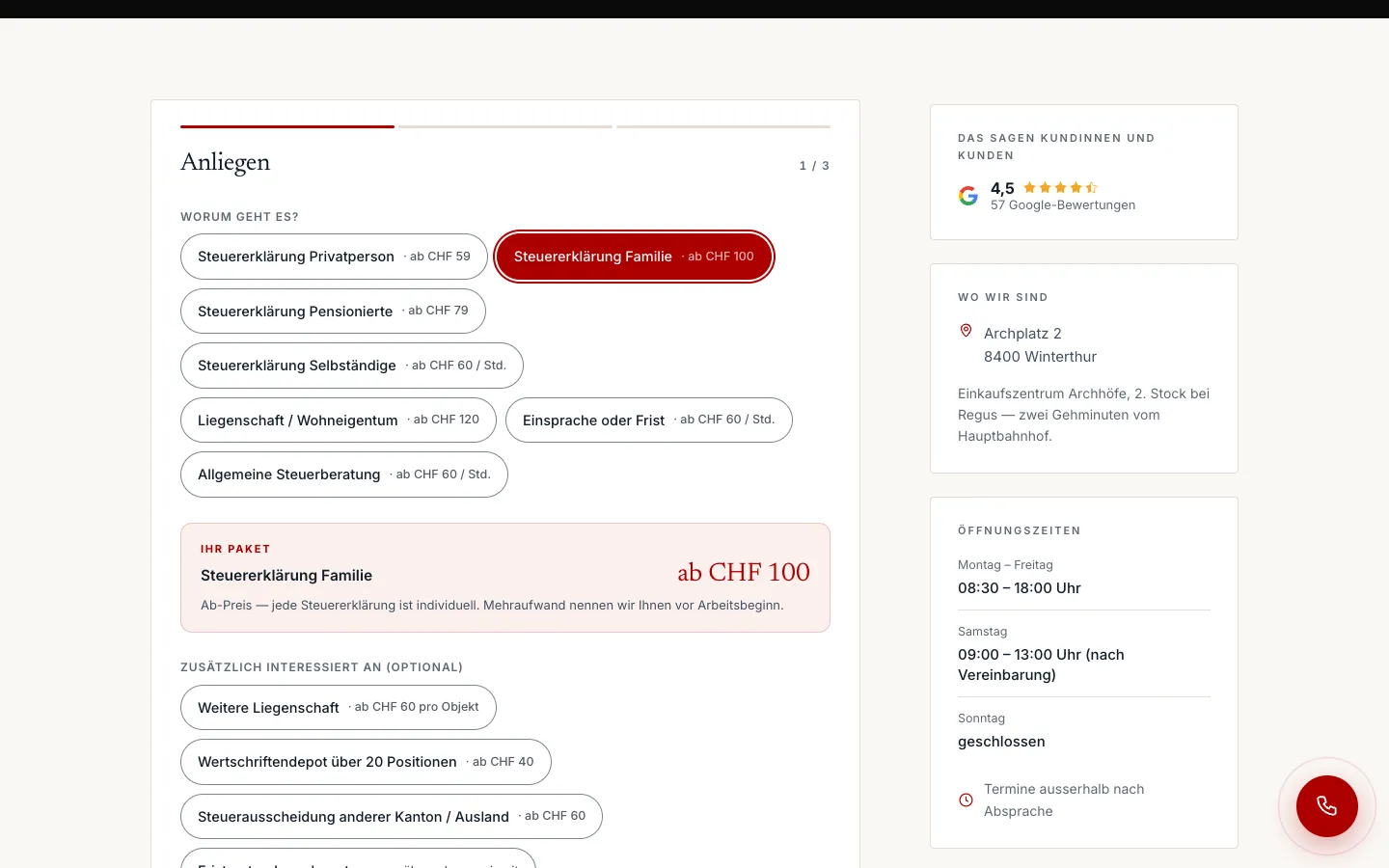
Topics as chips with starting prices. The chosen package appears immediately with its price, and extras can be added.
04Step 4 / 6Sample data
steuererklaerungwinterthur.ch
Step 2 · Preferred time
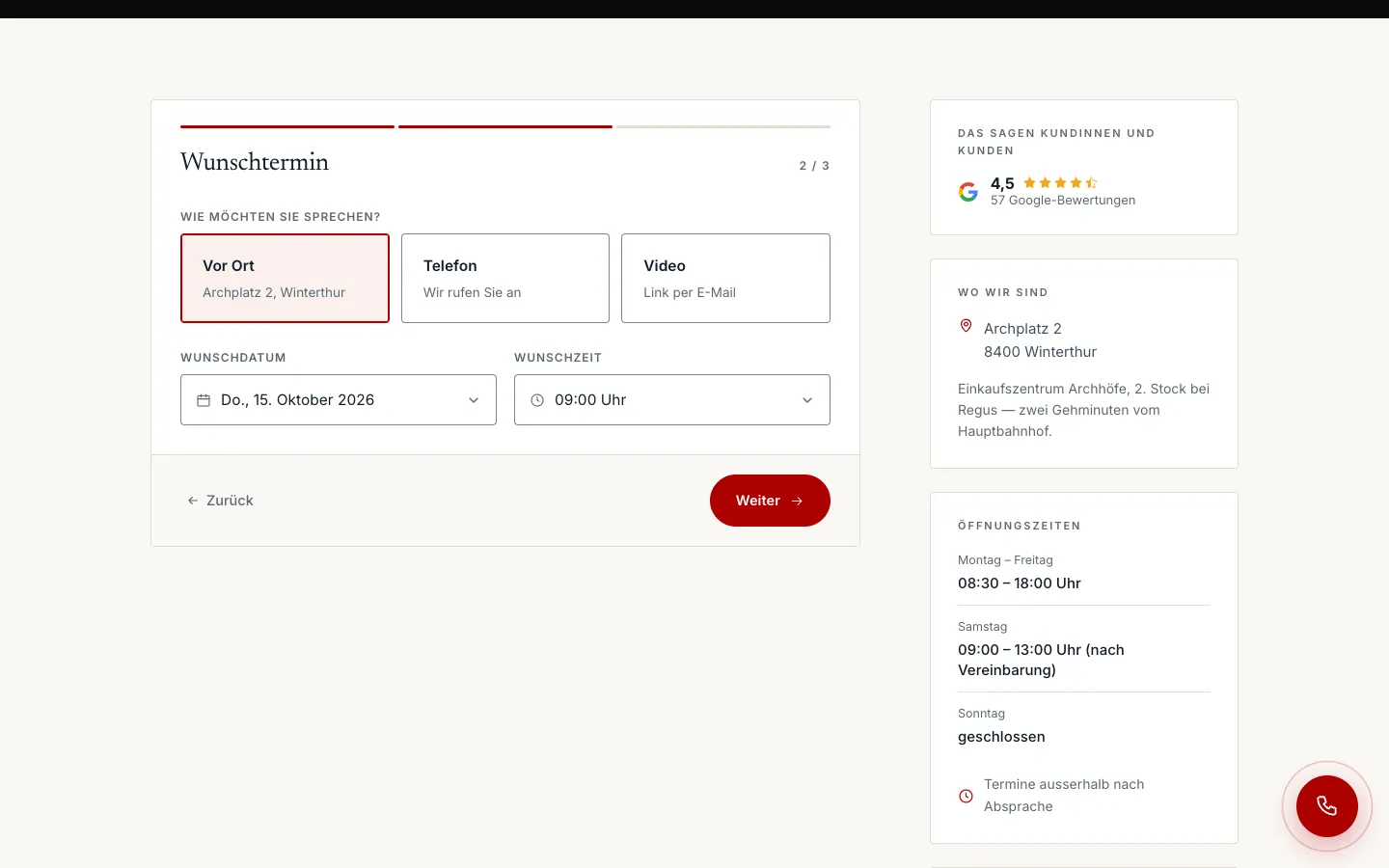
In person, phone or video, plus date and time in custom pickers instead of native date fields. Days without opening hours are blocked.
05Step 5 / 6Sample data
steuererklaerungwinterthur.ch
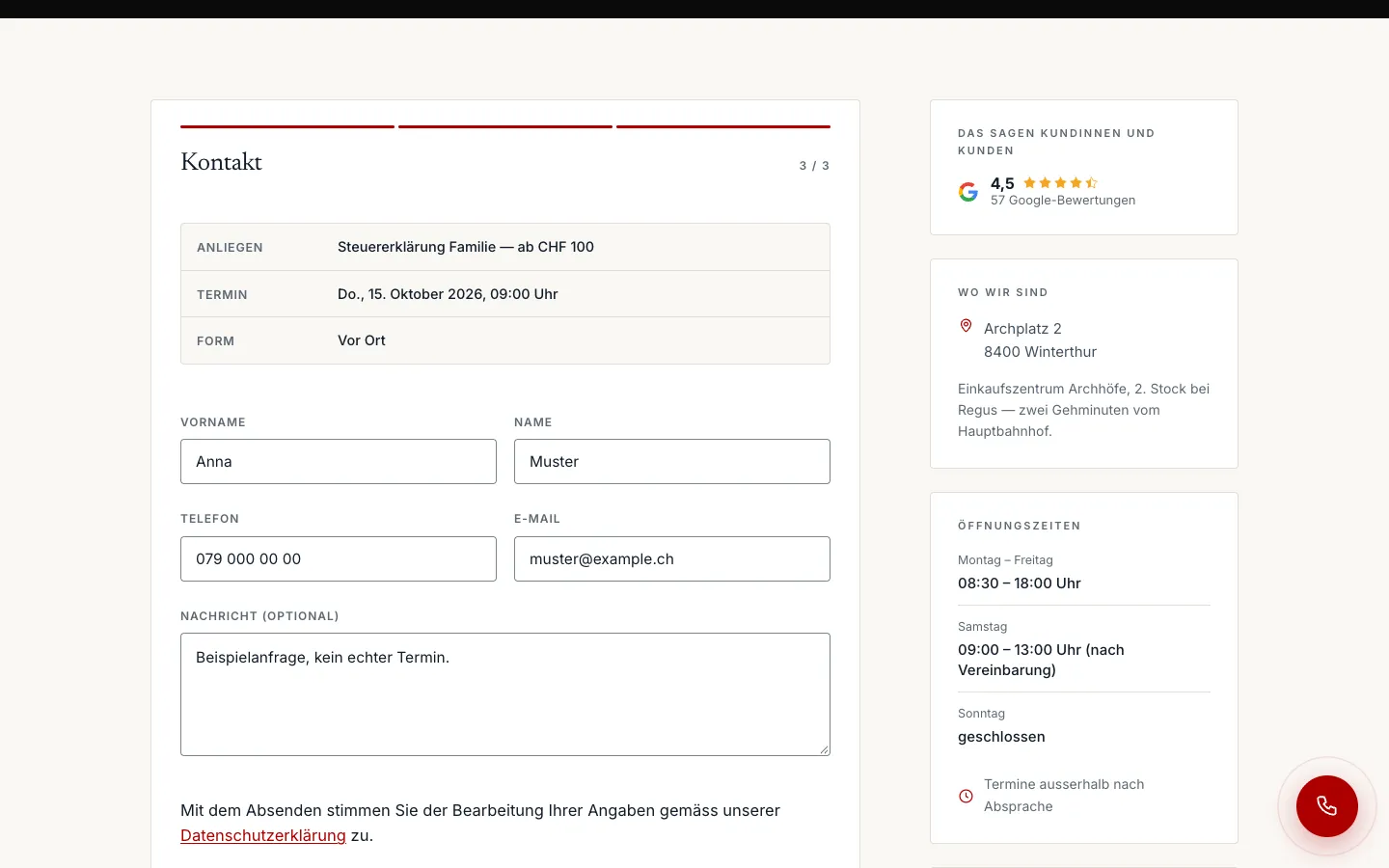
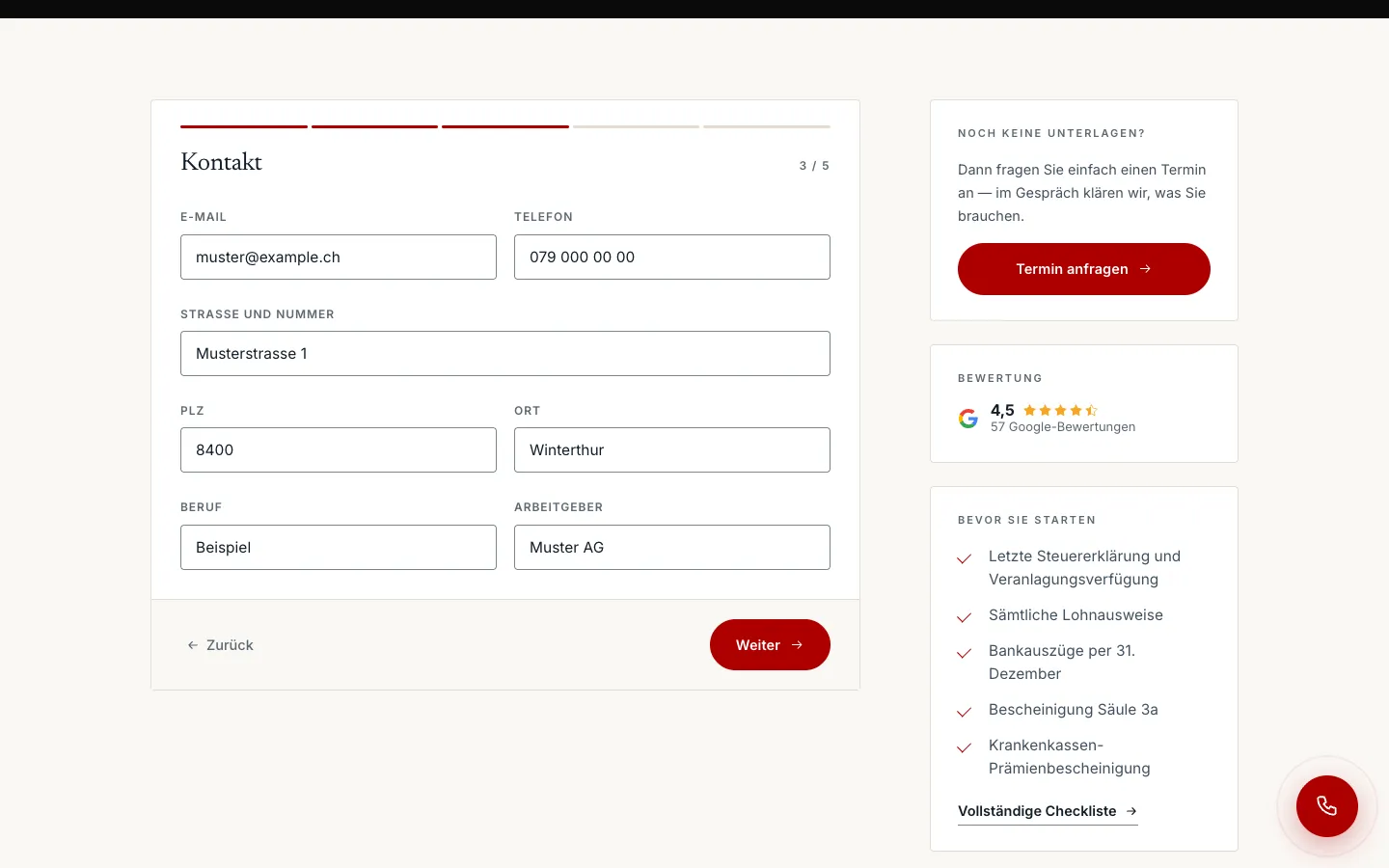
Step 3 · Contact
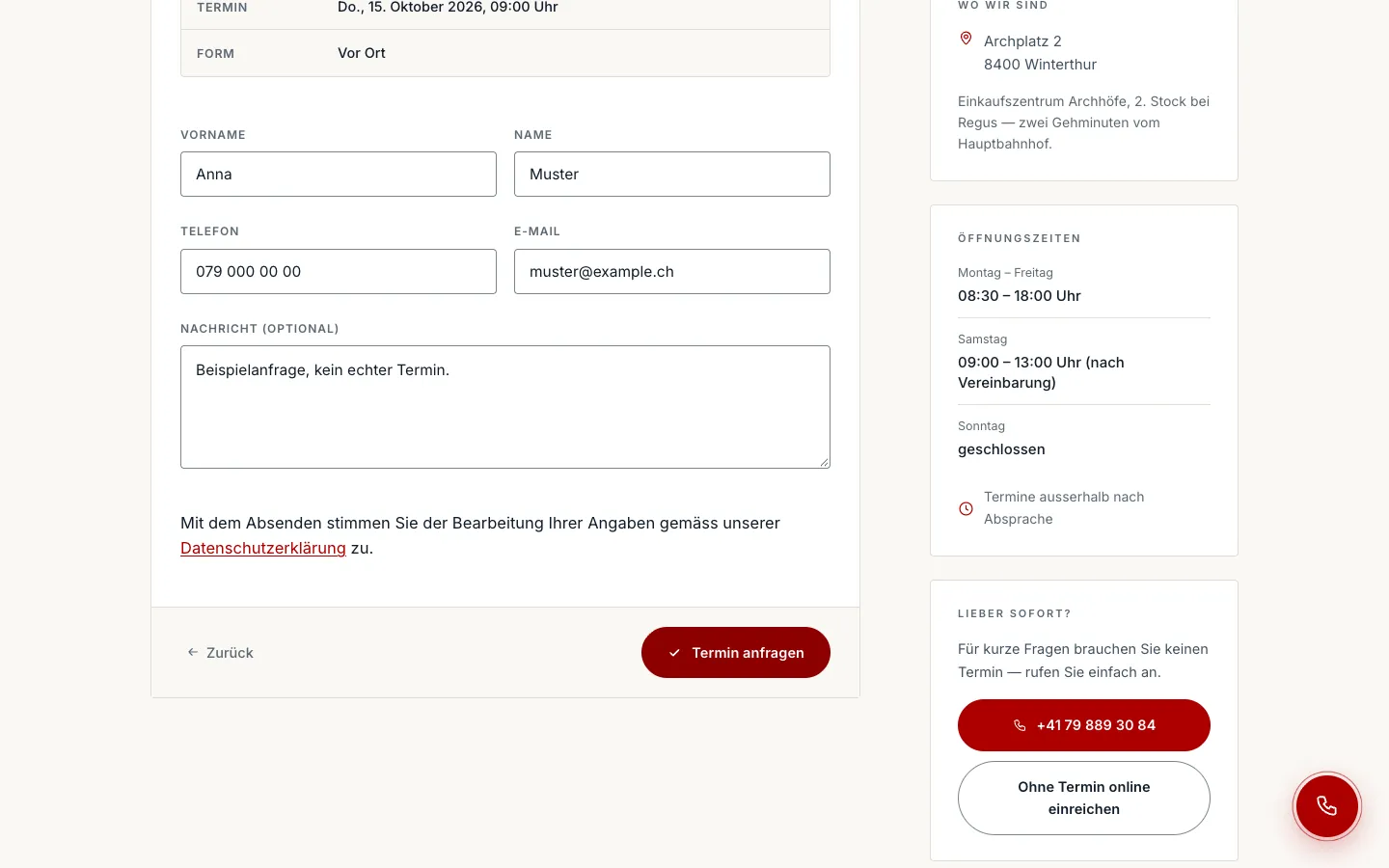
A summary of topic, appointment and format at the top, contact details below.
06Step 6 / 6Sample data
steuererklaerungwinterthur.ch
Before sending
The walkthrough stops before «Request appointment». Once sent, the request would appear as a lead in the «new» column and both client and adviser would receive an email.
Swipe sideways for the next step.
Submitting online
Submission without an appointment in five steps, up to just before sending. No file upload, sample data only.
Views with customer data show sample data or are redacted.
Step 01 / 05
steuererklaerungwinterthur.ch
Sample data
01 · Step 1 · PackageArrow keys change the step
All steps
01Step 1 / 5Sample data
steuererklaerungwinterthur.ch
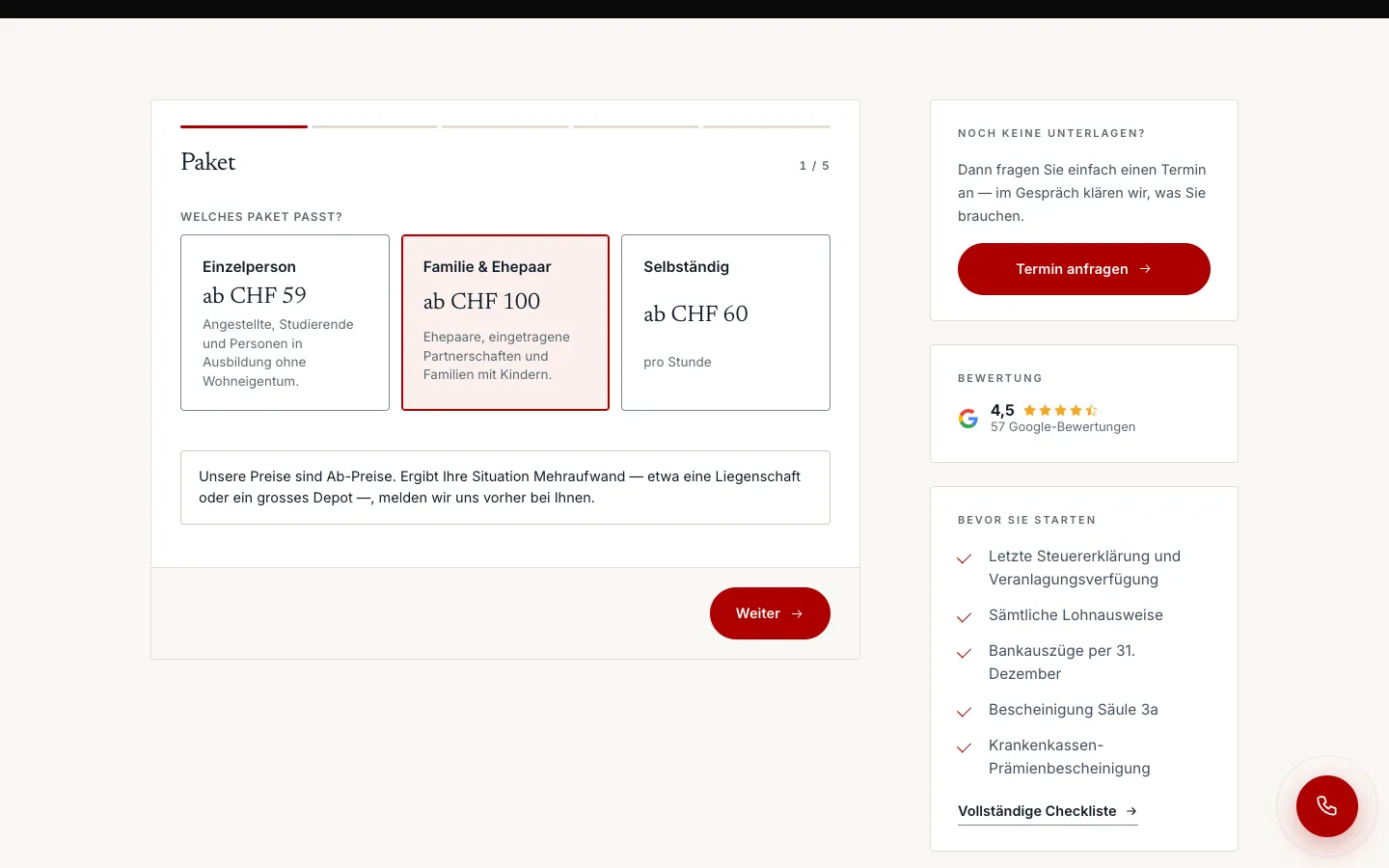
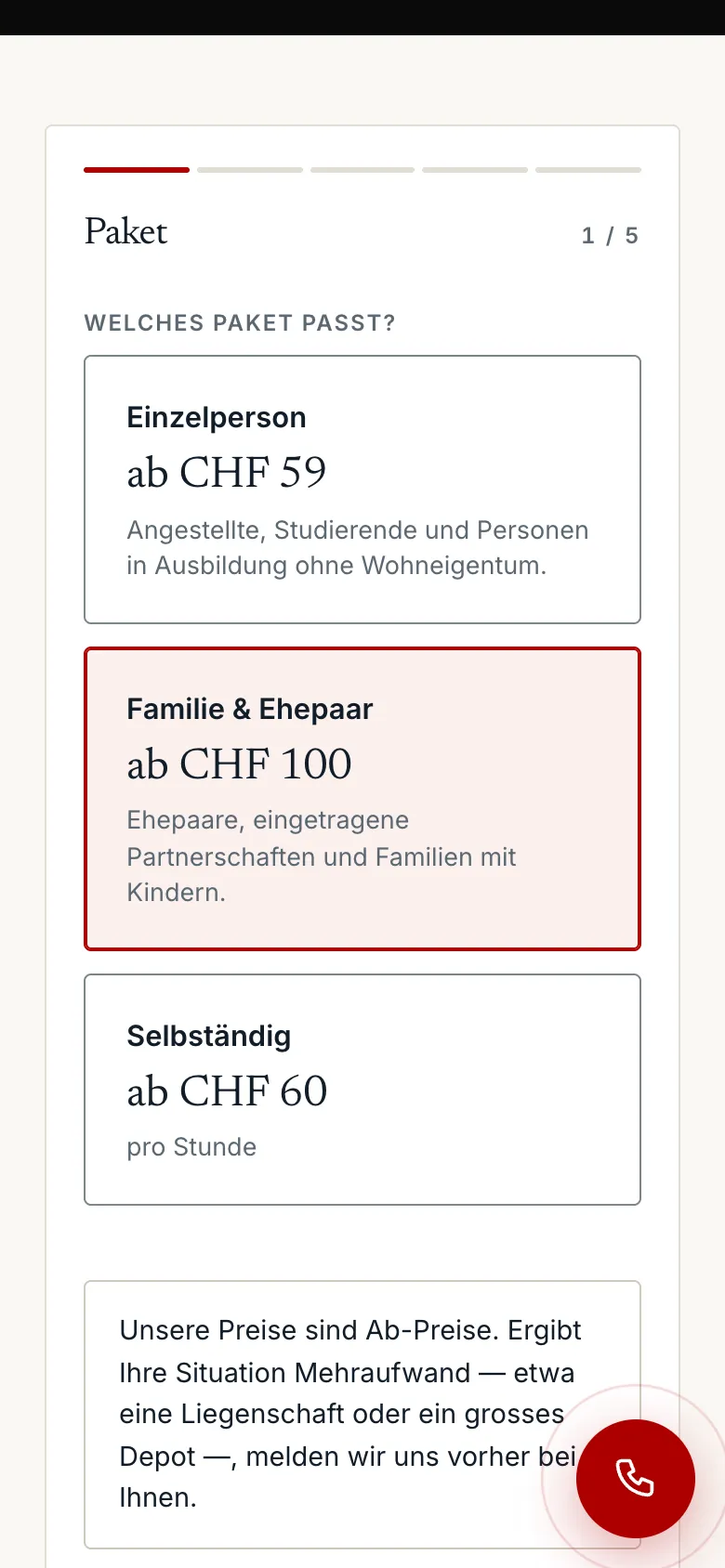
Step 1 · Package
Three packages with starting prices as tiles, with a note below that extra work is announced in advance. On the right, the document checklist.
02Step 2 / 5Sample data
steuererklaerungwinterthur.ch
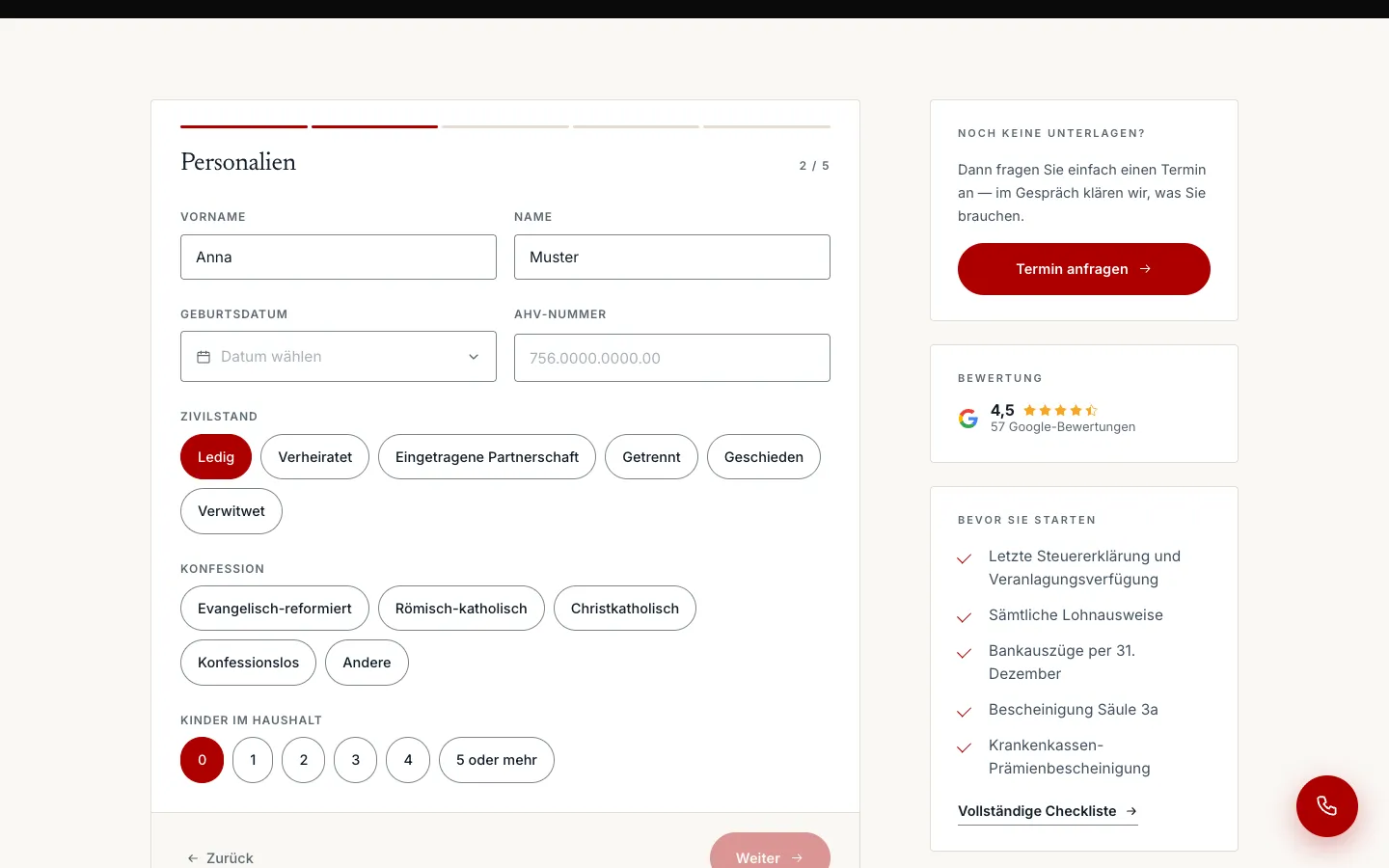
Step 2 · Personal details
Name, date of birth and AHV number, then marital status, denomination and children as chips instead of dropdowns.
03Step 3 / 5Sample data
steuererklaerungwinterthur.ch
Step 3 · Contact
Email, phone, address, occupation and employer.
04Step 4 / 5Sample data
steuererklaerungwinterthur.ch
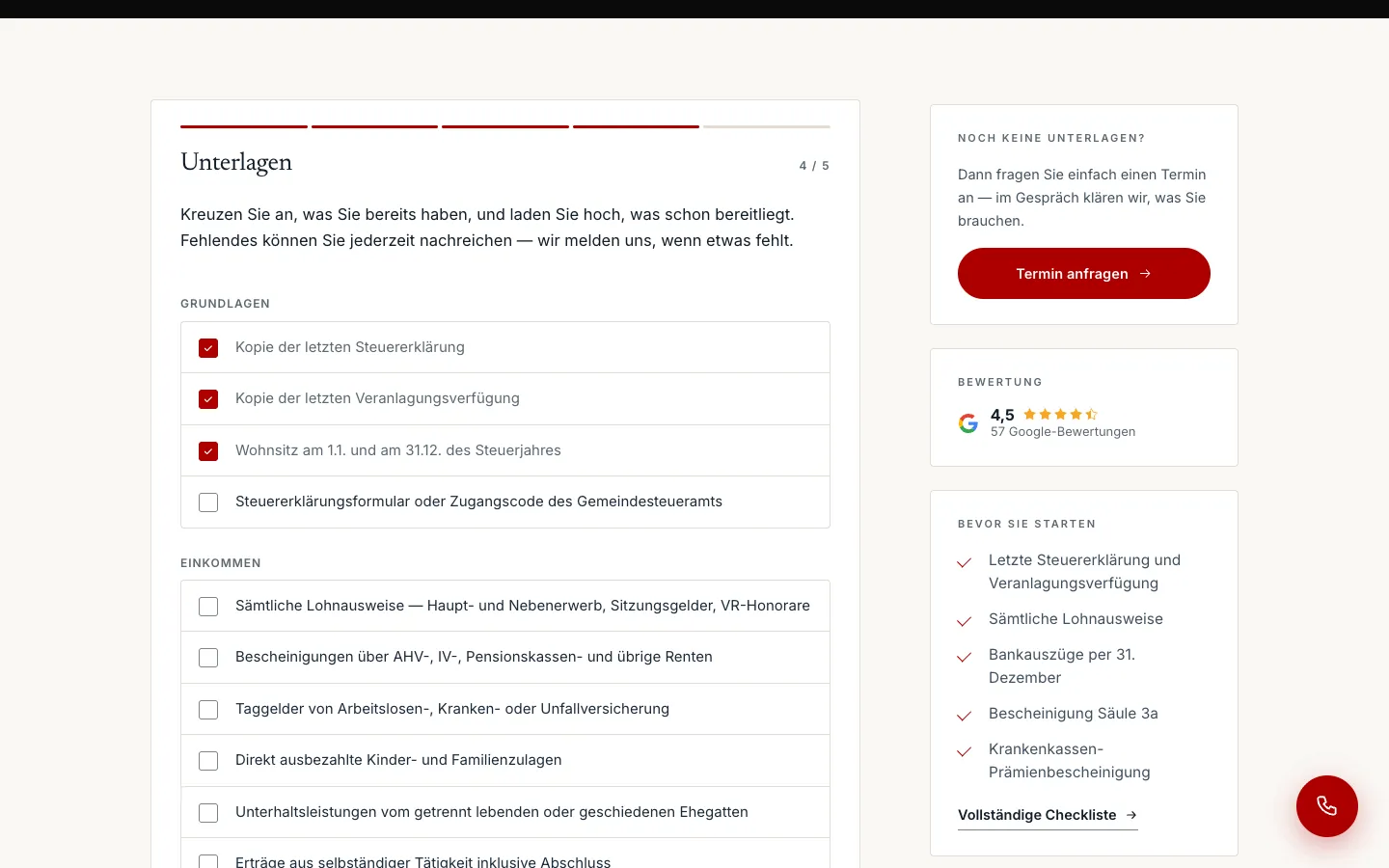
Step 4 · Documents
A checklist to tick off what is already available, with the upload below. Missing items can be sent later.
05Step 5 / 5Sample data
steuererklaerungwinterthur.ch
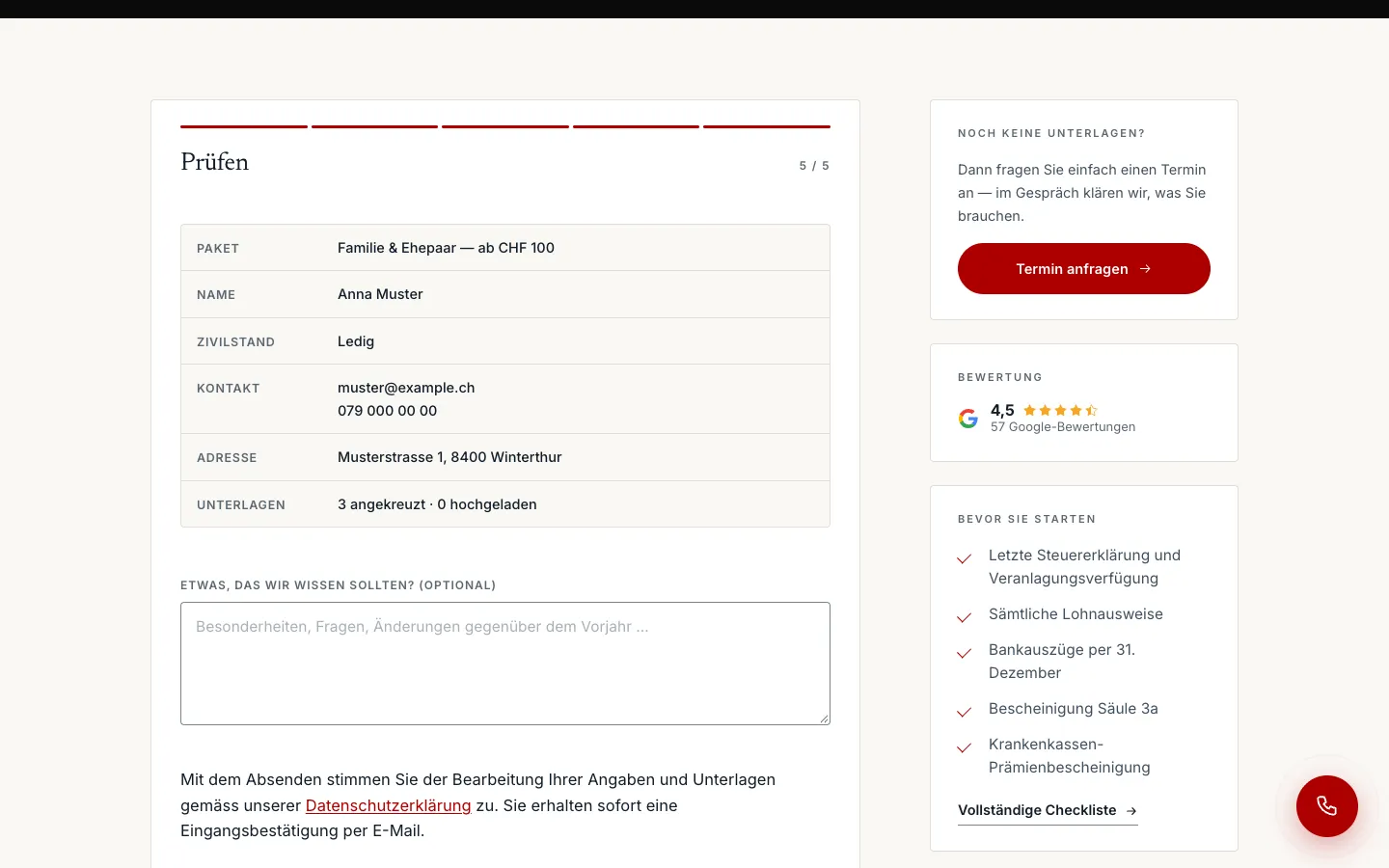
Step 5 · Review, before sending
Summary of package, person, contact and documents, plus a field for special notes. The walkthrough stops before sending.
Swipe sideways for the next step.
Features
What the solution does
Three-step appointment request
Topic with price and add-ons as tappable chips, then preferred date, time and channel (in person, phone, video), then contact. No upload. Admin and client receive an email; if sending fails, the lead still stays on the board.
Online submission with document upload
Package, personal details, contact, documents, review: five steps, up to twelve files as PDF, JPG, PNG or HEIC. The documents are stored directly with the lead, and a rate limit protects against abuse.
Lead board
Columns new, in progress, appointment, won, lost and not interested, cards moved by drag and drop with mouse, touch or keyboard. In the detail view: history, value in CHF, reason for loss, documents and source with landing page, referrer and campaign parameters.
CRM with contacts and revenue
Leads are matched to a contact automatically via email or phone number. The contact page shows all leads, activities, tags, notes and the revenue that is added automatically from won leads.
Built-in statistics with conversion
Own tracking of page views, call, WhatsApp and CTA clicks and form starts, with a bot filter. The dashboard shows visitors, enquiries, call clicks and conversion compared with the previous period, plus sources, devices and languages.
Login via email code
Back-end sign-in only for approved addresses, via a code or link by email instead of a password; login attempts are logged.
Content for SEO and GEO
Six service pages, a pricing page, a process page with document checklist, a deadline countdown, 35 glossary terms with their own image, 16 location pages and three guides, all in German and English, plus llms.txt, llms-full.txt, ai.txt and webmcp.json.
Bilingual German and English
A complete English version with its own forms and confirmation emails for expats who want to handle their Swiss tax return in English.
Mobile
On the smartphone
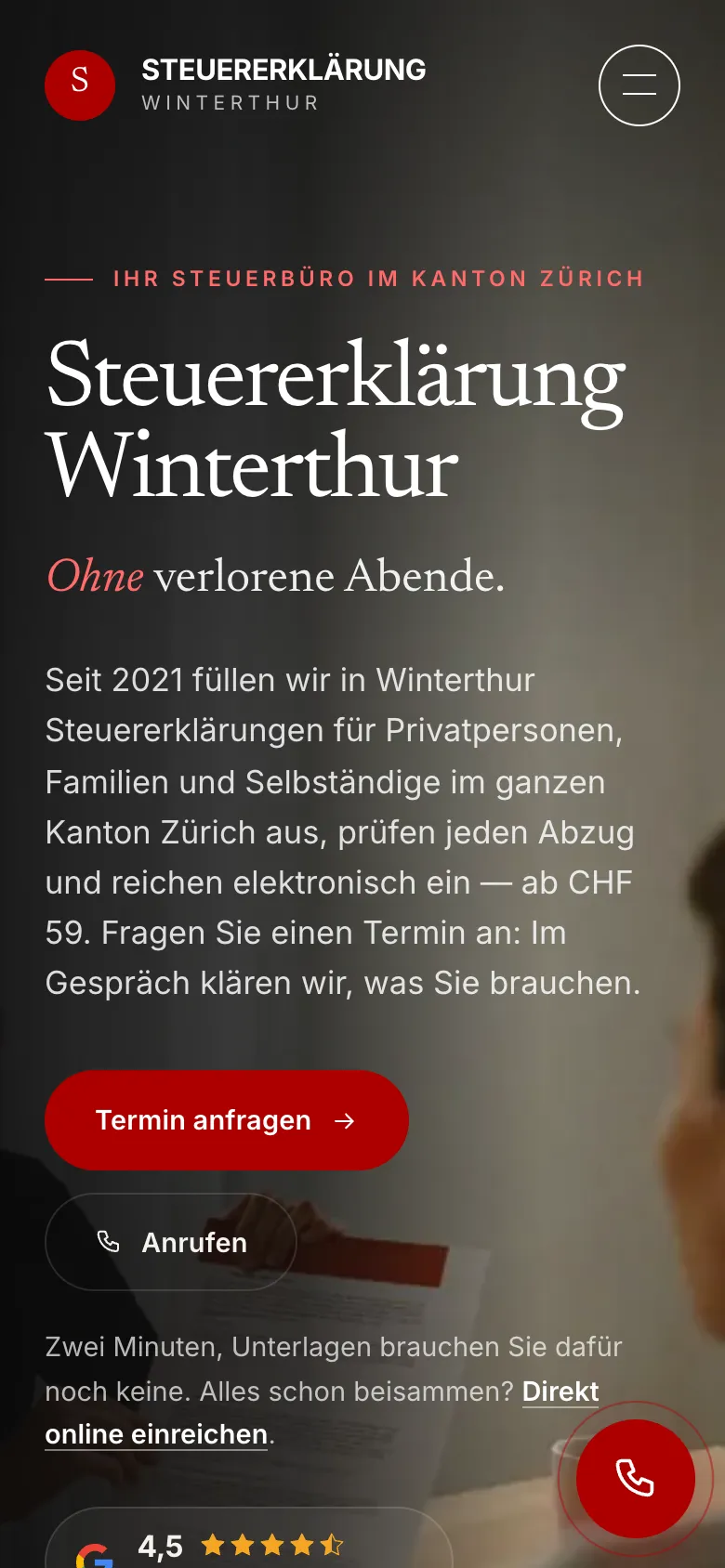
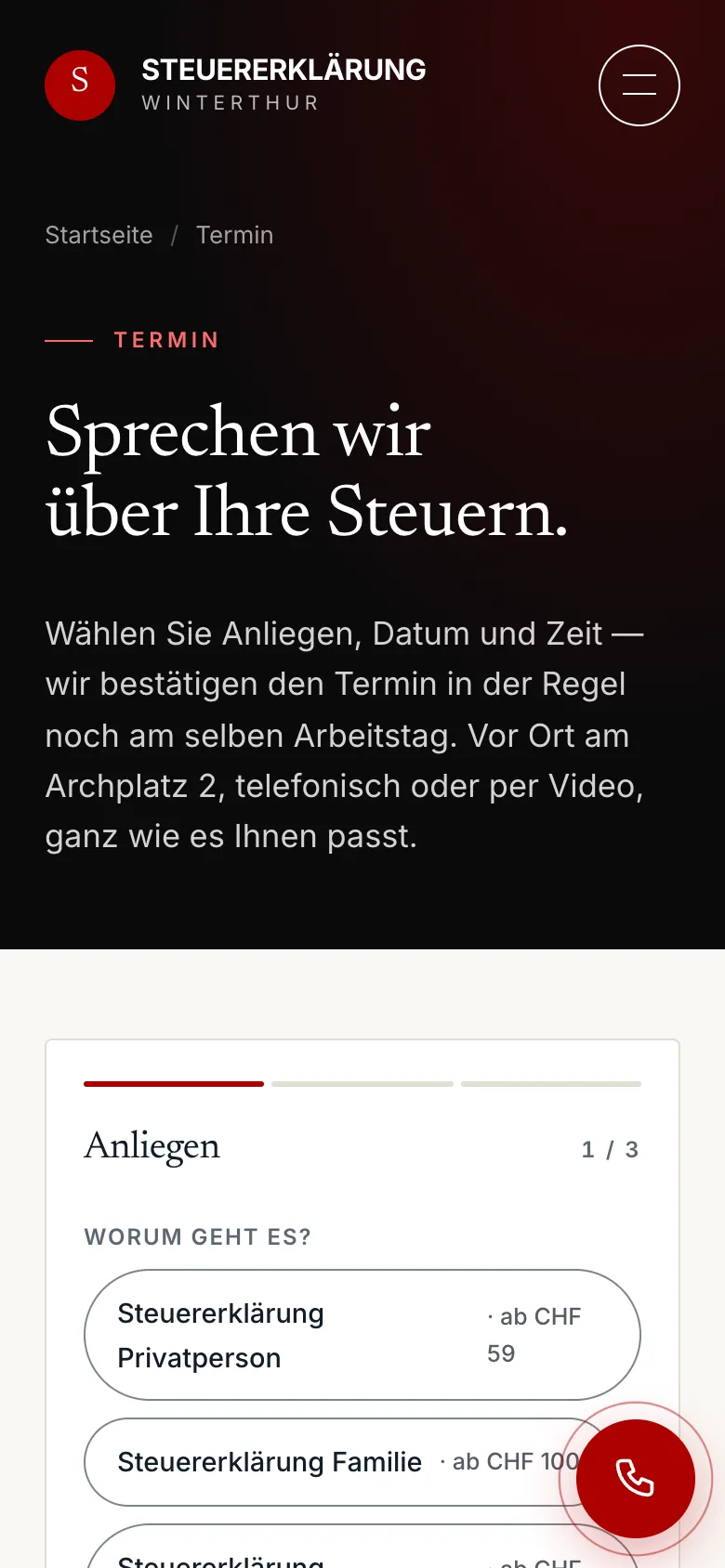
Homepage on mobile
Appointment request on mobile: topics as chips with price
Self-employed service page on mobile
Online submission on mobile, step 1: package
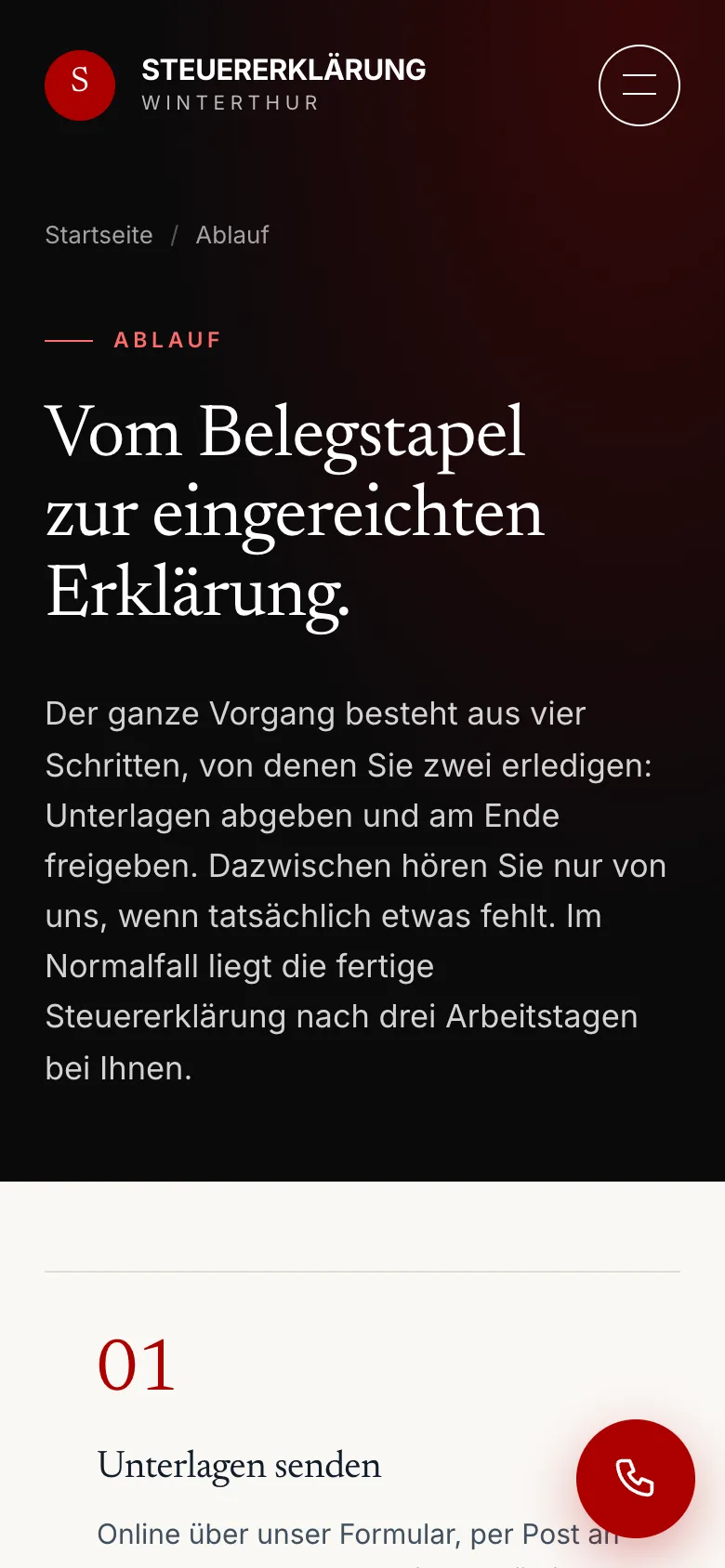
Process page on mobile
Swipe sideways for more views.
Screens
What it looks like
Homepage with starting prices and appointment request
Pricing page with starting prices
Appointment request, step 1 of 3: topic
Online submission with document upload in five steps
Outcome
Results
01+633% clicks from Google (factor 7.3) — Google Search Console, 13 days before vs. after the relaunch (11–23 Sept vs. 24 Sept–6 Oct 2026)
02+981% search impressions (factor 10.8) — Google Search Console, same window
03196× impressions in Google's AI features — Google Search Console, «generative AI features», same window
FAQ
Frequently asked questions
What did the relaunch measurably achieve?
+
According to Google Search Console, in the 13 days after the relaunch on 23 September 2026 compared with the 13 days before: +633% clicks (factor 7.3), +981% search impressions (factor 10.8) and 196 times the impressions in Google's AI features. At the client's request we do not publish absolute figures.
Why two paths: appointment and online submission?
+
Because not everyone wants to come in. The three-step appointment request needs no documents. Those who prefer to send everything submit online in five steps and upload up to twelve documents, which are stored directly with the lead.
What happens to a request after it is sent?
+
It appears automatically as a lead in the board's «new» column, is matched to a contact, and both client and adviser receive an email. The adviser sees the source and documents, moves the card through to «won», and the revenue shows up on the contact.
Why a glossary and location pages for a tax adviser?
+
Because clients ask questions before they look for an adviser, about deadlines, deductions or the tax office. 35 glossary terms, 16 location pages and three guides answer these questions in German and English and give Google and AI assistants quotable answers.