Website, Web App & Food Photography2026Live

Han Kitchen.

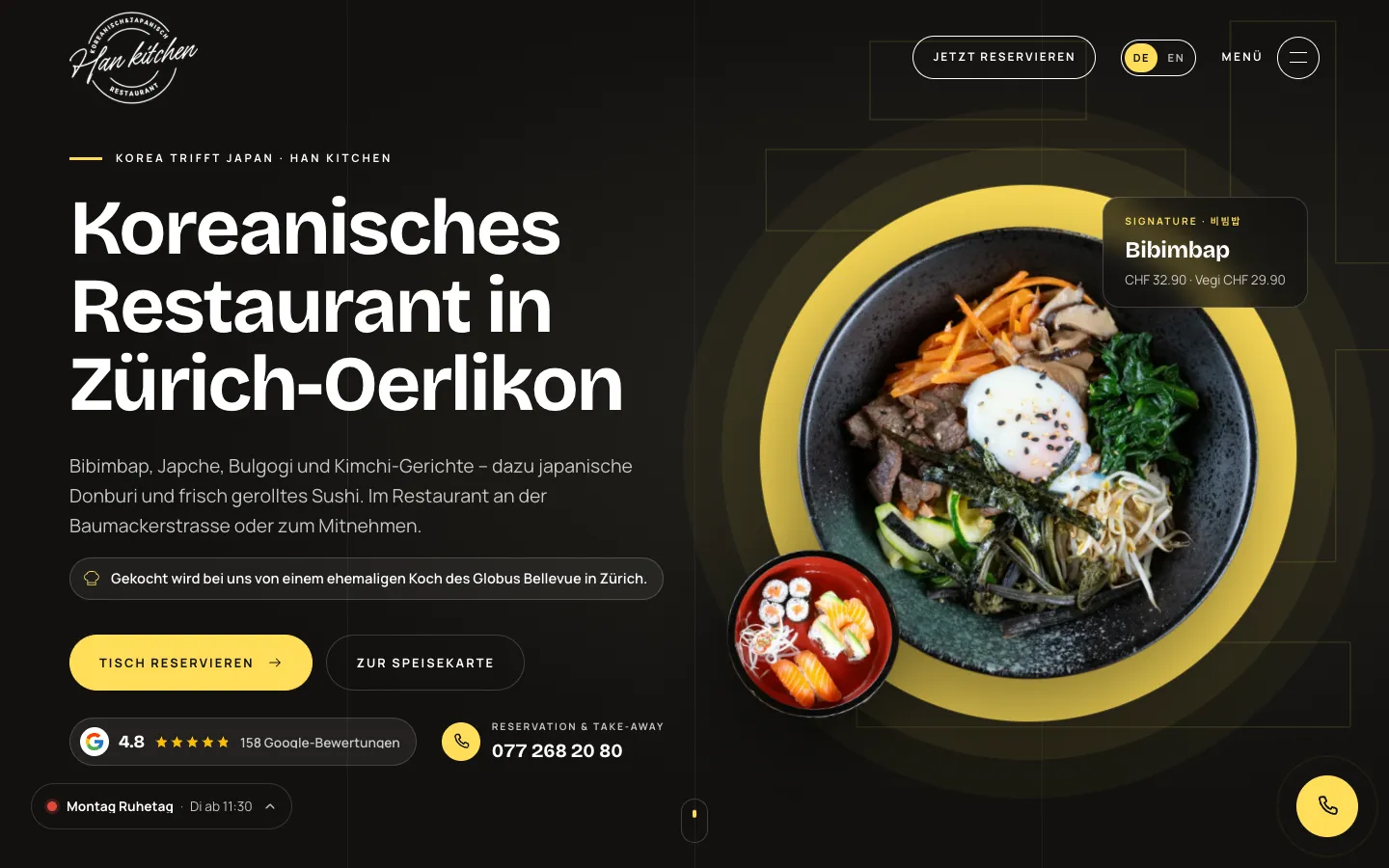
Website, mobile web app and food photography for a Korean-Japanese restaurant in Zurich-Oerlikon. Every reservation arrives instantly as a push notification, and the guest is confirmed with one tap via WhatsApp link or SMS, with no cost per message. Plus a menu with its own page per dish in German and English, an event and catering request and a cookie-free visitor statistics dashboard.

  • Website
  • Web app
  • SEO
  • GEO
  • Photography
Scope
Website · Web app · SEO · GEO · Photography
Year
2026
Services & technology
  • Website Development
  • Web App (PWA)
  • Online Reservations
  • Push Notifications
  • WhatsApp Confirmation
  • Food Photography
  • Visitor Statistics
  • Local SEO
  • GEO / AI SEO

Case study

What Han Kitchen needed and what we built

The challenge

Since 2024, Han Kitchen has combined Korean and Japanese cuisine, from bibimbap and kimchi to sushi, on Baumackerstrasse in Oerlikon. In daily restaurant life nobody sits at a computer: a reservation request lost between kitchen and service is a lost table. Guests should get their confirmation personally from the restaurant, not as an anonymous system email, but without an expensive messaging interface. The dishes should look online the way they do on the plate. And the restaurant should be found in searches for Korean food or sushi in Zurich, including AI answers and by English-speaking guests.
Our solution

We rebuilt the website with Next.js, in German and English. The menu has seven sections, and every dish has its own page with a short answer, price and glossary links. We photographed the dishes and cut them out; the same images carry the home page, dish pages and social media previews. Reservations take three steps: party size, date and a time based on opening hours, then name and mobile number. Behind it runs an admin app that can be added to the home screen. Every reservation, contact and catering request instantly triggers a push, such as «New reservation · 4 people», and as a backup an email also goes to the restaurant. When confirming, an editable message with date, time, party size and address appears; «Via WhatsApp» opens it in the restaurant's WhatsApp, «Via SMS» in the SMS app, and the app records which channel was used to inform the guest. On top come scheduling with occupancy per half hour, a customer file per phone number, a dashboard with CSV export and cookie-free visitor statistics with a separate group for AI assistants. Restaurant and FAQ schema, a glossary, llms.txt and a WebMCP manifest take care of search.

Architecture

How it fits together

The building blocks behind Han Kitchen and how data flows between them.

UserDeviceFrontendAdminServer / APIDatabaseExternal service
Connections: Guest → Website DE/EN (Reservation, catering, contact); Website DE/EN → Next.js API; Next.js API → PostgreSQL (Reservation, customer card); Next.js API → Web push («New reservation · 4 people»); Next.js API → Email (Resend) (Copy to the restaurant); Web push → Admin app (PWA); Admin app (PWA) → Restaurant's WhatsApp / SMS (pre-written confirmation); Restaurant's WhatsApp / SMS → Guest (sent manually); AI assistants → Website DE/EN (llms.txt, webmcp.json)

Site structure

How the website is structured

hankitchen.ch7 sections · 2 subpages
  • 1Menu
    • 42Dish pages
  • 1Reservation
  • 1Take-away
  • 1Catering & events
  • 2Contact, about
  • 1Glossary
    • 34Term pages
  • 86English pages
Simplified view of the site structure. Page counts from a live check (sitemap) on 12 October 2026.

Flow

Who does what, step by step

  • Customer
  • Business
  • System
  1. Customer

    Discover a dish

    Land on a dish page with photo and price via Google, an AI answer or Instagram.

  2. Customer

    Request a table

    Choose party size, date and an available time, then enter name and mobile number.

  3. System

    Push and email

    The request is stored, triggers a push on the phone and goes to the restaurant by email.

  4. Business

    Confirm

    One tap opens the request; «Confirm» shows the ready-made, editable message.

  5. Business

    Send via WhatsApp

    The message opens in the restaurant's WhatsApp or SMS app and goes to the guest from its own account.

  6. System

    Record

    Decision and channel are stored, and the customer card and schedule update.

Step by step

How it works in practice

Real screenshots along the flow.

Reservation in 3 steps

The reservation on hankitchen.ch, captured on a phone on 12 October 2026. Filled in with sample values and not submitted, so the third step, the confirmation, is not shown.

Views with customer data show sample data or are redacted.

  1. 01Step 1 / 4
    Han Kitchen – Step 1: Entry

    Entry

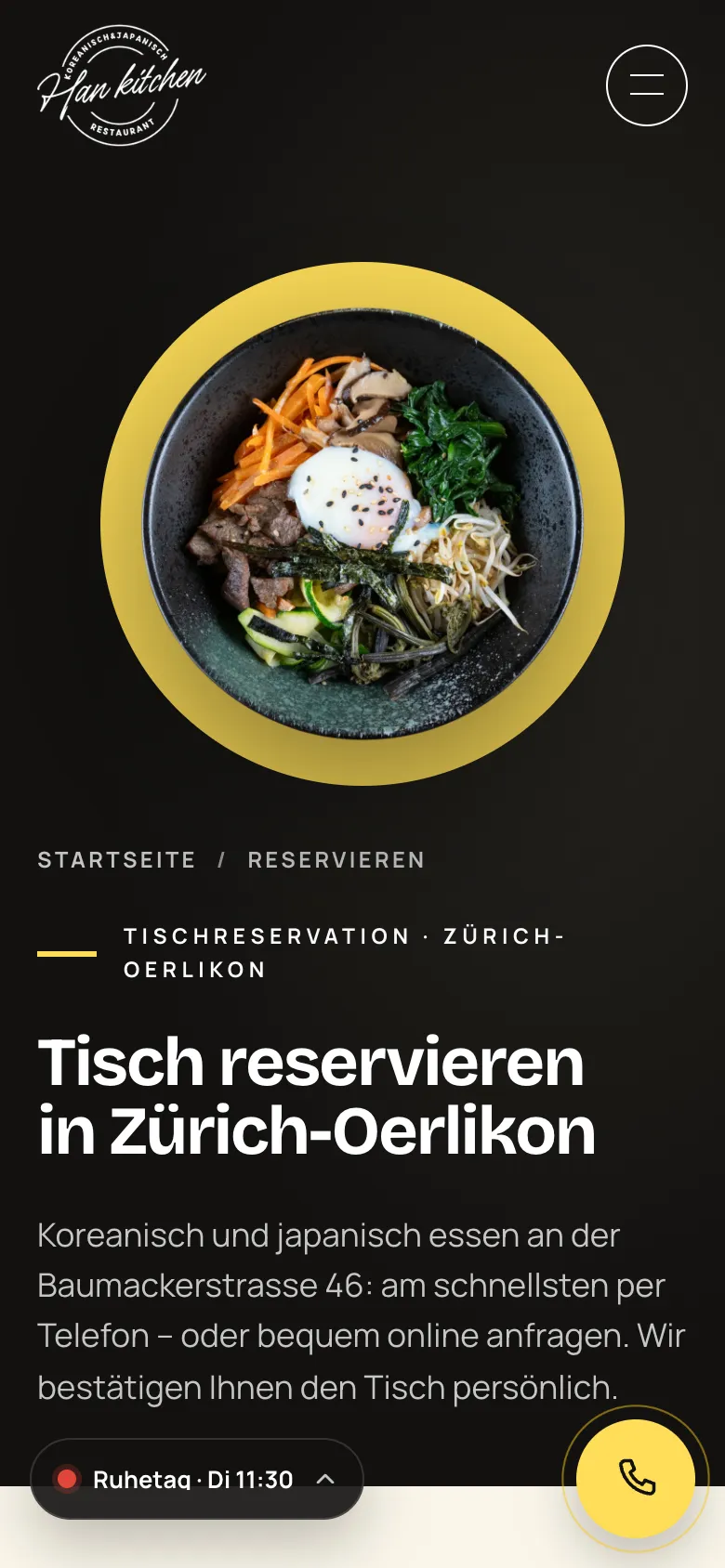
    The reservation page names both options right away: call or request online. The restaurant confirms the table personally.

  2. 02Step 2 / 4
    Han Kitchen – Step 2: Party size and date

    Party size and date

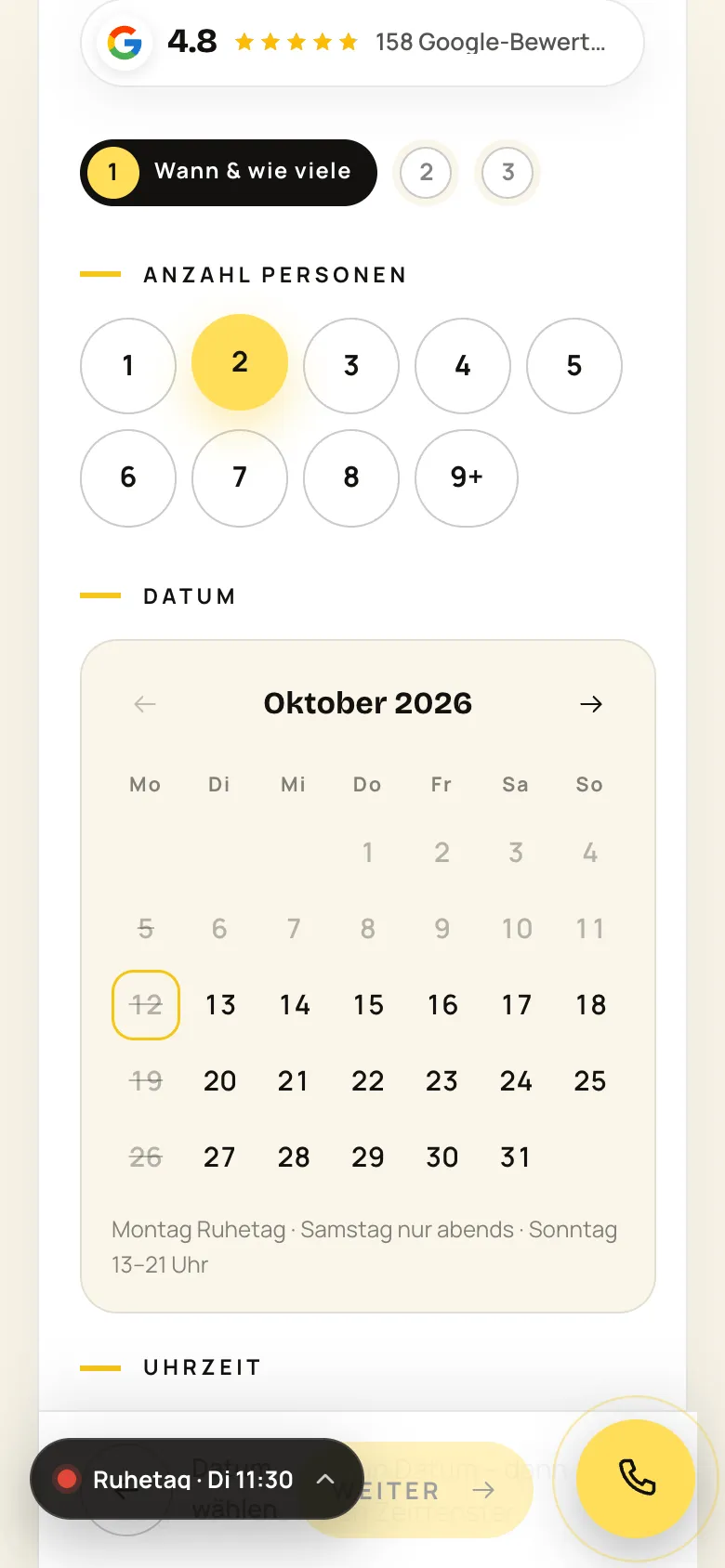
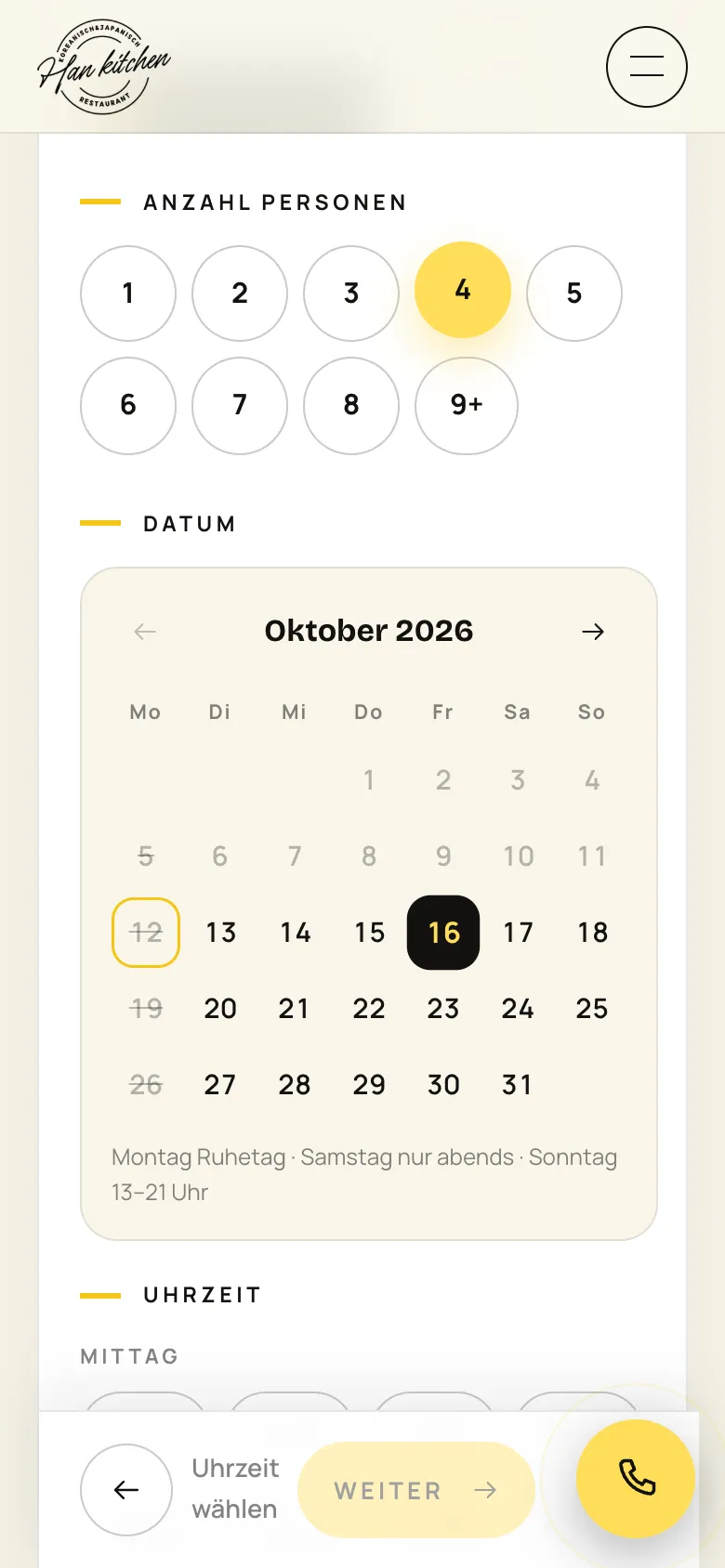
    Party size as round buttons, below it a custom calendar. Closing days and past days are struck through.

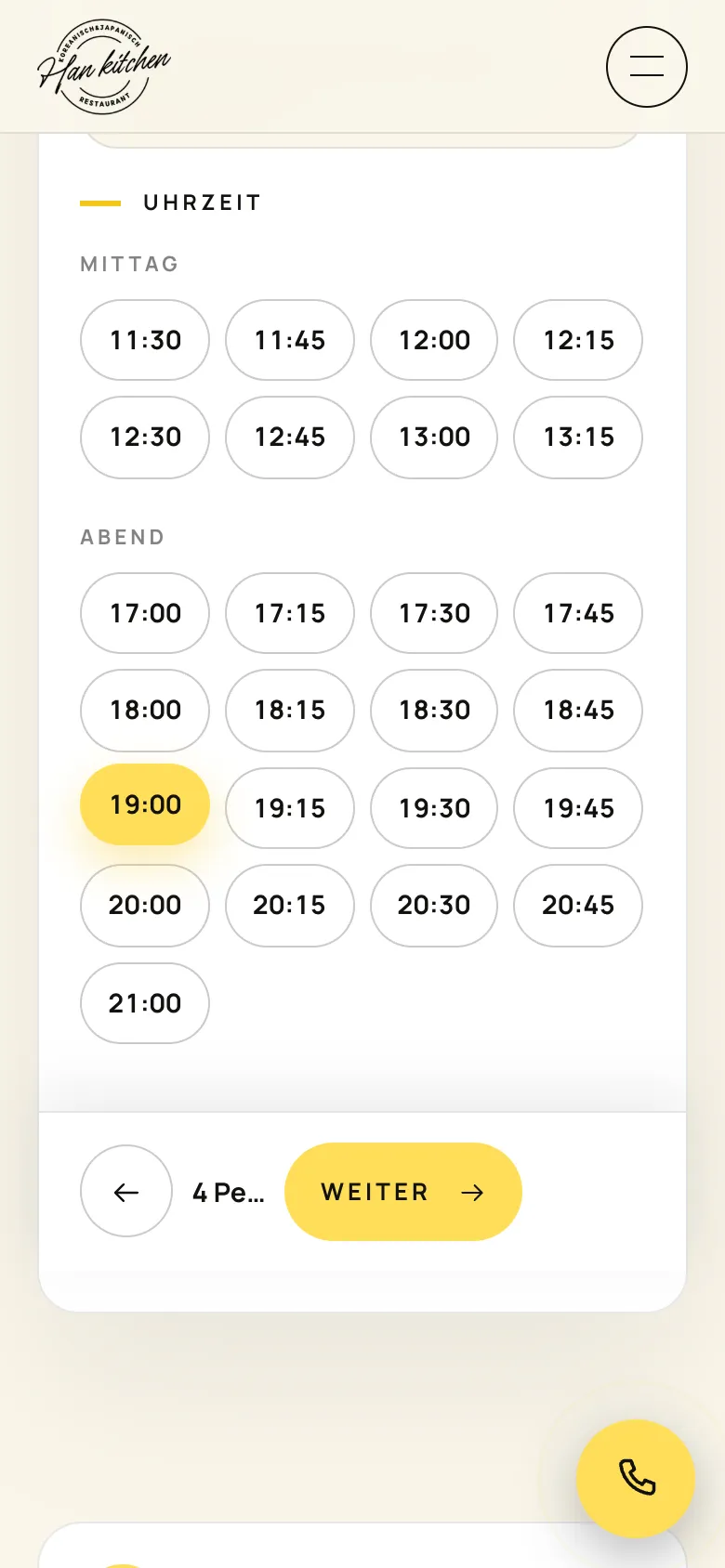
  3. 03Step 3 / 4
    Han Kitchen – Step 3: Pick an available time

    Pick an available time

    Only times that fit the opening hours appear, split into lunch and evening. The bar at the bottom sums up the selection.

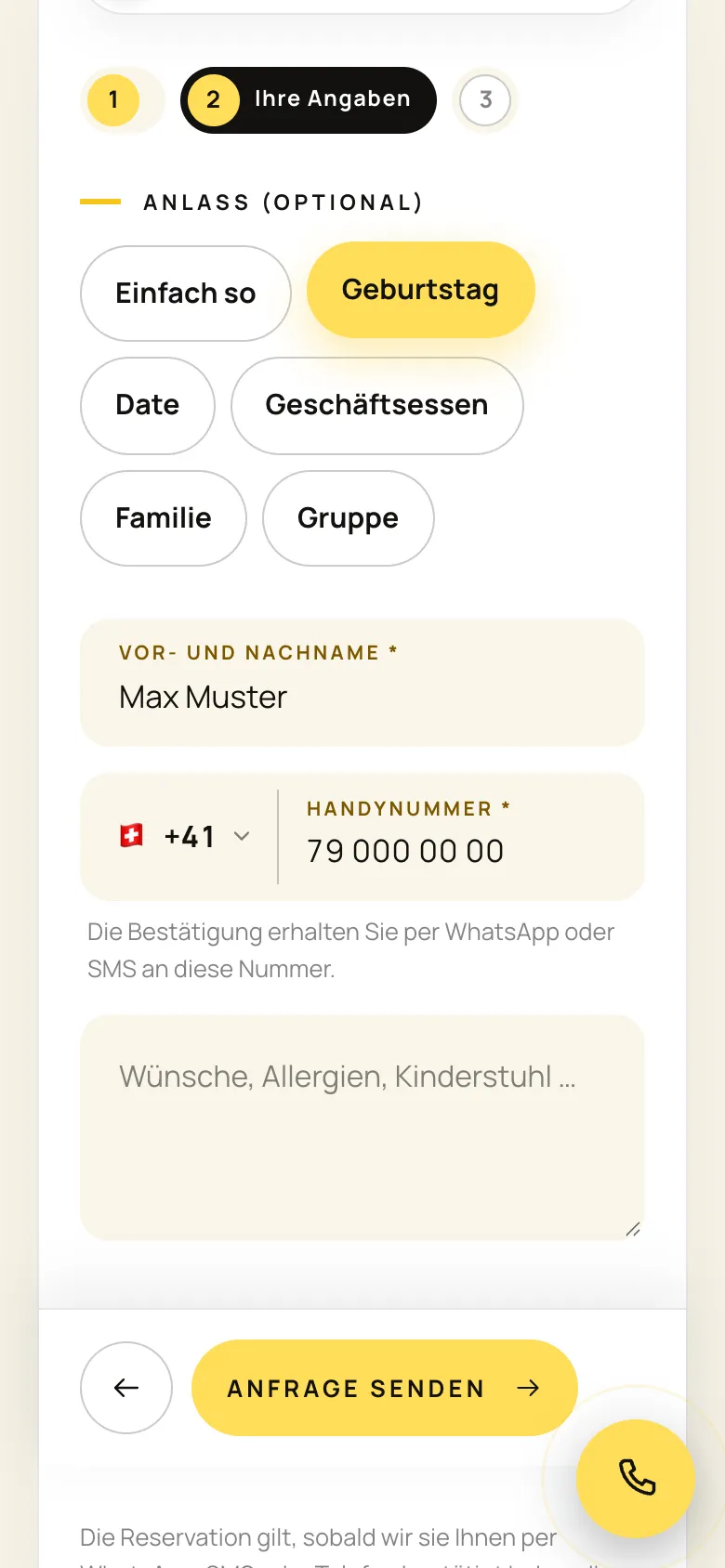
  4. 04Step 4 / 4Sample data
    Han Kitchen – Step 4: Your details

    Your details

    Occasion as chips, name and mobile number with country code. The restaurant confirms the table personally via WhatsApp or SMS to this number. Shown with sample data, before «Send request».

Swipe sideways for the next step.

Menu and dish

From the menu to a dish's own page, captured on 12 October 2026.

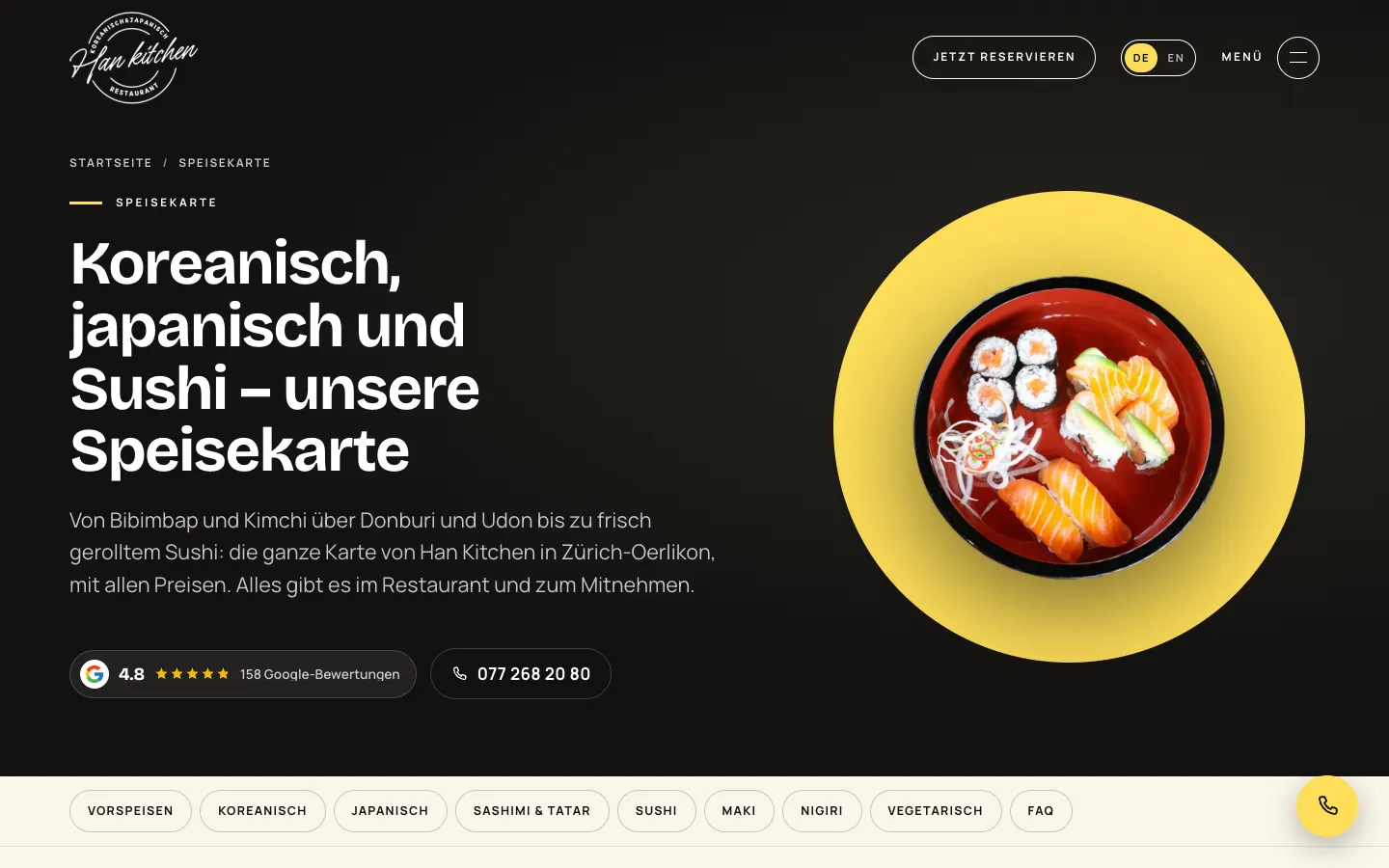
  1. 01Step 1 / 4
    Han Kitchen – Step 1: Menu

    Menu

    The menu with all prices, with a bar of sections from starters to nigiri at the top.

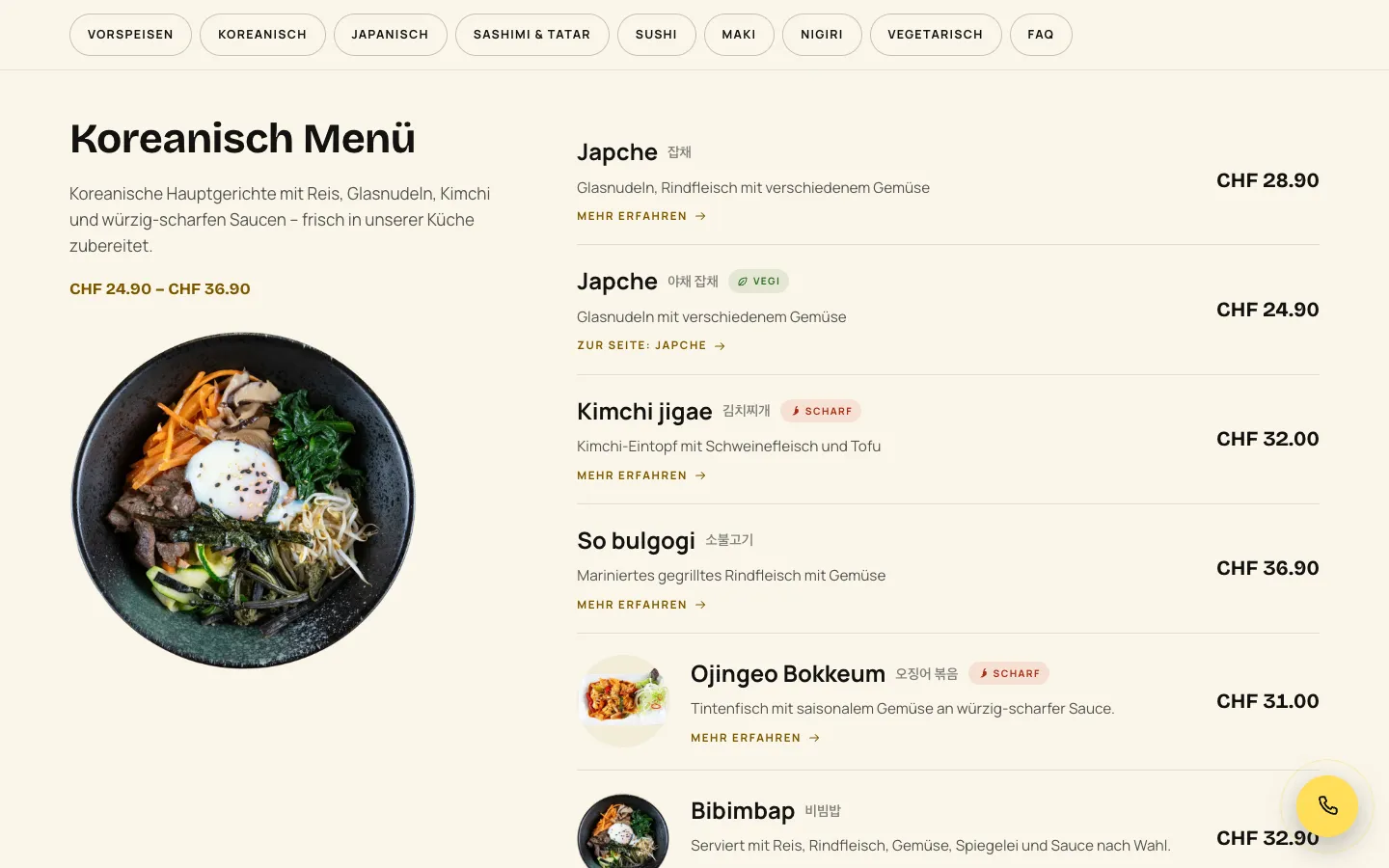
  2. 02Step 2 / 4
    Han Kitchen – Step 2: Section with prices

    Section with prices

    Each section explains itself in one sentence and shows its price range. Labels such as vegetarian or spicy sit next to the dish, plus «Learn more».

  3. 03Step 3 / 4
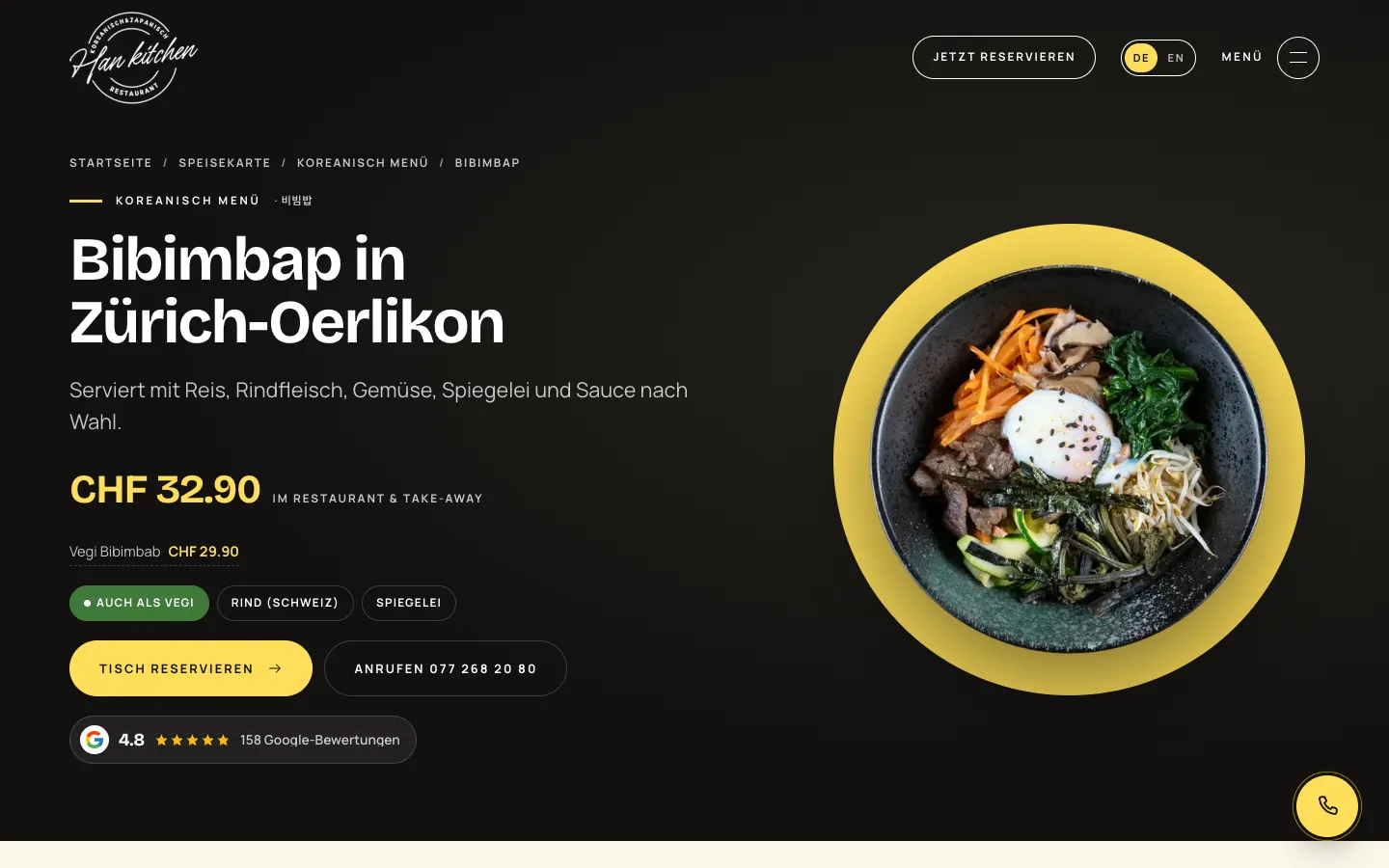
    Han Kitchen – Step 3: A page for every dish

    A page for every dish

    Every dish has its own page with description, price, vegetarian variant and a direct path to the reservation.

  4. 04Step 4 / 4
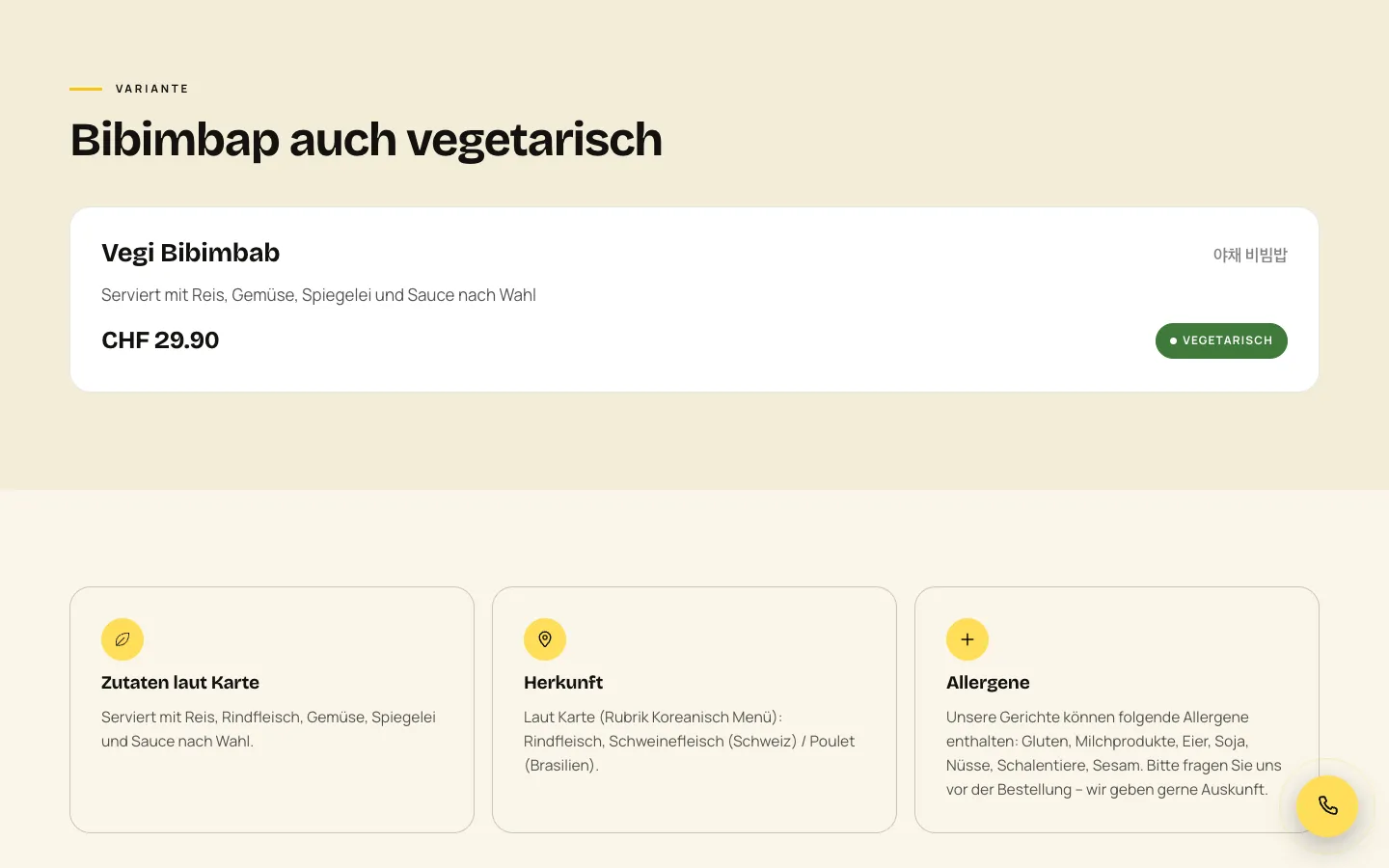
    Han Kitchen – Step 4: Variant, ingredients, origin

    Variant, ingredients, origin

    Further down follow the vegetarian variant with its own price, ingredients as on the menu, meat origin and allergens.

Swipe sideways for the next step.

Features

What the solution does

  • Menu with a page per dish

    Seven sections from starters to nigiri, prices from a single source. Every dish has its own page in German and English; check scripts guard prices and minimum text length.

  • Reservation in three steps

    Party size, date and a time based on opening hours, same day at least one hour ahead. Then name and mobile number. It is a request, and the restaurant confirms personally.

  • Admin app with push

    The admin can be added to the home screen like an app. Every new reservation and message arrives as a push on the phone, and one tap opens it; an email also goes to the restaurant.

  • Confirmation via WhatsApp link or SMS

    When confirming or declining, an editable message is ready. It opens in the restaurant's WhatsApp or SMS app and goes to the guest from the restaurant's own account, with no cost per message.

  • Scheduling and customer file

    Scheduling for today, tomorrow, week and month with occupancy per half hour. Each guest is a customer card by phone number, with notes and history.

  • Statistics without cookies

    Visits, clicks on call, reserve, directions and WhatsApp, popular dishes and visitor sources, with a separate group for ChatGPT, Perplexity, Claude, Gemini and Copilot. No cookies, no third parties, no stored IP.

  • Event and catering request

    Choose the occasion, put together dishes from the menu with quantities and pick pickup or an event at the restaurant. The sum of menu prices is a non-binding guide, and the restaurant follows up with an offer.

  • German, English and GEO

    All pages in English with hreflang. Restaurant, FAQ and glossary schema, a glossary with a page per term, llms.txt with clear rules for AI assistants and a WebMCP manifest.

  • Food photography

    The dishes were photographed, cut out and edited. The images carry the home page, dish pages and preview images; cut out, they can be placed on any background.

Mobile

On the smartphone

  • Han Kitchen – Reservation on mobile: party size as circles, own calendar with closing days
    Reservation on mobile: party size as circles, own calendar with closing days
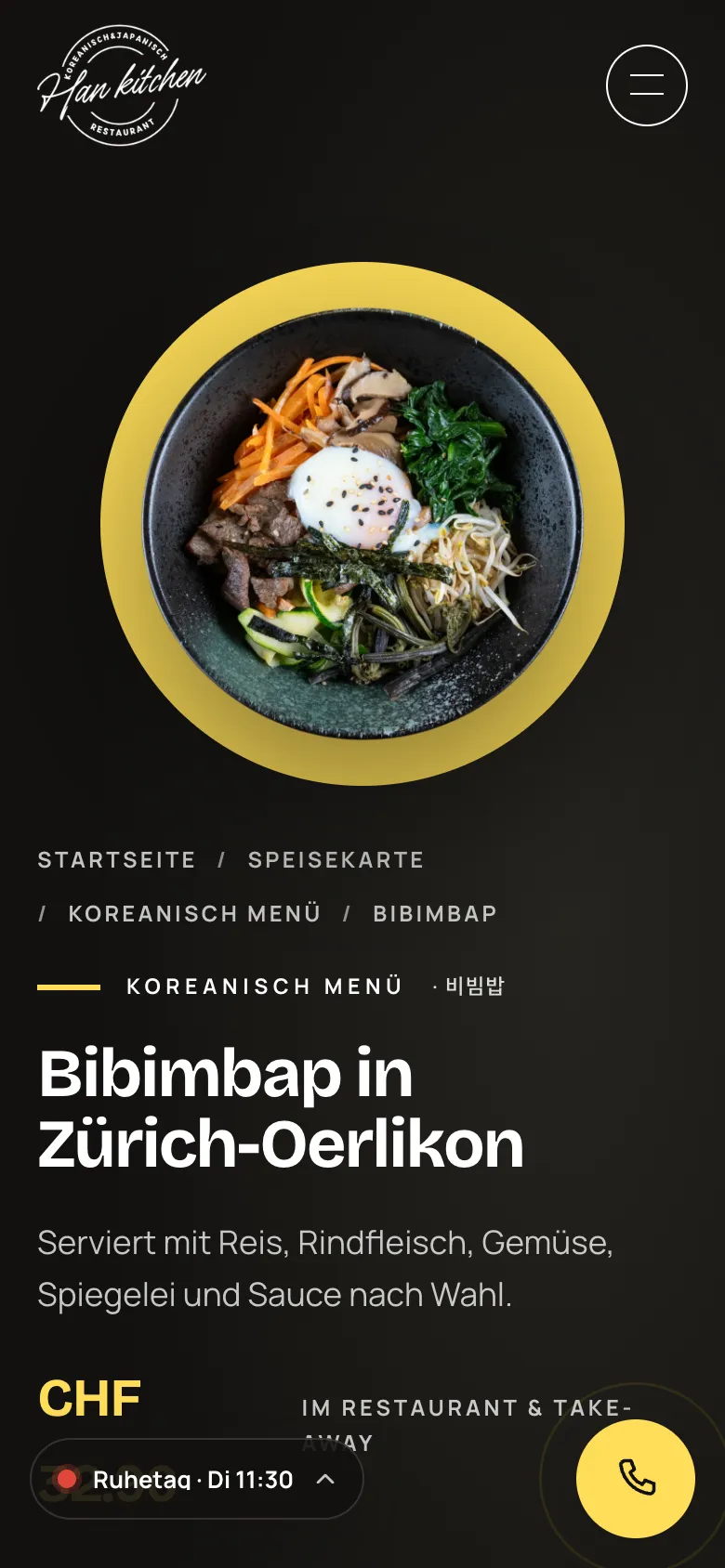
  • Han Kitchen – Bibimbap dish page on mobile
    Bibimbap dish page on mobile
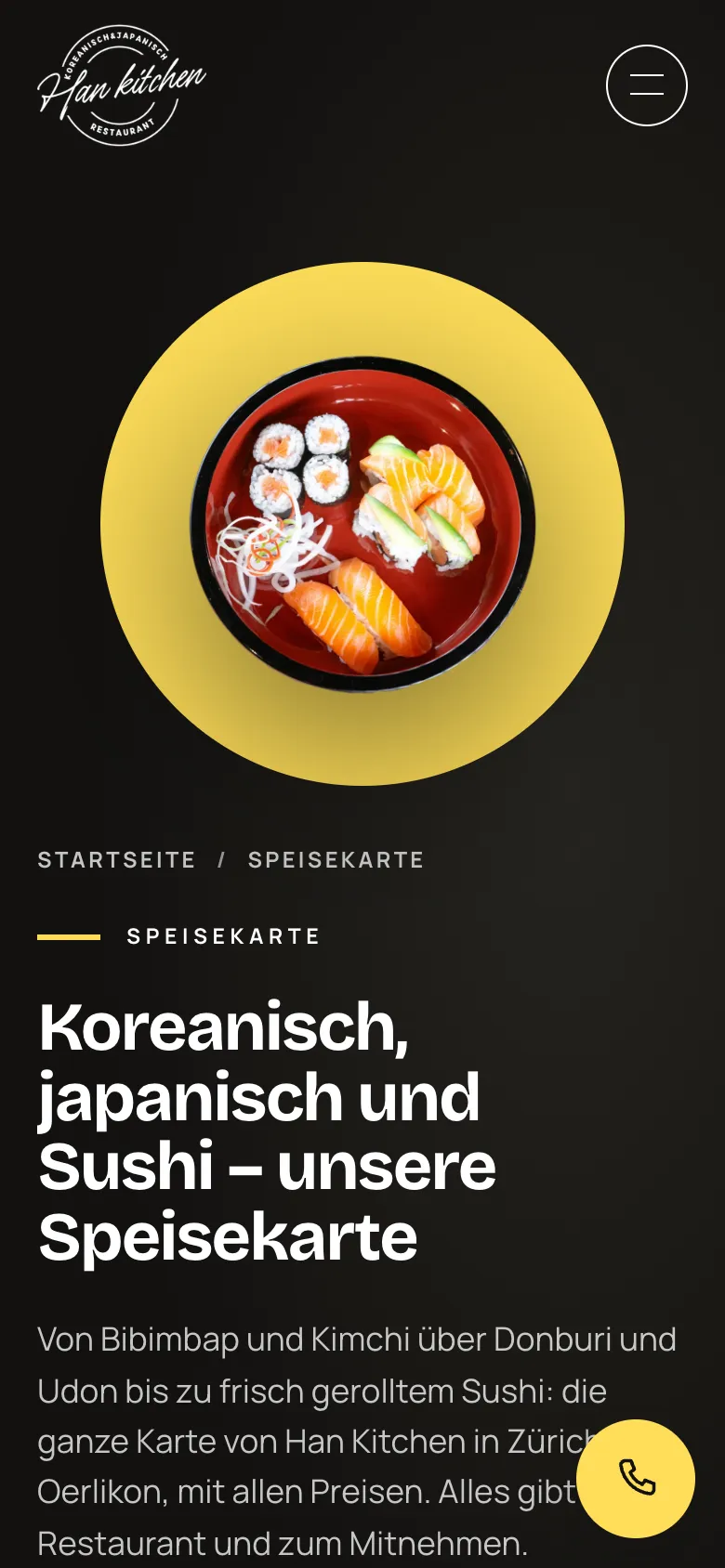
  • Han Kitchen – Menu on mobile
    Menu on mobile

Swipe sideways for more views.

Screens

What it looks like

Admin views show sample data or are redacted, no real customer data.

  • hankitchen.ch home page with bibimbap and reservation button
  • Menu with sections from Korea to nigiri
  • Reservation, step 1: party size, date and time with a ticket-style preview
  • Event and catering request
  • Reservation: time selected, the ticket on the right fills in
  • Reservation, step 2 with sample data, just before sending

FAQ

Frequently asked questions

How does a restaurant get reservations on the phone instantly?

Through a web app that can be added to the home screen, plus web push. At Han Kitchen you tap «Enable push» once in the admin app. From then on, every new reservation, contact and catering request triggers a notification with name, date, time and party size. In parallel the request is stored and delivered by email, so nothing gets lost.

Does confirming via WhatsApp cost anything?

No. The app opens a ready-made, editable message in the restaurant's WhatsApp, and the restaurant sends it from its own account. No paid interface is needed and there are no fees per message. SMS works the same way, and the app records which channel was used to inform the guest.

Why food photography instead of stock images?

Guests decide with their eyes, and a dish on the website should look the way it does on the plate. At Han Kitchen the dishes were photographed and cut out. Cut-out images can be placed on any background and reused everywhere: on the home page, on every dish page and as the preview image when shared.

Why own visitor statistics instead of Google Analytics?

Han Kitchen's statistics work without cookies and without third parties, and no visitor data ends up with Google. They count what matters for a restaurant: call, reservation, directions and WhatsApp clicks, popular dishes and where visitors come from, including AI assistants such as ChatGPT or Perplexity. Everything sits in the same admin as the reservations.

Solutions

Solutions from this project

Work

Similar projects

Your project

A project like this for your business?

Websites from CHF 3,000 to CHF 25,000, web apps from CHF 10,000. We deliver a website within 2 weeks once all materials are in.