
Contact

What are you interested in?

Redesign, Salary Calculator & Lead Dashboard2026Creative-Job GmbH

CJ Recruitment.

Redesign for the Zurich recruitment firm for finance and real estate, in business since 1990. It adds a salary calculator with market benchmarks, inquiry wizards, SEO and GEO, and a custom dashboard that brings all lead and usage data together.

The Challenge

Since 1990, CJ Recruitment has placed specialists and managers in fiduciary services, accounting, controlling and real estate across German-speaking Switzerland. The firm serves two audiences at once: candidates looking for a job and companies looking for staff. The old website spoke to both the same way. Inquiries came in unstructured, and data from the website, forms and job board sat in different places.

Our Solution

We redesigned the website with separate paths for candidates and companies, pages for each specialist field, a job board with its own URL per position and a glossary for search. The core of lead generation is the salary calculator. Users choose field, role, experience, education and region and compare their salary with the market median and quartiles. The result unlocks after name and email, followed directly by appointment booking or a callback request. A 5-step inquiry wizard replaces the old contact form. All leads, appointments and calculator usage flow into one custom dashboard.

Results

Salary calculator with market benchmarks
Leads, appointments & usage in one dashboard
Separate paths for candidates & companies

The Salary Calculator in Detail

From salary comparison to consultation in four steps — the basis for being found where specialists check their market value.

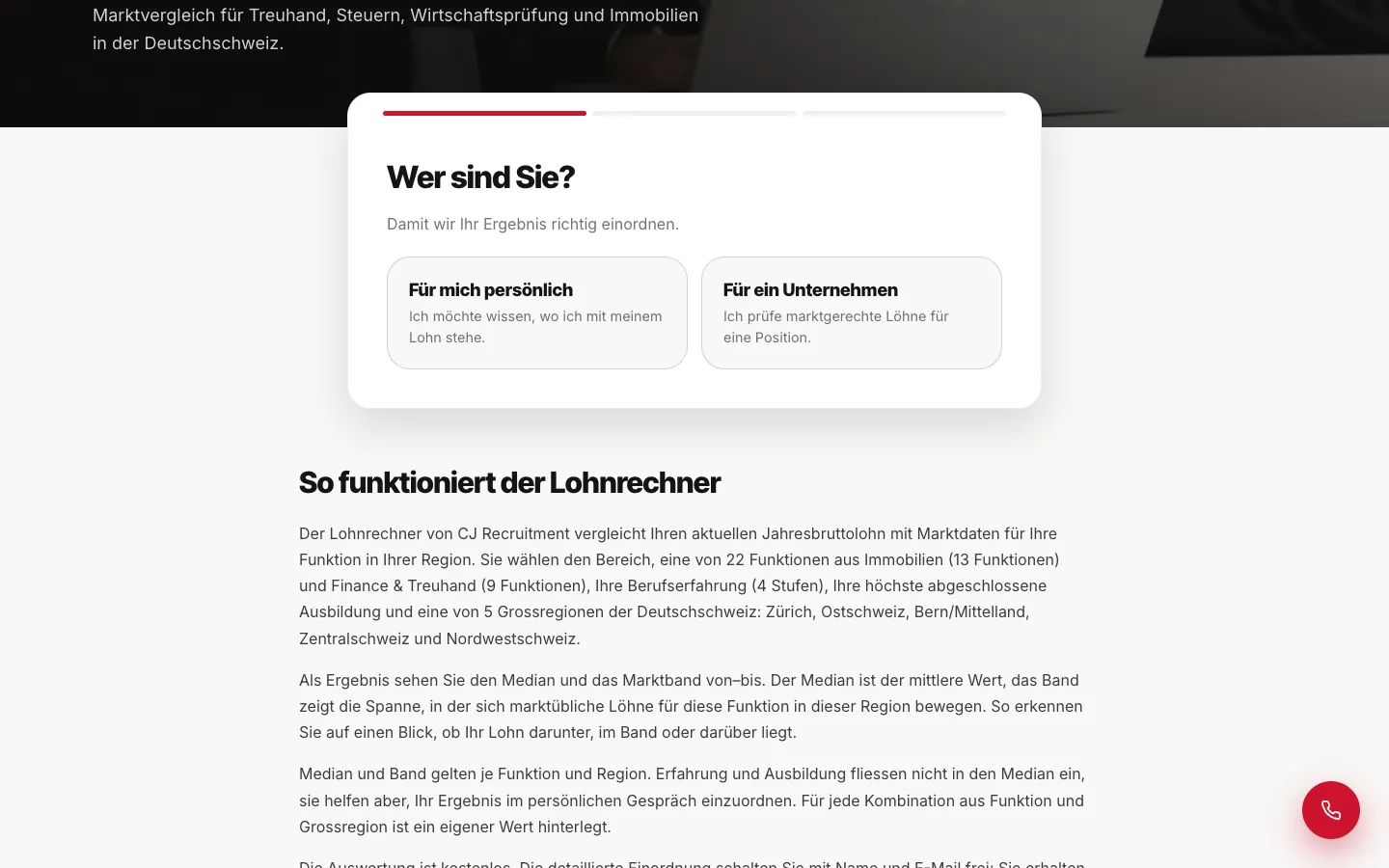
Who are you?
1

Who are you?

The first split: a personal salary comparison or a salary check for a position in a company. Both paths later lead to the right contact person.

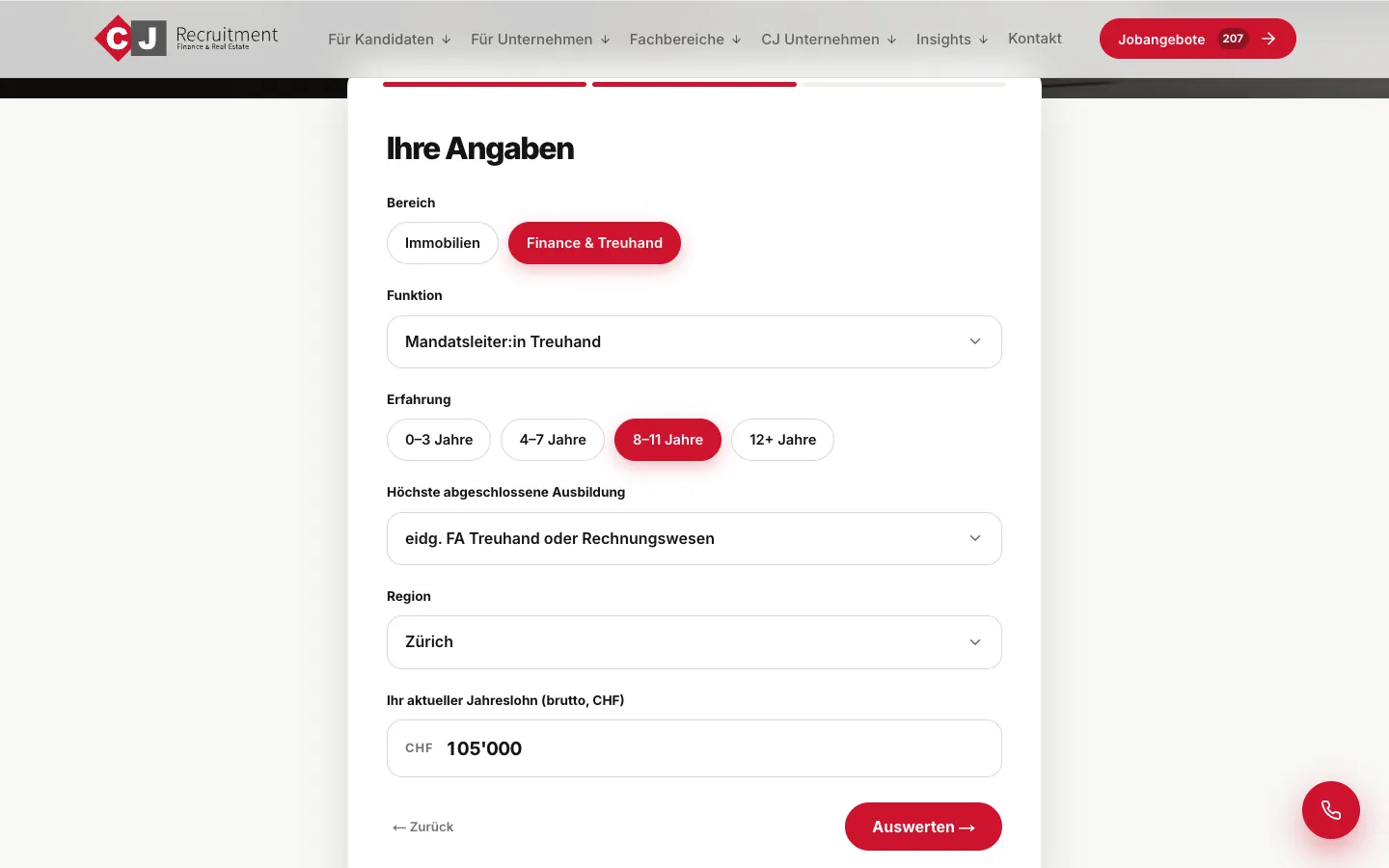
Position details
2

Position details

Field (finance & fiduciary or real estate), role, experience, highest education, region and current gross annual salary. Role and education lists adapt to the field.

3

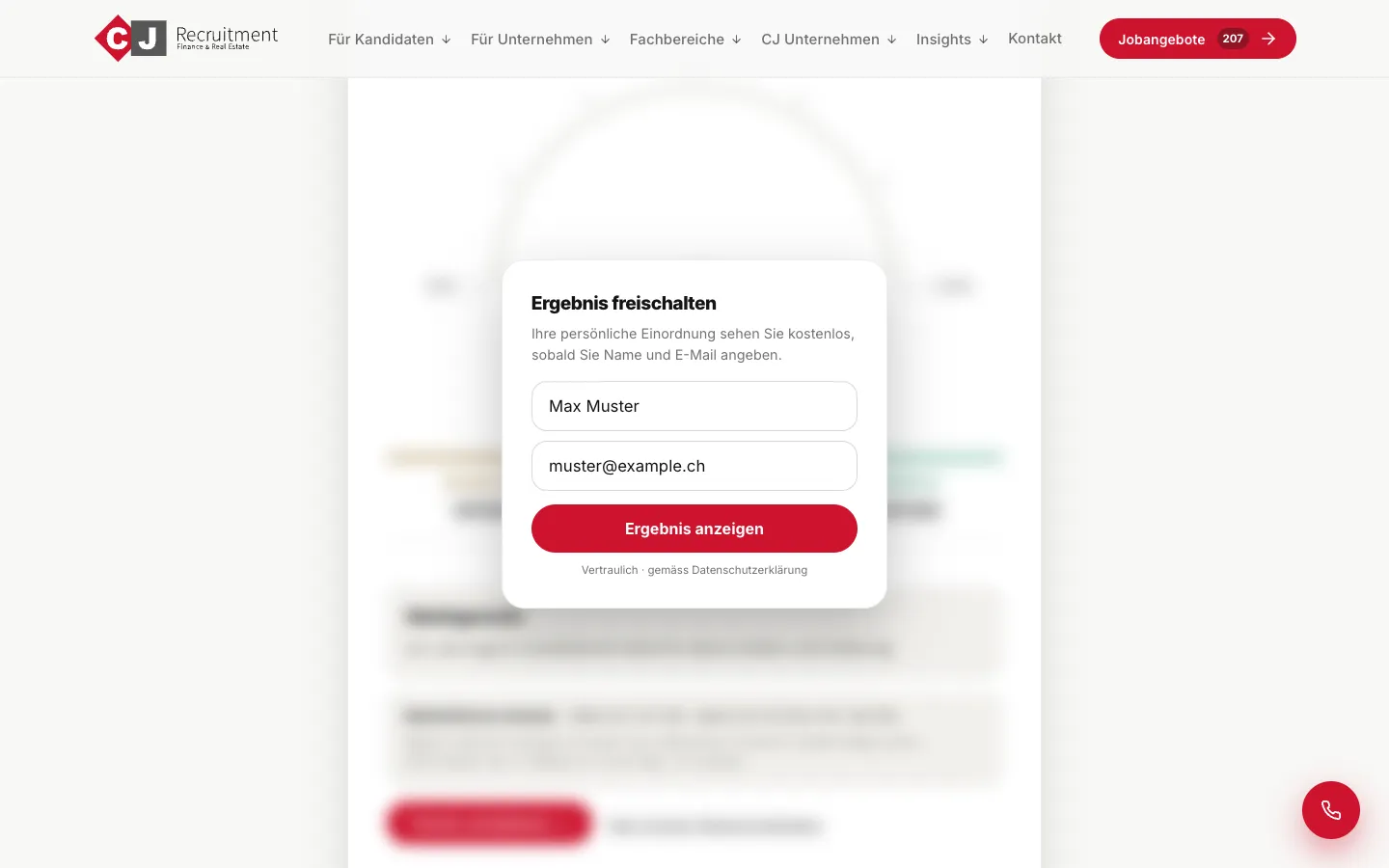
Unlock the market comparison

The calculator compares the salary with the median and quartiles of the stored market data. The result unlocks after name and email — the moment a question becomes a lead.

4

Appointment or callback

Right after the result: book a consultation with date and time or request a callback. Every use, lead and appointment flows into the central dashboard.

What We Did

RedesignSalary CalculatorLead GenerationData DashboardSEOGEO / AI SEOJob Board

Frequently Asked Questions

How does a salary calculator generate leads for a recruitment firm?+
The calculator offers real value: anyone who enters role, experience, education and region sees where their salary sits compared with the market. The result unlocks after name and email. Right after that, the person can book an appointment or request a callback. A salary question becomes a qualified contact, for candidates and companies alike.
What does a central dashboard for website data achieve?+
Inquiries, calculator usage, appointment bookings and callback requests sit in one place instead of spread across inbox, form tool and analytics. The team sees which channels and specialist fields bring inquiries and can handle every lead directly.
Why separate paths for candidates and companies?+
The two audiences have different questions. Candidates look for jobs, salary guidance and career advice. Companies look for specialists, executive search and terms. Separate entry points and an inquiry wizard that asks for the request type first make sure every inquiry reaches the right person.
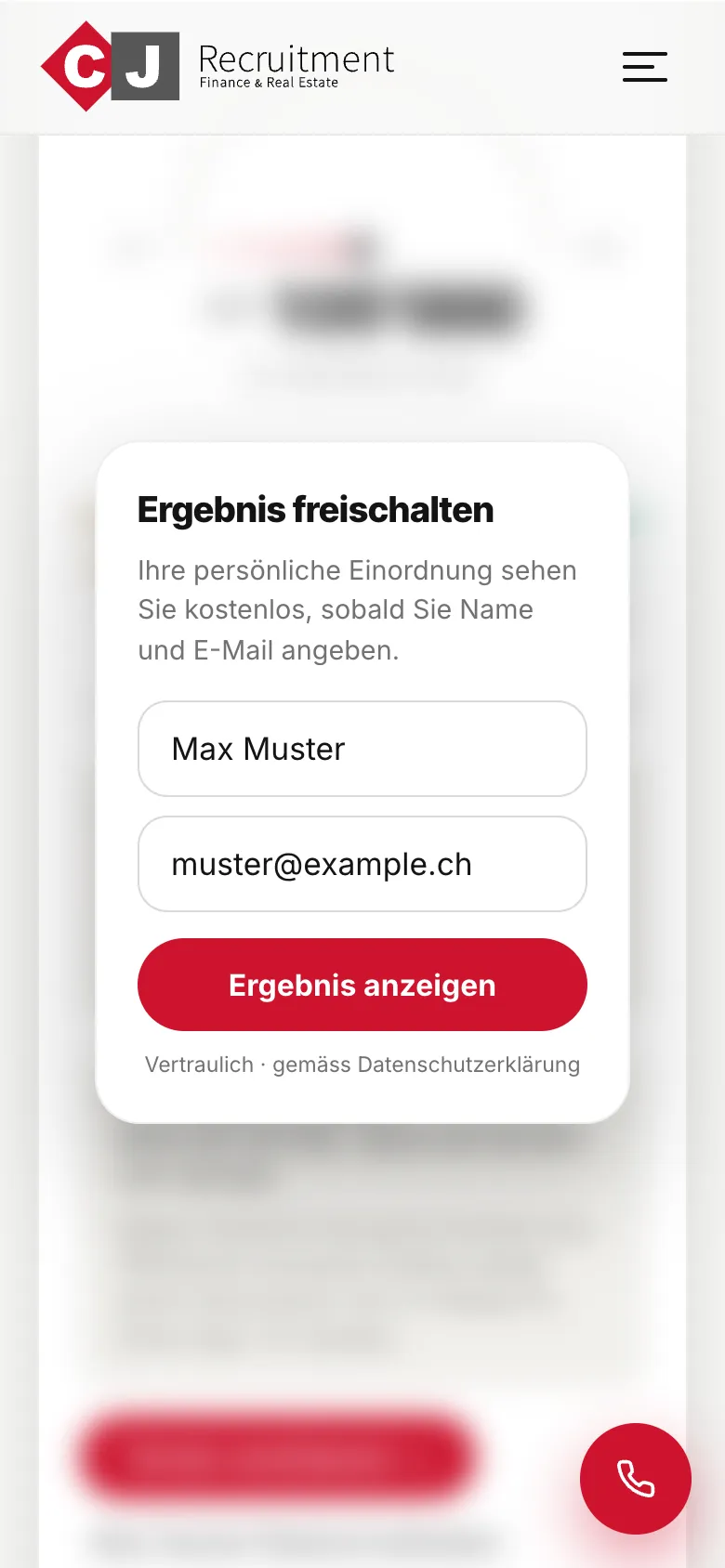
CJ Recruitment — Mobile View