Contact

What are you interested in?

Redesign, SEO, GEO & Google Ads2026Live

Client: KanalGenie AG

KanalGenie Drain & Pipe Services.

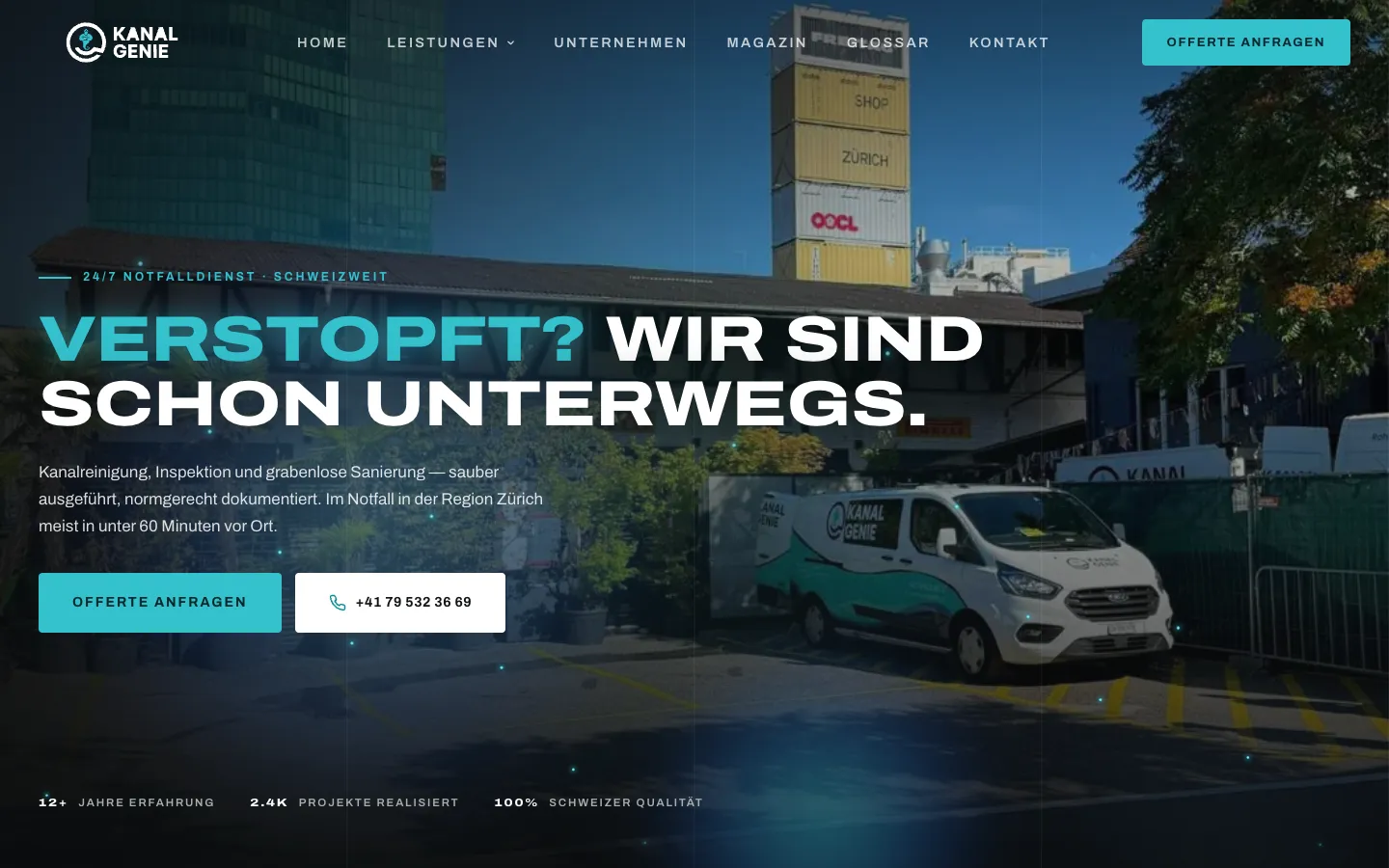
Redesign, SEO, GEO and Google Ads for a drain and pipe specialist with sites in Brüttisellen and Geroldswil. With a five-step appointment request and WhatsApp branch, a 24/7 emergency page, 41 town pages, glossary, magazine, careers with application upload and cleanly separated conversions for form and call.

  • Website
  • SEO
  • GEO
  • Google Ads
Scope
Website · SEO · GEO · Google Ads
Year
2026
Services & technology
  • Redesign
  • Next.js
  • Appointment request
  • Resend
  • Local SEO
  • GEO / AI SEO
  • Google Ads + GA4

Case study

What KanalGenie AG needed and what we built

The challenge

KanalGenie cleans, surveys and renovates drains and pipes and is reachable around the clock for emergencies. Anyone with a blocked pipe searches on a phone and decides in seconds. The site had to separate emergencies clearly from planned jobs, let customers choose the contact channel they actually use, and be found for two locations in the Glattal and Limmattal. And Google Ads needed to know which clicks lead to inquiries and which to calls.
Our solution

We completely redesigned the website: dark, with a cyan accent, real job photos and clear, cheeky copy. The emergency page leads straight to the phone. For planned work there is a five-step appointment request: request type, contact channel, preferred date in a custom calendar, time slot and contact details. If the customer chooses WhatsApp, a link opens with pre-written text including the request; for emergencies the flow recommends calling. The team receives every inquiry as a designed email with a "confirm appointment" button that opens a ready-made confirmation to the customer. The thank-you page is the Google Ads conversion goal, and every click on a phone number is reported as a separate call conversion. On top come 41 town pages for both locations, six service pages, 45 glossary terms, 18 magazine articles and a careers page with CV upload.

Architecture

How it fits together

The building blocks behind KanalGenie AG and how data flows between them.

UserDeviceFrontendAdminServer / APIExternal service
Connections: Homeowner, property manager, business → Website (Next.js, static) (Town, service, emergency page); Website (Next.js, static) → Appointment request (5 steps); Appointment request (5 steps) → WhatsApp link / phone (Channel WhatsApp/phone); Appointment request (5 steps) → Inquiry and application endpoint (Preferred date + contact); Inquiry and application endpoint → Resend (email); Resend (email) → KanalGenie mailbox (Notification with "confirm"); Website (Next.js, static) → Google Ads + GA4 (Thank-you page + call click)

Site structure

How the website is structured

kanalgenie.ch9 sections · 1 subpages
  • Homepage
  • 6Services
  • 1Service area
    • 41Drain-cleaning town pages
  • 2Emergency and request
  • 18Magazine
  • 45Glossary
  • 2Careers
  • 4Company
  • 4Contact and legal
Simplified view of the site structure. Page counts from a live check (sitemap) on 12 October 2026.

Flow

Who does what, step by step

  • Customer
  • Business
  • System
  1. Customer

    Search

    The customer searches for drain cleaning in Dübendorf or a blocked pipe and reaches KanalGenie via an ad or town page.

  2. Customer

    Emergency or planned

    In an emergency the emergency page leads straight to a call. For planned work he opens the appointment request.

  3. Customer

    Choose channel and date

    He chooses request type and channel. Online, he enters preferred date, time slot and contact details.

  4. System

    Confirmation and tracking

    He lands on the personalised thank-you page and receives an acknowledgement. Google Ads counts the inquiry as a conversion.

  5. Business

    Confirm the appointment

    KanalGenie clicks "confirm appointment" in the email and sends the prepared confirmation.

Step by step

How it works in practice

Real screenshots along the flow.

How a prospect gets to an inquiry

From the homepage via service and town page to the emergency page, captured on the live site.

  1. 01Step 1 / 4
    KanalGenie Drain & Pipe Services – Step 1: Homepage on a phone

    Homepage on a phone

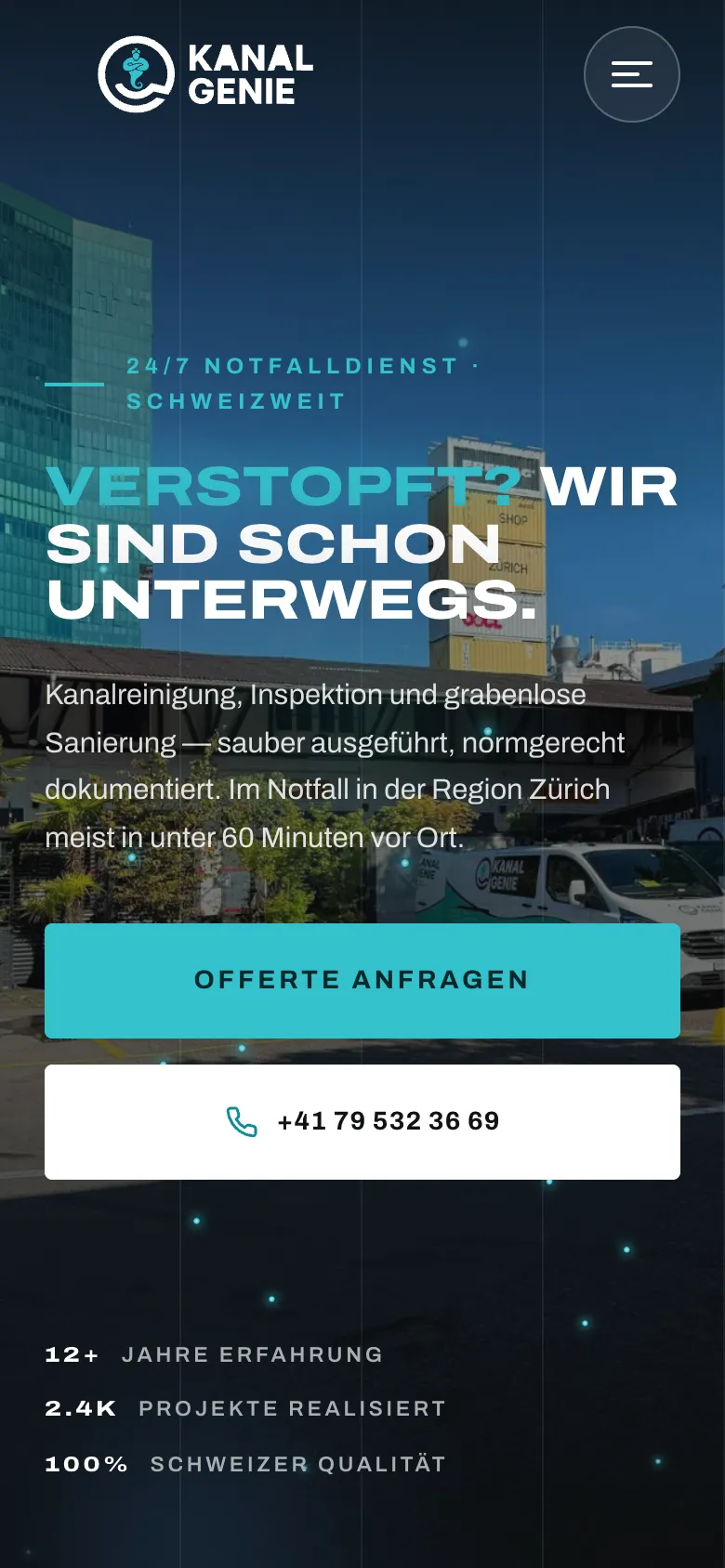
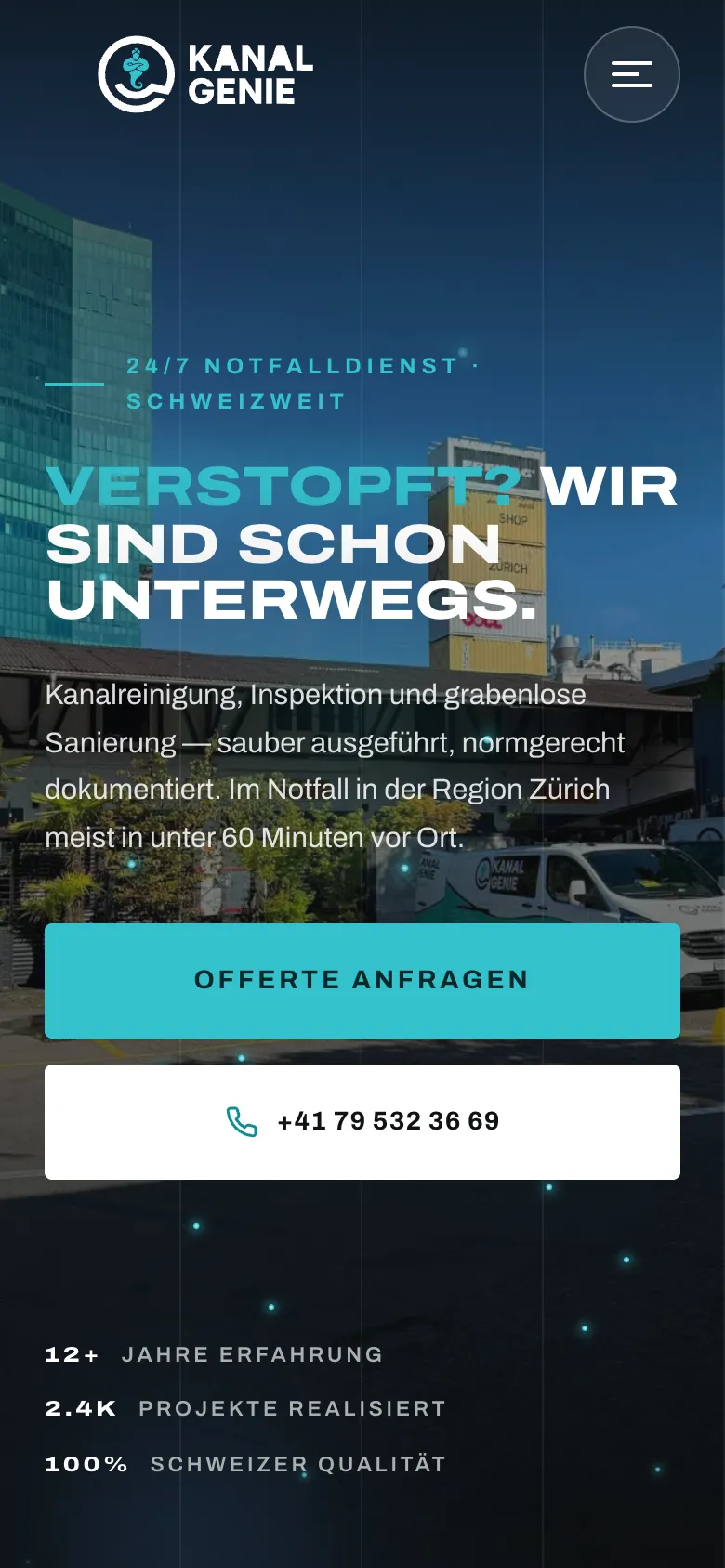
    "Blocked? We're already on our way." Below it two large buttons: request a quote or call directly.

  2. 02Step 2 / 4
    KanalGenie Drain & Pipe Services – Step 2: Pipe and drain cleaning service page

    Pipe and drain cleaning service page

    Each of the six services has its own page with a quote button and phone number in the hero.

  3. 03Step 3 / 4
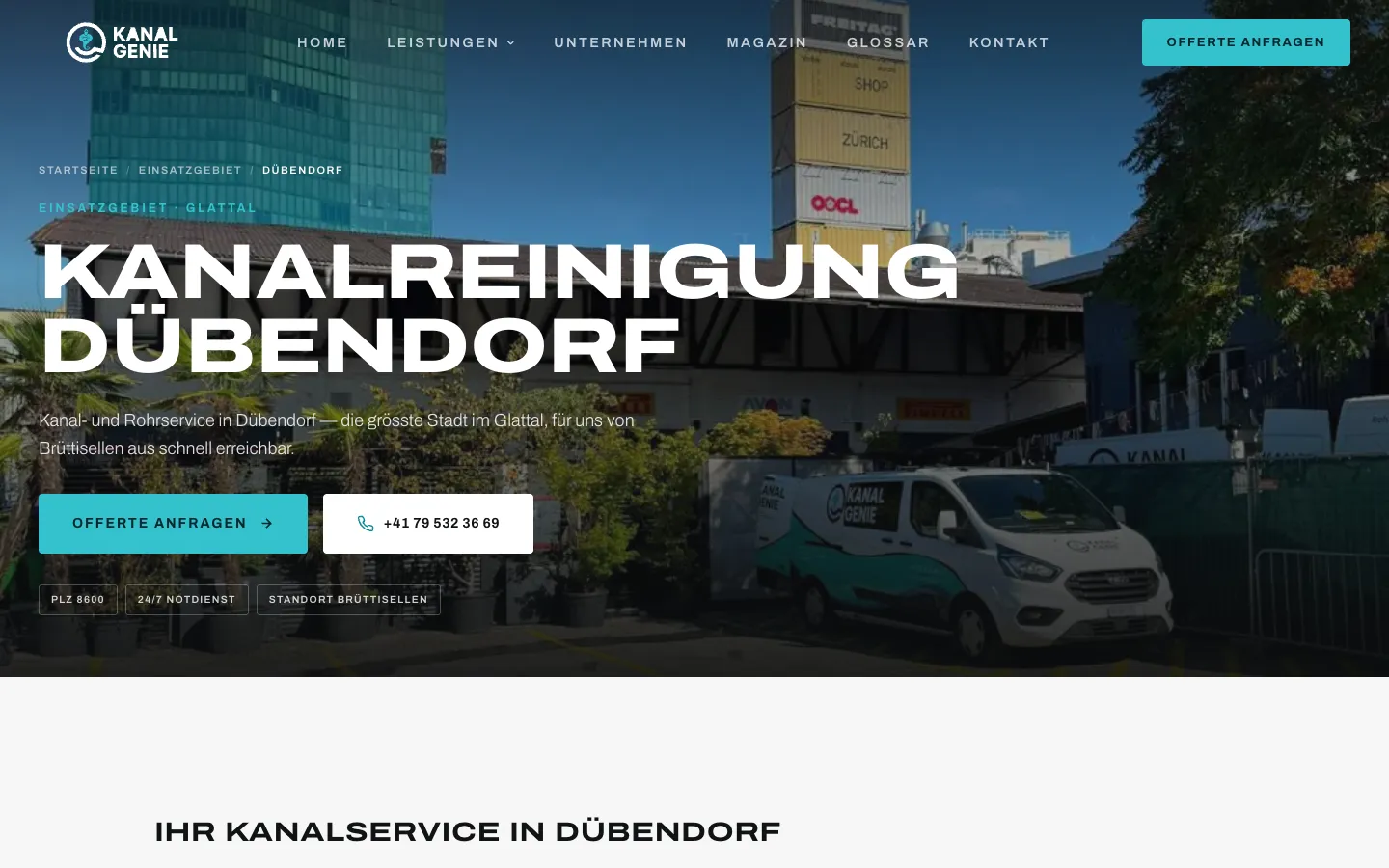
    KanalGenie Drain & Pipe Services – Step 3: Town page Dübendorf

    Town page Dübendorf

    One of 41 town pages with its own copy about the area and the same two paths: quote or call.

  4. 04Step 4 / 4
    KanalGenie Drain & Pipe Services – Step 4: Emergency page

    Emergency page

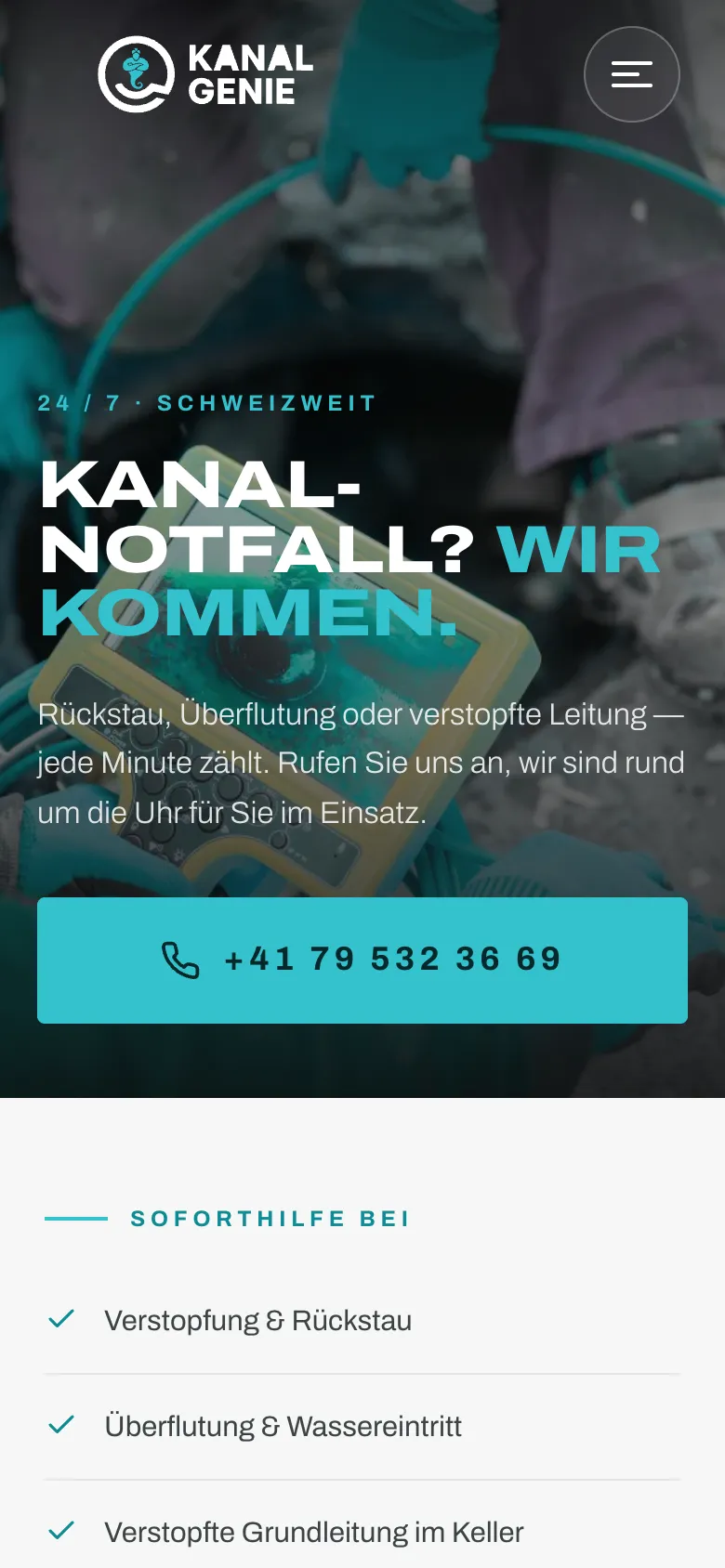
    For backflow or flooding only the call counts: the emergency page puts the number front and centre, large and tappable.

Swipe sideways for the next step.

Five-step appointment request

The funnel behind "Request a quote", desktop and phone mixed. Captured up to just before submitting; contact details are sample data.

Views with customer data show sample data or are redacted.

  1. 01Step 1 / 5
    KanalGenie Drain & Pipe Services – Step 1: Step 1: request type

    Step 1: request type

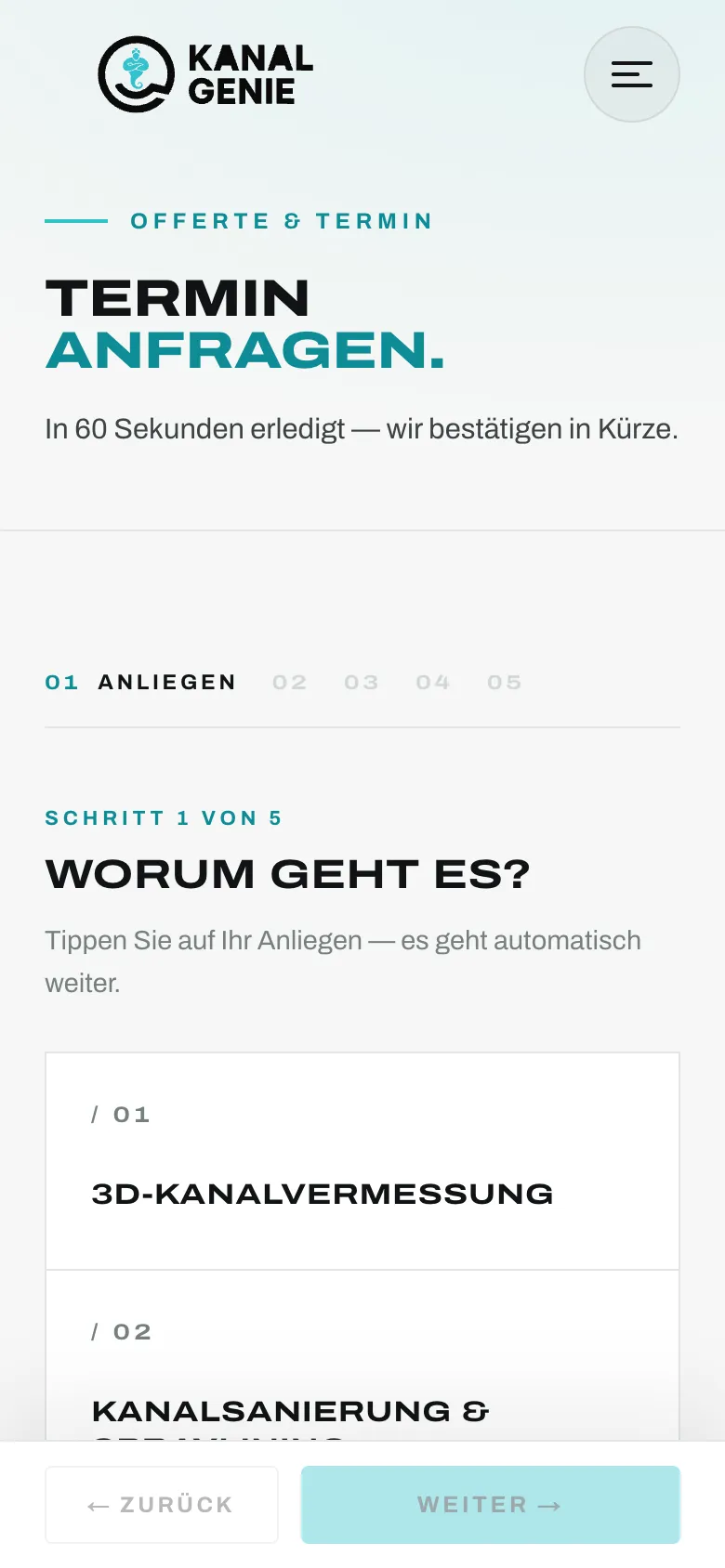
    Eight tiles for the services plus emergency and "other". One click, then continue.

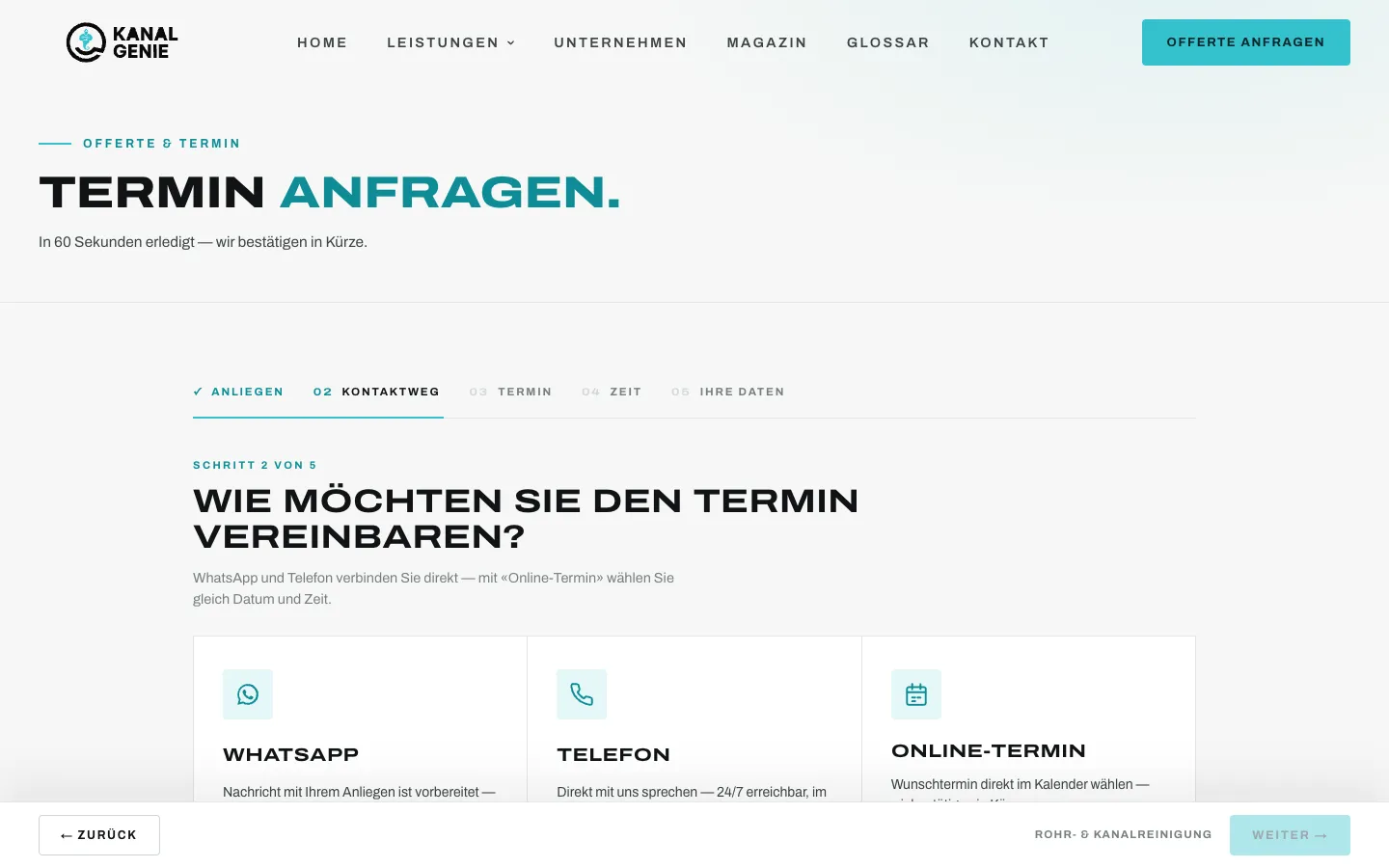
  2. 02Step 2 / 5
    KanalGenie Drain & Pipe Services – Step 2: Step 2: contact channel

    Step 2: contact channel

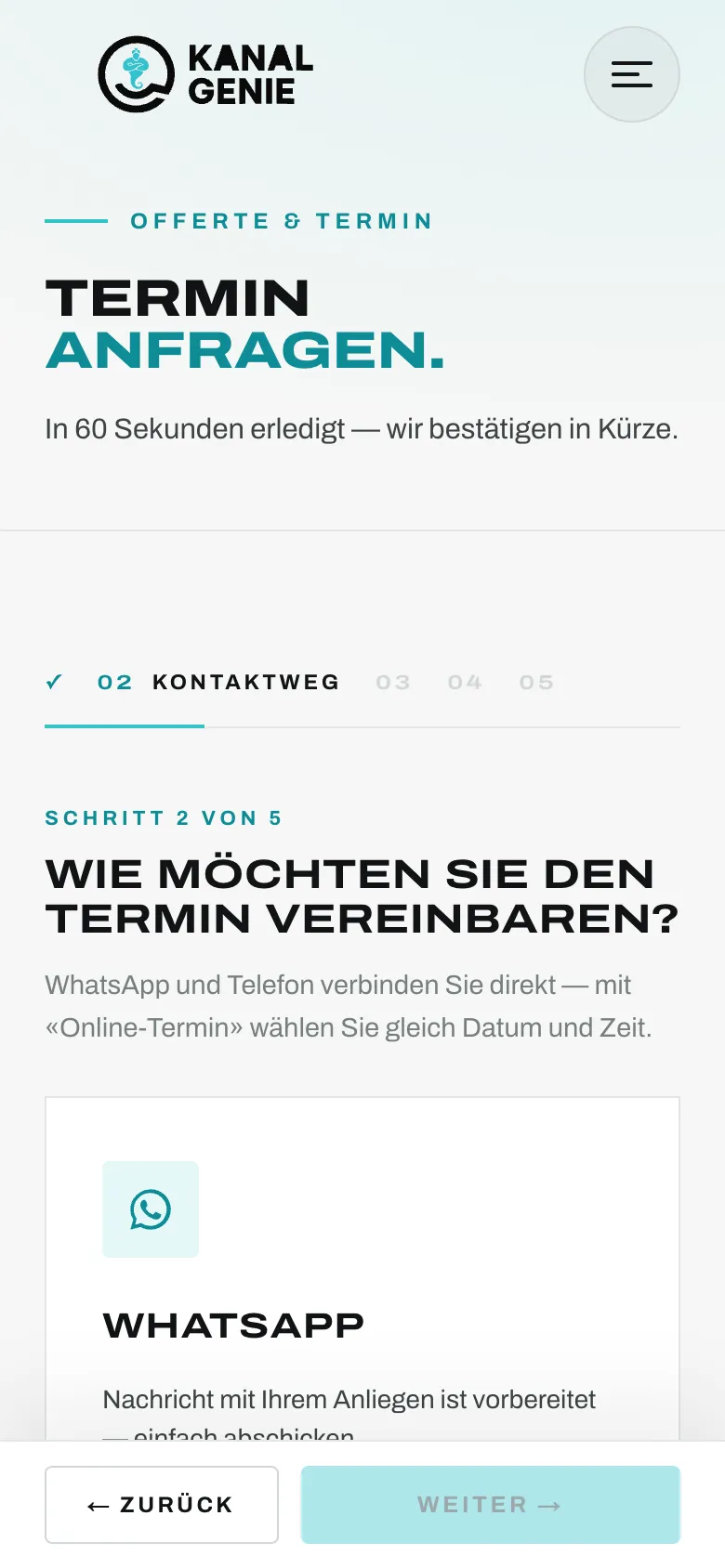
    WhatsApp, phone or online appointment. WhatsApp opens a free link with the request pre-written; nothing is sent automatically.

  3. 03Step 3 / 5
    KanalGenie Drain & Pipe Services – Step 3: Step 3: preferred date

    Step 3: preferred date

    A custom calendar instead of a date field. The customer picks a preferred date, which KanalGenie then confirms.

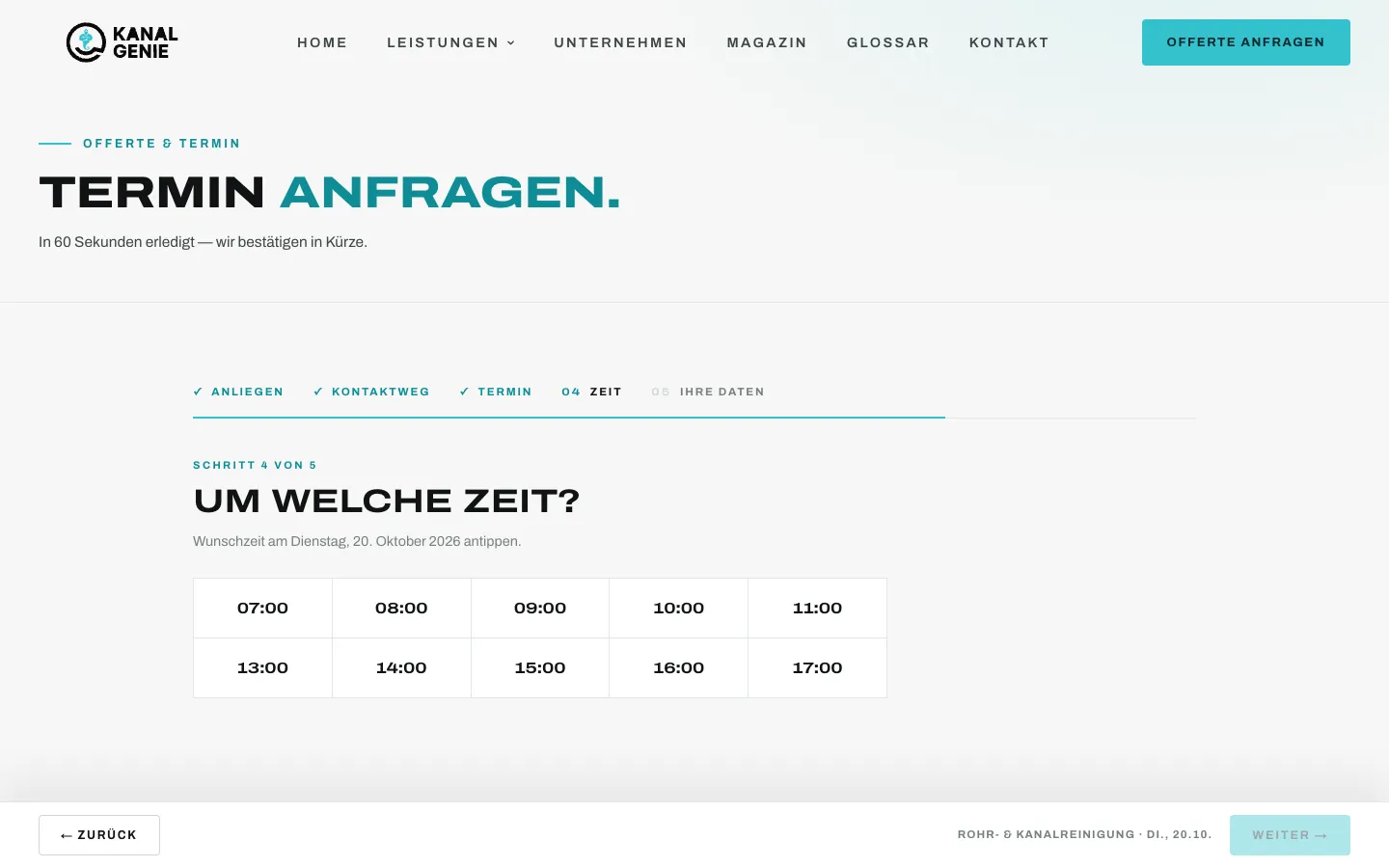
  4. 04Step 4 / 5
    KanalGenie Drain & Pipe Services – Step 4: Step 4: time slot

    Step 4: time slot

    Ten time slots as tiles. The choices so far stay visible as a summary at the bottom.

  5. 05Step 5 / 5Sample data
    KanalGenie Drain & Pipe Services – Step 5: Step 5: contact details

    Step 5: contact details

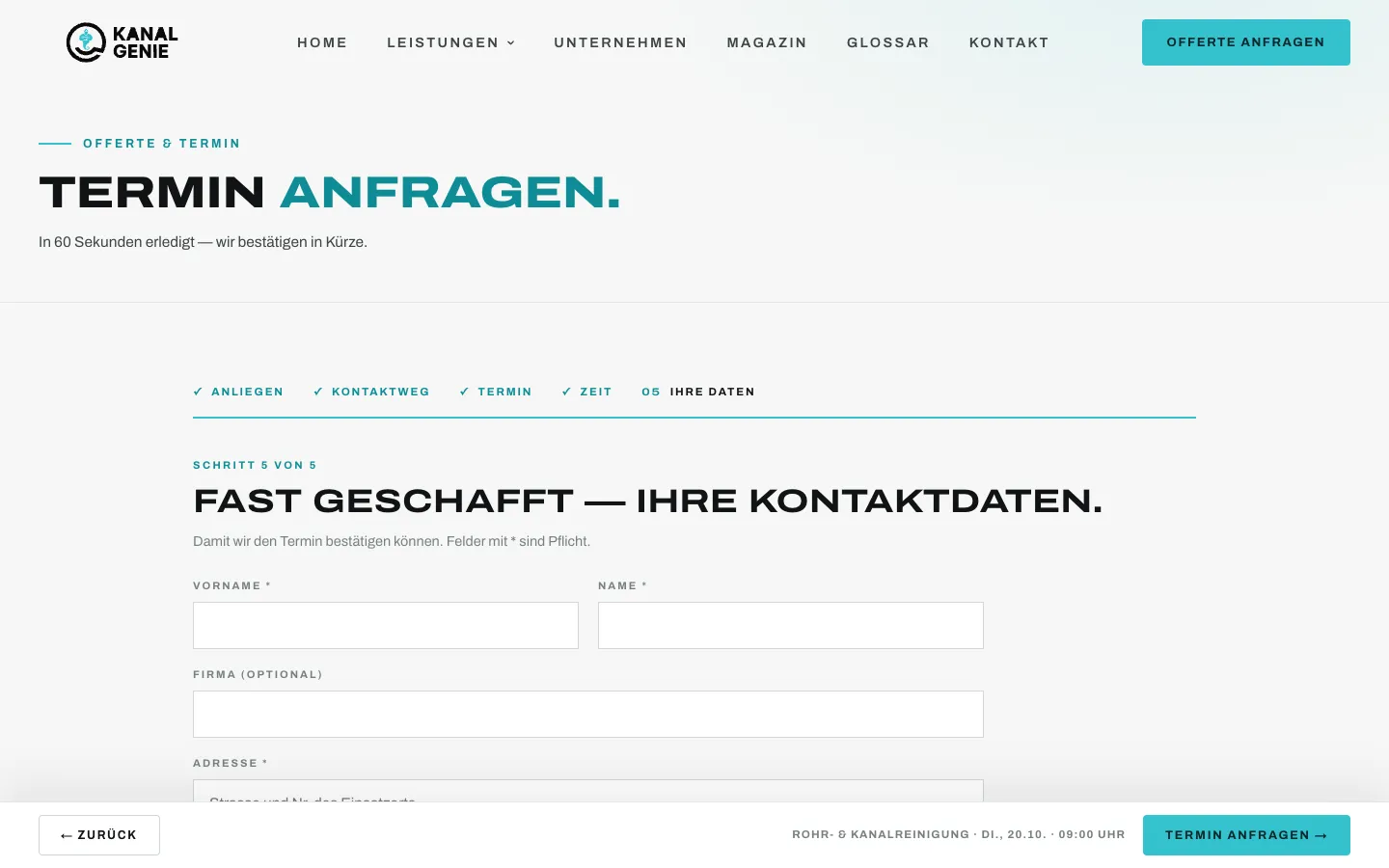
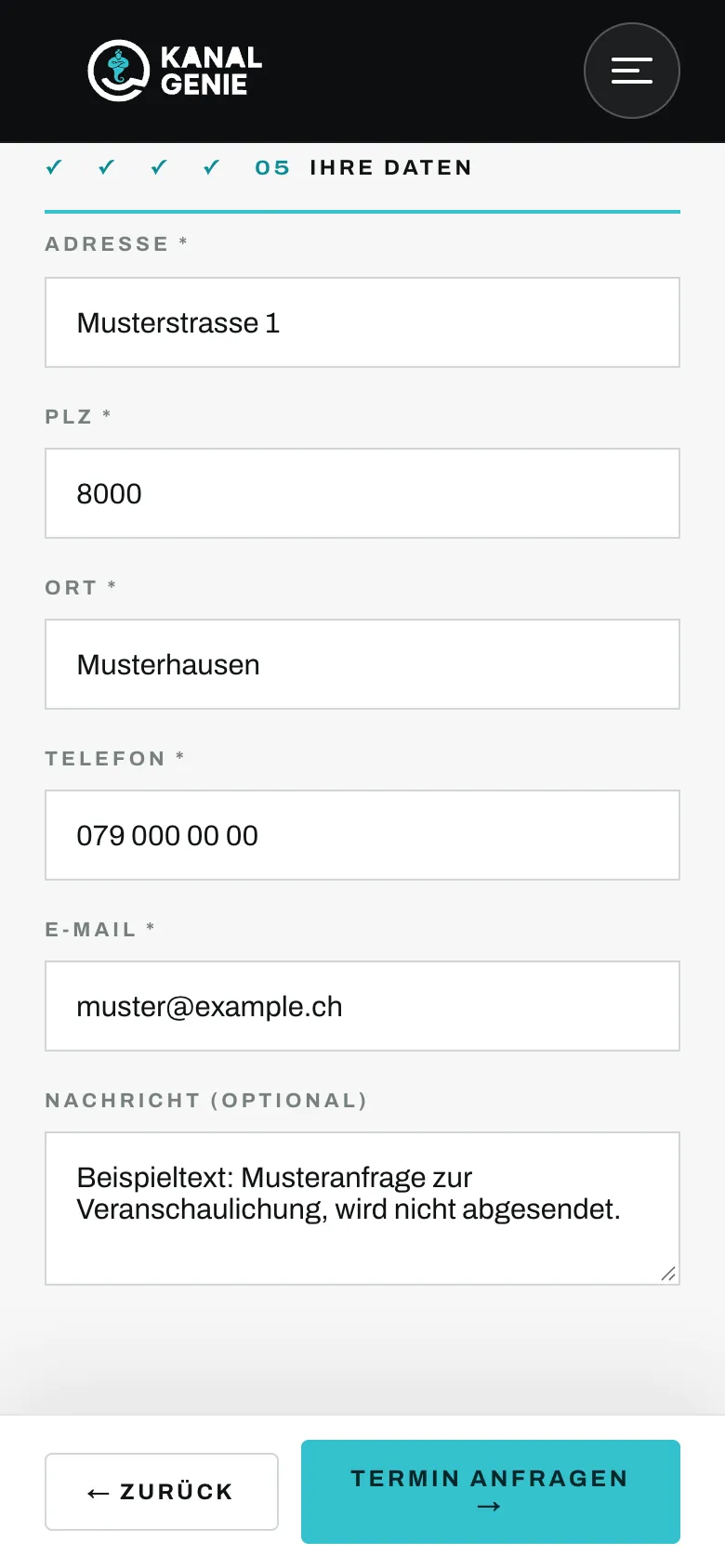
    Address of the job site, phone and email, shown with sample data. "Request appointment" was not pressed for this capture.

Swipe sideways for the next step.

Features

What the solution does

  • 5-step appointment request

    Request type, contact channel, preferred date, time slot, contact details. Custom calendar up to three months ahead; selections advance automatically. KanalGenie confirms; no automatic booking.

  • WhatsApp and phone branch

    WhatsApp opens a free link with pre-written text including the request; phone starts a call. For emergencies the flow recommends calling.

  • Email with "confirm appointment"

    Internal notification with all details and a button that opens the ready-made confirmation to the customer. The customer receives an immediate acknowledgement.

  • Google Ads conversions

    The personalised thank-you page is the form goal, every click on a phone number a separate call conversion. The campaign sees both channels separately.

  • 24/7 emergency page

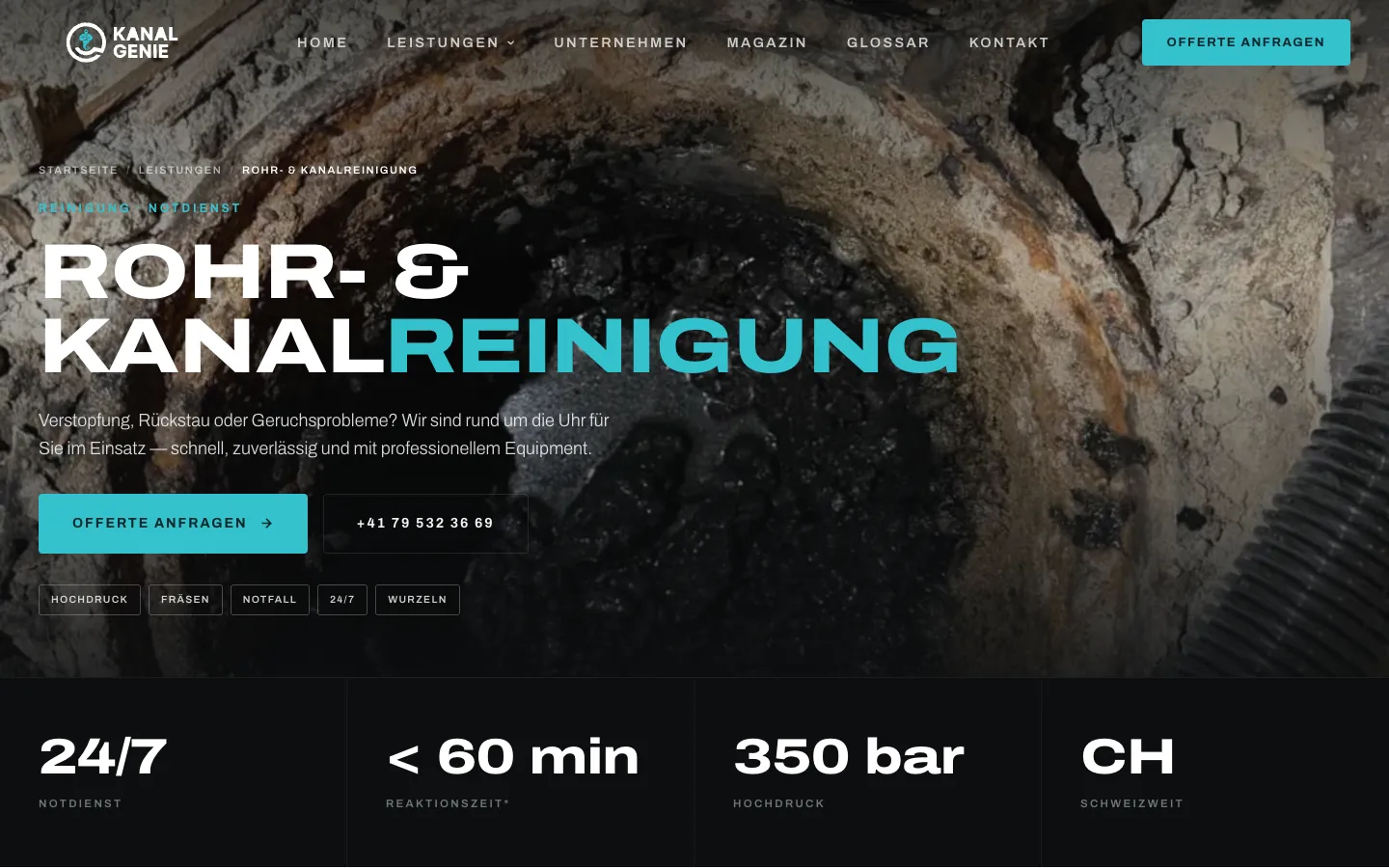
    A dedicated page that separates emergencies from planned jobs and leads straight to the phone.

  • 41 town pages, two locations

    Towns in the Glattal, Unterland and Limmattal plus Zurich, each linked to the responsible site in Brüttisellen or Geroldswil, with a service-area hub.

  • Glossary and magazine

    45 technical terms such as spraylining or leak testing on their own pages and 18 magazine articles, plus llms.txt and webmcp.json.

  • Careers with application

    Job pages with structured data and an application form with CV upload (PDF or Word, up to 8 MB) that reaches the team by email.

  • Security and technical SEO

    Strict content security policy, HSTS, redirect to a single domain and structured data for both locations, services, jobs and articles.

Mobile

On the smartphone

  • KanalGenie Drain & Pipe Services – Appointment request on a phone
    Appointment request on a phone
  • KanalGenie Drain & Pipe Services – Homepage on mobile
    Homepage on mobile
  • KanalGenie Drain & Pipe Services – Emergency page on a phone
    Emergency page on a phone

Swipe sideways for more views.

Screens

What it looks like

  • Homepage "Blocked? We're already on our way."
  • Appointment request, step 1: what is it about?
  • 24/7 emergency page with direct call

FAQ

Frequently asked questions

Why a step-by-step appointment request instead of a contact form?

One question per step is easier on a phone than a long form. KanalGenie receives request type, channel, preferred date and time slot in full and does not need to call back for basics. KanalGenie then confirms the appointment itself.

Is the WhatsApp message sent automatically?

No. If the customer chooses WhatsApp, a free link opens with pre-written text that he sends from his own WhatsApp. The message goes straight to the company phone.

How does Google Ads measure inquiries and calls separately?

After submitting, the page changes to a thank-you page that counts as a form conversion. Every click on a phone number additionally reports a separate call conversion. Campaigns can therefore be evaluated for both channels.

Solutions

Solutions from this project

Work

Similar projects

Your project

A project like this for your business?

Websites from CHF 3,000 to CHF 25,000, web apps from CHF 10,000. We deliver a website within 2 weeks once all materials are in.