Shopify SEO & Category Content2026Live

Client: Racher AG

Racher Papeterie.

SEO on the live Shopify shop of Racher, a stationery shop for office, art and craft supplies since 1936 with around 1,000 products. We analysed the shop in full, automated titles and descriptions for every page, repaired the product data for Google, gave every category a buying guide and opened up the «Papeterie» search field.

  • Online shop
  • SEO
Scope
Online shop · SEO
Year
2026
Services & technology
  • Shopify
  • Liquid
  • SEO Audit
  • Structured Data
  • Search Console
  • Content

Case study

What Racher AG needed and what we built

The challenge

Racher sells around 1,000 products online, from Schmincke acrylics to file dividers. The shop worked, but much of what Google reads was default or faulty: titles and descriptions without their own content, errors in the product schema, categories without copy, duplicate product descriptions, a typo in a category address and no matching page for the obvious search term «Papeterie». And everything had to be changed on the live shop without disrupting orders.
Our solution

First we pulled products, variants, categories and Search Console data into our own analysis database and built the audit and action plan from it. Then we wrote custom snippets in the Shopify theme that generate a short title and a description with the real price for every page from its own data. The product schema now carries brand, GTIN per variant and ratings, and the home page a store schema with founding year, address and search action. In three waves, every category with products received a 120 to 180-word buying guide with internal links, and 52 duplicate product descriptions were rewritten. For «Papeterie» there is a new category and a local landing page «Papeterie Zürich». Before each wave we created a full backup and tested changes on a preview theme first.

Architecture

How it fits together

The building blocks behind Racher AG and how data flows between them.

UserFrontendAdminServer / APIDatabaseExternal service
Connections: Shopify (products, collections) → Analysis database (Export); Google Search Console → Analysis database (Clicks, positions); Keyword database (CH) → Analysis database (Search volume); Analysis database → DLM via Shopify Admin API (Audit, priorities); DLM via Shopify Admin API → Shopify (products, collections) (Copy, metafields, theme); Reviews app → Shopify theme with SEO snippets (Ratings into schema); Shopify (products, collections) → Shopify theme with SEO snippets (Data, GTIN, prices); Customer → Shopify theme with SEO snippets (Search, purchase)

Site structure

How the website is structured

racher.ch5 sections · 16 subpages
  • Home page
  • 10Main menu
    • 7Brushes
    • 17Paints
    • 11Papers
    • 13Crafts
    • 10Drawing & design
    • 8Toys & fun
    • 6Office
    • 5Stationery
    • School
    • Sale
  • 92Categories
  • 1065Products
  • 6Pages
    • Papeterie Zürich
    • Range
    • Brands
    • About us
    • Contact
    • AI profile
Simplified view of the site structure. Page counts from a live check (sitemap) on 12 October 2026.

Flow

Who does what, step by step

  • Customer
  • Business
  • System
  1. System

    Pull the data

    Shop and Search Console data go into the analysis database, enriched with search volume from the keyword database.

  2. Business

    Analyse and prioritise

    Audit and keyword matching show which measures come first.

  3. Business

    Back up

    Before each wave, the current state is fully backed up.

  4. Business

    Test and go live

    Changes run on a preview theme first, then in the live shop. Title, description and schema are then checked live.

  5. Customer

    Get found

    The customer searches for acrylic paints or a stationery shop in Zurich. The page's title and description name product, brand and real price.

  6. Customer

    Read the guide and order

    They read the category's buying guide, follow links to related products and order in the Shopify checkout.

Step by step

How it works in practice

Real screenshots along the flow.

From entry to cart

A customer's path on desktop: from the home page through a category with buying guide into the cart. We did not open the checkout for these screenshots.

  1. 01Step 1 / 6
    Racher Papeterie – Step 1: Home page

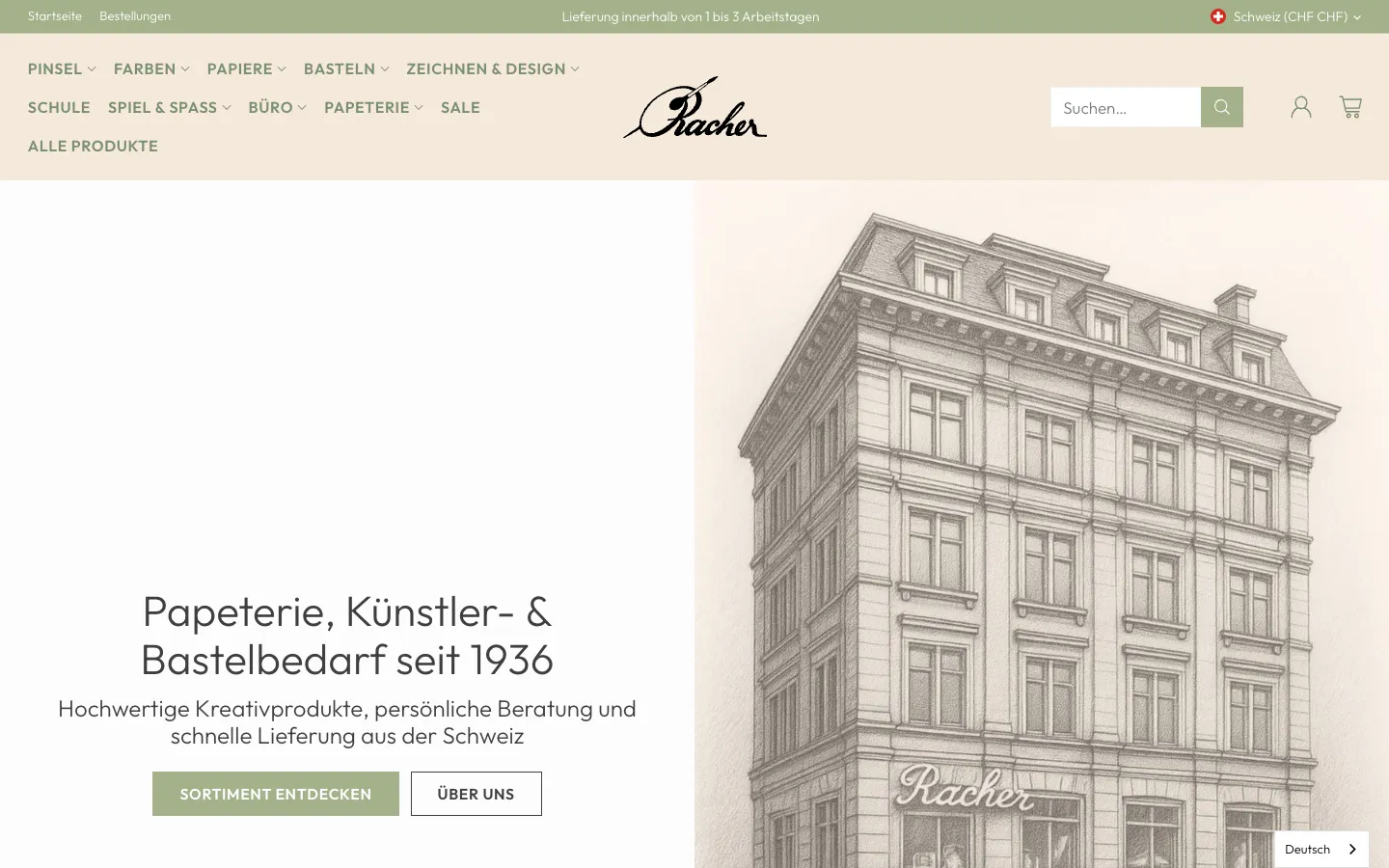
    Home page

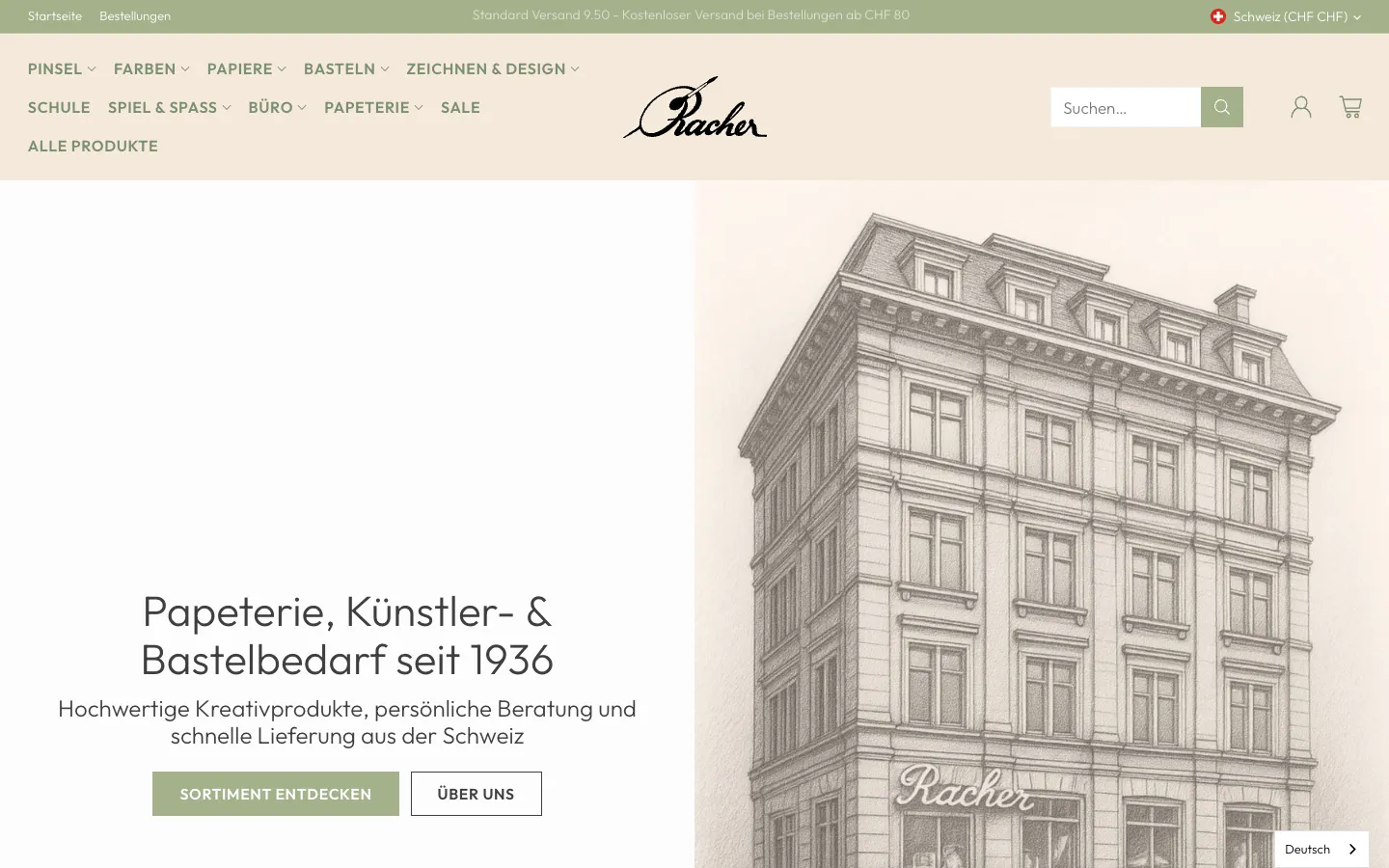
    A single H1 says what Racher is: stationery, art and craft supplies since 1936. The main navigation shows ten sections, with search right next to it.

  2. 02Step 2 / 6
    Racher Papeterie – Step 2: Open the «Paints» section

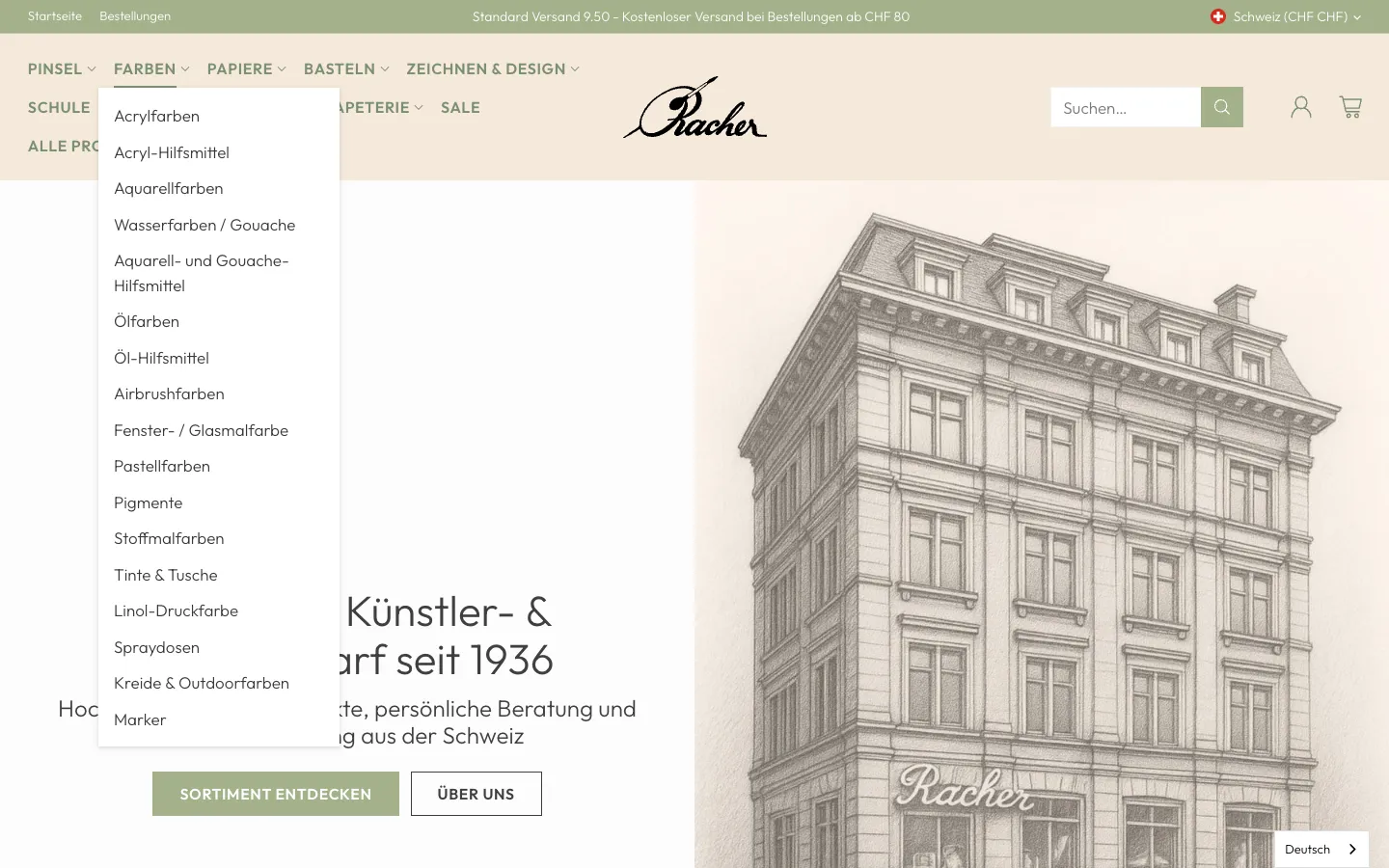
    Open the «Paints» section

    On hover, the submenu opens with 17 categories, from acrylic paints to markers. The names match the terms people search for.

  3. 03Step 3 / 6
    Racher Papeterie – Step 3: Category with buying guide

    Category with buying guide

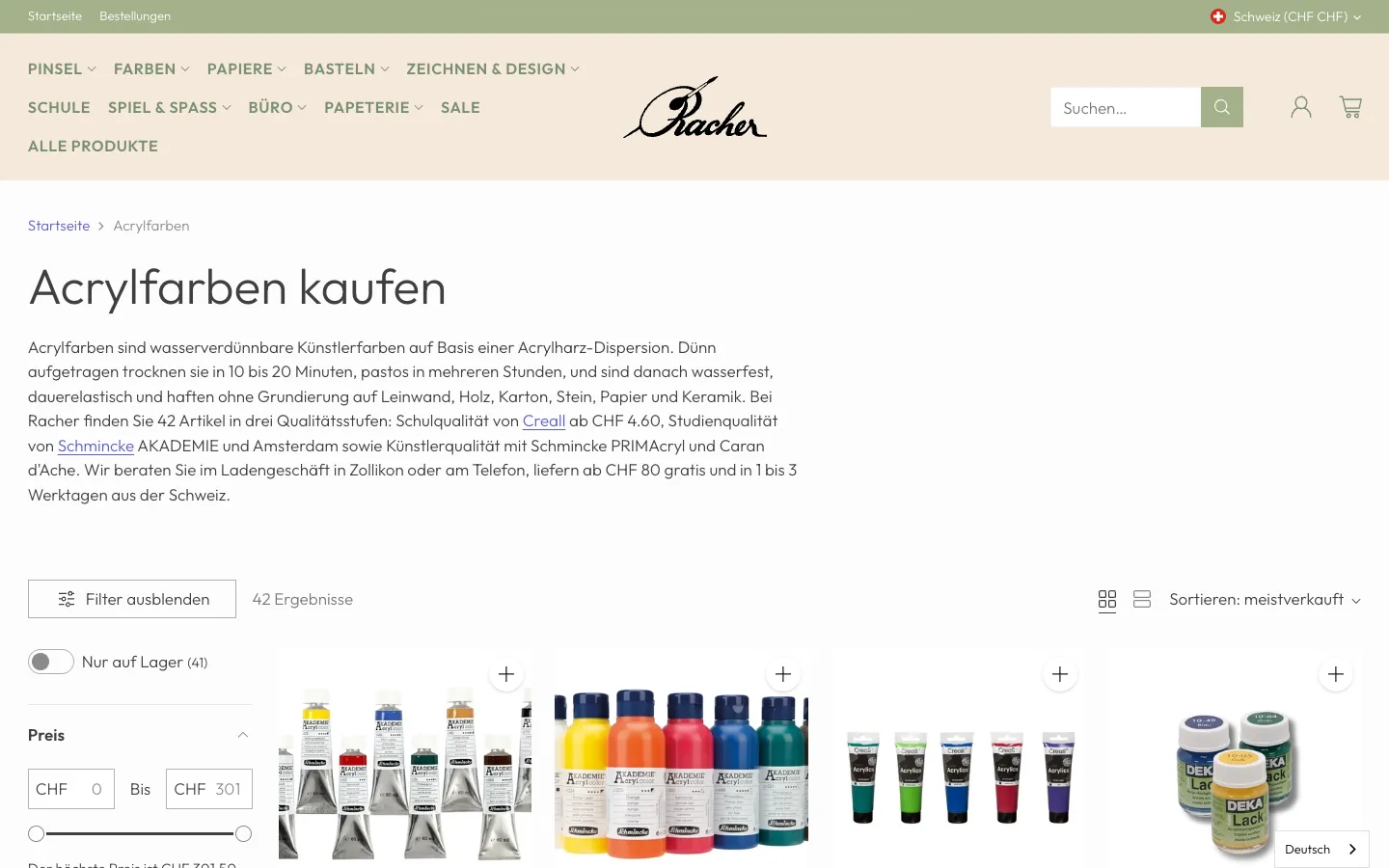
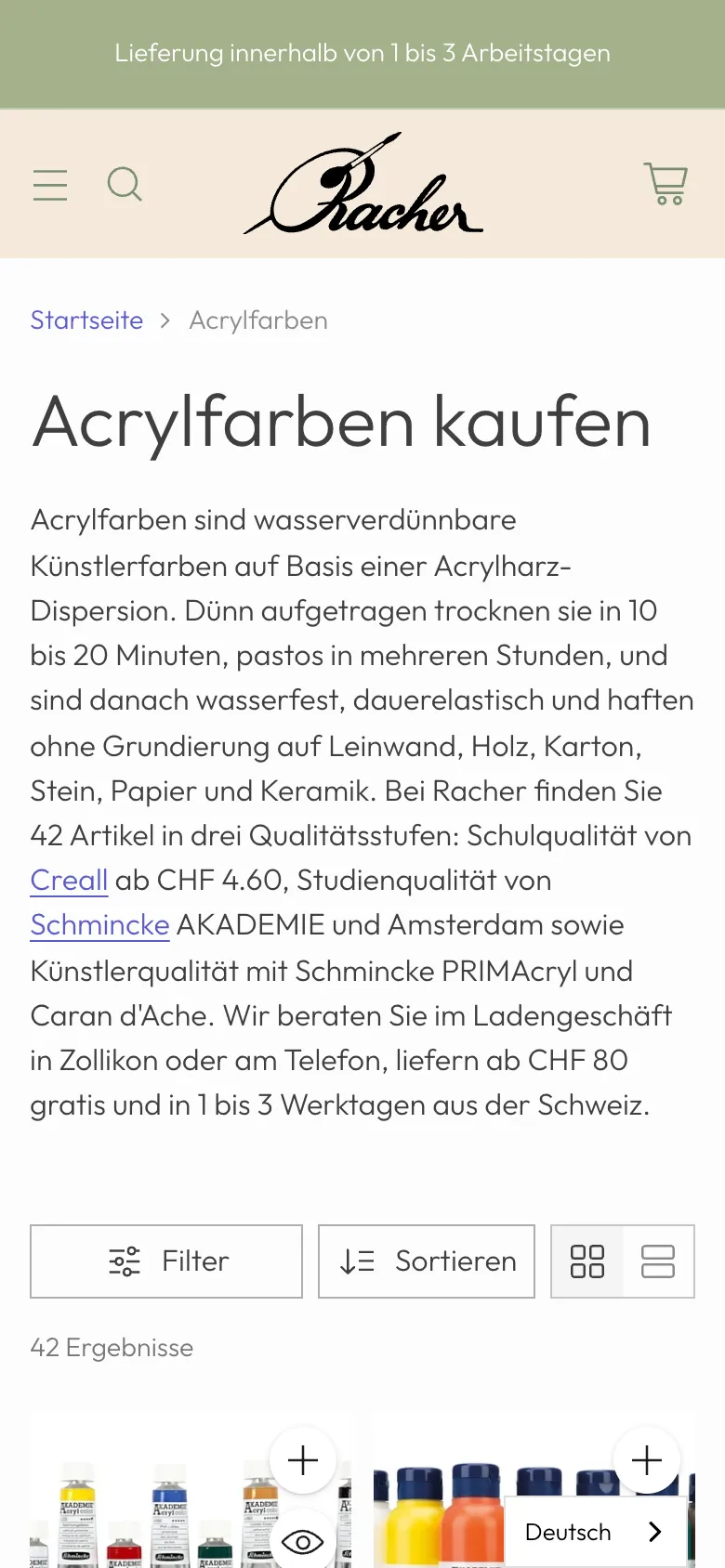
    Above the product list sits the buying guide: what acrylic paints do, three quality levels with entry price and links to the brands. It helps customers choose and gives Google text to classify the page.

  4. 04Step 4 / 6
    Racher Papeterie – Step 4: Filter and compare

    Filter and compare

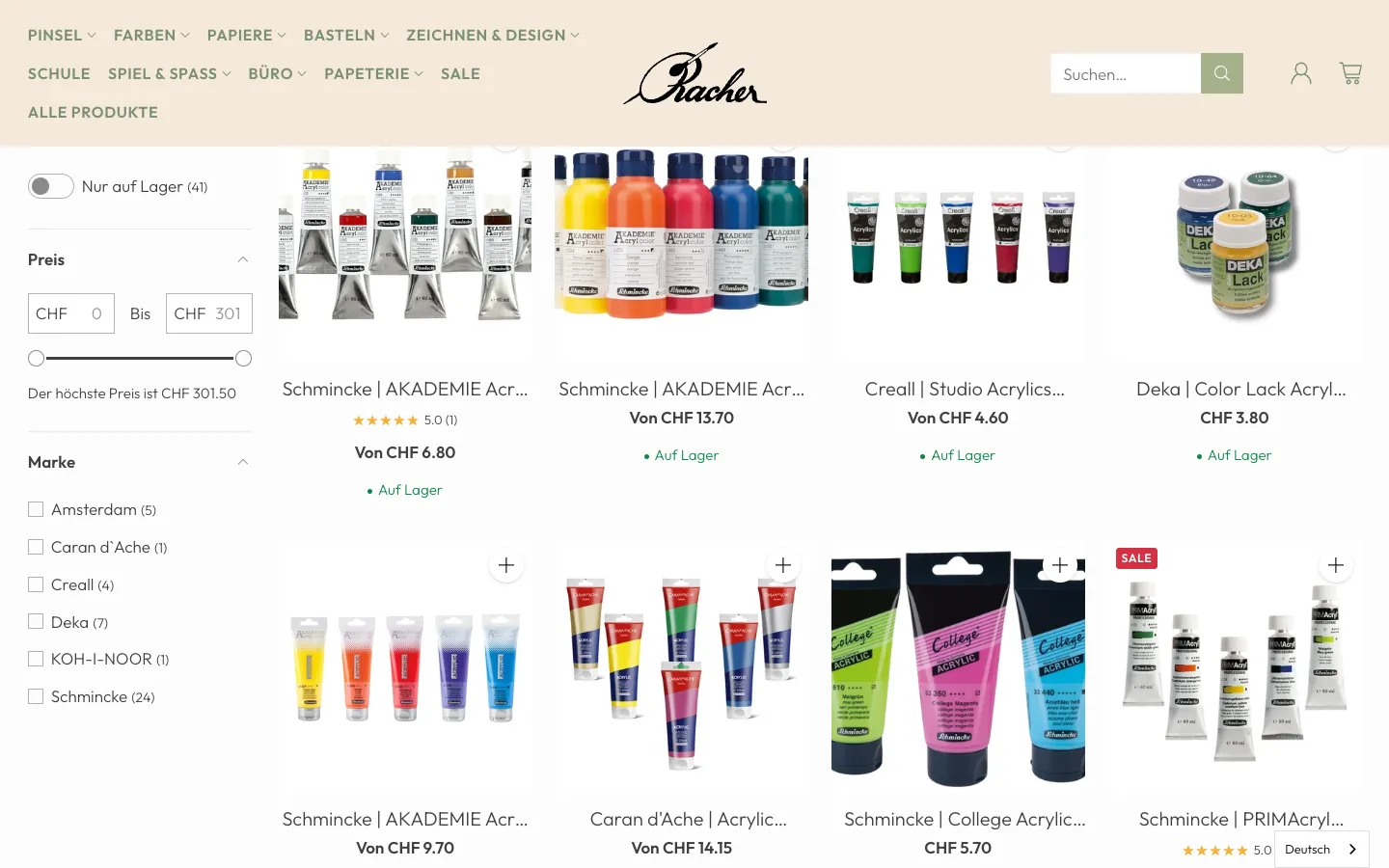
    Below, customers filter by stock, price and brand. Each card shows the starting price, rating and whether the item is in stock.

  5. 05Step 5 / 6
    Racher Papeterie – Step 5: Product page

    Product page

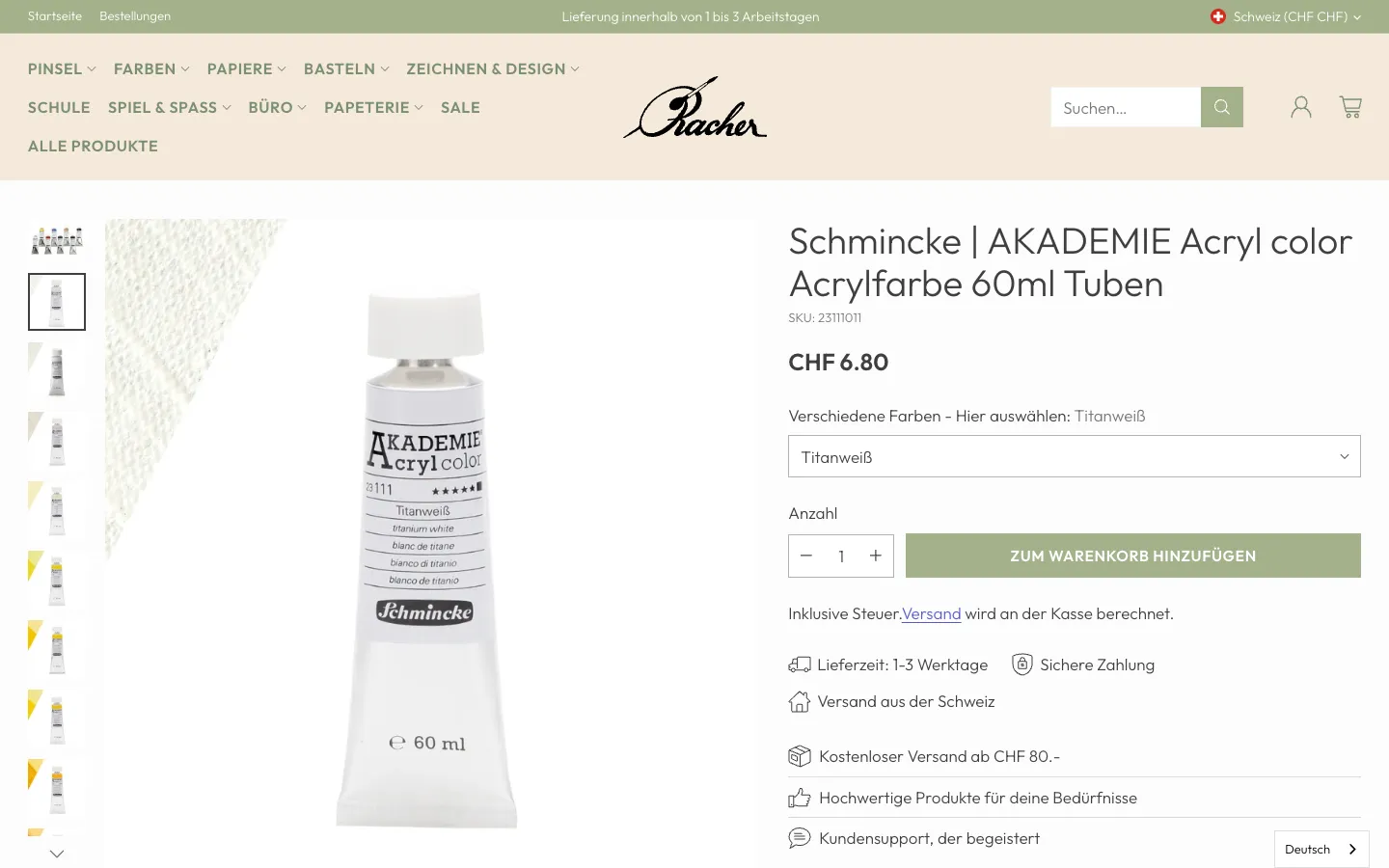
    Choose the colour, set the quantity, add to cart. Delivery time, shipping from Switzerland and the free-shipping threshold sit right below the button.

  6. 06Step 6 / 6
    Racher Papeterie – Step 6: Cart

    Cart

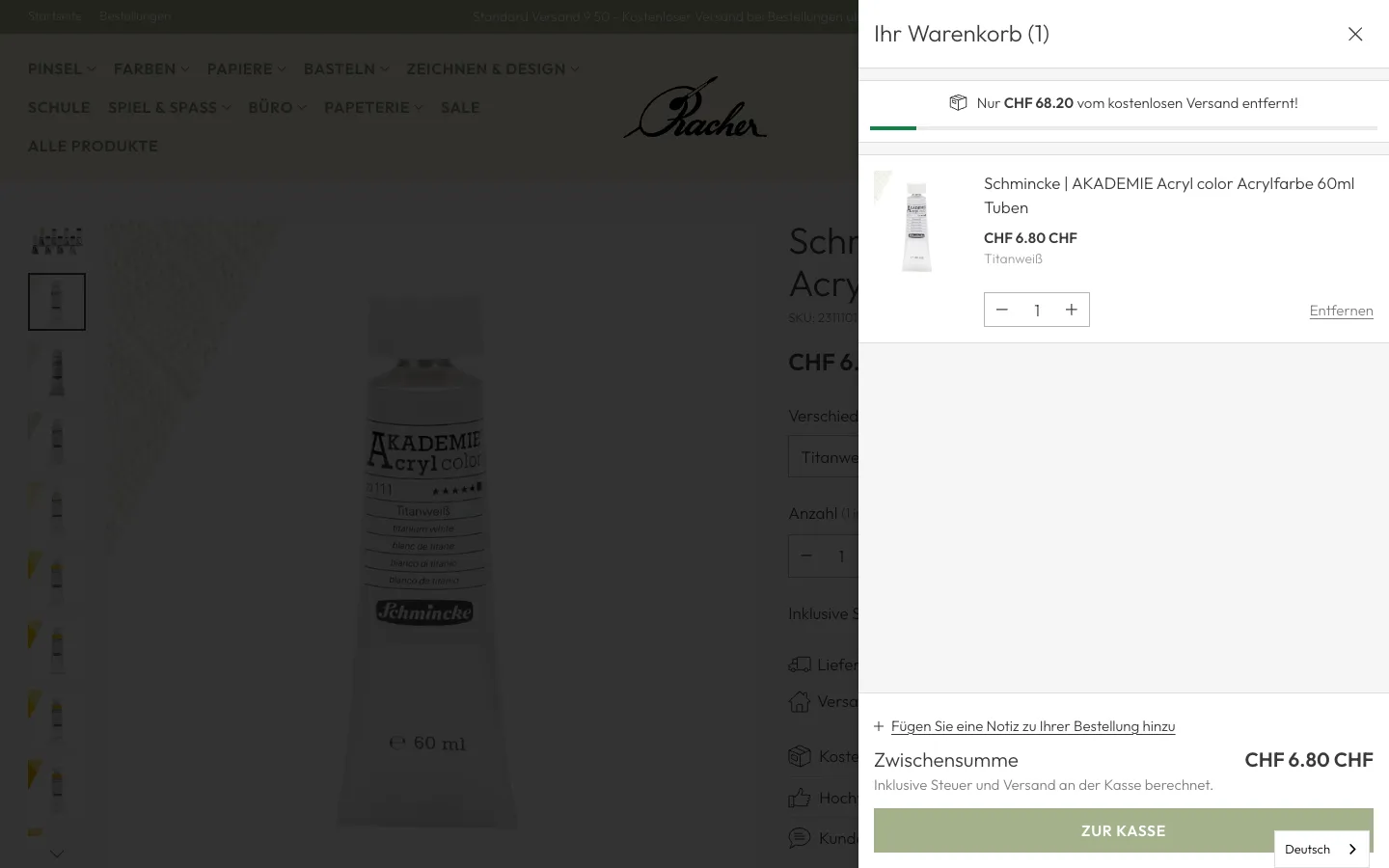
    The cart opens at the side and shows how much is missing for free shipping. Our walkthrough ends here; the next step would be the Shopify checkout.

Swipe sideways for the next step.

Papeterie Zürich: from search term to cart

There was no matching page for the search term «Papeterie». This walkthrough shows the new local landing page and the new category on mobile.

  1. 01Step 1 / 6
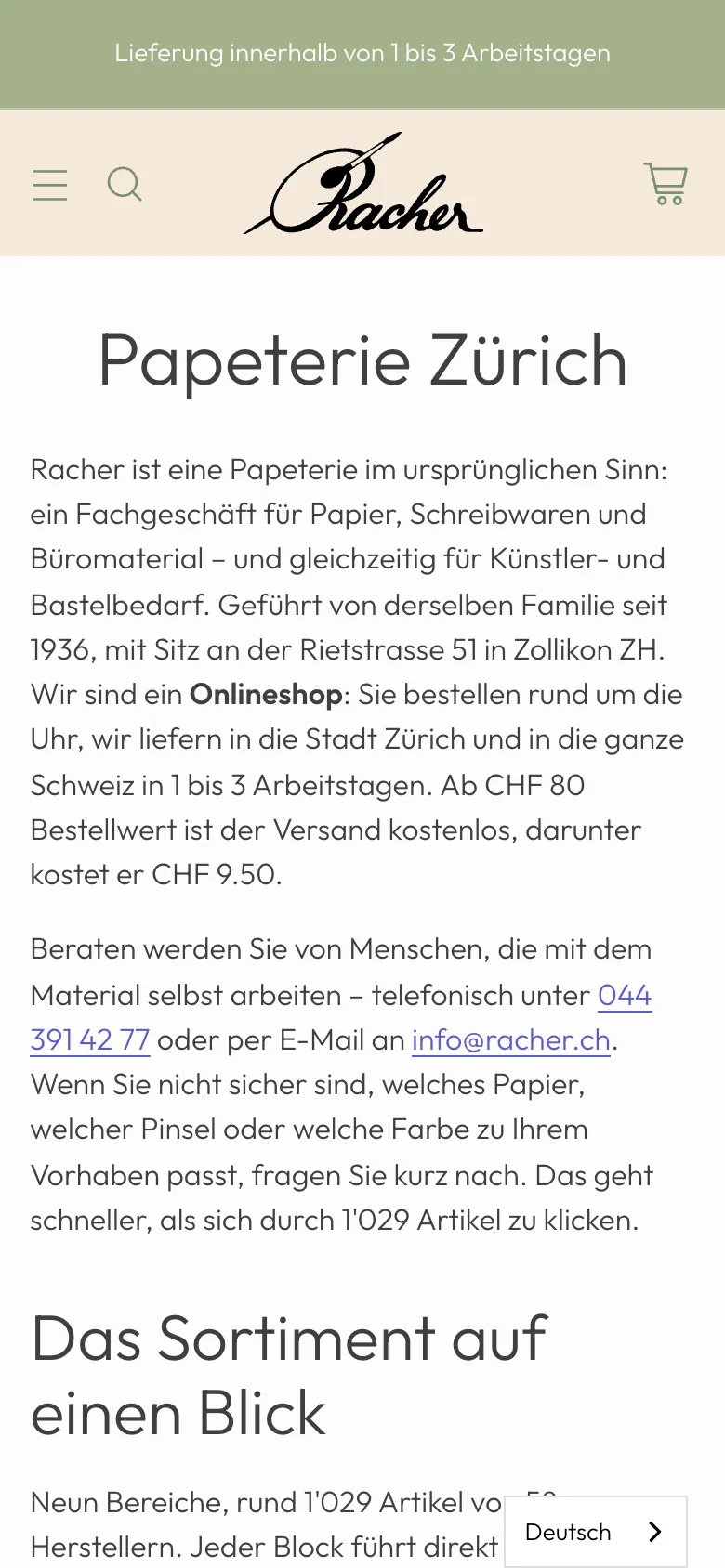
    Racher Papeterie – Step 1: Landing page «Papeterie Zürich»

    Landing page «Papeterie Zürich»

    The page first answers what Racher is and how it delivers: an online shop based in Zollikon, delivery to the city of Zurich in 1 to 3 working days, advice by phone or email.

  2. 02Step 2 / 6
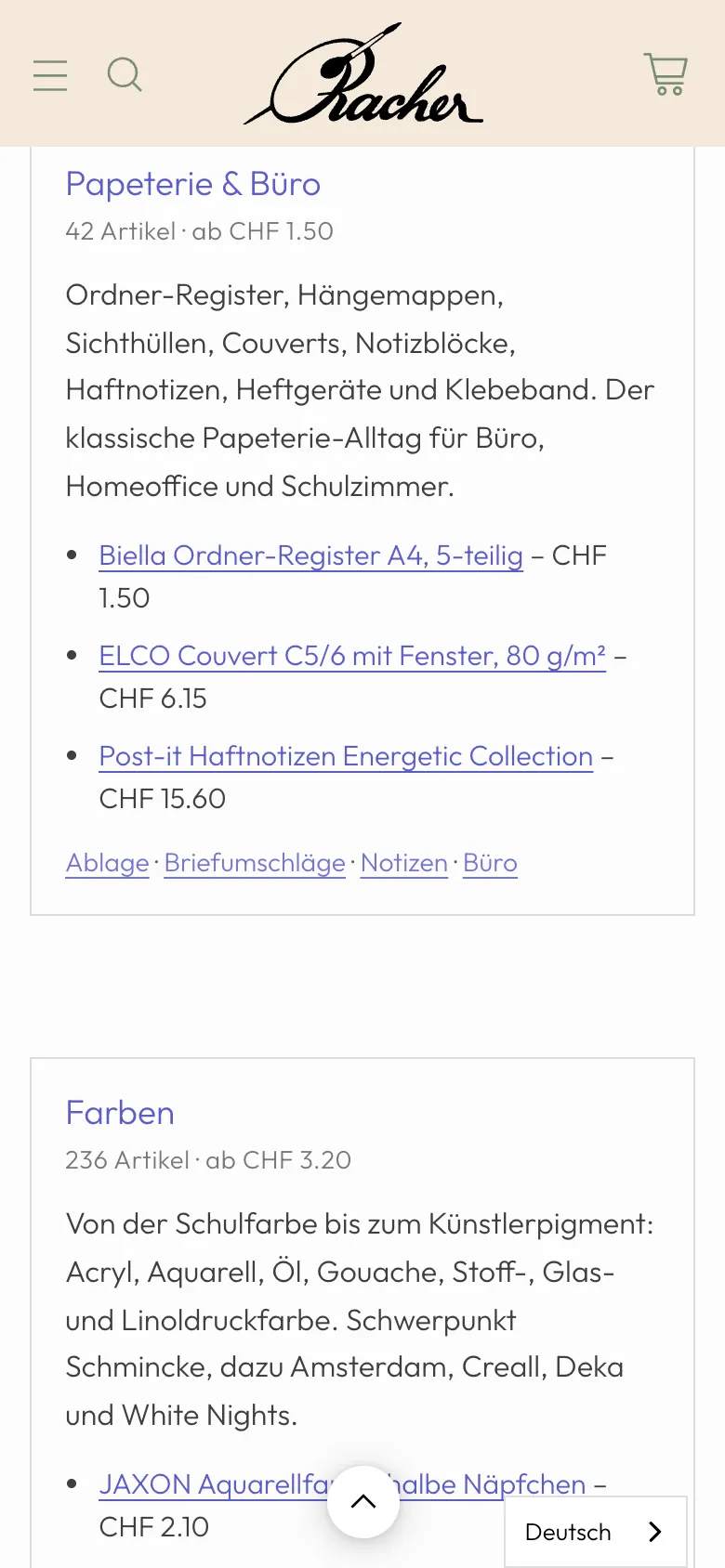
    Racher Papeterie – Step 2: Range in blocks

    Range in blocks

    Each section has a block with item count, starting price, a short description and links to specific products and subcategories.

  3. 03Step 3 / 6
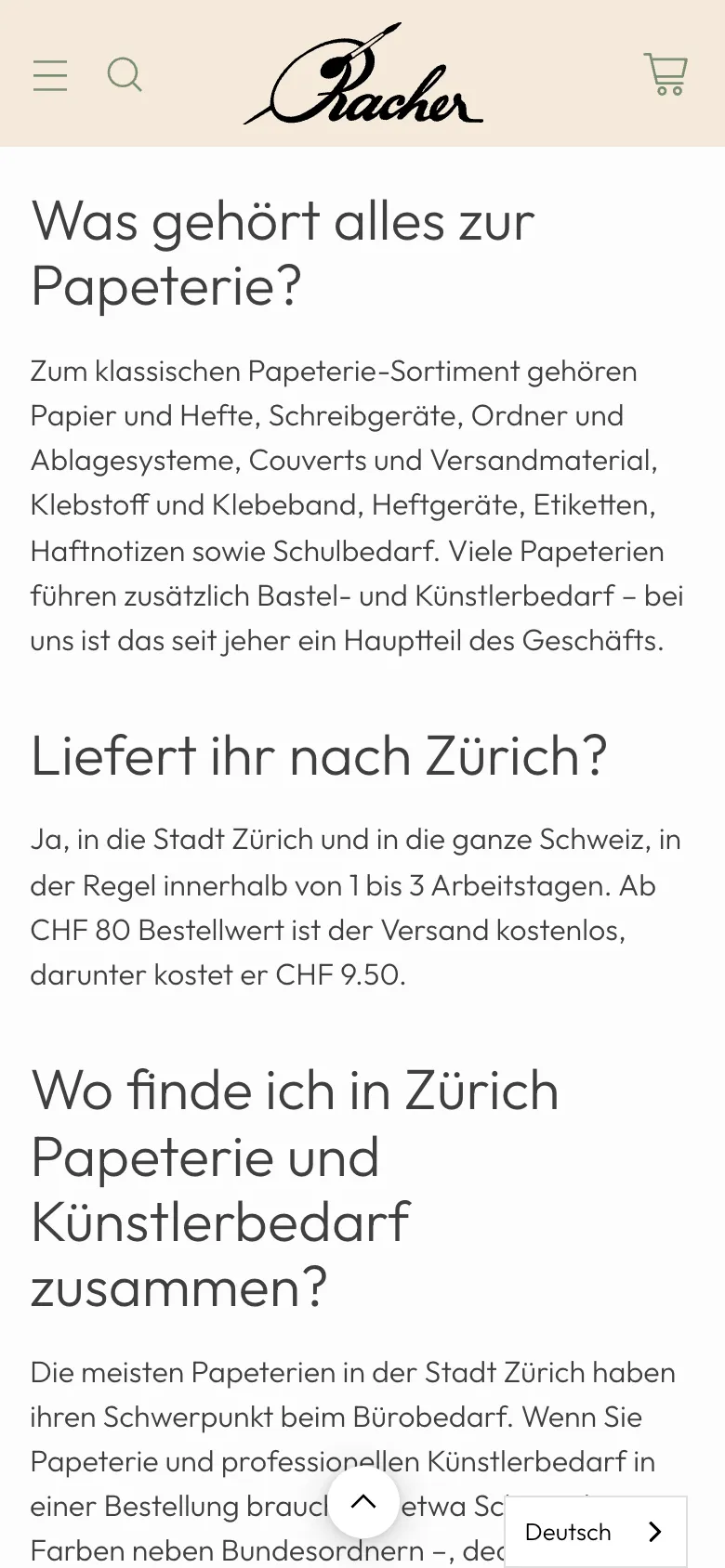
    Racher Papeterie – Step 3: Frequently asked questions

    Frequently asked questions

    The questions come from what Google shows as related questions for «Papeterie». The answers are short and direct so AI answers can quote them too.

  4. 04Step 4 / 6
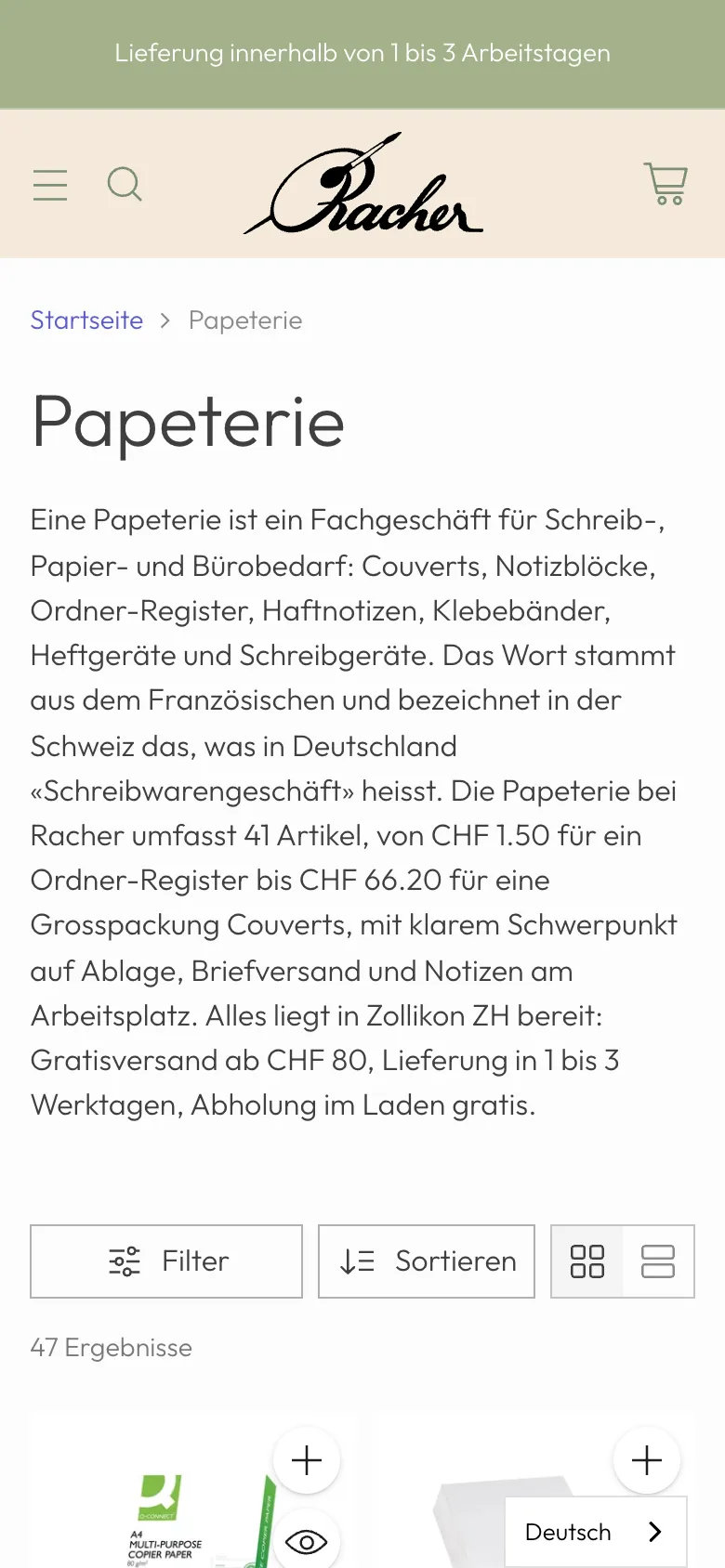
    Racher Papeterie – Step 4: «Papeterie» category

    «Papeterie» category

    The new category fills itself automatically via a tag on the products and has its own introduction with item count and price range.

  5. 05Step 5 / 6
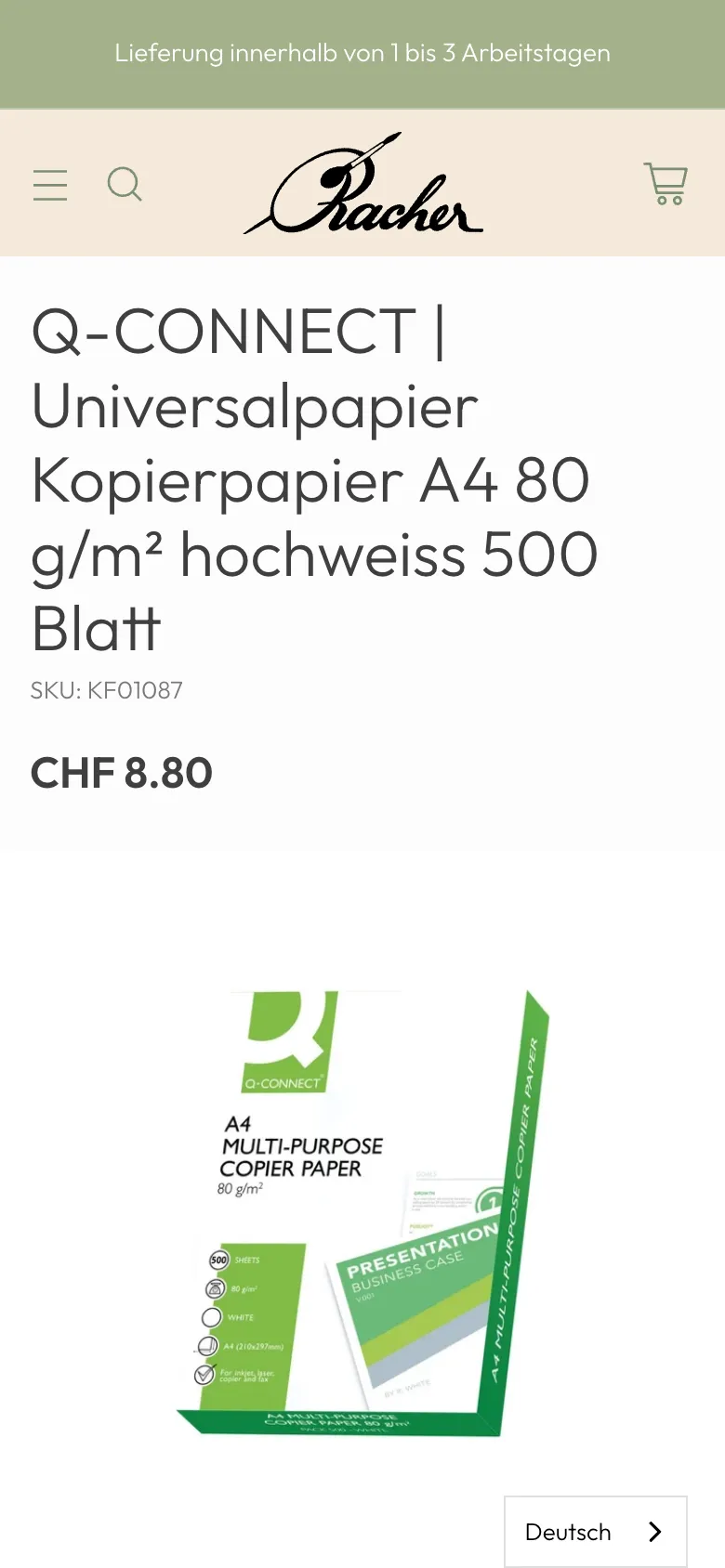
    Racher Papeterie – Step 5: Product on mobile

    Product on mobile

    Title with brand, price and item number come first, followed by the product image.

  6. 06Step 6 / 6
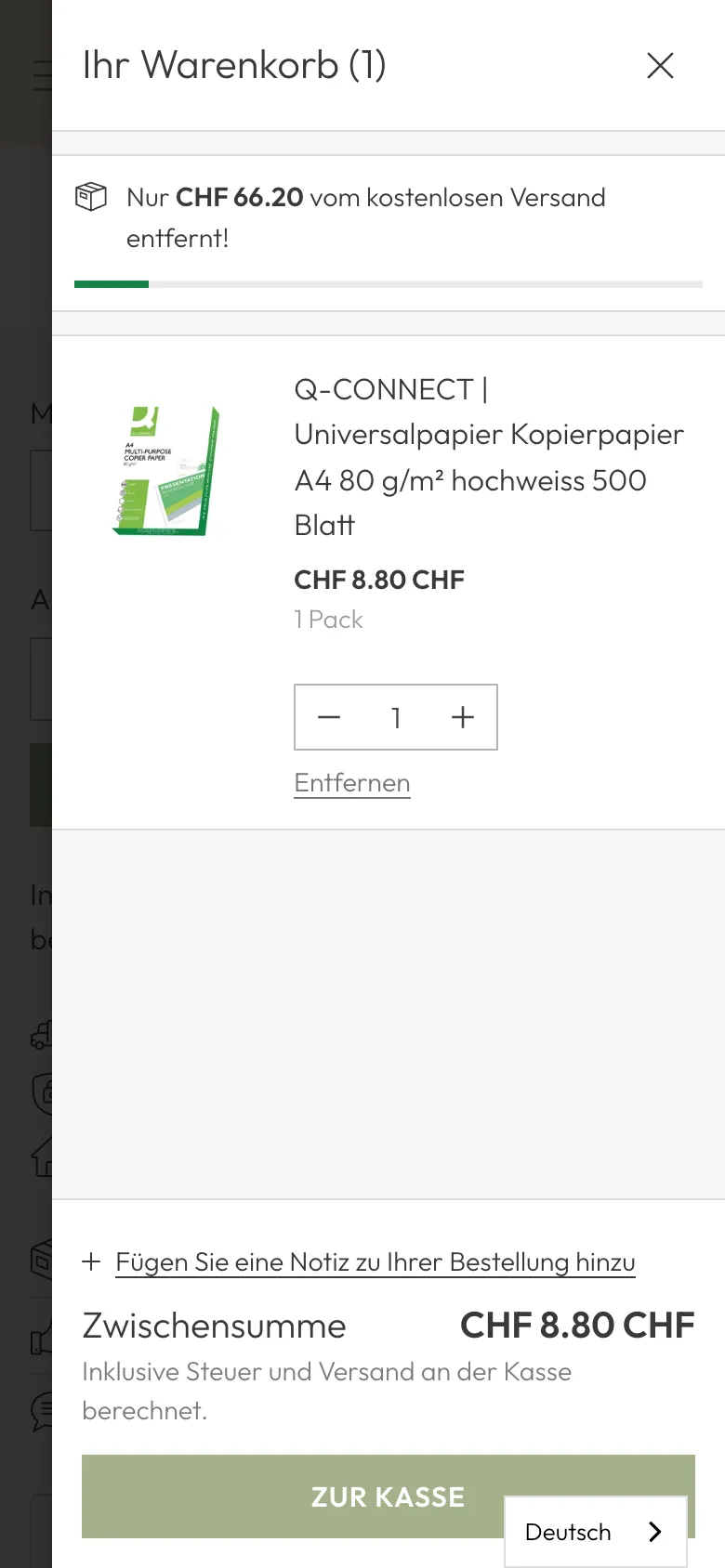
    Racher Papeterie – Step 6: Cart on mobile

    Cart on mobile

    The cart shows the amount left for free shipping and the subtotal. We did not click any further.

Swipe sideways for the next step.

Features

What the solution does

  • Audit with its own analysis database

    Products, variants, categories, images and Search Console data sit in a dedicated database. Ten specialist analyses run on it, from technical to market, producing a prioritised action plan.

  • Titles and descriptions from the page's own data

    Theme snippets build a short title from product name and brand for every product and category page, and a description with the first sentence and the real price. Manually maintained fields take precedence.

  • Product and store schema repaired

    The product schema no longer has image errors and carries brand, GTIN from each variant's barcode and ratings. The home page tells Google about the store with founding year 1936, address, phone and search action.

  • Buying guide in every category

    In three waves, every category with products received 120 to 180 words of copy: what the product does, which quality levels exist, from what price, with links to related categories.

  • New search field «Papeterie»

    An automatically filled «Papeterie» category and a local landing page «Papeterie Zürich» with range, delivery and answers to the questions Google shows for the term.

  • Product copy cleaned up

    52 duplicate product descriptions rewritten, factual errors corrected, Swiss «ss» instead of «ß» in visible text and product types standardised for 252 products.

  • Structure tidied up

    Exactly one H1 per page instead of a logo H1, corrected category address including menu, catch-all collections set to noindex and a full contact page instead of a single line.

  • Backup before every wave

    Before every content wave, categories, pages, metafields, menus and theme changes are saved as old/new pairs with rollback instructions. Changes run on a preview theme first.

Mobile

On the smartphone

  • Racher Papeterie – «Acrylic paints» category with buying guide and internal links
    «Acrylic paints» category with buying guide and internal links
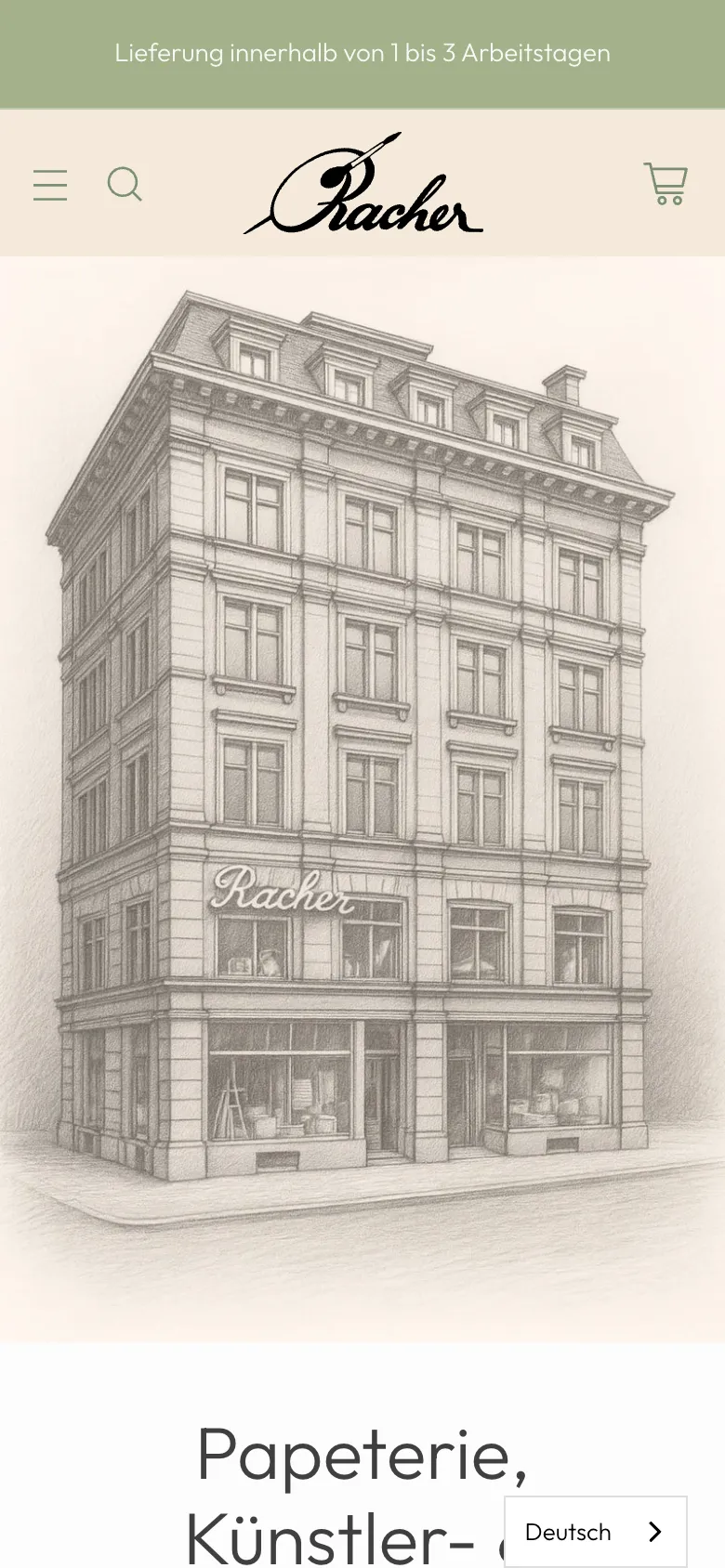
  • Racher Papeterie – Home page on mobile: stationery, art and craft supplies since 1936
    Home page on mobile: stationery, art and craft supplies since 1936
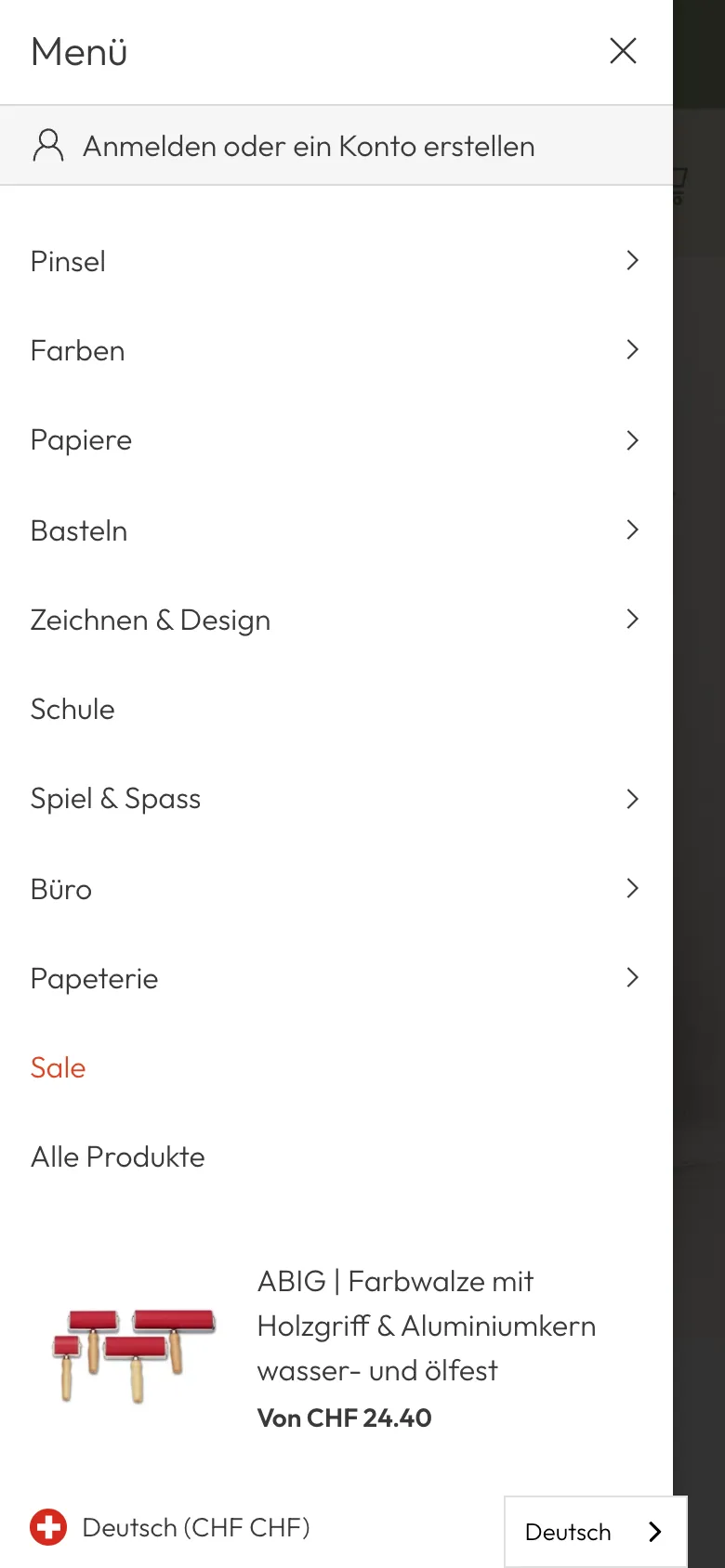
  • Racher Papeterie – Mobile menu with the main sections from brushes to stationery
    Mobile menu with the main sections from brushes to stationery

Swipe sideways for more views.

Screens

What it looks like

  • Shopify shop home page with a single H1 and main navigation
  • New local landing page «Papeterie Zürich»

FAQ

Frequently asked questions

Can you do SEO on an existing Shopify shop without rebuilding it?

Yes. At Racher the shop theme stayed in place. We added individual snippets for titles, descriptions and schema, maintained categories and product copy via the Shopify API and tidied up the structure. Checkout and orders stayed unchanged.

How do you avoid errors on a live shop?

Before each wave we create a full backup with instructions for rolling back every change. Theme changes run on a preview theme first. Only then do we go live and check title, description and schema directly on the live page.

Why copy on category pages?

To Google, a category without copy is just a product list. With 120 to 180 words of buying guide, the page explains what the product does, which quality levels exist and from what price, and links related categories. That helps customers choose and search engines classify.

Where does the price in the Google snippet come from?

A theme snippet reads the current price from the shop data and puts it into the description. When the price changes in the shop, the description changes too. Manually maintained descriptions take precedence.

Solutions

Solutions from this project

Work

Similar projects

Your project

A project like this for your business?

Websites from CHF 3,000 to CHF 25,000, web apps from CHF 10,000. We deliver a website within 2 weeks once all materials are in.