Online Ordering Shop (Shopify)2024Live

Client: Don Leone Gruppe

Don Leone Delivery.

Online ordering shop on Shopify for Don Leone Delivery, the pizza delivery service from Thalwil. Guests put together their order from around 100 pizzas, pasta dishes, salads, desserts and drinks; the shop checks the postcode, shows the zone's minimum order and offers delivery or pickup.

  • Online shop
Scope
Online shop
Year
2024
Services & technology
  • Shopify
  • Delivery zones by postcode (Shopify app)
  • Product options
  • Newsletter

Case study

What Don Leone Gruppe needed and what we built

The challenge

A delivery service doesn't deliver everywhere on the same terms. Don Leone drives from Thalwil to places on the left shore of Lake Zurich and in the Sihl valley, and the further away, the larger the order must be to make the trip worthwhile. Guests should see this immediately rather than fail at checkout, and orders should come in directly via the business's own site.
Our solution

We set up the ordering shop on Shopify, with the menu as collections and product options for sizes and variants. A Shopify app for local delivery checks the postcode: «We deliver to your area» or a note to choose another delivery method. Delivery or pickup date and pickup as an alternative are included. The «Delivery areas» page shows the zones with minimum orders from CHF 25 in Thalwil and Rüschlikon to CHF 70 in Richterswil. Payment is online by card, PayPal, Apple Pay, Google Pay or Twint, or cash and card on delivery. Newsletter, customer accounts and links to the Don Leone restaurants complete the shop.

Architecture

How it fits together

The building blocks behind Don Leone Gruppe and how data flows between them.

UserFrontendAdminServer / APIExternal service
Connections: Guest → Shopify storefront (Choose dishes); Shopify storefront → Delivery app (postcode, date, pickup) (Check postcode); Delivery app (postcode, date, pickup) → Shopify checkout (Zone, date); Shopify checkout → Payment providers (incl. Twint) (Pay); Shopify checkout → Kitchen and drivers (Order); Shopify storefront → Newsletter tool (Sign-up)

Site structure

How the website is structured

donleone-delivery.ch5 sections · 12 subpages
  • Home page
  • 9Main menu
    • 3Pizza
    • Pasta
    • Sapore d'Italia
    • Salad
    • Dessert
    • 2Drinks
    • 4Red, white & sparkling wines
    • About us
    • Delivery areas
  • 16Collections
  • 101Products
  • 3Pages
    • Delivery areas
    • About us
    • Contact
Simplified view of the site structure. Page counts from a live check (sitemap) on 12 October 2026.

Flow

Who does what, step by step

  • Customer
  • Business
  • System
  1. Customer

    Find the shop

    The guest searches for pizza delivery in Thalwil and lands in the shop.

  2. Customer

    Put the order together

    They choose pizzas, pasta and drinks including size and options.

  3. System

    Check the postcode

    The shop checks the postcode, reports whether delivery is possible and which minimum order applies.

  4. Customer

    Delivery or pickup, pay

    They choose delivery or pickup with a date and pay online or on delivery.

  5. Business

    Prepare and deliver

    The order appears in Shopify, the kitchen prepares it and the driver delivers to the zone.

  6. Business

    Maintain menu and zones

    The business maintains products and prices in Shopify, and zones and delivery days in the delivery app.

Step by step

How it works in practice

Real screenshots along the flow.

From entry to cart with delivery check

The ordering path on desktop up to the postcode check. As an example we entered the public postcode 8800 Thalwil and stopped before checkout.

  1. 01Step 1 / 6
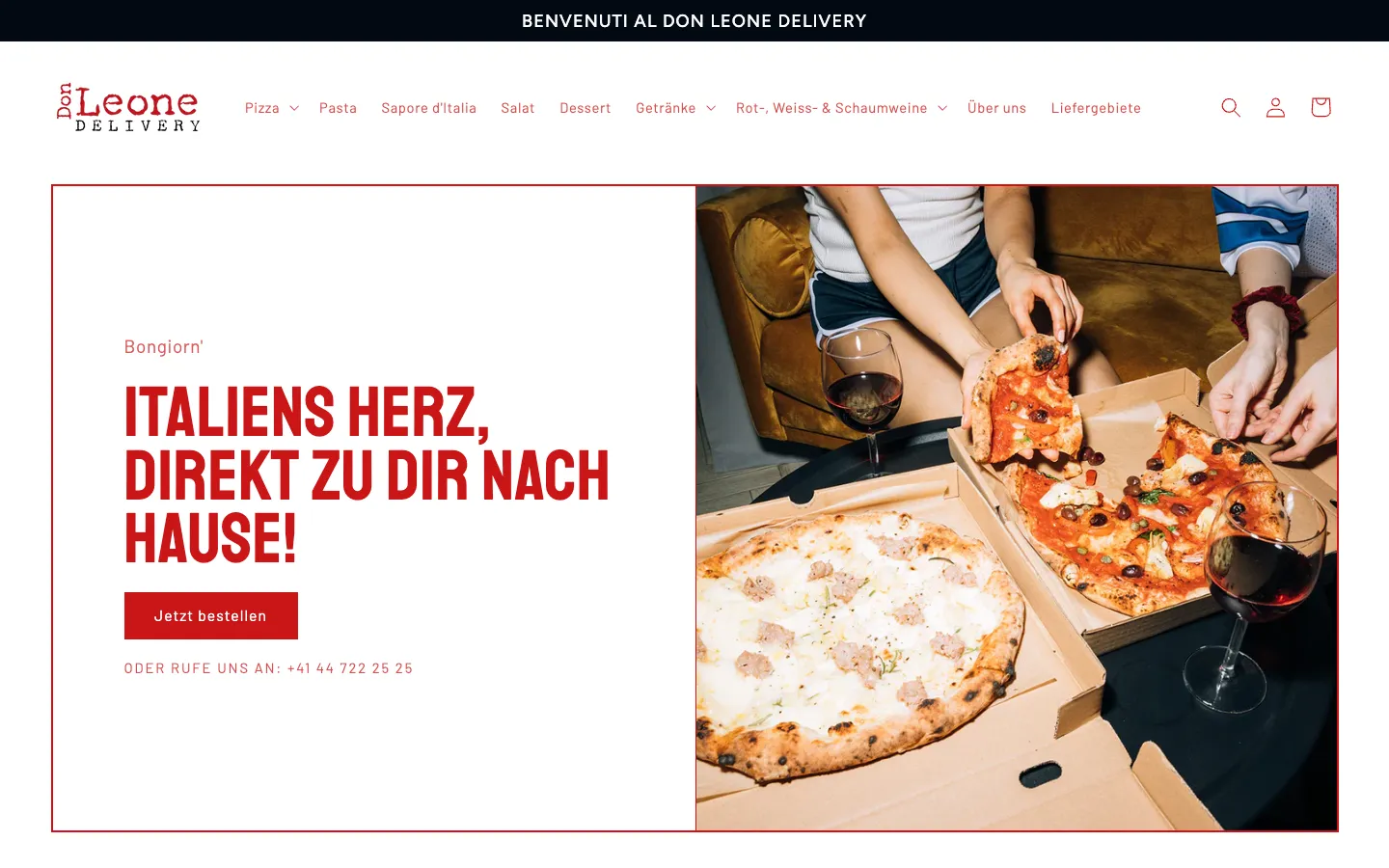
    Don Leone Delivery – Step 1: Home page

    Home page

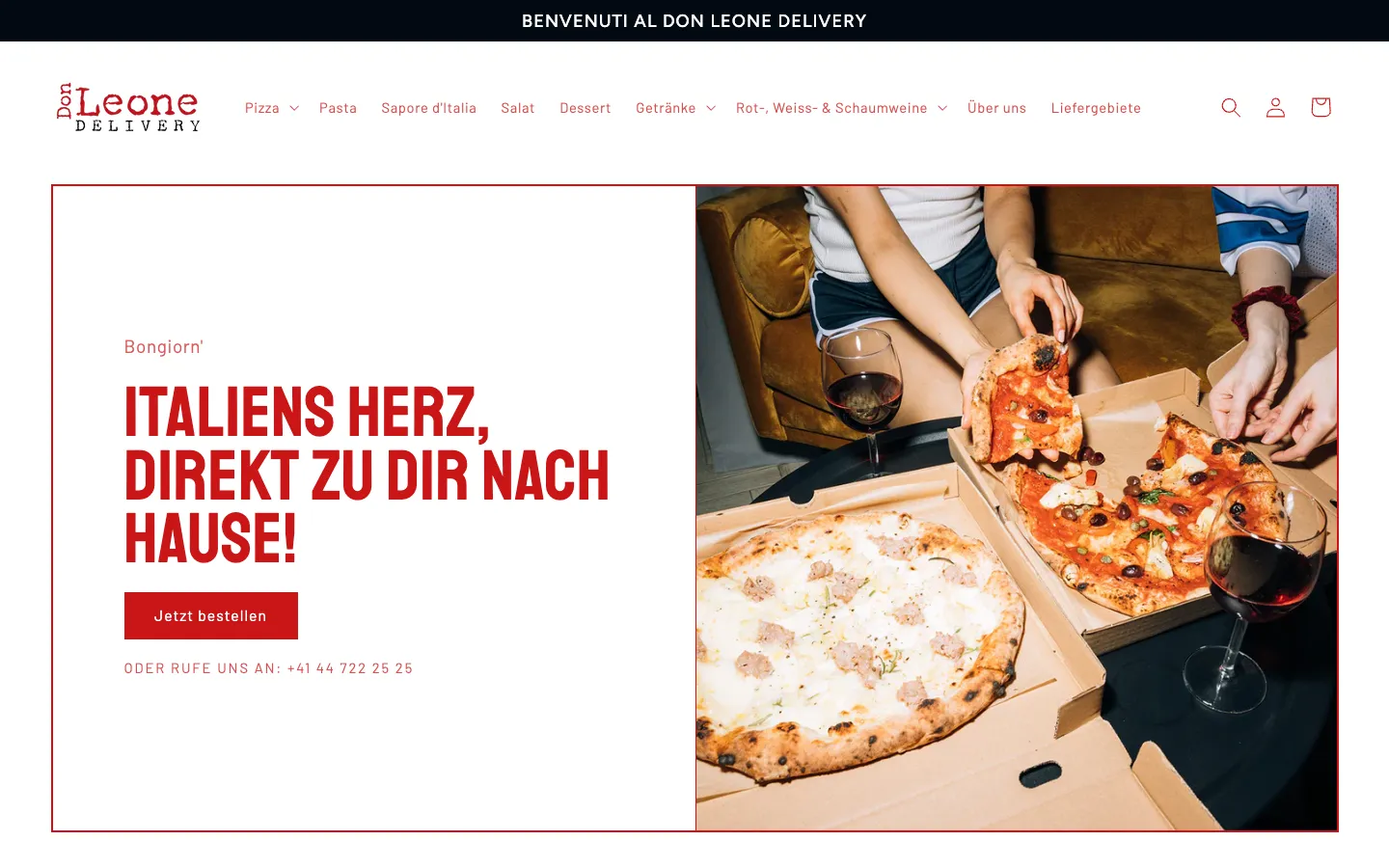
    One sentence, an «Order now» button and the phone number for those who prefer to call. The menu categories sit in the navigation at the top.

  2. 02Step 2 / 6
    Don Leone Delivery – Step 2: Pizza collection

    Pizza collection

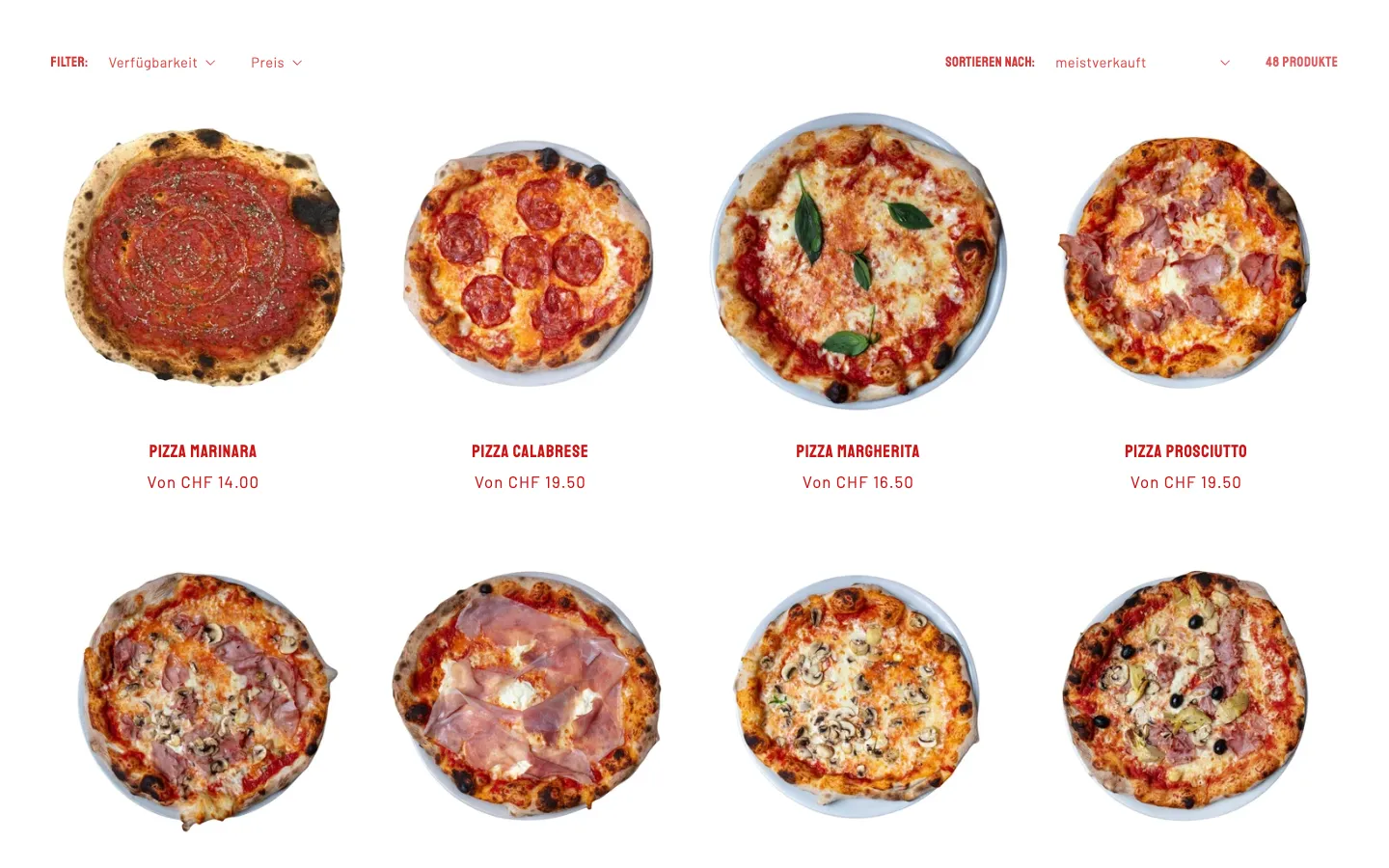
    48 pizzas with image, name and price from the base size. Filters for availability and price, sorted by best-selling.

  3. 03Step 3 / 6
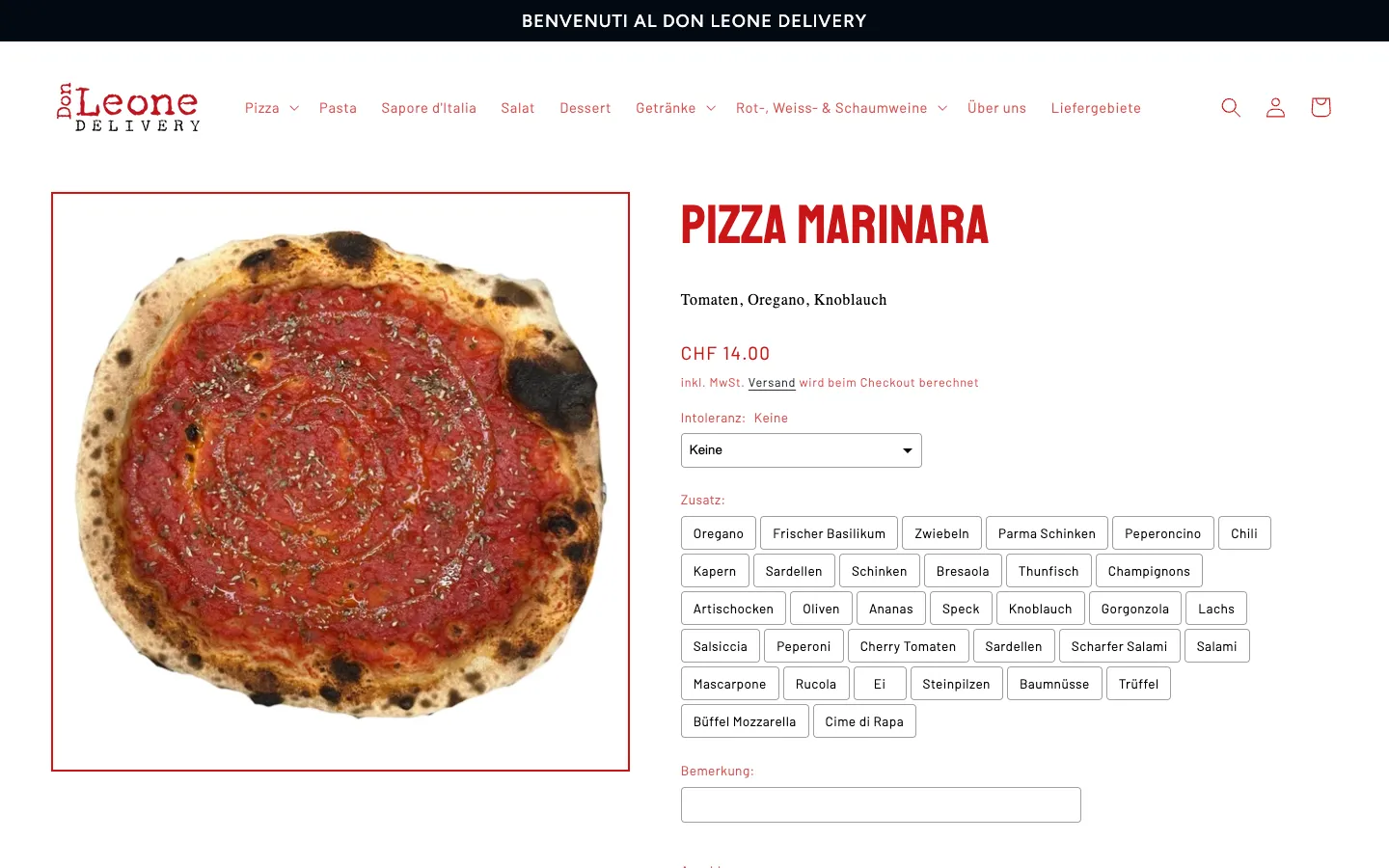
    Don Leone Delivery – Step 3: Dish with options

    Dish with options

    On the product page, guests choose intolerances and extra toppings as tappable fields and can leave a note for the kitchen.

  4. 04Step 4 / 6
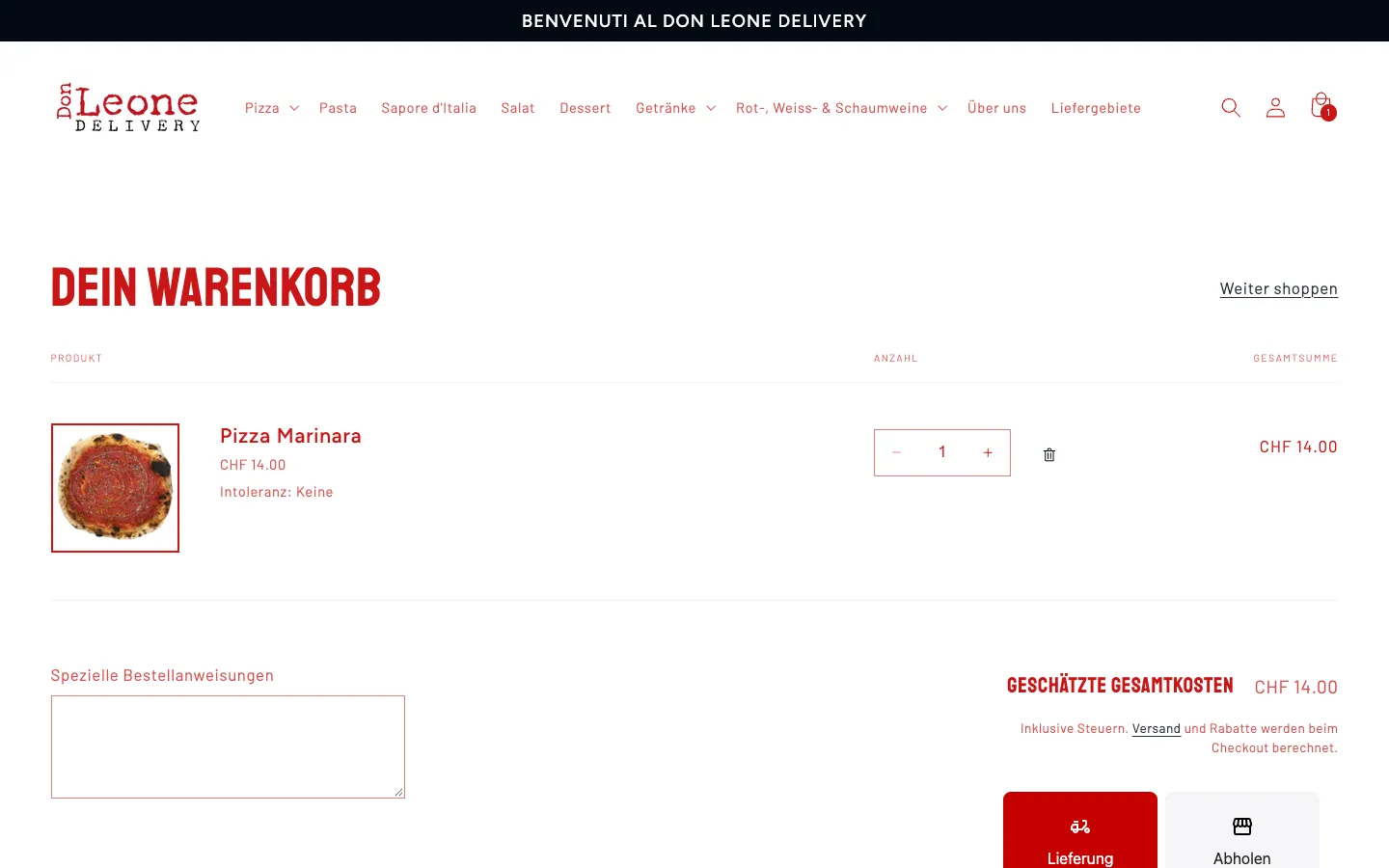
    Don Leone Delivery – Step 4: Cart

    Cart

    The cart shows the dish, options and total. Below, the guest chooses between delivery and pickup.

  5. 05Step 5 / 6
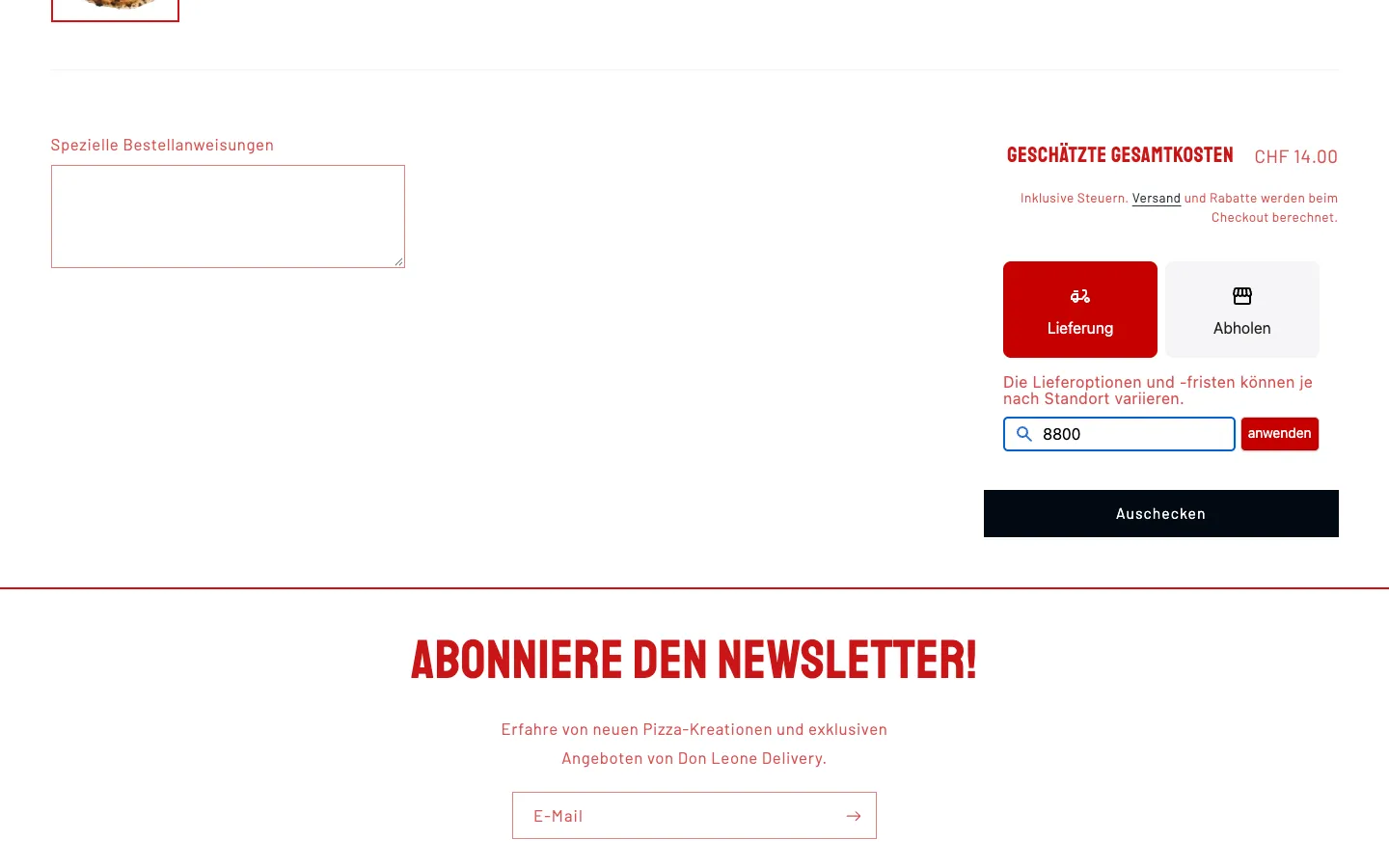
    Don Leone Delivery – Step 5: Enter the postcode

    Enter the postcode

    For «Delivery», the shop asks for the postcode before checkout. Nobody finds out only at payment that their address is out of range.

  6. 06Step 6 / 6
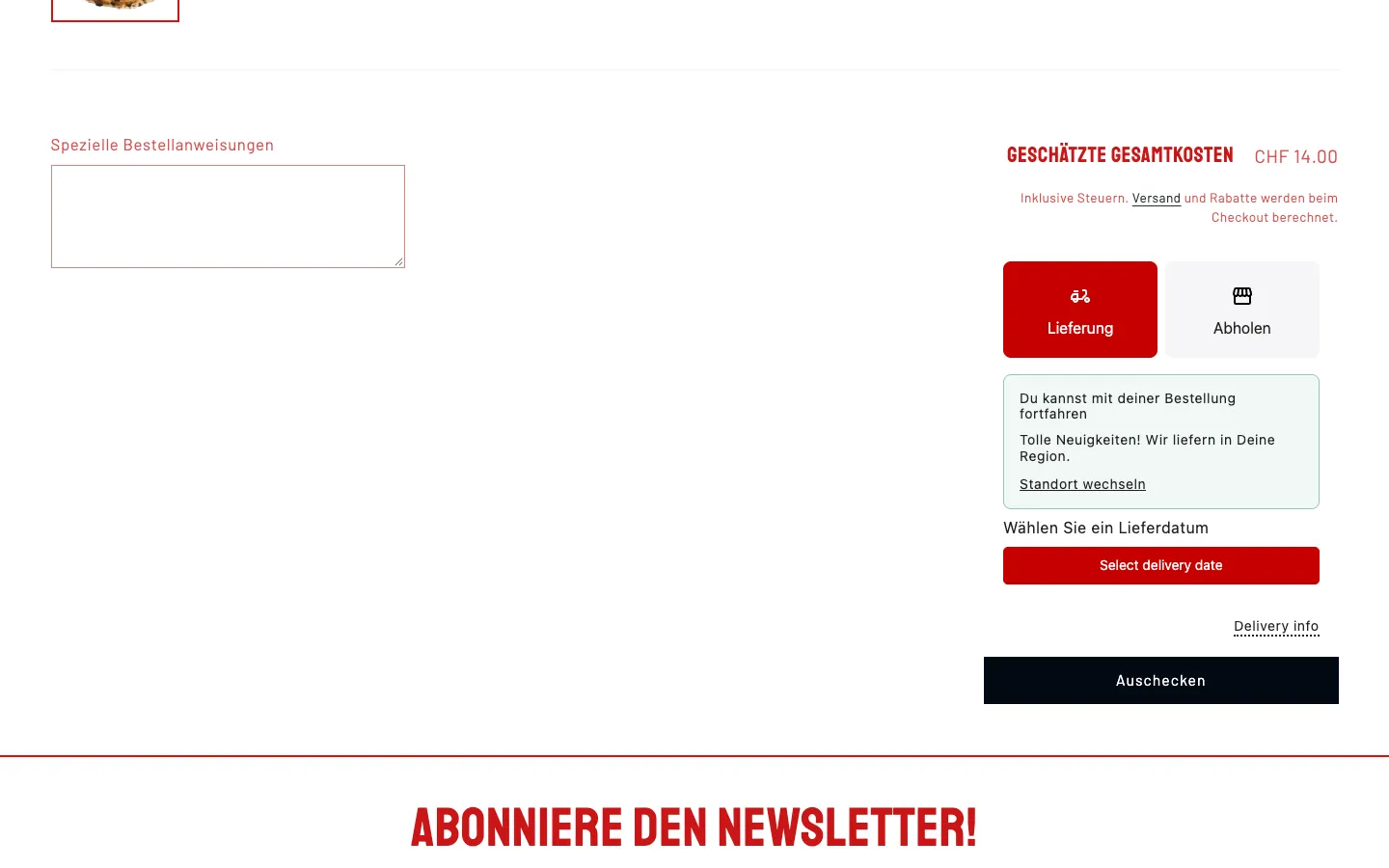
    Don Leone Delivery – Step 6: Delivery confirmation and date

    Delivery confirmation and date

    For 8800 the delivery app confirms «We deliver to your area» and offers a choice of delivery date. The walkthrough ends here, before checkout.

Swipe sideways for the next step.

Ordering on mobile

The same path on a phone, where most orders begin.

  1. 01Step 1 / 5
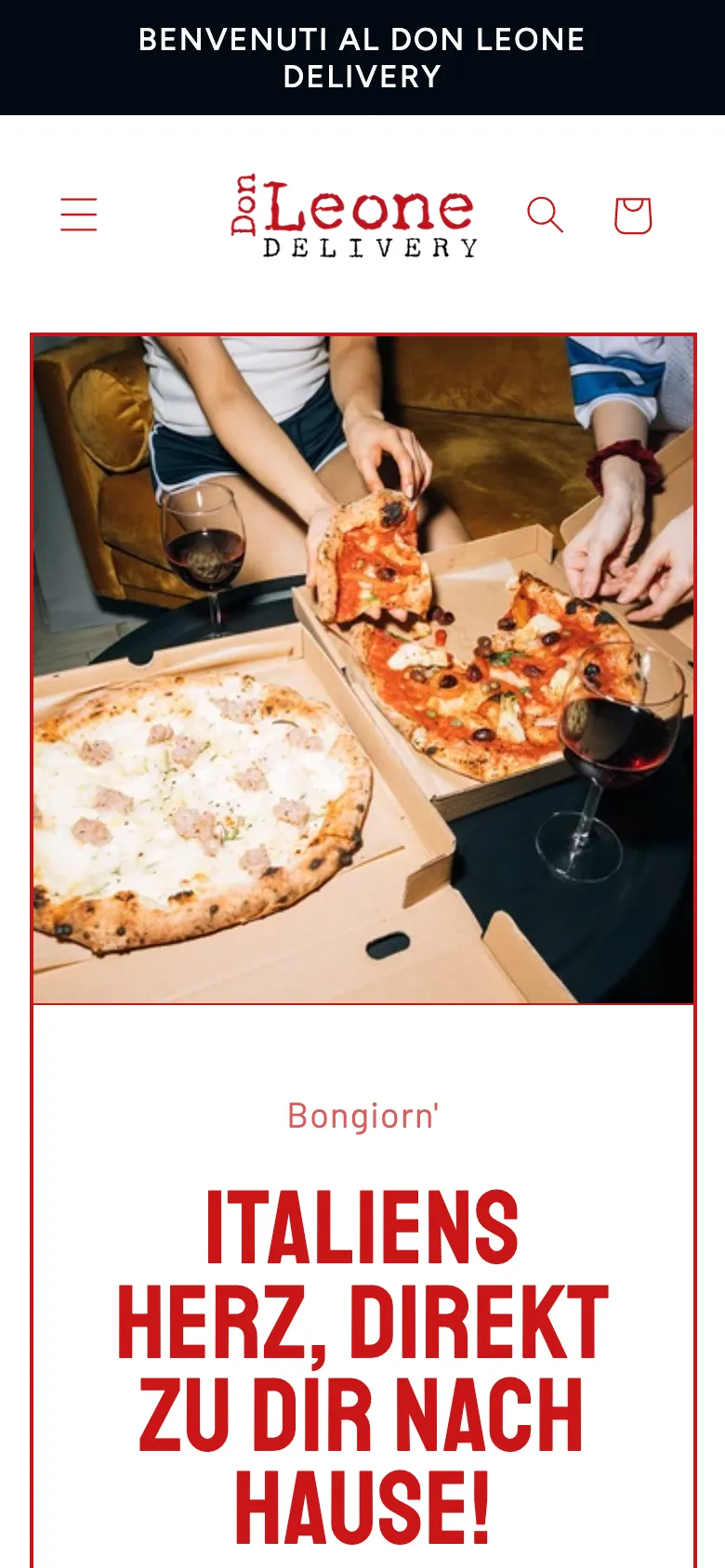
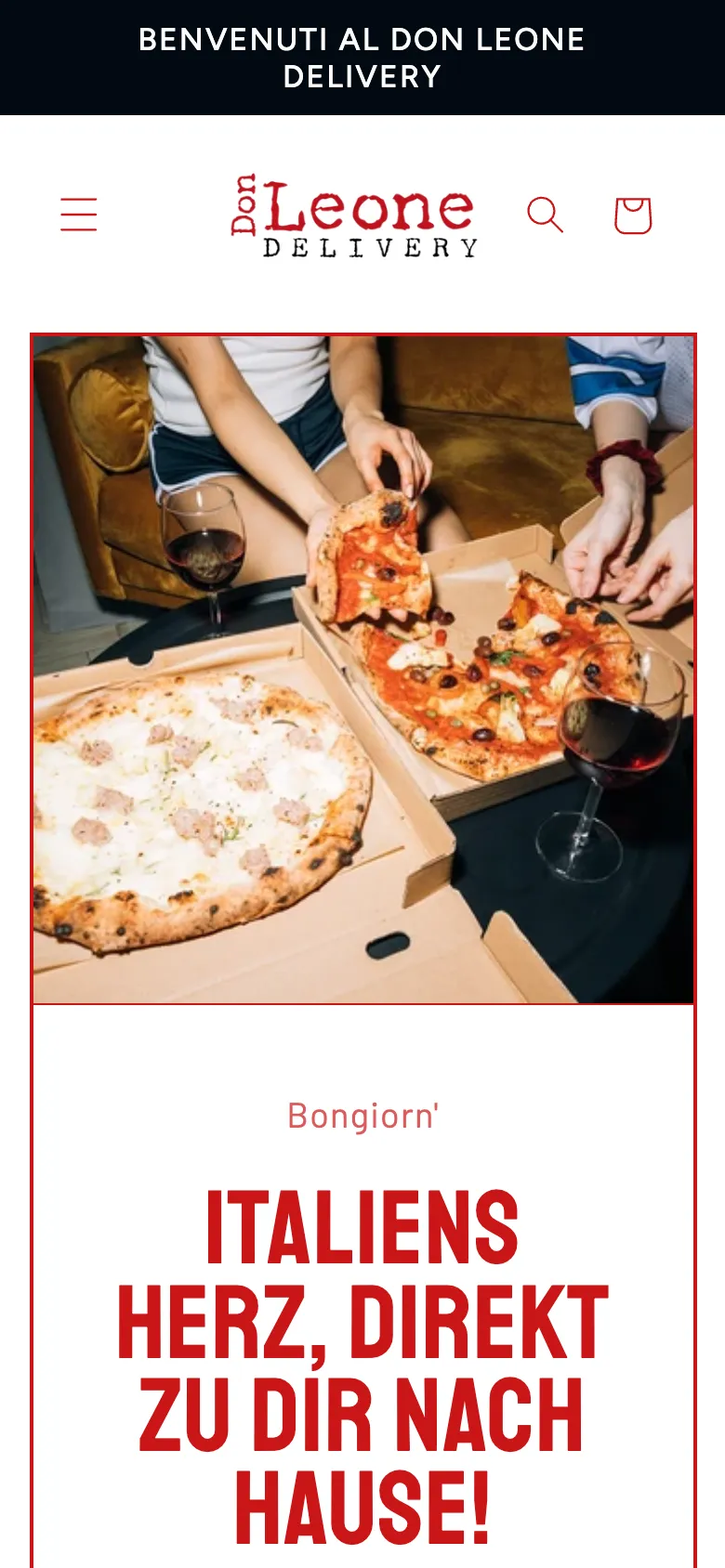
    Don Leone Delivery – Step 1: Home page on mobile

    Home page on mobile

    Image, cart and menu are within thumb reach, and «Order now» follows right below the headline.

  2. 02Step 2 / 5
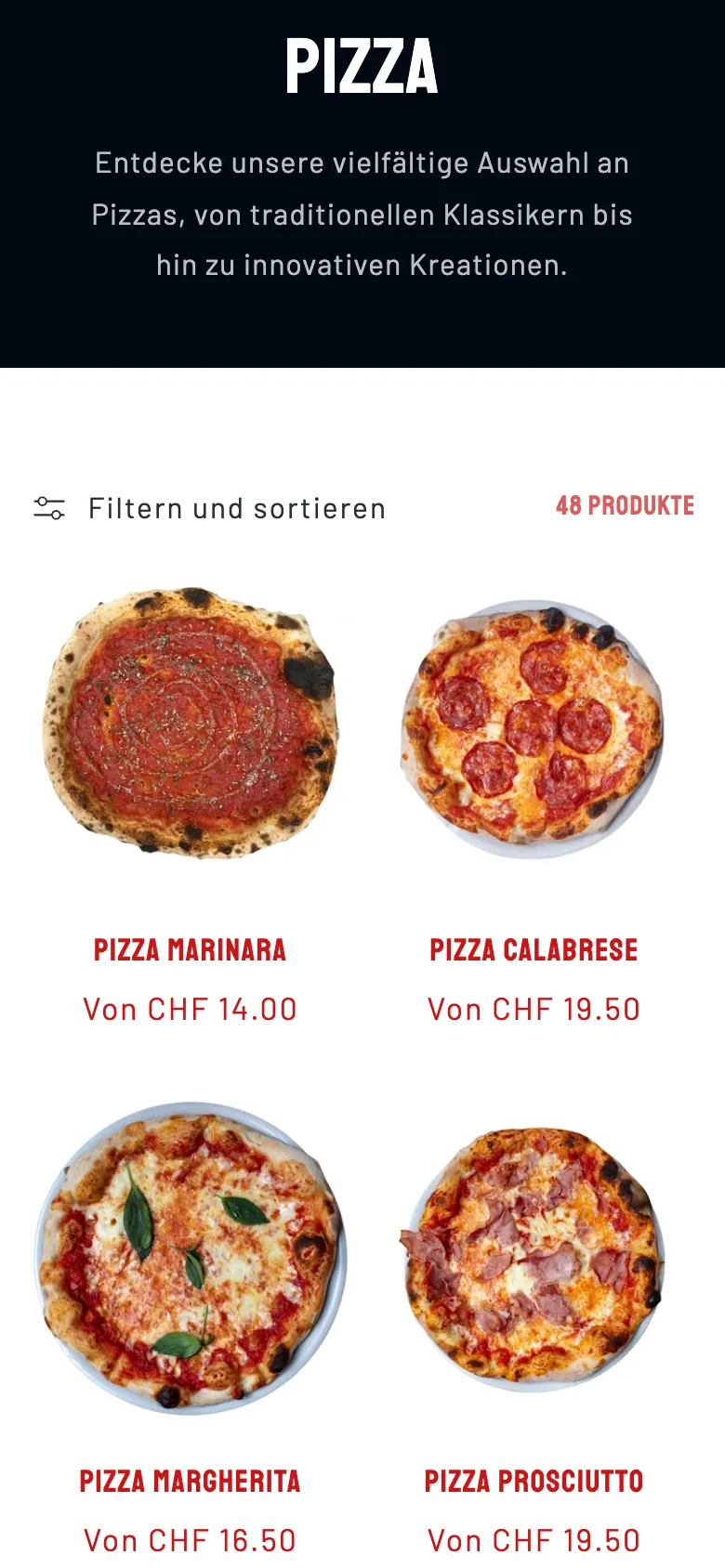
    Don Leone Delivery – Step 2: Pizzas in a grid

    Pizzas in a grid

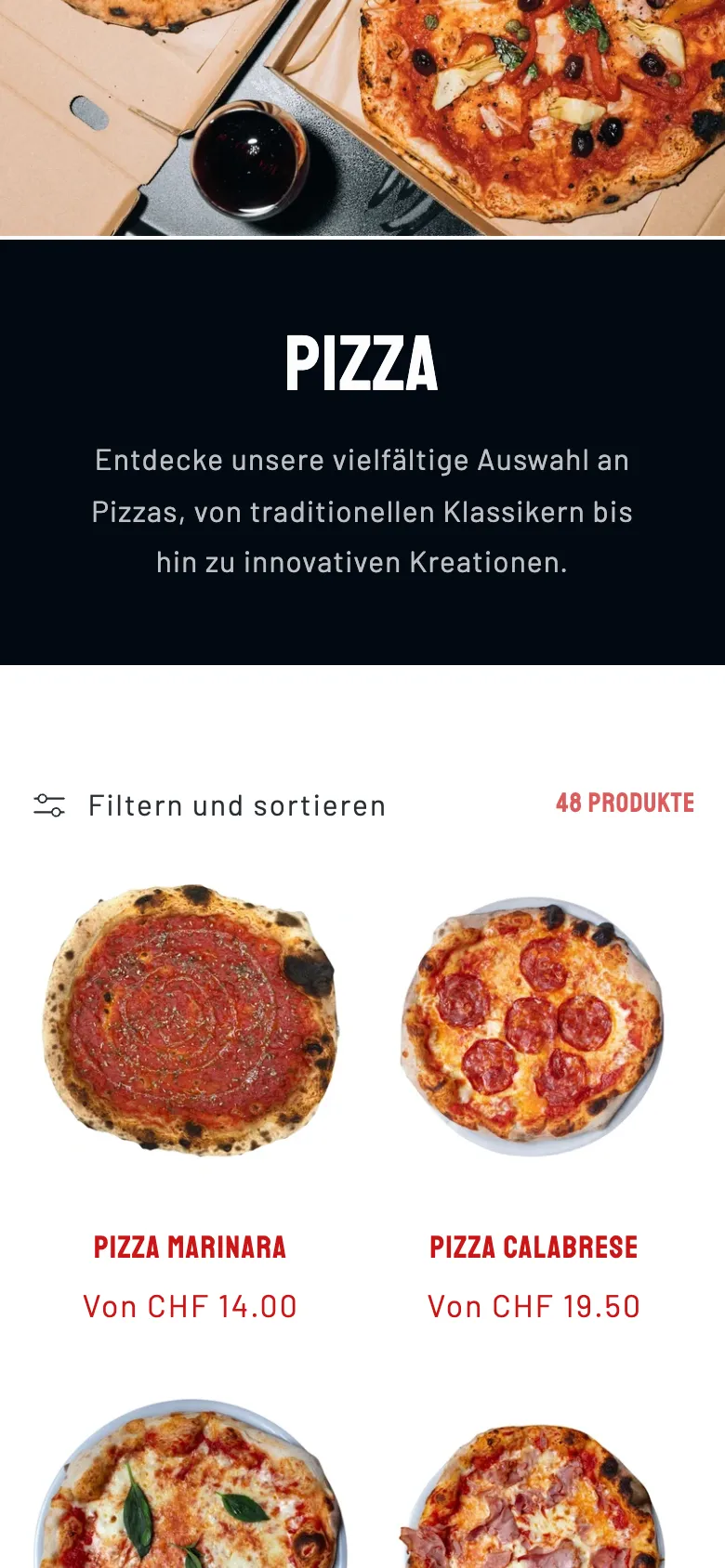
    Two columns with image, name and starting price. «Filter and sort» sits on one line at the top.

  3. 03Step 3 / 5
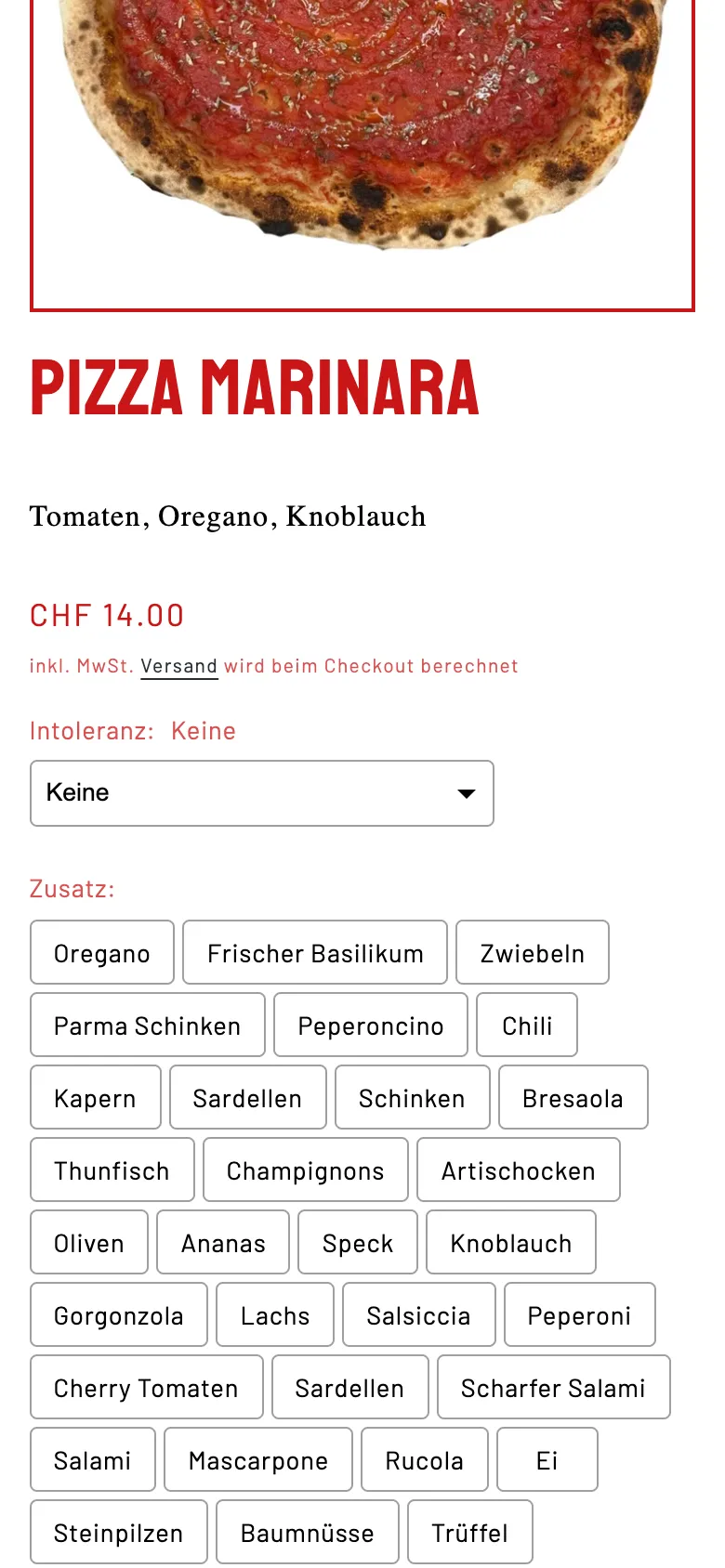
    Don Leone Delivery – Step 3: Tap the extras

    Tap the extras

    Intolerance and extras are large enough to tap without zooming.

  4. 04Step 4 / 5
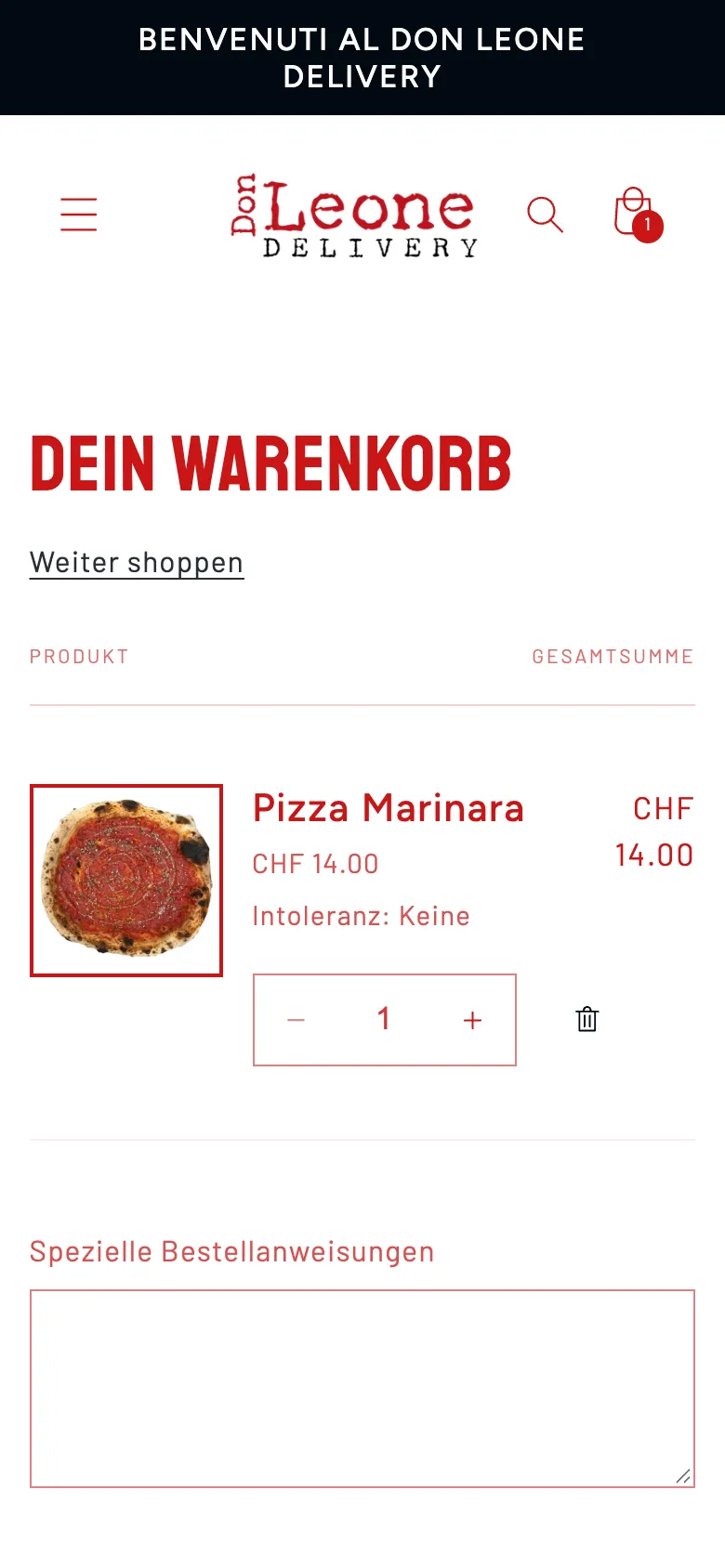
    Don Leone Delivery – Step 4: Cart

    Cart

    Dish, quantity and total at a glance.

  5. 05Step 5 / 5
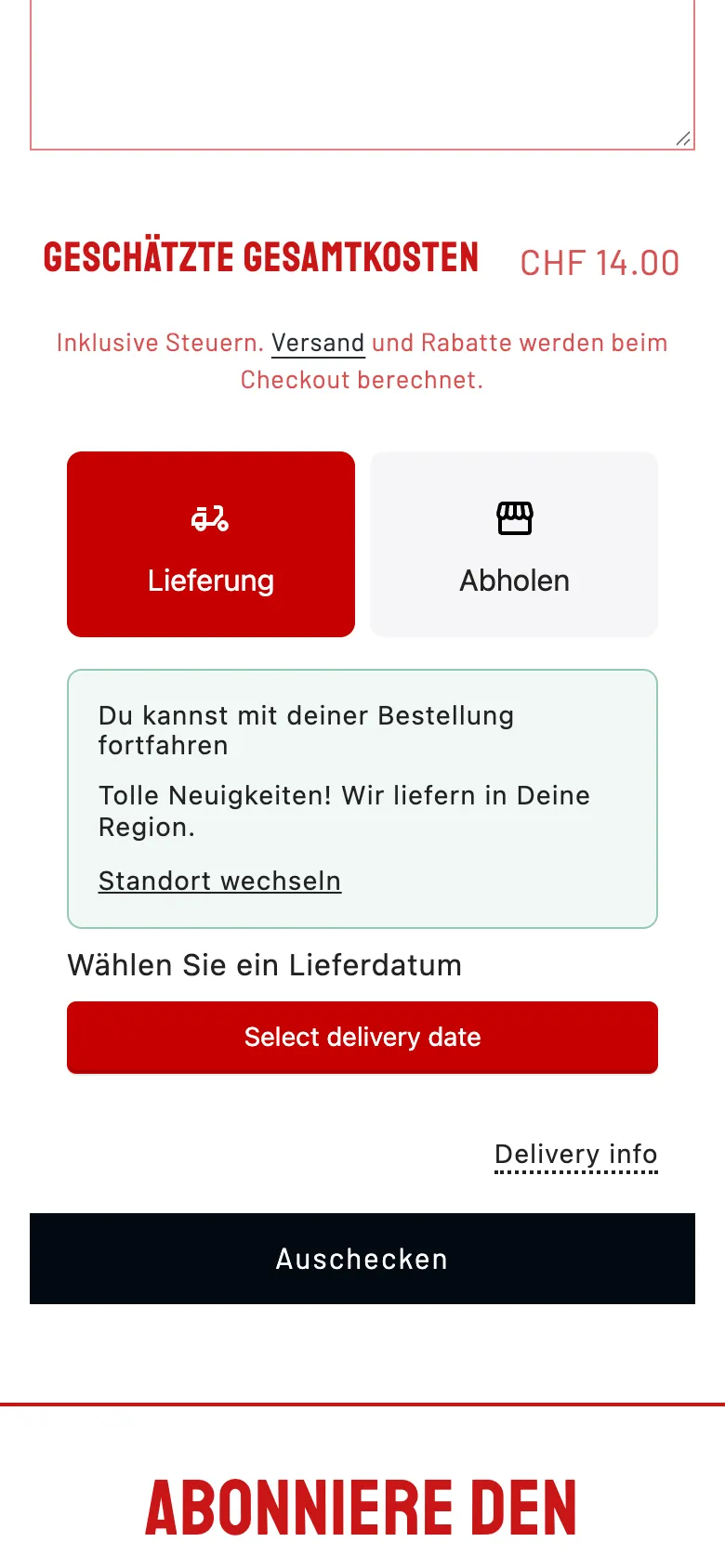
    Don Leone Delivery – Step 5: Delivery check on mobile

    Delivery check on mobile

    Delivery chosen, postcode checked, confirmation received, delivery date selectable. We did not click any further.

Swipe sideways for the next step.

Features

What the solution does

  • Menu as an ordering shop

    Pizzas, pasta, salads, desserts, drinks and wines as collections with around 100 products. Cart and checkout run on Shopify.

  • Options per dish

    Guests choose sizes and variants right on the product via «Select options» before it goes into the cart.

  • Postcode check

    A Shopify app for local delivery checks the postcode and reports immediately whether delivery is possible. If the address is outside, the shop suggests another delivery method.

  • Minimum order per zone

    Five zones from CHF 25 (Thalwil, Rüschlikon) through CHF 35, 50 and 60 to CHF 70 (Richterswil). Below that, delivery costs appear in the cart.

  • Delivery or pickup

    Guests choose delivery or pickup and the date. According to the shop, delivery usually takes 30 to 45 minutes.

  • Pay online or at the door

    Credit card, PayPal, Apple Pay, Google Pay and Twint at checkout, or cash or card on delivery.

  • Newsletter and customer account

    Newsletter sign-up in the footer and a customer account for returning guests.

  • Links to the restaurants

    The «Discover the world of Don Leone» section links the group's four restaurants.

Mobile

On the smartphone

  • Don Leone Delivery – Home page on mobile
    Home page on mobile
  • Don Leone Delivery – Pizza collection with prices from base size
    Pizza collection with prices from base size
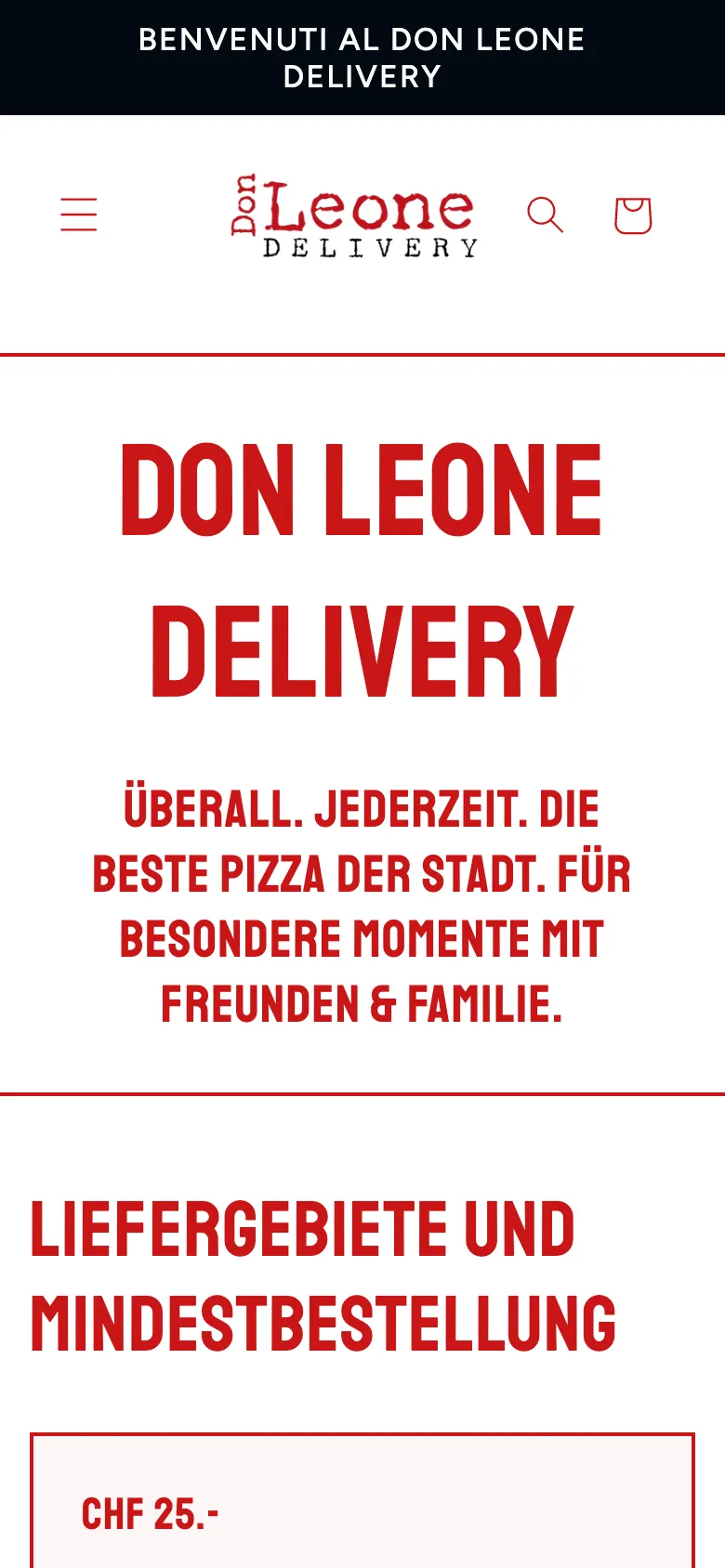
  • Don Leone Delivery – «Delivery areas» page on mobile, starting with the CHF 25 zone
    «Delivery areas» page on mobile, starting with the CHF 25 zone
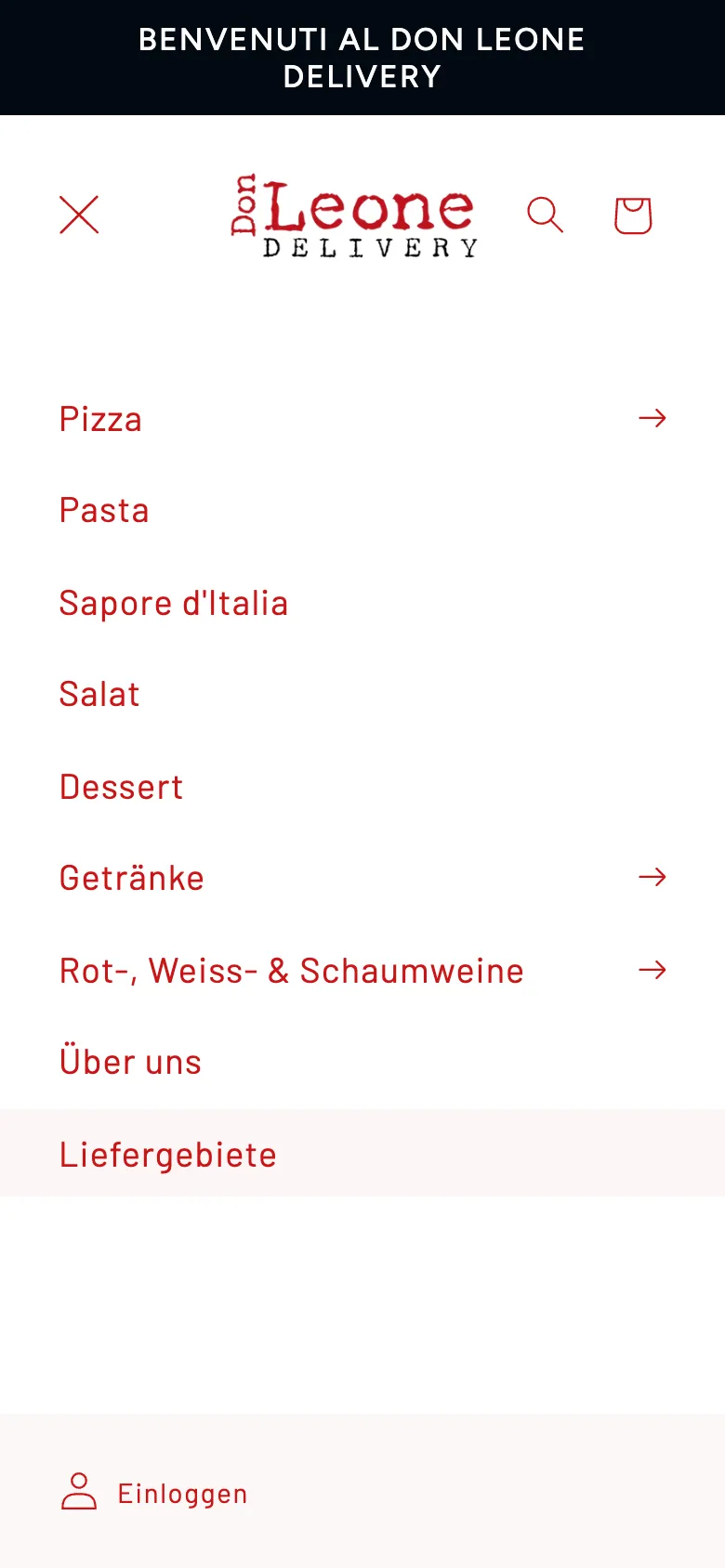
  • Don Leone Delivery – Mobile menu: menu categories, about us and delivery areas
    Mobile menu: menu categories, about us and delivery areas

Swipe sideways for more views.

Screens

What it looks like

  • Home page with «Order now» and phone number
  • Delivery areas with minimum order per zone

FAQ

Frequently asked questions

How do the delivery zones work?

The guest enters their postcode, and the shop reports immediately whether delivery is possible. Each zone has its own minimum order: CHF 25 in Thalwil and Rüschlikon, CHF 35 in places such as Adliswil, Horgen and Langnau am Albis, CHF 50 in Au ZH, CHF 60 in Wädenswil and CHF 70 in Richterswil. Below that, delivery costs apply.

Is this custom software?

No, and that's on purpose. Postcode check, delivery and pickup dates run via a Shopify app for local delivery that we set up and configured with the business's zones. The shop stays maintainable, and the business manages the zones itself.

Which payment methods are available?

Online: credit card, PayPal, Apple Pay, Google Pay and Twint. Those who prefer to pay at the door pay cash or by card on delivery.

Is pickup possible?

Yes. During ordering, the guest chooses between delivery and pickup and sets the date.

Solutions

Solutions from this project

Work

Similar projects

Your project

A project like this for your business?

Websites from CHF 3,000 to CHF 25,000, web apps from CHF 10,000. We deliver a website within 2 weeks once all materials are in.