Contact

What are you interested in?

Web App & Inquiry Assistant2026Live

Client: Events Züri

Inquiry Wizard for Events Züri.

Events Züri's event inquiry form as a standalone web app: a seven-step assistant captures inquiries from private clients, companies, event agencies and caterers, from the type of event via date, guest count and budget to technical needs and contact details. The goal: every inquiry includes date, guest count and budget, so follow-up questions fall away.

  • Web app
Scope
Web app
Year
2026
Services & technology
  • Web App
  • Inquiry Assistant
  • UX Design
  • React
  • Lead Generation

Case study

What Events Züri needed and what we built

The challenge

Events Züri arranges event venues and catering in Zurich. People looking for a venue often send a short email: «Do you have something for our company dinner?» Without a date, headcount, time slot or budget, no proposal is possible, and every inquiry first needs two or three follow-up questions. On top of that, the senders differ widely: a private person plans a wedding, a company a seminar, an agency searches for its client, a caterer needs a venue. One form had to work for all of them without feeling long or complicated.
Our solution

We built the inquiry form as a standalone web app at anfrage.events-zueri.ch: an assistant with exactly one topic per screen. First «Who is making this inquiry?» with four cards, then «What exactly are you looking for?» with six options from venue-only rental to a venue with suggested catering. One tap is enough and the assistant moves on. Next come the occasion as chips and the guest count with plus and minus in steps of ten, an own calendar with time slot, an option for multi-day events and an alternative date, preferences for style and location, the budget per person or in total with technical equipment and entertainment, and finally the contact details. «Next» only becomes active once a step's required fields are set, and a progress bar shows how far there is to go. The complete inquiry is sent to the server in a structured form, and the sender immediately sees that a reply will follow within 24 to 48 hours.

Architecture

How it fits together

The building blocks behind Events Züri and how data flows between them.

UserFrontendServer / API
Connections: Inquirer → events-zueri.ch; events-zueri.ch → Inquiry web app (7 steps) («Inquiry» link); Inquirer → Inquiry web app (7 steps) (Step by step, required fields); Inquiry web app (7 steps) → Server /api/submit (complete inquiry as JSON)

Site structure

How the website is structured

anfrage.events-zueri.ch1 sections · 7 subpages
  • 1Inquiry form (one page)
    • Who is asking?
    • What exactly are you looking for?
    • Event details
    • Date and time
    • Your preferences
    • Budget and equipment
    • Contact details
Simplified view of the site structure. Page counts from a live check (sitemap) on 12 October 2026.

Flow

Who does what, step by step

  • Customer
  • System
  1. Customer

    1 · Who is asking?

    Private client, company, event agency or caterer, one tap is enough.

  2. Customer

    2 · What is needed?

    Venue with or without catering, with own or suggested catering, catering only or consultation.

  3. Customer

    3 · Occasion and guests

    Choose the occasion as a chip and set the guest count with plus and minus.

  4. Customer

    4 · Date and time

    Day in the own calendar, start and end time, optionally multi-day or with an alternative date.

  5. Customer

    5 · Preferences

    Venue style and preferred area, optional.

  6. Customer

    6 · Budget and setup

    Budget per person or in total, equipment, entertainment and special requests.

  7. Customer

    7 · Contact and submit

    Name, email, phone, canton and privacy consent, then submit.

  8. System

    Inquiry submitted

    The inquiry goes to the server in structured form; according to the confirmation page, a reply follows within 24 to 48 hours.

Step by step

How it works in practice

Real screenshots along the flow.

The event inquiry in 7 steps

The inquiry form on anfrage.events-zueri.ch, captured on 12 October 2026. Filled in with sample values; nothing was submitted.

  1. 01Step 1 / 7
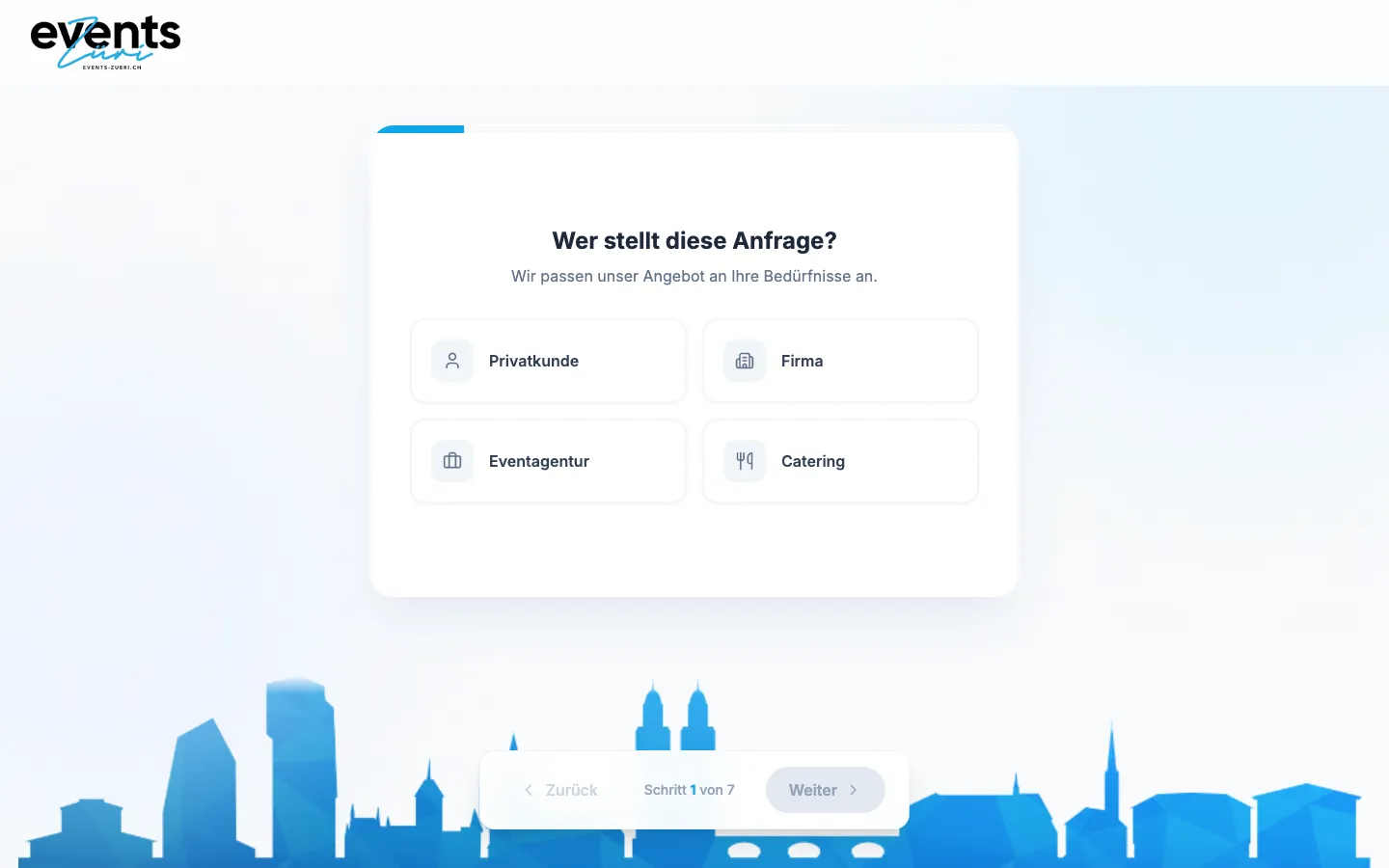
    Inquiry Wizard for Events Züri – Step 1: Who is asking?

    Who is asking?

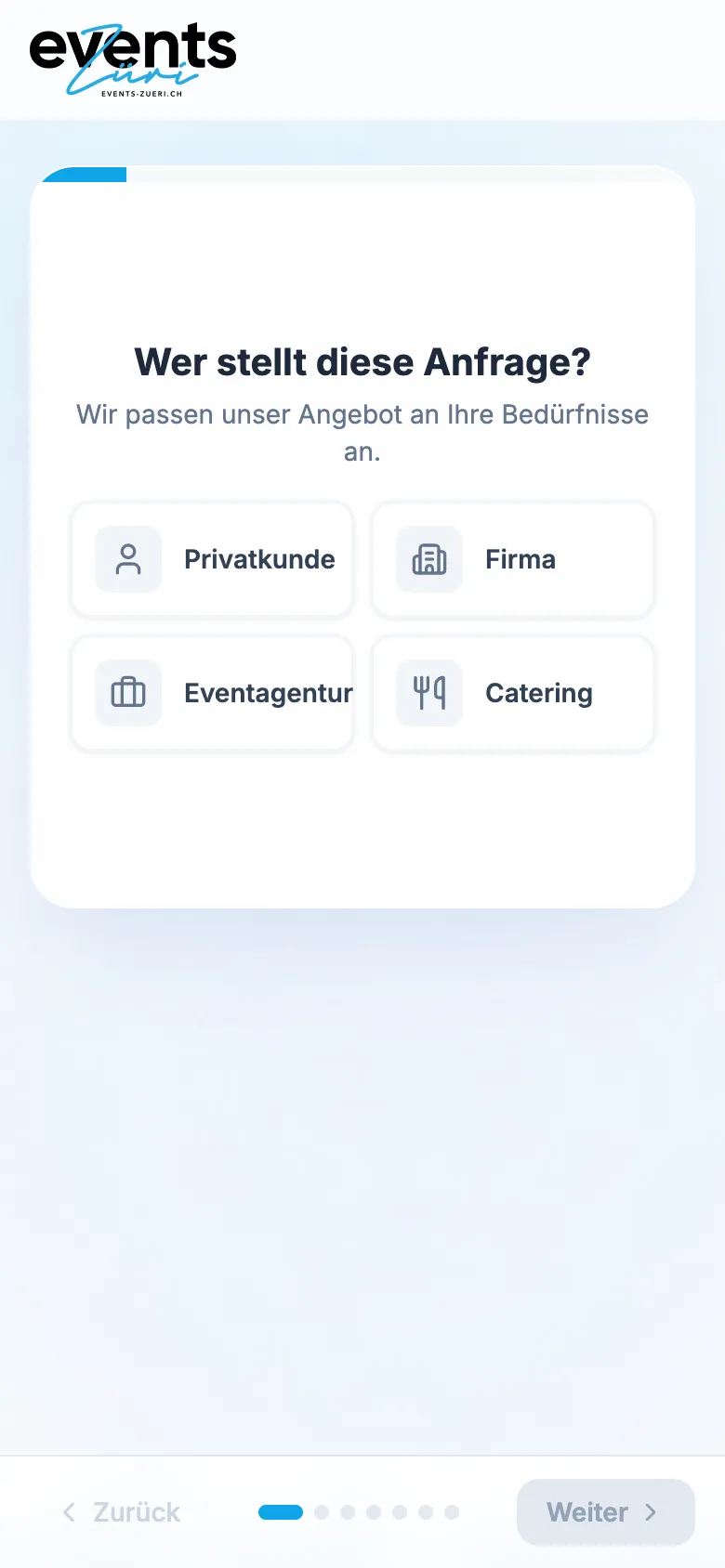
    Four paths as cards: private, company, event agency or catering. The bar at the bottom shows which of the seven steps you are in.

  2. 02Step 2 / 7
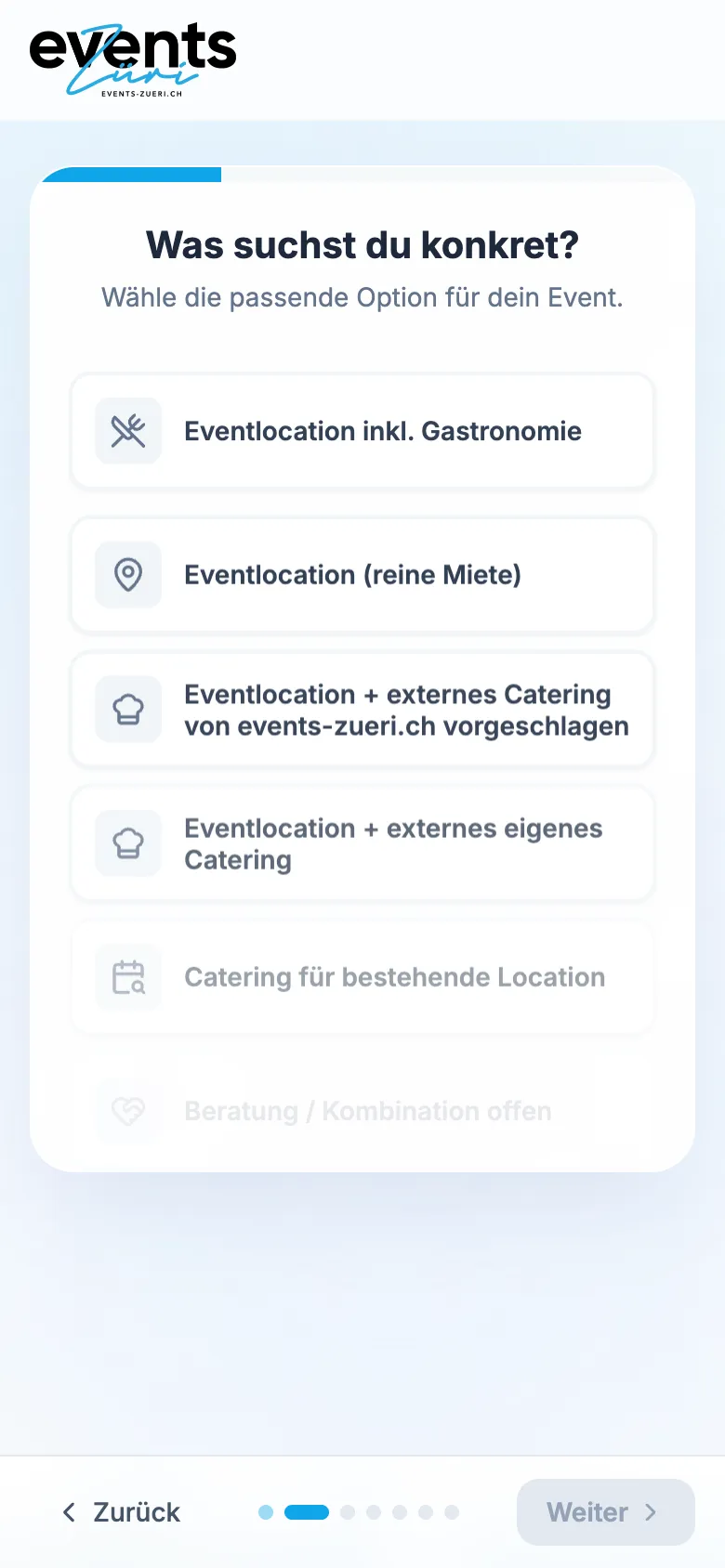
    Inquiry Wizard for Events Züri – Step 2: What is needed?

    What is needed?

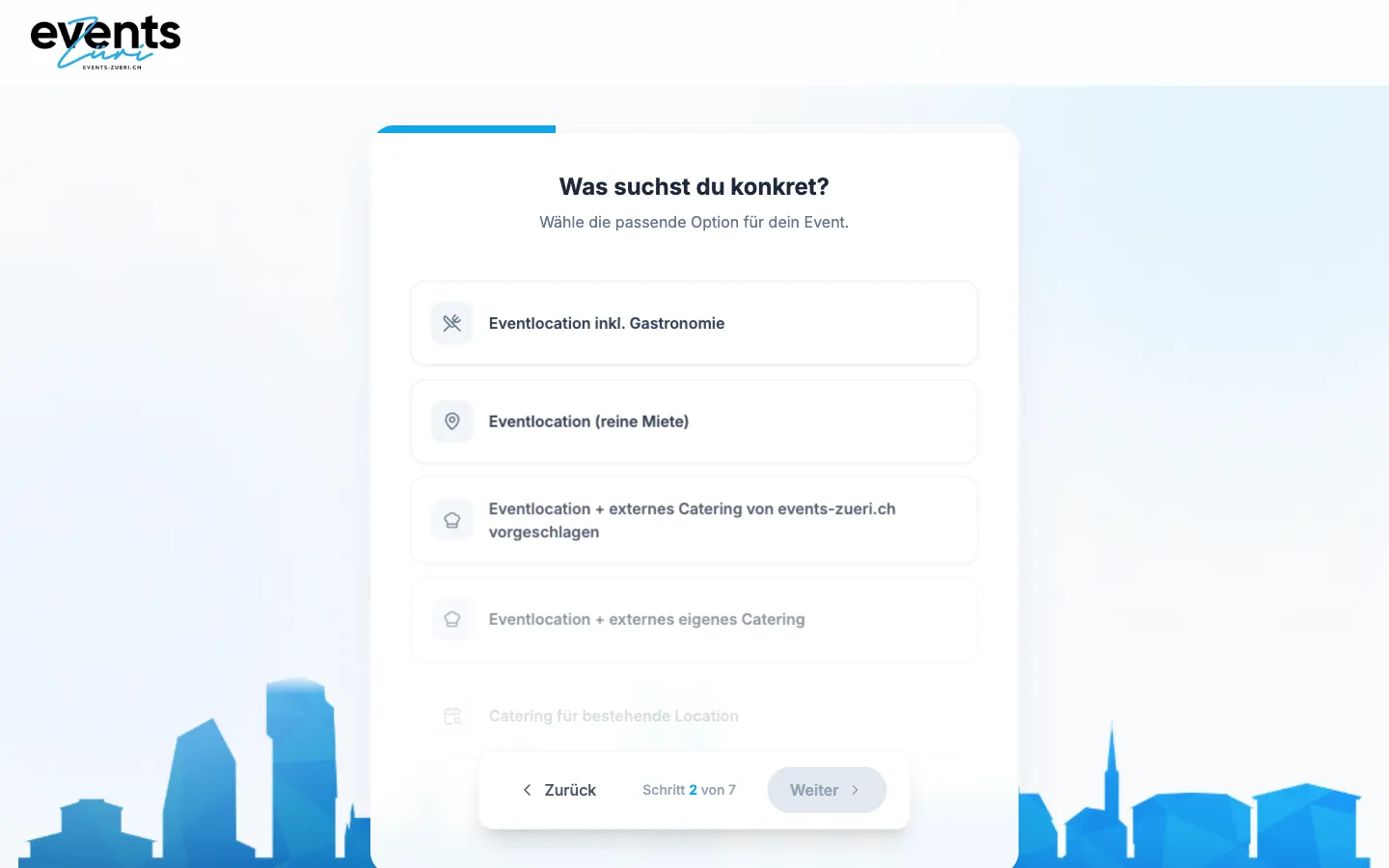
    Six options from a venue with catering to open advice. Events Züri knows right away whether a venue, catering or both is needed.

  3. 03Step 3 / 7
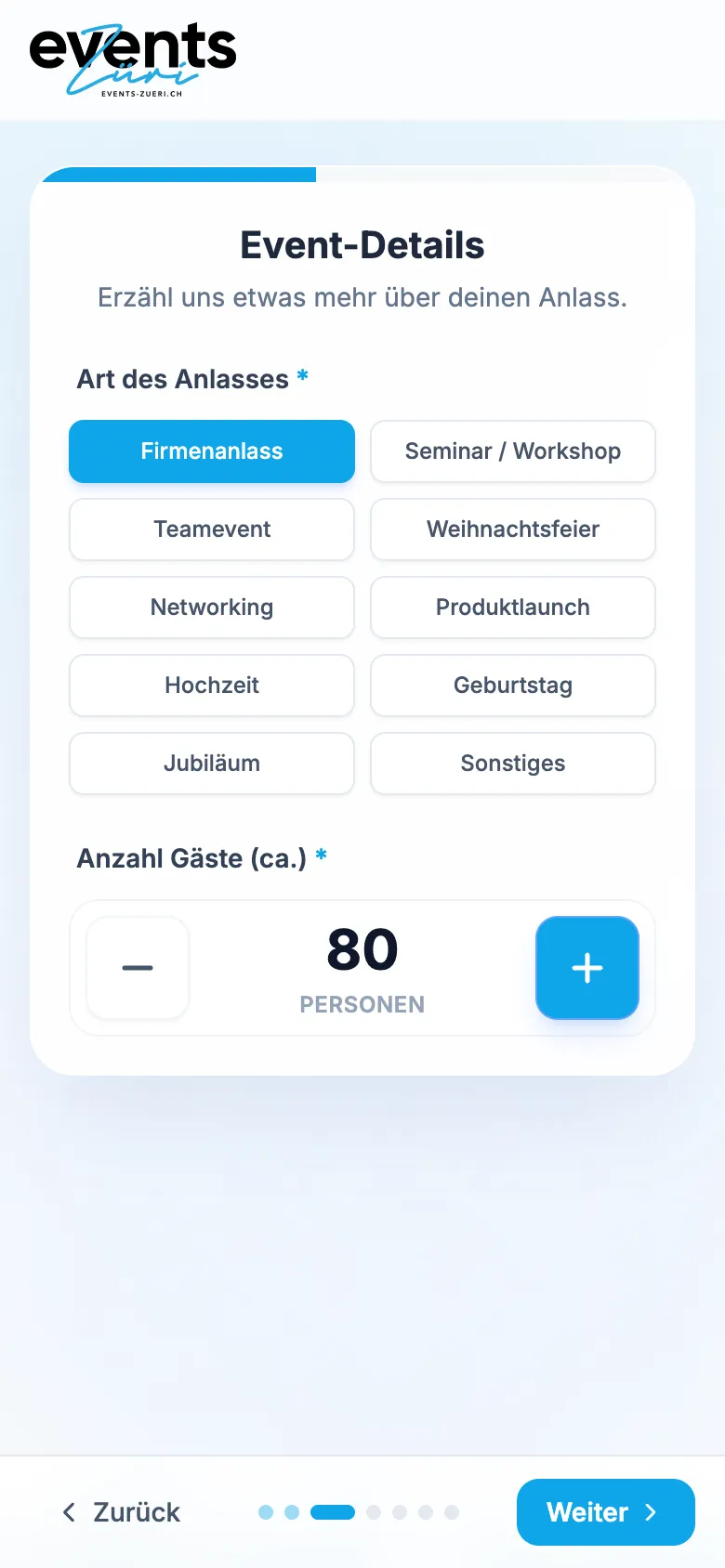
    Inquiry Wizard for Events Züri – Step 3: Occasion and guests

    Occasion and guests

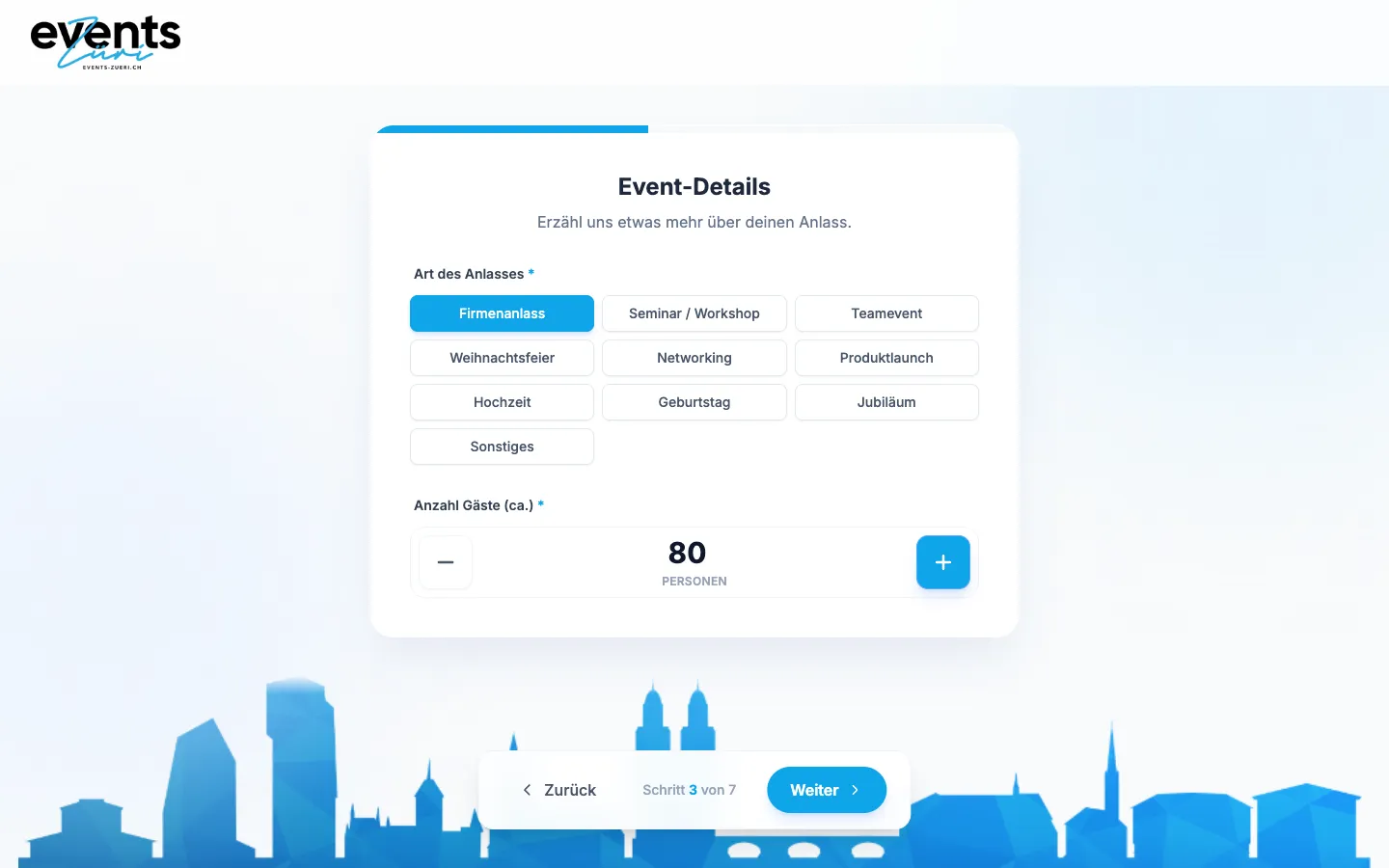
    The occasion as chips, the number of guests with plus and minus in steps of ten. «Next» only activates once both are set.

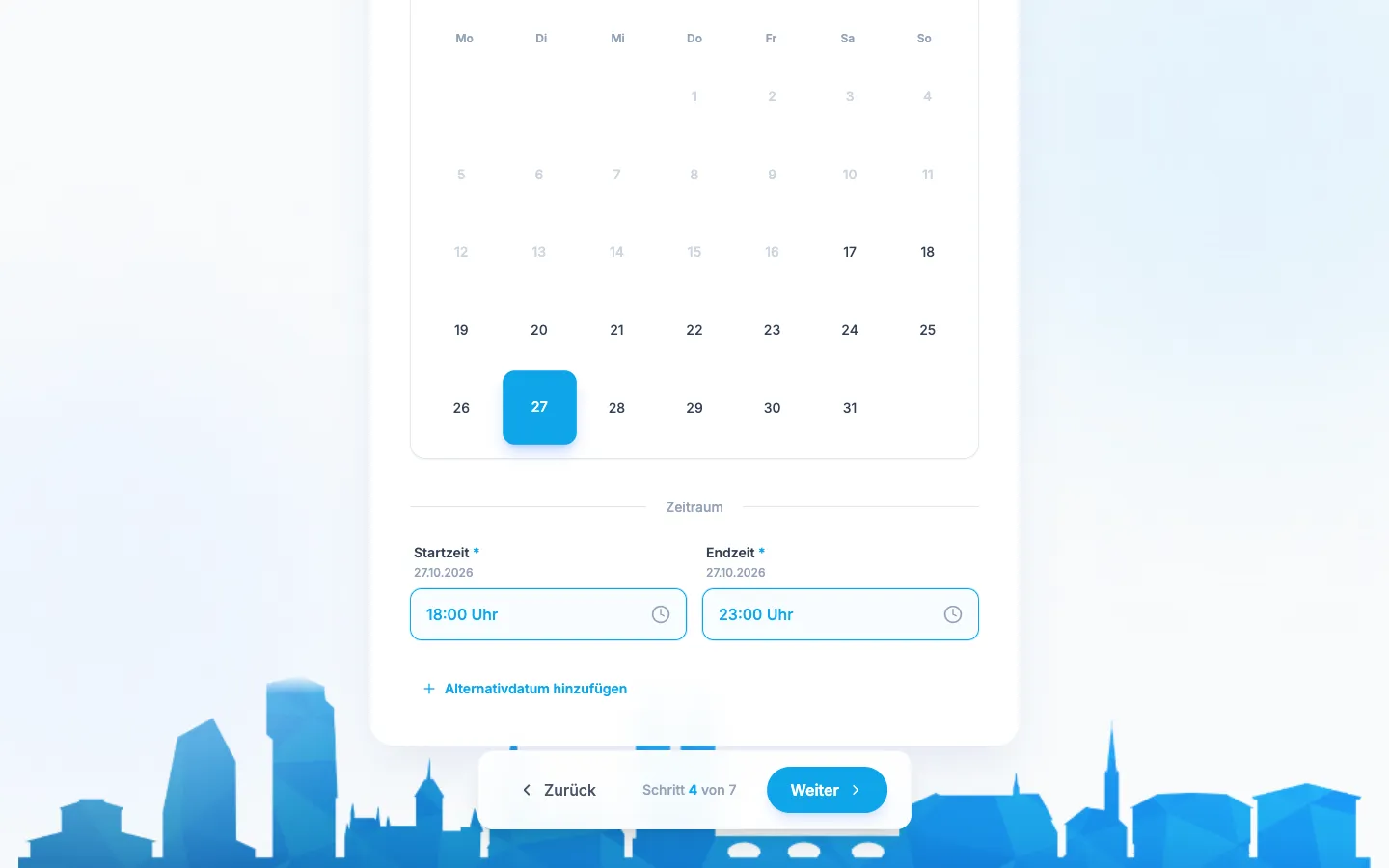
  4. 04Step 4 / 7
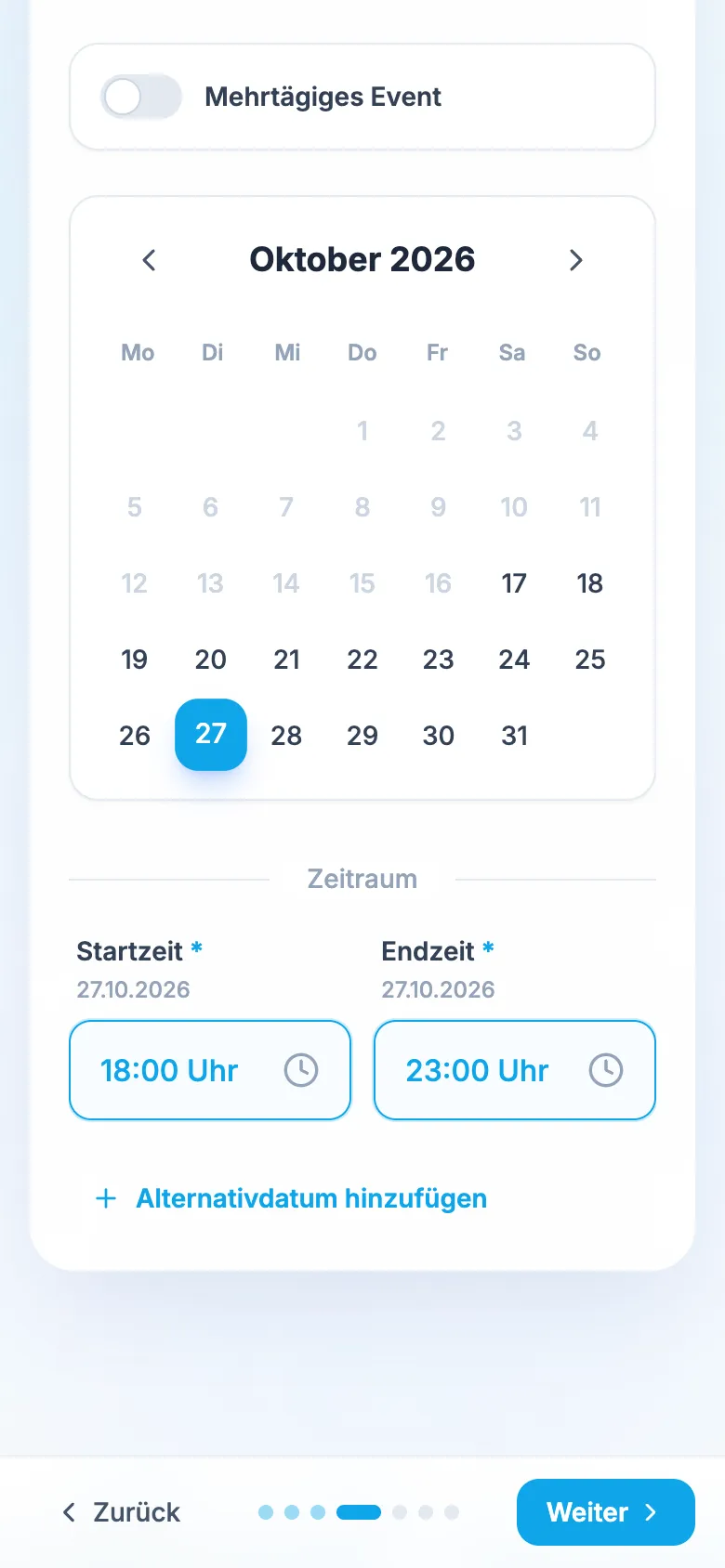
    Inquiry Wizard for Events Züri – Step 4: Date and time frame

    Date and time frame

    A custom monthly calendar, start and end time, optionally across several days and with an alternative date.

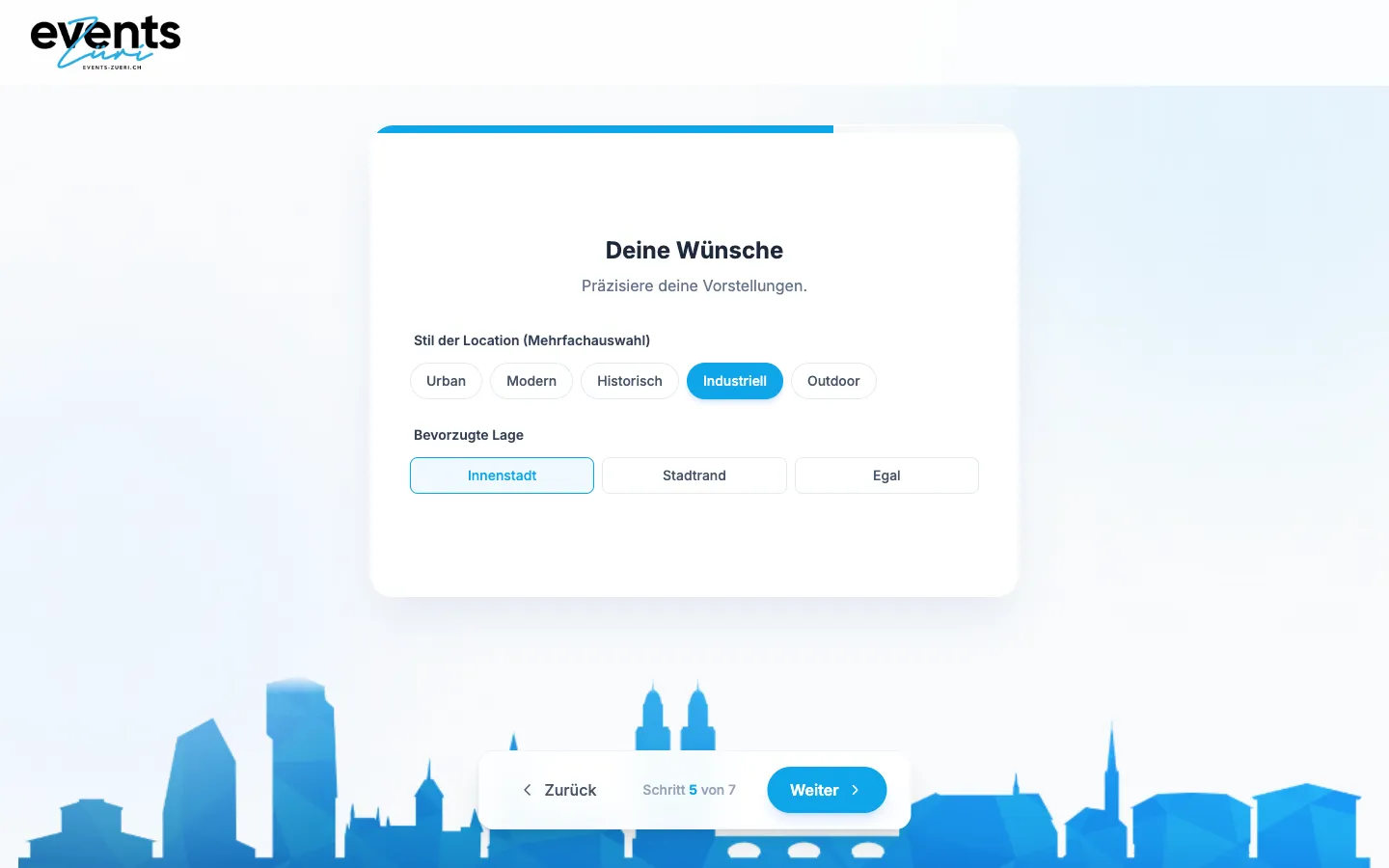
  5. 05Step 5 / 7
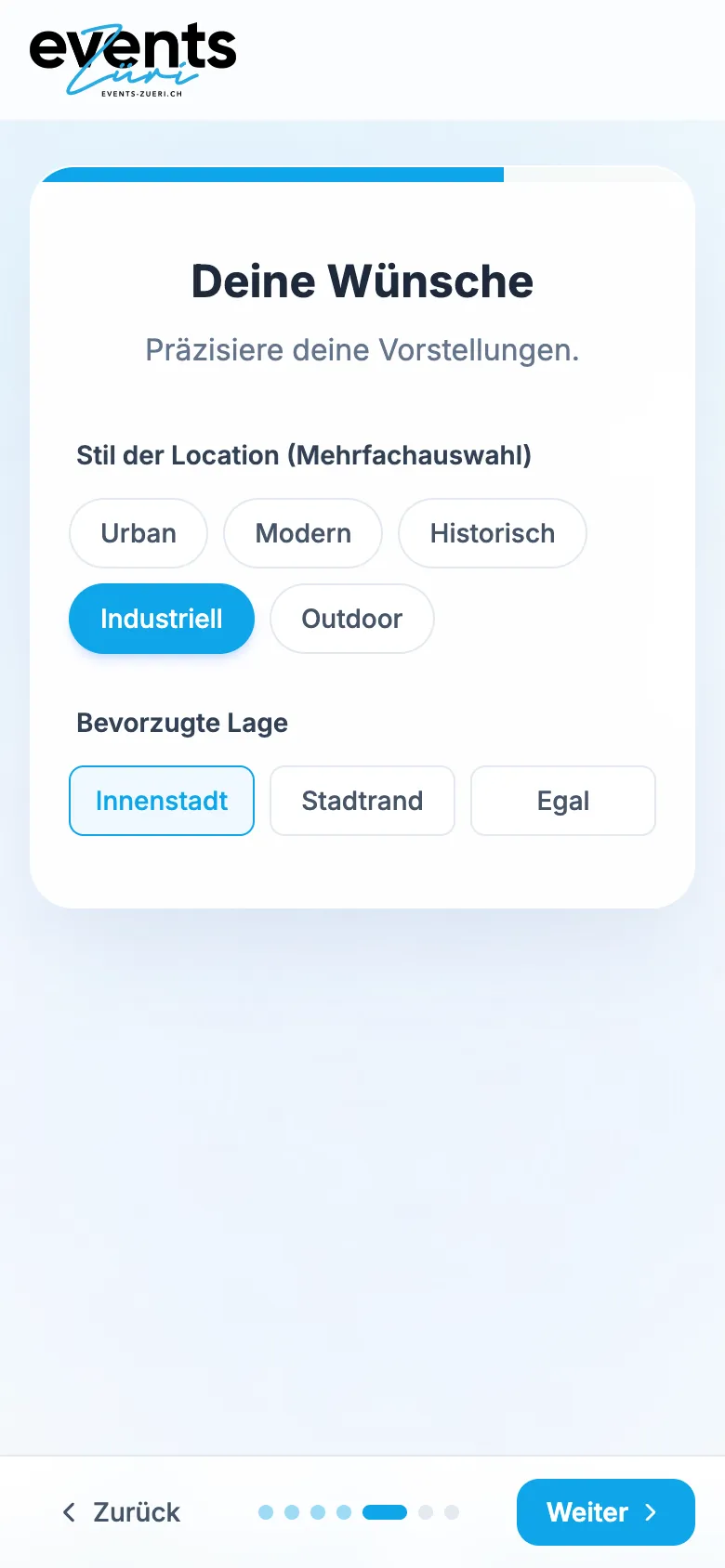
    Inquiry Wizard for Events Züri – Step 5: Venue preferences

    Venue preferences

    Venue style with multiple choice and preferred area. This step is optional.

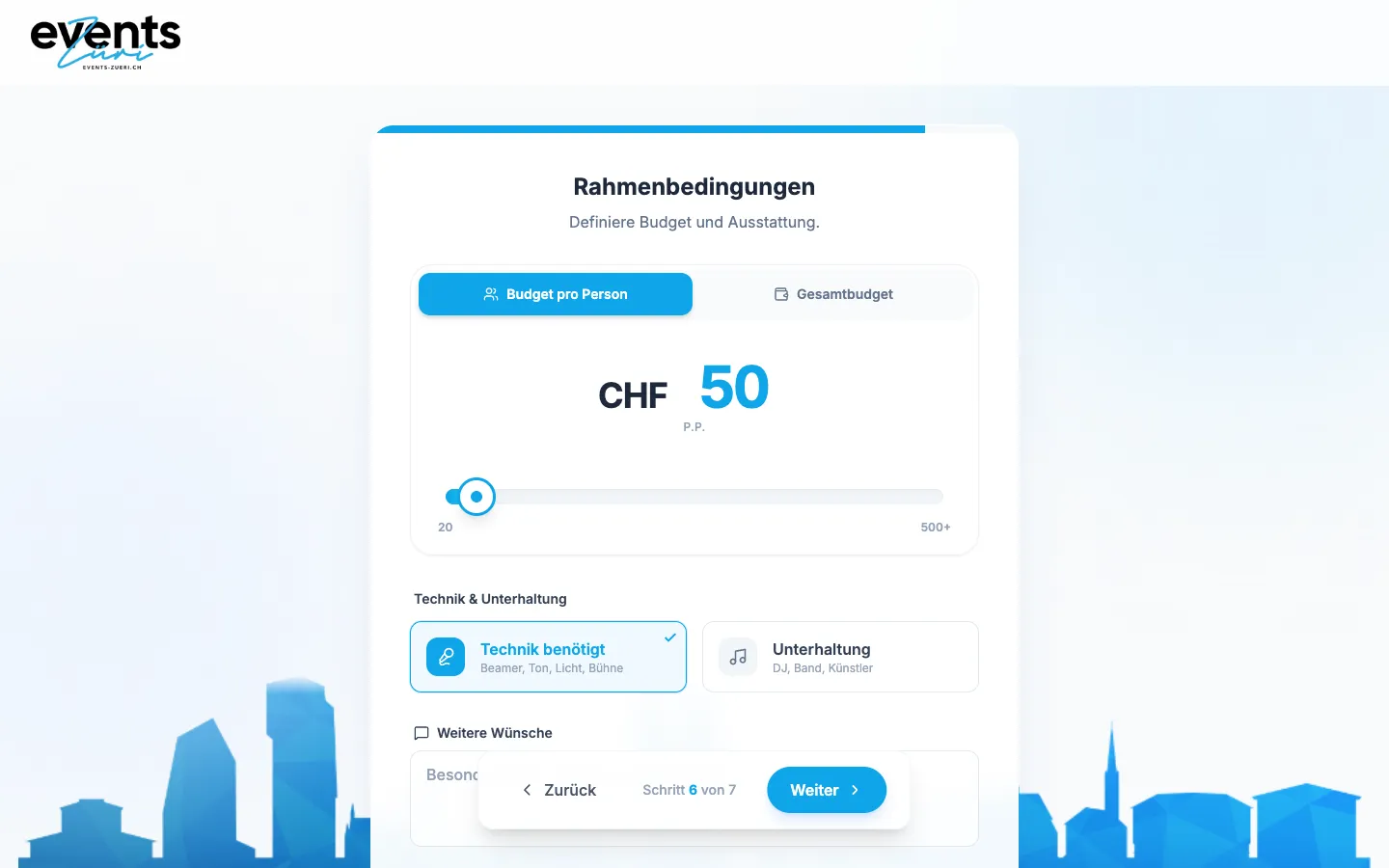
  6. 06Step 6 / 7
    Inquiry Wizard for Events Züri – Step 6: Budget and equipment

    Budget and equipment

    Budget per person or in total, plus switches for equipment and entertainment.

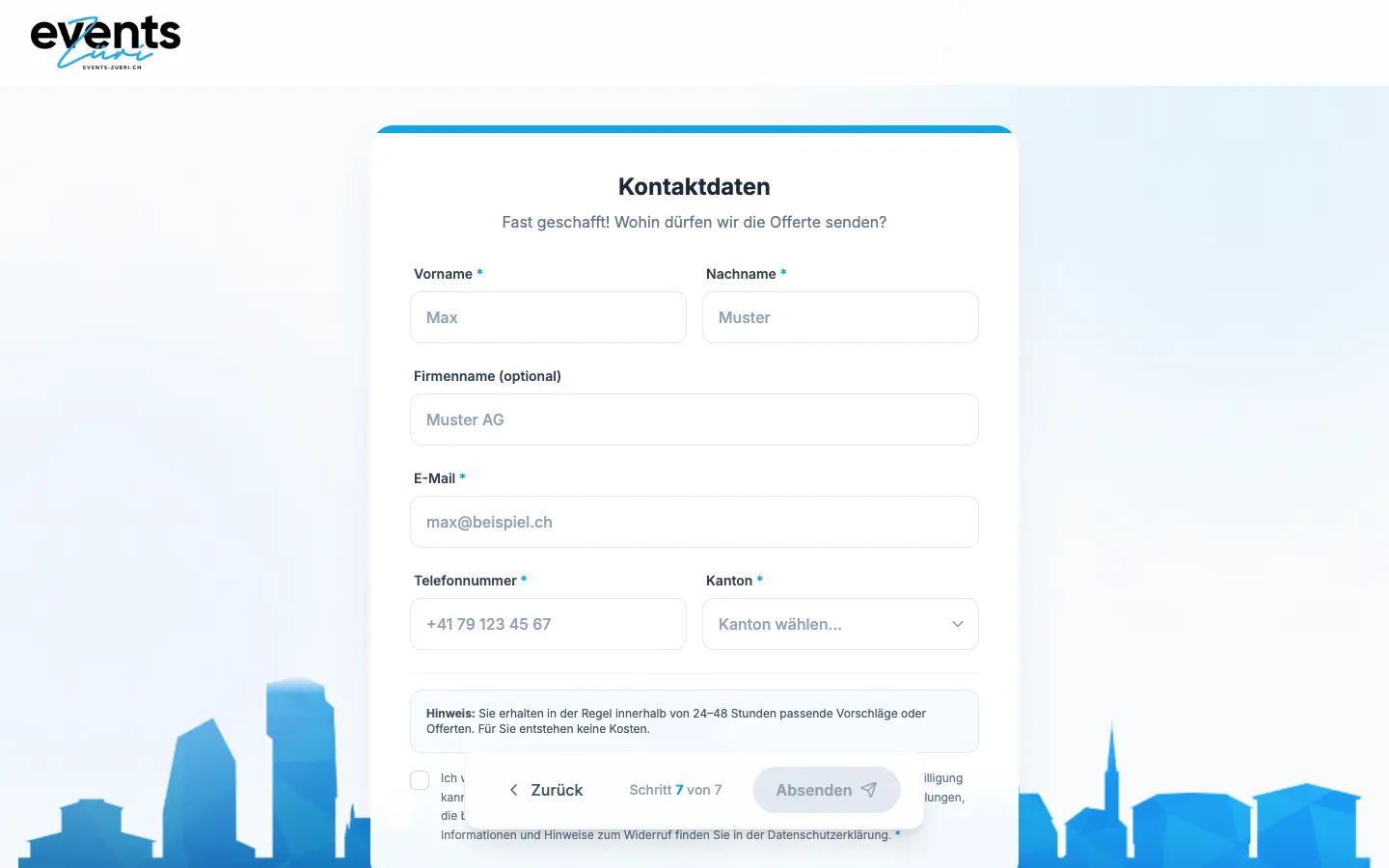
  7. 07Step 7 / 7
    Inquiry Wizard for Events Züri – Step 7: Contact details

    Contact details

    Finally name, email, phone and canton, with a note on the reply within 24 to 48 hours. The fields show placeholders only; nothing was submitted.

Swipe sideways for the next step.

Features

What the solution does

  • «Who is asking?» switch

    Four cards for private client, company, event agency and caterer. One tap selects and jumps straight to the next step.

  • What is needed?

    Six options from a venue with in-house catering via venue-only rental to catering for an existing venue or open consultation.

  • Occasion and guest count

    Ten occasions as chips, from corporate event and seminar to wedding and anniversary, with «Other» as free text. The guest count is set with plus and minus in steps of ten.

  • Own calendar with time slot

    Month calendar instead of a date field, start and end time in 30-minute steps, a switch for multi-day events and an optional alternative date.

  • Style and location preferences

    Venue style as multiple choice (urban, modern, historic, industrial, outdoor) and preferred area. This step is optional.

  • Budget, equipment, entertainment

    Switch between budget per person and total budget, plus tiles for equipment (projector, sound, light, stage) and entertainment (DJ, band, artists) and space for allergies and special requests.

  • Required fields per step

    «Next» only becomes active once the required fields are set. A progress bar and dots show where you are, with animated transitions forwards and back.

  • Structured submission

    Contact details with canton and privacy consent, then the whole inquiry goes to the server as one record. The confirmation states the 24 to 48-hour reply time, and on an error it can be sent again.

Mobile

On the smartphone

  • Inquiry Wizard for Events Züri – Step 1: four paths for private, company, agency and catering
    Step 1: four paths for private, company, agency and catering
  • Inquiry Wizard for Events Züri – Step 2: what exactly are you looking for?
    Step 2: what exactly are you looking for?
  • Inquiry Wizard for Events Züri – Step 3: corporate event for 80 guests
    Step 3: corporate event for 80 guests
  • Inquiry Wizard for Events Züri – Step 4: own calendar with start and end time
    Step 4: own calendar with start and end time
  • Inquiry Wizard for Events Züri – Step 5: venue style and area
    Step 5: venue style and area

Swipe sideways for more views.

Screens

What it looks like

  • Step 1 of 7: who is making this inquiry?
  • Step 3 of 7: occasion as chips and guest counter
  • Step 6 of 7: budget, equipment and entertainment

FAQ

Frequently asked questions

Why seven steps instead of a short form?

Because an event inquiry without date, guest count, time slot and budget cannot be answered. A long single-page form puts people off; seven short screens with one topic each do not. The first steps are a single tap, optional steps continue without input, and the progress bar always shows how far there is to go.

Which details are required?

Who is asking and what is needed, the type of event with guest count, the date with start and end time, and the contact details. Style, area, budget, equipment and entertainment are optional. «Next» only becomes active once a step's required fields are set, so no inquiry arrives without a date or headcount.

Did DLM Digital build the entire Events Züri website?

No. DLM Digital built the inquiry form as a standalone web app at anfrage.events-zueri.ch. The main website events-zueri.ch links to it. The form stands on its own and can be opened from any page.

What does such an inquiry assistant cost?

An assistant as a standalone web app starts at CHF 10,000 at DLM Digital. As part of a new website, the project falls within the CHF 3,000 to 25,000 range for the website, depending on scope. The exact price depends on the number of steps, logic and integrations, for example with a CRM or a back office for the team.

Solutions

Solutions from this project

Work

Similar projects

Your project

A project like this for your business?

Websites from CHF 3,000 to CHF 25,000, web apps from CHF 10,000. We deliver a website within 2 weeks once all materials are in.